Joe Taylor, K1JT; Stan Franke, K9AN and Bill Somerville, G4WJS - - PowerPoint PPT Presentation

joe taylor k1jt stan franke k9an and bill somerville
SMART_READER_LITE
LIVE PREVIEW

Joe Taylor, K1JT; Stan Franke, K9AN and Bill Somerville, G4WJS - - PowerPoint PPT Presentation

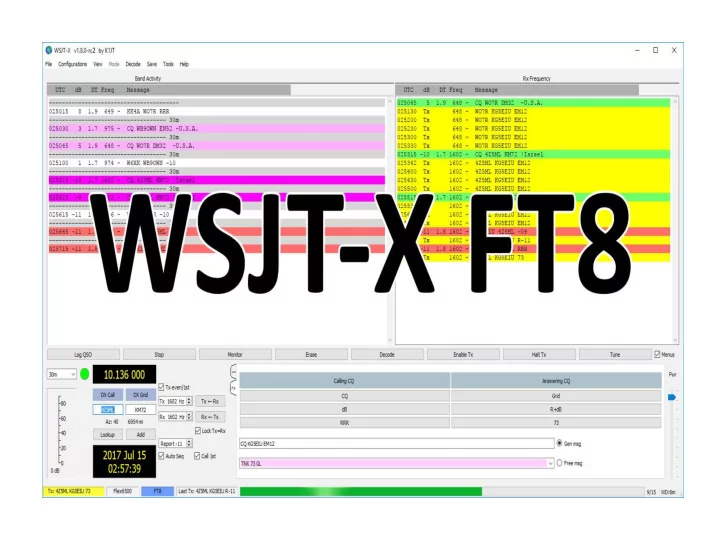
Joe Taylor, K1JT; Stan Franke, K9AN and Bill Somerville, G4WJS developed a new mode for WSJT-X, FT8 (Frankie-Taylor design, 8 FSK modulation) released on June 29, 2017 Transmit Messages - Type 1 & 2 Auto Sequence & Call 1st Even/ Odd


slide-1
SLIDE 1
slide-2
SLIDE 2

Joe Taylor, K1JT; Stan Franke, K9AN and Bill Somerville, G4WJS developed a new mode for WSJT-X, FT8 (Frankie-Taylor design, 8 FSK modulation) released on June 29, 2017

slide-3
SLIDE 3
slide-4
SLIDE 4
slide-5
SLIDE 5
slide-6
SLIDE 6

Transmit Messages - Type 1 & 2

slide-7
SLIDE 7

Auto Sequence & Call 1st

Even/ Odd Transmission

Sets TX Freq

Sets Sets RX Freq Locks TX=RX

Auto Sequence – Automatically sequences thru the QSO – Signal Report, Roger & 73

slide-8
SLIDE 8

WSJT-X FT8 Download

  • https://

physics.princeton.edu/pulsar/k1jt/wsjtx.html

  • Candidate Release for WSJT-X Version 1.8.0-

rc2

slide-9
SLIDE 9

FT8 Setup – Internet Reference

slide-10
SLIDE 10

FT8 Setup

  • Select “File”
  • Select “Settings”
slide-11
SLIDE 11
slide-12
SLIDE 12
slide-13
SLIDE 13
slide-14
SLIDE 14
slide-15
SLIDE 15
slide-16
SLIDE 16

FT8 Frequencies Added FT8 Frequencies Band MHz Band MHz 160M 1.840 60M* 5.357 80M 3.573 2M* 144.125 & 144.165 40M 7.074 1 ¼M* 222.065 30M 10.136 70CM* 432.065 20M 14.074 * Not to Frequency list - to add use “Insert” 17M 18.100 15M 21.074 You will need to do a “Reset” after you install 12M 24.915 WSJT-X to have the frequencies added in the 10M 28.074 list. 6M 50.313

slide-17
SLIDE 17
slide-18
SLIDE 18

Logs

  • Log All - logs all reception and transmissions
  • Log Text – Text log
  • Log ADI – ADIF log (Used for LOTW & eQSL)

Note: Don’t erase the ADI log, it is used to find the stations you have worked.

slide-19
SLIDE 19

Support Programs

  • PSK Reporter – Reverse Beacon Network
  • DX Maps – DX Spotting Map
  • JT Alert
slide-20
SLIDE 20

PSK Reporter

Can be setup to show the stations that are receiving you.

slide-21
SLIDE 21

DX Maps

slide-22
SLIDE 22

Operating Hints

  • When using a computer sound card, turn off

computer sounds

  • Also turn off any voice announcements
  • Remove the mic from your rig if using aux

audio inputs. Most rig don’t mute the mic when using the aux input.

  • Use the rig monitor to check your audio for

hum and RF.

  • Check the “DT”, delta time, should be .5

seconds or less.

slide-23
SLIDE 23

Advanced Operating Hints

  • In crowded band conditions or working DX,

try using split transmit & receive frequencies.

  • When calling DX try sending the signal report

first instead of your call/grid square.

  • When working DX, try calling him split, Either

just off his frequency or on the low end of

  • band. Calls are displayed starting at the low

end of band. Call 1st will work the first

slide-24
SLIDE 24

Computer Audio Rig Interface

  • Rig Baster – MFJ
  • Tigertronics SignaLink

http://www.tigertronics.com/sl_suprt.htm

  • Homebrew resistor dividers – Mic & Speaker audio

http://www.wa1wa.net/filespdf/pskhandbook.pdf

  • FlexRadio uses a virtual audio connections
slide-25
SLIDE 25

Logging Programs that support FT8

  • Ham Radio Deluxe V6
  • N3FJP
  • Log44M
  • LOTW
  • eQSL
slide-26
SLIDE 26

October and November QST has a 2 part series on FT8

slide-27
SLIDE 27

The End Indianapolis Radio Club KJ9B & K9RU