Learning of concepts and principles of IT Aim Determine the level - - PDF document

learning of concepts and principles of it
SMART_READER_LITE
LIVE PREVIEW

Learning of concepts and principles of IT Aim Determine the level - - PDF document

INF3280 7 February 2014 Learning of concepts and principles of IT Aim Determine the level of mastery of the learning goals for Assignment 2 according to the learning model Core literature: Chapter 5. Learning IT


slide-1
SLIDE 1

INF3280 — 7 February 2014 Jens Kaasbøll

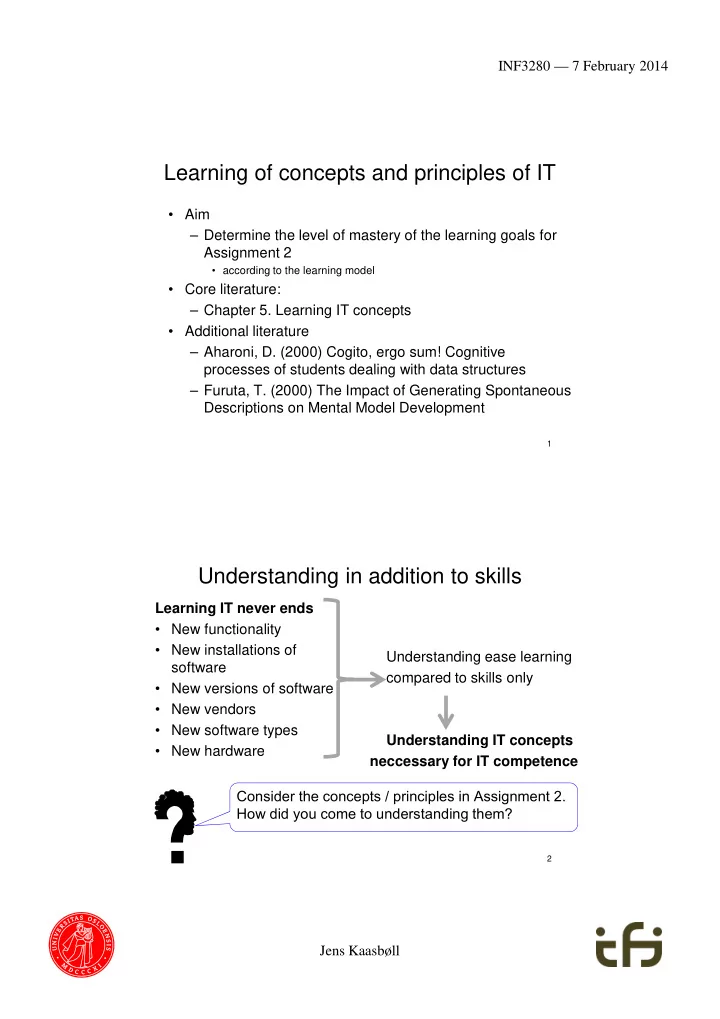
Learning of concepts and principles of IT

  • Aim

– Determine the level of mastery of the learning goals for Assignment 2

  • according to the learning model
  • Core literature:

– Chapter 5. Learning IT concepts

  • Additional literature

– Aharoni, D. (2000) Cogito, ergo sum! Cognitive processes of students dealing with data structures – Furuta, T. (2000) The Impact of Generating Spontaneous Descriptions on Mental Model Development

1

Understanding in addition to skills

Learning IT never ends

  • New functionality
  • New installations of

software

  • New versions of software
  • New vendors
  • New software types
  • New hardware

Understanding ease learning compared to skills only Understanding IT concepts neccessary for IT competence

2

c Consider the concepts / principles in Assignment 2. How did you come to understanding them?

slide-2
SLIDE 2

INF3280 — 7 February 2014 Jens Kaasbøll

Constructivism: Experience precede reflection

  • Experience through interactions with

– Other learners – Teachers – Computers – Books and documentation – and the rest of our environment

  • Understand through reflection on experience

– Relate it to previous experience – Relate it to concepts, models, theories… – Discuss it with others

3

Constructing new understanding

  • Learning is based on existing competence

– We construct our own skills and understanding – Understanding and skills are not transferred

  • We don’t copy the teacher’s competence
  • Understand new concepts based on

– Previously understood concepts

  • From IT
  • From other areas

– New experience

4

slide-3
SLIDE 3

INF3280 — 7 February 2014 Jens Kaasbøll

5

IT skills IT functional understanding

Information

IT

Task support

Interpret Repeat Imitate Navigate Reflect

Learning IT concepts – levels of mastery

IT Structural understanding

6

IT skills

Carry out an action which exemplifies the concept. Say each step.

Information

IT

Task support

Interpret Repeat Imitate Reflect

Levels of mastery – descriptions

IT Structural understanding

Refer to the action like an object of its own which can be part of

  • ther actions

IT functional understanding

Talk about the input and output of the action without actually doing it

Navigate

slide-4
SLIDE 4

INF3280 — 7 February 2014 Jens Kaasbøll

7

Interpret Repeat Imitate Reflect

Levels of mastery – example

Cell-referencing is an ingredient in formulas In order to have one cell refer to another, one has to get the coordinates of the other cell into the formula Type the Column letter. Type the Row number.

Skills Understanding Navigate

8

Exercise

  • When requested to explain graphs in spreadsheets, we

get the following responses: Gloria: – Graphs are drawings of numbers. They show us the numbers so that they are easier to compare. Jussi: – The graphs are linked to the numbers, so when I change a number, the graph will also change. Yma: – We make graphs by selecting the numbers to be charted, and then choose the graph type. We can change the format of the graph afterwards.

  • At which levels of skills or understanding of IT concepts

are Gloria, Jussi and Yma?

slide-5
SLIDE 5

INF3280 — 7 February 2014 Jens Kaasbøll

9

Skills Understanding Directions Structural models Instructions Functional models

Information

IT

Activity fit

Interpret Repeat Imitate Navigate Reflect

Functional model for understanding IT

  • 1. Status before operation 2. Operation 3. Status after operation

10

Convert to Adobe pdf The original is kept untouched during conversion

slide-6
SLIDE 6

INF3280 — 7 February 2014 Jens Kaasbøll

11

Functional model

  • f software

CBot Design

http://classes.engr.oregonstate.edu/ mime/spring2010/me414- 001/g2/pages/system.html

Structural models

  • Designers’ Structural model of the system

– Application specific IT concepts – General IT concepts

  • Reflection is NOT a sequential process

Express Structural models as illustrations with short texts

12

slide-7
SLIDE 7

INF3280 — 7 February 2014 Jens Kaasbøll

Structural model of IT – Generalisation-specialisation

13

Data link Cross reference

  • inside a document

Import by link

  • between files

Specialisations

Functional and Structural model of IT – Discrimination

14

Inconsistencies when updating the spread sheet Inconsistencies avoided

slide-8
SLIDE 8

INF3280 — 7 February 2014 Jens Kaasbøll

Graphics

15

  • Recognisable
  • Simple

– Only essentials Unknown notation Too many insignificant details

16 Microsoft Help Word > Page breaks and section breaks > Insert a section break

slide-9
SLIDE 9

INF3280 — 7 February 2014 Jens Kaasbøll

17

Import by reference

Video

  • Make learners feel being in a conversation

– We and you – Learning agent – Natural voice

  • Describe complex visuals with audio only

18

slide-10
SLIDE 10

INF3280 — 7 February 2014 Jens Kaasbøll

Exploiting both the visual and oral channels

  • Teaching and videos

 Minimum of written text

19

Speech Written text Pictures Phonetic processing Visual processing Eyes Ears Very limited capacity Long term memory

Aspects of a concept

20

Aspect Explanation Example – Styles in text processors Purpose - Why The usefulness of the concept Provides uniform layout throughout a document Functionality – What The transformation which it causes. When applying a style to a paragraph, the paragraph becomes formatted as specified in the style. When modifying a style, all paragraphs adhering to the style are changed accordingly. Contents (data) – What The constituents A style is a collection of all formating instructions for a paragraph. Internal structure – What How the constituents are organised. Formatting instructions are divided into character level, the whole paragraph layout, and special items like bullets. External relations - What How its instantiations relate to instantiations

  • f other concepts

All paragraphs belong to a style. Comparisons with

  • ther concepts

Similarities and distinctions to other concepts. Style and master slides determine layout of portions of a file. Styles apply to paragraphs, while master slides apply to slides.

slide-11
SLIDE 11

INF3280 — 7 February 2014 Jens Kaasbøll

Make a table of the Aspects of the

21

Concept(s) for Assignment 2 Or

  • 1. Pixel
  • 2. Paragraph
  • 3. Phone book
  • 4. Song
  • 5. Tag
  • 6. Web site
  • 7. Folder

22

Learning a new concept based on a previous one

  • 1. Select paragraph

Apply style

Interpret Imitate Reflect

  • 3. Style collects all formating

for paragraphs. All paragraphs have a style. All text is in a paragraph.

  • 2. Changing style makes the

associated paragraphs change

  • 4. Apply Heading styles.

Move cursor to front. Insert Table of Contents. Add more contents. Click Update at the table of contents.

  • 5. Table of contents is

generated based on current page numbers

Navigate

slide-12
SLIDE 12

INF3280 — 7 February 2014 Jens Kaasbøll

Sequence of learning concepts

23

Footnotes Styles Heading styles Table of contents References Cross- references

Type of relation Learning sequence Example Builds-on The concept built on is learnt first Addition before Multiplication Generalisation- specialisation

Class-Subclass

Two special concepts learnt before the generalised Cross reference and Hyperlink before Link Discrimination Any order

Summary

24

  • Skills for using IT
  • Understanding for learning new skills
  • Structural understanding for learning new concepts
  • Slow learners are in more need of functional and

structural models

  • Variety of learning material help all learners

c How can we know whether a person has a structural understanding?