Logic Gates What are logic gates? In the binary lesson, we - - PowerPoint PPT Presentation

logic gates what are logic gates
SMART_READER_LITE
LIVE PREVIEW

Logic Gates What are logic gates? In the binary lesson, we - - PowerPoint PPT Presentation

Logic Gates What are logic gates? In the binary lesson, we discussed the switches inside a computer Logic gates are the switches that turn ON or OFF depending on what the user is doing! They are the building blocks for how


slide-1
SLIDE 1

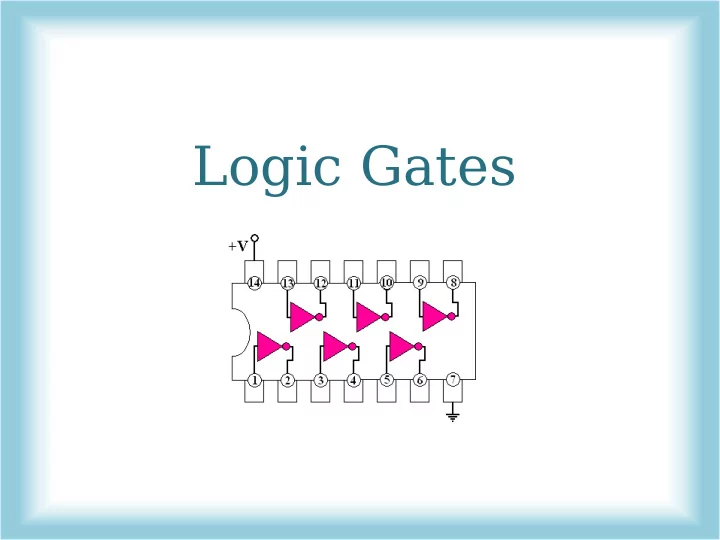
Logic Gates

slide-2
SLIDE 2

What are logic gates?

  • In the binary lesson, we discussed the switches inside a

computer

  • Logic gates are the switches that turn ON or OFF

depending on what the user is doing!

  • They are the building blocks for how computers work.
slide-3
SLIDE 3

What are logic gates?

  • Logic gates turn ON when a

certain condition is true, and OFF when the condition is false

– They check whether or not the information they get follows a certain rule

  • They either spit out the answer

true (ON) or false (OFF)

  • Remember:

– True= ON = 1 – False = OFF=0

slide-4
SLIDE 4

Let’s do an example!

  • Let’s say a certain logic

gate needs to determine if two numbers are equal

  • The rule would be “is equal”
  • If the two input numbers

are equal, it will go into its ON position, indicating true

  • If they are not equal, it will

go into its OFF position, indicating false

ON

(they are equal)

Logic Gate

5 5

OFF

(they are not equal)

Logic Gate

5 6

slide-5
SLIDE 5

Let’s do an example!

  • But we learned before that

computers only think of things in terms of ON and OFF, which to them is 1 and 0

  • So a computer wouldn’t take

an input of 5 or 6 – all of the information need to be 0s and 1s

  • Reminder: Input refers to the

information you give the logic gate, and output refers to what it spits out!

  • Let’s try this example again,

keeping this rule in mind!

1

(ON)

Logic Gate

1

(ON)

1

(ON) (OFF)

Logic Gate

1

(ON) (OFF)

slide-6
SLIDE 6

Types of Logic Gates!

  • Major logic gates: NOT, AND,

OR, and XOR

  • There are also other ones,

such as NAND, NOR, and XNOR that we’re not going to cover.

  • This is called Boolean logic
  • In a circuit schematic each

logic gate is represented by a different picture, like the

  • nes shown below.
slide-7
SLIDE 7

NOT

  • NOT is the most simple logic gate.
  • All it does is take in an input that is either ON or OFF and

spits out the opposite.

  • So for a 1 it will give a 0, and for a 0 it will give a 1.
  • Another name for a NOT gate is inverter, because it inverts

(makes opposite) the input

slide-8
SLIDE 8

AND

  • Unlike NOT, AND needs two inputs
  • It only turns on when both inputs are ON
  • If only one input is on, it spits out OFF
  • If both inputs are off, it spits out OFF
slide-9
SLIDE 9

AND Truth Table

  • A convenient way to visualize the outputs for the logic gates

is through a truth table

  • The truth table depicts the gate’s response to each possible

set of inputs

1 1 1 Input 1 Input 2 Output

slide-10
SLIDE 10

OR

  • OR also needs two inputs
  • OR needs one input to be ON for it to spit out ON
  • It is also ON when both inputs are ON
  • It is OFF when both inputs are OFF
slide-11
SLIDE 11

OR Truth Table

1 1 1 1 1 Input 1 Input 2 Output

slide-12
SLIDE 12

XOR

  • XOR is the short way to say “Exclusive OR”
  • Like OR, XOR also only needs one input to be ON for it to

spit out ON

  • But unlike OR, when both inputs are ON, XOR spits
  • ut OFF
  • It is also OFF when both inputs are OFF
slide-13
SLIDE 13

XOR Truth Table

1 1 1 1 Input 1 Input 2 Output

slide-14
SLIDE 14

Stacking Logic Gates!

  • An output of one logic gate can be an input to

another logic gate.

  • This creates trees of gates that depend on each
  • ther.
slide-15
SLIDE 15

Let’s Do an Example!

1 1

slide-16
SLIDE 16

Example 2!

1 1

AND

slide-17
SLIDE 17

Example 3!

AND

1 1 1 1 1

slide-18
SLIDE 18

Logic gates actually look like weird bugs in real life!

However, the diagrams we use are easier to understand

slide-19
SLIDE 19

Any Questions??