Modules in Java Classes that are related should be grouped together, - - PowerPoint PPT Presentation

modules in java
SMART_READER_LITE
LIVE PREVIEW

Modules in Java Classes that are related should be grouped together, - - PowerPoint PPT Presentation

Modules in Java Classes that are related should be grouped together, may even share access to otherwise private methods/instance variables Java uses package: one directory of related classes private, public, protected and the default:


slide-1
SLIDE 1

Duke CPS 108 13.1

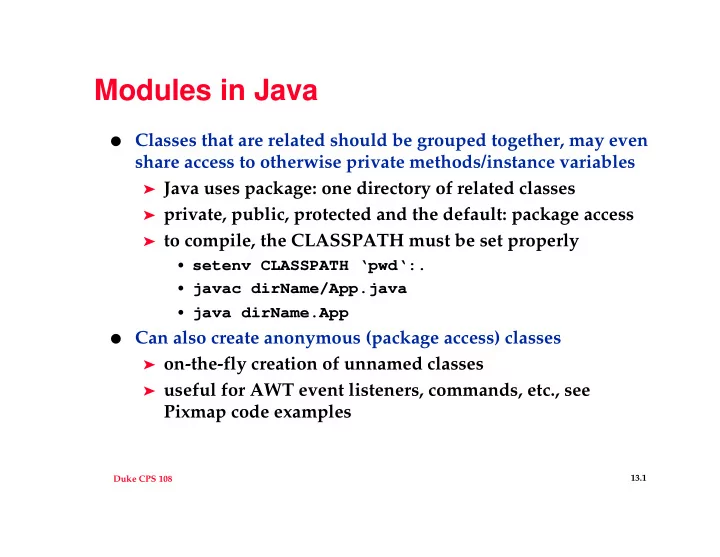
Modules in Java

  • Classes that are related should be grouped together, may even

share access to otherwise private methods/instance variables

➤ Java uses package: one directory of related classes ➤ private, public, protected and the default: package access ➤ to compile, the CLASSPATH must be set properly

  • setenv CLASSPATH ‘pwd‘:.
  • javac dirName/App.java
  • java dirName.App
  • Can also create anonymous (package access) classes

➤ on-the-fly creation of unnamed classes ➤ useful for AWT event listeners, commands, etc., see

Pixmap code examples

slide-2
SLIDE 2

Duke CPS 108 13.2

Interface and Classes

  • Java is single inheritance, in GUI world this can be a problem

➤ must extend JFrame, JComponent, etc. ➤ sometimes need additional functionality

  • a Java interface is similar to a C++ abstract base class

➤ classes can implement many interfaces ➤ all methods in each interface MUST be implemented ➤ see Iterator example in WordTracker

  • In JDK 1.2, UnsupportedMethodException partially breaks

idea of an interface

  • Adapter classes and inner classes (anonymous) help

➤ See Pixmap, anonymous class “looks” like an interface

  • Anonymous classes can cause recompilation problems

➤ rm *$*.class

slide-3
SLIDE 3

Duke CPS 108 13.3

Swing concepts

  • Object < JComponent < JContainer < JFrame

➤ The component/container pair is an example of the Composite

pattern: Container has Components, including other Containers

➤ Containers have layout managers that control how widgets are

added/appear

  • BorderLayout is versatile, FlowLayout is simple, GridBagLayout

is the kitchen sink

  • JPanel is the simplest, container, use for holding widgets

➤ defaults to Flowlayout, add widgets (other panels!)

  • JFrame is a top-level window (which is a container)

➤ Widgets added to a frame’s content pane, retrieved via

getContentPane(), different from JDK 1.1

➤ Container returned by getContentPane() is BorderLayout

  • Use BorderLayout.NORTH, not “North” (see Core Java )
slide-4
SLIDE 4

Duke CPS 108 13.4

General Gui/Swing guidelines

  • Keep the GUI and Application separate, use a Controller class

to mediate between widgets in the GUI

➤ see PixGui for an example

  • Use Command pattern (even if no explicit Command classes)

➤ isolate Action events on a class-per-action basis,

anonymous classes help with addActionListener(..)

  • Anonymous classes, or package/private classes associated with

the GUI are useful

➤ see PixGui, note that default access is package

  • Key member functions

➤ pack(), setVisible(true), revalidate()

  • Don’t use paint(), don’t call paintComponent(), call

repaint()

➤ repaint() schedules painting by paintComponent()

slide-5
SLIDE 5

Duke CPS 108 13.5

More Swing problems/issues

  • Don’t forget about layout managers

➤ each container (JPanel, JFrame, …) has a layout manager ---

example of the strategy pattern

  • strategy pattern encapsulates an algorithm/behavior as a

class, allows algorithms to be plugged in

  • class that uses the strategy delegates responses/uses of

algorithm to myStrategy

➤ different containers have different default layouts, but you

can/should put a new layout in every container you use

  • Images can be imported via URLs, so can audio

➤ Audio is possible in an application in JDK 1.2, see Java

Tutorial http://java.sun.com/docs/books/tutorial

slide-6
SLIDE 6

Duke CPS 108 13.6

Dealing with administrators

  • Your boss may act wantonly and capriciously, what do you do

about this?

➤ sneer behind the boss’s back, complain to your coworkers ➤ sabotage the project so your boss looks bad ➤ be careful and take steps to avoid antagonizing the boss ➤ become the boss and act wantonly and capriciously

  • What do you do about rules, regulations, arbitrary deadlines?

➤ complain and whine ➤ learn to exploit/circumvent the rules to your advantage ➤ live with them

  • Why are there deadlines?

➤ because

slide-7
SLIDE 7

Duke CPS 108 13.7

Scheduling/Slipping

  • McCarthy, page 50, Group Psyche, TEAM=SOFTWARE

➤ anything you need to know about a team can be

discovered by examining the software and vice versa

➤ leadership is interpersonal choreography ➤ greatness results from ministrations to group psyche

which is an “abstract average of individual psyches”

➤ mediocrity results from neglect of group psyche

  • Slipping a schedule has no moral dimension (pp 124-145)

➤ no failure, no blame, inevitable consequence of complexity ➤ don’t hide from problems ➤ build from the slip, don’t destroy ➤ hit the next milestone, even if redefined (“vegitate”)

slide-8
SLIDE 8

Duke CPS 108 13.8

Towards being a hacker

  • See the hacker-faq (cps 108 web page)

➤ Hackers solve problems and build things, and they believe

in freedom and voluntary mutual help. To be accepted as a hacker, you have to behave as though you have this kind

  • f attitude yourself. And to behave as though you have the

attitude, you have to really believe the attitude.

  • The world is full of fascinating problems

➤ no one should have to solve the same problem twice ➤ boredom and drudgery are evil ➤ freedom is good ➤ attitude is no substitute for competence

You may not work to get reputation, but the reputation is a real payment with consequences if you do the job well.

slide-9
SLIDE 9

Duke CPS 108 13.9

Aside: ethics of software

  • What is intellectual property, why is it important?

➤ what about FSF, GPL, copy-left, open source, … ➤ what about money ➤ what about monopolies

  • What does it mean to act ethically and responsibly?

➤ What is the Unix philosophy? What about protection?

What about copying? What about stealing? What about borrowing?

➤ No harm, no foul? Is this a legitimate philosophy?

  • The future belongs to software developers/entrepeneurs

➤ what can we do to ensure the world’s a good place to be?

slide-10
SLIDE 10

Duke CPS 108 13.10

You’re comfortable with technology and mathematics

  • “Show me all the first year students who live in Pegram and

in Brown”

➤ what does “and” mean here? Does the average user

understand Boolean? Does the average programmer understand Boolean? Recursion? Threads? Queues?

  • How you solve a problem in your program isn’t (necessarily)

how the user solves the problem, keep these distinctions clear

  • “Saying that someone is ‘computer literate’ is really a

euphemism meaning he has been indoctrinated and trained in the irrational and counter-intuitive way that file systems work, and once you have been properly subverted into thinking like a computer nerd, the obvious ridiculousness

  • f the way the file system presents itself to the user doesn’t

seem so foolish.”