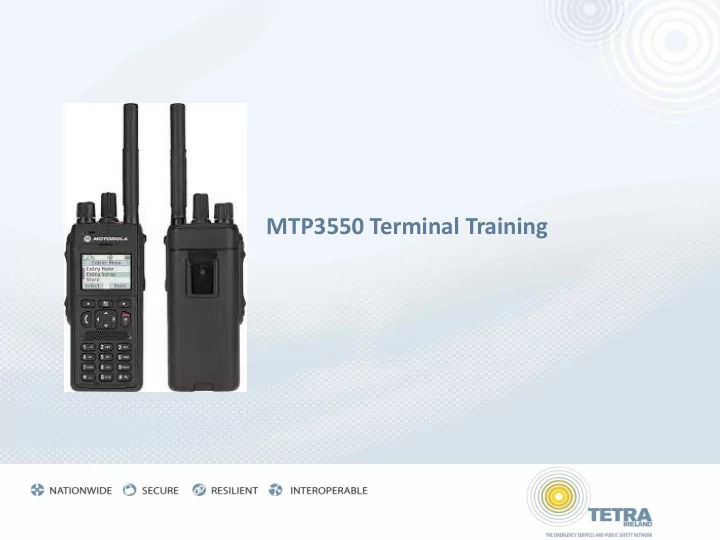
mtp3550 terminal training power on off powering on press

MTP3550 Terminal Training Power On/Off Powering On Press and - PowerPoint PPT Presentation

MTP3550 Terminal Training Power On/Off Powering On Press and hold the On-Off/End/Home key MTP3550 performs a self-check and system registration routine. The display shows additional information while the MTP3550 is registering


  1. MTP3550 Terminal Training

  2. Power On/Off Powering On • Press and hold the On-Off/End/Home key • MTP3550 performs a self-check and system registration routine. • The display shows additional information while the MTP3550 is registering on the system. Powering Off • Press and hold the On-Off/End/Home key. • You will hear an audible beep and see the Powering Off message Page Ref – FUG - 12 2

  3. Talkgroup Selection  You can select a Talkgroup in one of the following ways:  Rotary knob  Navigation key  Alphabetical search feature  Folder search  Numeric keypad entry - Speed Dialing (index) ‏  My Groups Page Ref – FUG - 34 3

  4. Group Call Operations ‏ Making a Group Call (Push to Talk – Release to Listen) • Select required Talkgroup. • Press and hold PTT. • Wait for Talk Permit Tone and then speak. • Release PTT to listen. Page Ref – FUG - 38 4

  5. Group Call Operations (DMO) ‏ Initiate DMO Group Call  Change to Direct Mode Operation  Select chosen Talkgroup  Press and hold the PTT  Wait for the talk permit tone and speak  Release the PTT button to listen. 5

  6. Individual Call Operations ‏  Making a Call  Menu 4 displays private ISSI  Enter required ISSI on keypad (or access from phonebook)  Press PTT to make call  Answering the Call  When radio rings - Press PTT to answer  You can then have a one-to-one conversation. Remember: Push to Talk, Release to listen. Page Ref – FUG - 38 6

  7. Short Code Keys • Transmit Inhibit - Hold 1 Key ON/OFF • Direct Mode ( off network 2KM line of site ) – Hold 2 Key ON/OFF • Covert Mode – Hold 5 Key ON/OFF • Screen turn upside down – Hold 0 Key ON/OFF

  8. LED INDICATOR LED Indicator LED Description Solid green In use Flashing green In service Solid red Out of service Flashing red Connecting to a network at power on Solid orange Transmit Inhibit active – Channel busy in DMO Flashing orange Incoming call No indication Switched off or Covert Mode Page Ref – FUG - 17 8

  9. Message Operations  Press Menu key  Select Messages  Select New Message  Type message  Click OK  Select mail recipient from Contact List or enter ISSI number  Select Send Page Ref – FUG - 128 9

  10. Emergency Call Operations (TMO) ‏ To initiate Emergency Mode: • Push and hold the Emergency Key until Emergency Mode starts • 0.5 seconds Emgy In Use Water Services Exit Optns Exit To exit Emergency Mode: • Push and hold the Exit Key until Emergency Mode stops • 2.0 seconds Page Ref – FUG - 67 10

Recommend


More recommend