SLIDE 1 1 Systems Design & Programming CMPE 310
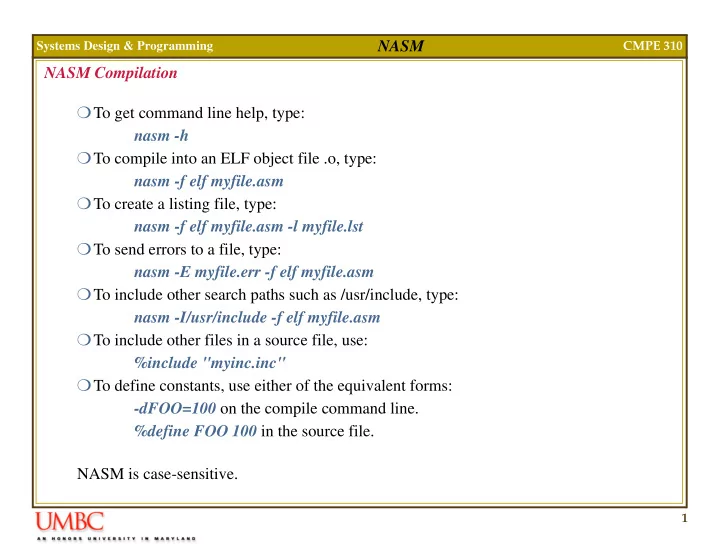
NASM NASM Compilation To get command line help, type: nasm -h To compile into an ELF object file .o, type: nasm -f elf myfile.asm To create a listing file, type: nasm -f elf myfile.asm -l myfile.lst To send errors to a file, type: nasm -E myfile.err -f elf myfile.asm To include other search paths such as /usr/include, type: nasm -I/usr/include -f elf myfile.asm To include other files in a source file, use: %include "myinc.inc" To define constants, use either of the equivalent forms:
- dFOO=100 on the compile command line.
%define FOO 100 in the source file. NASM is case-sensitive.
SLIDE 2
2 Systems Design & Programming CMPE 310
NASM NASM Syntax In order to refer to the contents of a memory location, use square brackets. In order to refer to the address of a variable, leave them out, e.g., No need for the OFFSET directive. NASM does not support the hybrid syntaxes such as: NASM does NOT remember variable types: mov eax, [bar] ;Refers to the contents of bar mov eax, bar ;Refers to the address of bar mov eax,[table+ebx] ;O.K. mov eax,table[ebx] ;ERROR mov eax,[es:edi] ;O.K. mov [data], 2 ;Doesn’t work. data dw 0 ;Data type defined as double word. mov word [data], 2 ;O.K. ...
SLIDE 3
3 Systems Design & Programming CMPE 310
NASM NASM Syntax NASM does NOT remember variable types Therefore, un-typed operations are not supported, e.g. LODS, MOVS, STOS, SCAS, CMPS, INS, and OUTS. You must use instead: LODSB, MOVSW, and SCASD, etc. NASM does not support ASSUME. It will not keep track of what values you choose to put in your segment registers. NASM does not support memory models. The programmer is responsible for coding CALL FAR instructions where necessary when calling external functions. seg returns the segment base of procedure proc. call (seg procedure):proc ;call segment:offset
SLIDE 4
4 Systems Design & Programming CMPE 310
NASM NASM Syntax NASM does not support memory models. The programmer has to keep track of which functions are supposed to be called with a far call and which with a near call, and is responsible for putting the correct form of RET instruction (RETN or RETF). NASM uses the names st0, st1, etc. to refer to floating point registers. NASM's declaration syntax for un-initialized storage is different. Macros and directives work differently than they do in MASM. stack resb 64 ;Reserve 64 bytes. stack DB 64 DUP (?) ;ERROR
SLIDE 5
5 Systems Design & Programming CMPE 310
NASM NASM Syntax NASM source line: The ':' is optional, which can cause problems if, for example, you misspell an instruction, e.g. lodab instead of lodsb. Use -w+orphan-labels as a command line option to the compiler to identify these! Valid characters in labels are letters, numbers, _, $, #, @, ~, ., and ?. Identifier valid starting characters include letters, . , _ and ?. Instruction prefixes supported: LOCK REP, REPE/REPZ REPNE/REPNZ label: instruction operands ;comment
SLIDE 6
6 Systems Design & Programming CMPE 310
NASM NASM Syntax Floating point instructions can take on two-operand forms or a single operand form: Almost any float-point instruction that references memory must use one of the pre- fixes DWORD, QWORD or TWORD to indicate what size of memory operand it refers to. Storage directives: DB, DW, DD, DQ and DT are used for initialized data only. RESB, RESW, RESD, RESQ and REST are used for uninitialized. fadd st1 ;This sets st0 = st0 + st1 fadd st0,st1 ;So does this. fadd st1,st0 ;this sets st1 := st1 + st0 db 0x55 ;The byte 0x55 dw ’abc’ ;0x41 0x42 0x43 0x00 (string) dd 0x12345678 ;0x78 0x56 0x34 0x12 zerobuf: times 64 db 0 ;Equivalent to the dup op
SLIDE 7
7 Systems Design & Programming CMPE 310
NASM NASM Syntax EQU defines a symbol to a constant: Address mode examples: Constants: Suffixes H, Q and B are used hex, octal and binary. 0x also works for hex. message db 'hello, world' msglen equ $-message mov eax,[ebx*2+ecx+offset] mov eax,[ebp+edi+8] mov eax, 0xa2 mov eax, 777q mov eax, 10010011b mov eax, 'abcd' ;binary ;octal ;hex ;ASCII chars 0x64636261 dd 1.2 dt 3.141592653589793238462 dq 1.e+10
SLIDE 8
8 Systems Design & Programming CMPE 310
NASM NASM Syntax The SEG operator returns the preferred segment base of a symbol: Will load ES:EBX with a valid pointer to symbol. (Probably won't need unless you are writing 16-bit code which has multiple segments). To declare a far pointer to a data item in a data segment: Local Labels begin with a '.' and are associated with previous non-local label. mov ax, seg symbol mov es, ax mov ebx, symbol ;Load the segment base. dw symbol, seg symbol label1 ;some code .loop ;some more code .jne .loop ret label2 .loop .jne .loop ;jumps to previous .loop ;Treated as label1.loop ;jumps to previous .loop
SLIDE 9
9 Systems Design & Programming CMPE 310
NASM NASM Syntax Single-line Macros: Can be used as: Which expands to: Note that expansion occurs at invocation time, not at definition time, e.g. Used as: Expands to: %define ctrl 0x1F & %define param(a,b) ((a)+(a)*(b)) ;Definitions mov byte [param(2,ebx)], ctrl ‘D’ mov byte [(2)+(2)*(ebx)], 0x1F & ‘D’ %define a(x) 1+b(x) %define b(x) 2*x ;b(x) used before it is ;defined here. mov ax, a(8) mov ax, 1+2*8
SLIDE 10
10 Systems Design & Programming CMPE 310
NASM NASM Syntax Overloading macros is allowed. Undefining macros: Multi-line Macros: And use as: Expands to: %define foo(x) 1+x %define foo(x,y) 1+x*y ;Single arg definition ;Double arg definition %undef foo %macro prologue 1 push ebp mov ebp, esp sub esp, %1 %endmacro myfunc: prologue 12 myfunc: push ebp mov ebp, esp sub esp, 12
SLIDE 11
11 Systems Design & Programming CMPE 310
NASM NASM Syntax Conditional assembly: Given the macro (21h is a DOS interrupt): And the call: Using the command-line option -dDEBUG, expands the macro otherwise it is left out (similar to C). Note that “I'm here”, 13, 10 is substituted in for %2 in the above code. %macro writefile 2+ jmp %%endstr %%str: db %2 ;Greedy macro params %%endstr: mov dx, %%str mov cx, %%endstr-%%str mov bx, %1 mov ah, 0x40 int 0x21 %%endmacro ;%% defines macro-local ;labels which are different ;each time the macro is ;invoked. writefile 2, “I'm here”, 13, 10 %ifdef DEBUG %endif
SLIDE 12
12 Systems Design & Programming CMPE 310
NASM NASM Syntax Structure definitions: mytype_size is also defined as the total size, and is 39 in this example. To declare instances: To reference, you must use: The align (and alignb) directive can be used to align the data. struc mytype mt_long: resd 1 mt_word: resw 1 ;Defines mytype as 0 mt_byte: resb 1 mt_str: resb 32 endstruc ;Defines mt_long as 0 ;Defines mt_word as 4 ;Defines mt_byte as 6 ;Defines mt_str as 7 mystruc: istruc mytype at mt_long, dd 123456 at mt_word, dw 1024 at mt_byte, db ‘x’ at mt_str, db ‘hello, world’, 13, 10, 0 iend ;Same order as given in ;the definition. mov eax, [mystruc+mt_word]
SLIDE 13
13 Systems Design & Programming CMPE 310
NASM NASM Examples Hello World (using ld): To produce hello.o object file: nasm -f elf hello.asm To produce hello ELF executable: ld -s -o hello hello.o section .data global _start ;must be declared for linker (ld) msg db ’Hello, world!’,0x0A len equ $ - msg ;length of hello string. _start: ;we tell linker where is entry point mov eax, 4 ;system call number (sys_write) mov ebx, 1 ;file descriptor (stdout) mov ecx, msg ;message to write mov edx, len ;message length int 0x80 ;call kernel mov eax, 1 ;system call number (sys_exit) int 0x80 section .text
SLIDE 14
14 Systems Design & Programming CMPE 310
NASM NASM Examples Hello World (using gcc): To produce hello.o object file: nasm -f elf hello.asm To produce hello ELF executable: gcc -o hello hello.o section .data msg db ’Hello, world!’,0x0A len equ $ - msg ;length of hello string. main: ;main mov eax, 4 ;system call number (sys_write) mov ebx, 1 ;file descriptor (stdout) mov ecx, msg ;message to write mov edx, len ;message length int 0x80 ;call kernel mov eax, 1 ;system call number (sys_exit) int 0x80 section .text