New features in LS-DYNA R7.1.1 Newest release - published in April - - PowerPoint PPT Presentation

new features in ls dyna r7 1 1
SMART_READER_LITE
LIVE PREVIEW

New features in LS-DYNA R7.1.1 Newest release - published in April - - PowerPoint PPT Presentation

New features in LS-DYNA R7.1.1 Newest release - published in April 2014 Robust production version is R6.1.2 Presentation about major new solid mechanics features: Material Models, Element Technology, Metal Forming, Occupant Safety,


slide-1
SLIDE 1

1

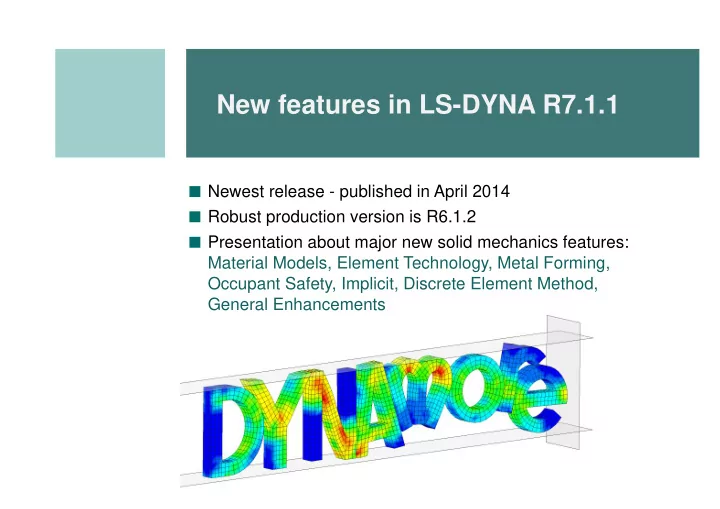
New features in LS-DYNA R7.1.1

■ Newest release - published in April 2014 ■ Robust production version is R6.1.2 ■ Presentation about major new solid mechanics features:

Material Models, Element Technology, Metal Forming, Occupant Safety, Implicit, Discrete Element Method, General Enhancements

slide-2
SLIDE 2

2

Material Models

slide-3
SLIDE 3

3

*MAT_FABRIC(034) bending stiffness

■ Additional rotational resistance to model coating of the fabric ■ More realistic behavior of coated fabrics, e.g. airbags, seat cover, folding tops, ... ■ New parameters ECOAT, SCOAT, TCOAT on *MAT_FABRIC ■ ...will be available for implicit in next release

without bending stiffness with bending stiffness

Material Models

slide-4
SLIDE 4

4

■ New failure model OPT=11 for beam elements, where failure depends on

loading direction via curves

*MAT_SPOTWELD(100)

round thread ISO thread trapezoidal thread buttress thread 0° 90°

Material Models

slide-5
SLIDE 5

5

*MAT_DRY_FABRIC(214) for high strength woven fabrics

■ Applications: propulsion engine containment, body armor, personal protections

Aerospace Working Group Test Case 4: Steel Projectile Impacts Kevlar Fabric (www.awg.lstc.com)

Material Models

slide-6
SLIDE 6

6

■ Usually cohesive elements (ELFORM = 19, 20, 21, and 22 of *SECTION_SOLID)

can only be used with a small subset of materials (138, 184, 185, 186, 240).

■ But with this additional keyword, a bigger amount of standard 3-d material

models can be used (e.g. 15, 24, 41-50, 81, 103, 120, 123, 124, 168, 187, 188, 224, 225, 252, …), that would only be available for solid elements in general.

■ Therefore, assumptions of inhibited lateral expansion and in-plane shearing

are used:

*MAT_ADD_COHESIVE

displacements in cohesive element 3-dim. strain rates 3-dim. stresses tractions in cohesive element e.g. *MAT_024

Material Models

slide-7
SLIDE 7

7

■ New material model for crash optimized high-strength adhesives

under combined shear and tensile loading

■ Drucker-Prager-Cap type plasticity + rate dependence + damage + failure ■ well suited for combination with *MAT_ADD_COHESIVE

*MAT_TOUGHENED_ADHESIVE_POLYMER(252)

yield surface damage Model developed in German FAT* project: good agreement between experiments and simulation

*Research Association for Automotive Technology

Material Models

slide-8
SLIDE 8

8

■ Two new material models for laminated fiber-reinforced composites ■ Based on physical models for each failure mode ■ Nonlinear in-plane shear behavior ■ Implemented for thin shells, thick shells, and solid elements

*MAT_LAMINATED_FRACTURE_DAIMLER_PINHO(261) *MAT_LAMINATED_FRACTURE_DAIMLER_CAMANHO(262)

Material Models

slide-9
SLIDE 9

9

*MAT_CWM(270): Computational Welding Mechanics

■ Temperature created weld material ■ Initial ”ghost” material (very low stiffness) becomes weld material

(elasto-plastic) during temperature increase

■ Supports birth of material and annealing in addition to standard

elastic-plastic thermal material properties temperature weld material

Material Models

slide-10
SLIDE 10

10

*MAT_POWDER(271) for compaction and sintering of cemented carbides

■ Metal powder → Solid component ■ Intended to be used in two stages:

  • 1. Pure mechanical compaction
  • 2. Thermo-mechanical sintering

Relative density

  • f wolframcarbide

Material Models

slide-11
SLIDE 11

11

■ Orthotropic elastoplastic model based on Xia (2002) and Nygards (2009) ■ For paperboard (e.g. packaging), a strongly heterogeneous material ■ Creasing simulation with delamination of individual plies shown above ■ Available for solid and shell elements ■ Has shown to reproduce experimental data well

*MAT_PAPER(274) for modeling of paperboard

Material Models

slide-12
SLIDE 12

12

■ Permits random variations

  • f the material yield strength

and failure strain

■ Options for the spatial variation:

■ Uniform scale factor of 1.0

everywhere

■ Uniform random distribution

  • n a specified interval

■ Gaussian distribution ■ Specified probability

distribution function

■ Specified cumulative

distribution function

Stochastic Variations of Material Properties

*DEFINE_STOCHASTIC_VARIATION *MAT_name_STOCHASTIC

Material Models

slide-13
SLIDE 13

13

■ Available for materials:

■ *MAT_ELASTIC_PLASTIC_HYDRO (10) ■ *MAT_JOHNSON_COOK (15) ■ *MAT_PIECEWISE_LINEAR_PLASTICITY (24) ■ *MAT_PLASTICITY_WITH_DAMAGE_{OPTION} (81) ■ *MAT_SIMPLIFIED_JOHNSON_COOK (98)

■ Available for solids, shells, and beams. ■ Yield surface and plastic strain to failure are scaled by

*DEFINE_STOCHASTIC_VARIATION

■ = and ̅=̅ where the and are the

specified stochastic spatial variations.

*MAT_name_STOCHASTIC Option

Material Models

slide-14
SLIDE 14

14

■ Enable regularization curve LCREGD of *MAT_ADD_EROSION

to be used with standard (non-GISSMO) failure criteria

■ Added materials 103 and 187 for tetrahedron type 13 ■ New _MOISTURE option to *MAT_GENERAL_VISCOELASTIC(76) solids ■ Prestressing and failure criteria to *MAT_CABLE_DISCRETE(71) ■ New options to *MAT_LAMINATED_COMPOSITE_FABRIC(58):

rate dependent strengths and failure strains, transverse shear damage

■ New features for *MAT_SHAPE_MEMORY(30):

curves/table for loading and unloading, strain rate dependence

■ Added viscoplastic option to *MAT_ANISOTROPIC_ELASTIC_PLASTIC(157)

More Material Model Updates

Material Models

slide-15
SLIDE 15

15

Element Technology

slide-16
SLIDE 16

16

■ ELFORM=23: 8-noded quadrilateral ■ ELFORM=24: 6-noded triangle ■ SHL4_TO_SHL8 option on *ELEMENT_SHELL

converts 4-noded element to 8-noded correspondence

■ ESORT on *CONTROL_SHELL supported ■ Implicit capabilities and contacts supported

Higher order shell elements

Element Technology

slide-17
SLIDE 17

17

■ Brick element using Cosserat Point Theory ■ Implemented as solid element type 1 with hourglass type 10 (since R7.0.0) ■ Hourglass is based on a total strain formulation ■ Hourglass constitutive coefficients determined to get correct results for

■ Coupled bending and torsion ■ High order hourglass deformation ■ Skewed elements

■ Seems to be a good alternative for rubber materials and coarse meshes ■ NEW: 10 node Cosserat Point Theory tetrahedron is now available in R7.1.1

Cosserat point hexahedron

Element Technology

slide-18
SLIDE 18

18

■ Accompanying the Cosserat Hexahedron, a 10-noded Cosserat Tetrahedron is

available: ELFORM=16 + IHQ=10

■ The Cosserat Point Elements (CPE) seem less mesh sensitive than other

elements as examplified in the simulation below

Cosserat 10-noded tetrahedron

Fully integrated tetrahedron CPE tetrahedron Plane strain compression of an incompressible hyperelastic material, a rigid plate is used for the compression. The problem is solved with several different mesh topologies (10-noded tets) and the sensitivity to different mesh orientations are shown.

Element Technology

slide-19
SLIDE 19

19

■ New pentahedra cohesive elements (*SECTION_SOLID: ELFORM=21 & 22)

■ ELFORM=21 is the pentahedra version of ELFORM=19 ■ ELFORM=22 is the pentahedra version of ELFORM=20

■ *CONTROL_SHELL: NFAIL1 and NFAIL4 supported

in coupled thermo-mechanical simulations

■ Delete distorted elements instead of error termination

■ New characteristic length calculation for higher order tets (ELFORM=16)

■ Length was originally assuming mid-side nodes at center between corner nodes and

led to non-conservative time steps

■ *CONTROL_SHELL: new option INTPERR

■ Terminate if *INITIAL_STRESS_SHELL and *SECTION_SHELL do not match up in

terms of integration points

Miscellaneuos Enhancements

Element Technology

slide-20
SLIDE 20

20

■ Available for shells (_SHELL), solids (_SOLID), and ALE elements (_ALE) ■ Adaptive refinement based on certain criteria (e.g. stress, energy, user-defined) ■ Refinement possible during initialization or during the run ■ Refinement can be reversed: coarsening ■ Supports *CONTACT and *BOUNDARY_PRESCRIBED_MOTION

*CONTROL_REFINE_...

Element Technology

*CONTACT_ERODING_SINGLE_SURFACE

slide-21
SLIDE 21

21

■ Isogeometric shells with NURBS: ELFORM=201 on *SECTION_SHELL ■ Recent progress

■ Elements now run in MPP with excellent scaling. ■ Multi-patch analysis with thin shells by selectively adding rotational DOF

at patch boundaries.

■ Added conventional mass-scaling for generalized shells ■ Improved post-processing capabilities ■ NURBS based contact algorithm

(IGACTC on *CONTROL_CONTACT) enables better representation

  • f real contact surface

Isogeometric Analysis

Dold Dnew Penetration detected by the new contact, not the old one Element Technology

slide-22
SLIDE 22

22

NURBS-based contact: Example

Old Contact: Interpolation elements New Contact: NURBS

1x1 2x2 3x3 4x4

Element Technology

Contours of effective stress

slide-23
SLIDE 23

23

Forming Related Features

slide-24
SLIDE 24

24

■ The initial thickness of Tailor rolled blank can vary along rolling direction ■ To specify a varying thickness field across a sheet blank

*CONTROL_FORMING_INITIAL_THICKNESS

Forming Related Features

slide-25
SLIDE 25

25

■ Cuts an interior section of the metal

without removing the section (e.g. for stress relief)

■ Two types supported:

instant and progressive

■ Used together with

*DEFINE_CURVE_TRIM_3D

■ Recent progress

■ Allow multiple curve

intersections during lancing

■ Allow multiple

lancing locations

■ Allow lancing boundary

to be a closed loop

*ELEMENT_LANCING

Forming Related Features

slide-26
SLIDE 26

26

■ More friendly output control for D3PLOT and INTFOR ■ Certain state deformations (e.g. “home position”) can be important ■ Distances for each flanging steels to the matching tools for d3plot output is

specified in a curve ID

*CONTROL_FORMING_OUTPUT

*CONTROL_ FORMING_ OUTPUT $ -------1---------2---------3---------4---------5 $ CID NOUT TBEG TEND Y1/LCID 1116 10 &clstime &endtime

  • 980

1117 10 &clstime &endtime

  • 980

1118 10 &clstime &endtime

  • 980

1119 10 &clstime &endtime

  • 980

*CONTROL_ FORMING_ OUTPUT_INTFOR $ -------1---------2---------3---------4---------5 $ CID NOUT TBEG TEND Y1/LCID 1116 10 &clstime &endtime

  • 980

1117 10 &clstime &endtime

  • 980

1118 10 &clstime &endtime

  • 980

1119 10 &clstime &endtime

  • 980
  • Forming Related Features
slide-27
SLIDE 27

27

Occupant Safety

slide-28
SLIDE 28

28

■ Pull-in or belt load history of pretensioners could vary when different size of

dummies are used, or pretensioners are activated at different times.

■ Different pretensioner models are needed for different crash scenario. ■ A pretension-energy based option is added. This allows a single pretensioner

model to be used for various scenarios. → New pretensioner types SBPRTY=8 (retractor pretensioner) and SBPRTY=9 (buckle or anchor pretensioner)

*ELEMENT_SEATBELT_PRETENSIONER

Occupant Safety

slide-29
SLIDE 29

29

■ A single definition of birth time using *AIRBAG_REFERENCE_GEOMETRY

_BIRTH is applied to all reference geometry definitions, i.e., all reference geometry definitions share the same birth time.

■ In a model involving more than one airbag model, each airbag has its own firing

time, and therefore needs its own birth time for its reference geometry definition.

■ RGBRTH in *MAT_FABRIC is used to define material dependent birth time.

*AIRBAG/*MAT_FABRIC: Material-dependent birth times

Internal energy

  • f airbag material

CAB firing time=10 ms DAB firing time=5 ms Occupant Safety

slide-30
SLIDE 30

30

■ The value associated with this sensor is computed by performing mathematical

calculations defined in *DEFINE_ FUNCTION, with the information obtained from other sensors

■ This could replace *SENSOR_DEFINE_CALC-MATH, which can only perform

limited mathematical calculations

■ Up to 15 *DEFINE_SENSORs can be referenced in defining a mathematical

  • peration

*SENSOR_DEFINE_FUNCTION

Occupant Safety

■ Trace the value of a miscellaneous item, MTYPE .eq.

■ ANGLE: Angular accelerometer sensor tracing the angle between two lines ■ RETRACTOR: Seatbelt retractor payout rate ■ RIGIDBODY: Accelerometer sensor tracing the kinematics of a rigid body ■ TIME: Current analysis time

■ This card replaces *SENSOR_DEFINE_ANGLE

*SENSOR_DEFINE_MISC

slide-31
SLIDE 31

31

■ Based on Splitting Pinball Method, Belytschko and Yeh, 1993 ■ Able to treat numerous contact situations in a consistent way, including those

posing difficulties for node-to-segment contact.

■ The new option is gaining popularity among users because of its robustness

when handling complicated contact like folded airbag.

*CONTACT: SOFT=2 and DEPTH=45

Occupant Safety folded inter- section-free bag

slide-32
SLIDE 32

32

■ Deployment of the folded bag using various number of CPUs

*CONTACT: SOFT=2 and DEPTH=45

8 CPU 48 CPU 96CPU time = 10.0 ms time = 30.0 ms time = 80.0 ms 8 CPU 48 CPU 96CPU 8 CPU 48 CPU 96CPU

Occupant Safety

robust results

slide-33
SLIDE 33

33

Implicit Analysis

slide-34
SLIDE 34

34

■ Much work on improving robustness and convergence characteristics of solver

■ Convergence tolerances ■ Line search (LSMTD=5) ■ Contacts and smoothness ■ R7.1.1 promising

Implicit Enhancements (1)

Implicit Analysis

■ Debug informations:

D3ITCTL on *CONTROL_IMPLICIT_SOLUTION + RESPLT on *DATABASE_EXTENT_BINARY

■ Easy detection of non-converged ”spots”

slide-35
SLIDE 35

35

Implicit Enhancements (2)

■ New option IAUTO=2 on *CONTROL_IMPLICIT_AUTO to limit the mechanical

time step by the active thermal time step

■ New option IRATE=2 on *CONTROL_IMPLICIT_DYNAMICS to turn off rate

effects in material models for both implicit and explicit

■ *CONTROL_IMPLICIT_BUCKLE

■ Extend implicit buckling feature to allow for implicit problems using inertia relief ■ Extend implicit buckling feature to allow for intermittent mode extraction: NMODE<0

■ *CONTROL_DYNAMIC_RELAXATION

■ Extend implicit-explicit switching to allow explicit simulation for the dynamic relaxation

phase and implicit for the transient phase

■ New keyword *CONTROL_IMPLICIT_MODAL_DYNAMIC

Implicit Analysis

slide-36
SLIDE 36

36

■ Improved global search algorithm

■ Significant speed-up especially

for single surface contact

■ Support contact with lateral surface

  • f beams

■ Beam cross section

approximated as circular

■ IGAP.GT.1 incorporates progressive

stiffening for large penetrations

■ MINFO on *CONTROL_OUTPUT

activates output for debugging

■ Maximum penetration is reported in

message file together with elements

Mortar Contact

Implicit Analysis

slide-37
SLIDE 37

37

General New Features

slide-38
SLIDE 38

38

■ New keyword card *CONTROL_REQUIRE_REVISION to prevent the model

from being run in old versions of LS-DYNA

■ New command line option "ldir=" for setting a "local" working directory ■ *CONSTRAINED_BEARING to define a bearing between 2 nodes

■ This feature incorporates equations to simulate the effect of a ball bearing

■ New keyword *DEFINE_TABLE_MATRIX

■ Alternative way of defining a table and the curves that the table references

from a single unformatted text file, e.g., as saved from an Excel spreadsheet

General New Features

slide-39
SLIDE 39

39

Discrete Element Method

slide-40
SLIDE 40

40

■ Basic Ideas

■ Newtonian mechanics of a set of particles ■ Contact between particles

■ Used to model

■ powders like toner, … ■ granular matter like sand, ore, … ■ large rocks, liquids

■ Applications include

■ mining, mineral processing ■ agriculture and food handling and storage silos ■ chemical and civil Engineering

Discrete-Element Method (DEM) in LS-DYNA

liquid bridge mechanical contact

Discrete Element Method

slide-41
SLIDE 41

41

■ Filling of dry / wet sand and mud

■ Stable interaction of particles with deformable / rigid structures

■ Good parallel scalability

dry sand wet sand mud 10 million particles Discrete Element Method

slide-42
SLIDE 42

42

*DEFINE_DE_BY_PART

■ Define control parameters for

spheres by part-ID

■ Overrides the values set in

*CONTROL_DISCRETE_ELEMENT *DEFINE_DE_INJECTION

■ Automatic sphere generation

through rectangular plane

Discrete Element Method

slide-43
SLIDE 43

43

*DEFINE_DE_TO_BEAM_COUPLING *DEFINE_DE_TO_SURFACE_COUPLING

■ Application of traction forces at the perimeter of the spheres ■ Surface velocity for transportation belts

INJECTION box Surface transportation velocity Discrete Element Method

slide-44
SLIDE 44

44

*DEFINE_SPH_DE_COUPLING

■ Penalty based SPH to SPH/DE contact

*ALE_COUPLING_NODAL_DRAG

■ Available soon (developer version) ■ Penalty based ALE to DE contact

Discrete Element Method

slide-45
SLIDE 45

45

*DEFINE_DE_BOND

■ DE Bond Type I

■ Simple links, truss or beam between spheres (extended Peridynamics) ■ Manual elastic bond definition between spheres ■ Bonds may be breakable or unbreakable ■ Define maximum gap for bondage for clustered particles

Discrete Element Method

slide-46
SLIDE 46

46

*DEFINE_DE_HBOND

■ DE Bond Type II

■ Heterogeneous links to model continuum mechanics (Meshless Local Petrov-Galerkin) ■ Based on regular *MAT definitions ■ Extended features for brittle failure, micro cracks, etc.

■ Benchmark test: Tension bar

■ Goal: Reproduce elasto-plastic material behavior

■ More Information:

■ Talk by Z. Han (LSTC), International LS-DYNA Conference, 8-10 June, Detroit

Discrete Element Method

slide-47
SLIDE 47

47

*INTERFACE_DE_HBOND

■ Define different failure models for the heterogeneous bonds between particles

■ of the same material ■ of different materials

■ Application for heterogeneous bond model with interface

■ Failure of a reinforced concrete beam under 4-point bending

■ Possibility to distinguish between reinforcement bars and concrete

Discrete Element Method

slide-48
SLIDE 48

48

Conclusion: LS-DYNA R7.1.1

■ Many more developments and enhancements in other areas

(ALE, EFG, SPH, Thermal, Frequency Domain, …) and the multiphysics solvers (ICFD, CESE, EM, Chemistry)

■ Comprehensive list of enhancements and corrections on

www.dynasupport.com/release-notes

■ R7.1 Keyword User‘s Manual can be downloaded from

www.dynamore.de/en/downloads/manuals

Presentations at Infoday Multiphysics (March 2014): http://www.dynamore.de/en/news/news-en/2014/info-mp