Next Topic: Software Quality Quality Attributes Weve Already Seen - - PowerPoint PPT Presentation

▶
next topic software quality quality attributes we ve
SMART_READER_LITE
LIVE PREVIEW

Next Topic: Software Quality Quality Attributes Weve Already Seen - - PowerPoint PPT Presentation

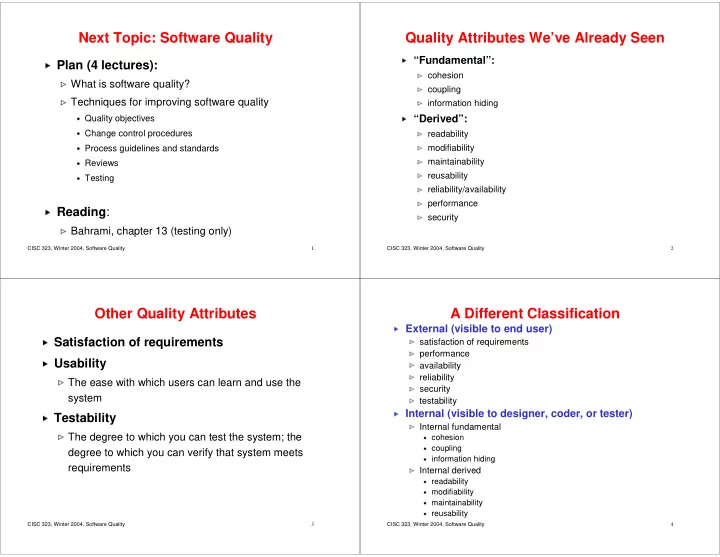
Next Topic: Software Quality


slide-1
SLIDE 1

CISC 323, Winter 2004, Software Quality 1

Next Topic: Software Quality

  • Plan (4 lectures):
✁

What is software quality?

✁

Techniques for improving software quality

✂

Quality objectives

✂

Change control procedures

✂

Process guidelines and standards

✂

Reviews

✂

Testing

✄

Reading:

☎

Bahrami, chapter 13 (testing only)

CISC 323, Winter 2004, Software Quality 2

Quality Attributes We’ve Already Seen

✆

“Fundamental”:

✝

cohesion

✝

coupling

✝

information hiding

✞

“Derived”:

✝

readability

✝

modifiability

✝

maintainability

✝

reusability

✝

reliability/availability

✝

performance

✝

security

CISC 323, Winter 2004, Software Quality 3

Other Quality Attributes

✟

Satisfaction of requirements

✟

Usability

✠

The ease with which users can learn and use the system

✟

Testability

✠

The degree to which you can test the system; the degree to which you can verify that system meets requirements

CISC 323, Winter 2004, Software Quality 4

A Different Classification

✡

External (visible to end user)

☛

satisfaction of requirements

☛

performance

☛

availability

☛

reliability

☛

security

☛

testability

✡

Internal (visible to designer, coder, or tester)

☛

Internal fundamental

☞

cohesion

☞

coupling

☞

information hiding

✌

Internal derived

☞

readability

☞

modifiability

☞

maintainability

☞

reusability

slide-2
SLIDE 2

CISC 323, Winter 2004, Software Quality 5

You Can’t Have Them All

  • (direct

access)

  • (direct

access) performa nce

  • +

relia/avail a + + maintaina bility

  • (adapter)

+ (tested)

  • (Ariane)

+ reusability

  • (façade)

+ + + readabilit y

  • (iterator)

+

  • (iterator)

+ + + + + info hiding

  • (layered,

pub/sub) + + + + + low coupling + + + + high cohesion performa nce relia/avail maintaina bility reusability readabilit y info hiding low coupling high cohesion

Lots of this …

… also gives you more (+) or less (-) of this

CISC 323, Winter 2004, Software Quality 6

Techniques for Improving Software Quality

To achieve quality, ensure that T1) quality objectives are

✍

stated explicitly and clearly

✍

measurable (as much as possible)

T2) change control procedures are used T3) software engineering guidelines and standards are used T4) reviews are conducted T5) testing is done

CISC 323, Winter 2004, Software Quality 7

T1: Clear and Measurable Quality Objectives

With clear and measurable objectives,

✎

people know what to look out for

✎

quality is made a primary goal, rather than an afterthought

✎

changes to the quality assurance plan can be evaluated

✎

people more likely to be focused and motivated

CISC 323, Winter 2004, Software Quality 8

T2: Change Control Procedures

✏

Achieving quality is impossible in presence of uncontrolled changes to artifacts (e.g., requirements, design, code, or test suites)

✏

With change control procedures

✑

artifacts more likely to be consistent

✑

changes are traceable (

✒

people are more careful)

✓

changes less likely to result in accidental loss

✓

accidental duplication of work less likely

✓

easier to use time efficiently

✔

Main change control procedure:

✓

Configuration management

slide-3
SLIDE 3

CISC 323, Winter 2004, Software Quality 9

Configuration Management

Can be used to control changes to

✕

design

✕

code

✖

Version control software: Allows coders to

✗

avoid that a artifact is edited by more than one person (cycle: check out, edit, check in; see MS’s “Sync & Save” process)

✗

easily get most recent copies of system artifact

✗

easily backtrack to previous version of a artifact

✗

easily get list of changes performed on a artifact (aka change history)

✗

not have to worry about backups

✗

artifact: source code, requirements, design, etc

CISC 323, Winter 2004, Software Quality 10

T3: SW Engineering Guidelines and Standards

✘

Documentation standards

✙

What to document?

✙

How to document?

✙

Where to put documentation?

✘

Coding standards

✙

Names

✙

layout (indentation, etc)

✙

etc completeness precision traceability readability modifiability readability modifiability

CISC 323, Winter 2004, Software Quality 11

SW Engineering Guidelines and Standards (Cont’d)

✚

Process quality standards

✛

2 kinds

✜

Maturity models

✢

attempt to measure how well developed (mature) the software process in a particular organization is

✢

Example: Capability Maturity Model (CMM)

✣

Certification standards

✢

measure an organization’s software process against a defined standard, and certify organization, if its process meets standard

✢

Example: ISO 9000

Source: Software Quality Assurance (CISC327). Jim Cordy. 2002

CISC 323, Winter 2004, Software Quality 12

SEI’s Capability Maturity Model (CMM)

✤

Assessed using an 85-item questionaire

✤

Used by government agencies and companies mostly in US

✤

Five-level scale of process maturity:

  • 1. CMM Level 1 (Initial)

Characteristics: chaotic; cost, schedule, and quality unpredictable

  • 2. CMM Level 2 (Repeatable)

Characteristics: intuitive; cost and quality highly variable; reasonable control

  • f schedules

Key elements: requirements management; project planning; configuration management; quality assurance procedure

Source: Software Quality Assurance (CISC327). Jim Cordy. 2002

slide-4
SLIDE 4

CISC 323, Winter 2004, Software Quality 13

Capability Maturity Model (Cont’d)

3. CMM Level 3 (Defined)

Characteristics: qualitative; reliable costs and schedules; improving, but unpredictable quality Key elements: process definition and improvement; training program; peer reviews

4. CMM Level 4 (Managed)

Characteristics: quantitative; reasonable statistical control over product quality Key elements: process management and analysis, quality management

5. CMM Level 5 (Optimized)

Characteristics: quantitative basis for continual process automation and improvement Key elements: defect prevention; technology innovation; process change management

Source: Software Quality Assurance (CISC327). Jim Cordy. 2002

CISC 323, Winter 2004, Software Quality 14

ISO 9000 Standard

ISO 9000

✥

Set of standards and guidelines for quality assurance management

✥

Many customers, especially in Europe, require ISO 9000 registration of their suppliers

✦

Companies become “registered” as result of formal audit by the ISO

ISO 9000-3

✦

gives standards for software development, supply and maintenance

✦

specifies 20 elements to be assessed, with detailed requirements for each element

Source: Software Quality Assurance (CISC327). Jim Cordy. 2002

CISC 323, Winter 2004, Software Quality 15

ISO 9000-3 Elements

✧

Management responsibility

✧

Quality system

✧

Contract review

✧

Design control

✧

Document control

✧

Purchasing

✧

Purchaser-supplied product

✧

Product identification and

✧

traceability

✧

Process control

✧

Inspection and testing

✧

Inspection, measuring and test equipment

✧

Inspection and test status

✧

Control of nonconforming products

✧

Corrective action

✧

Handling, packaging, and delivery

✧

Quality records

✧

Internal quality audits

✧

Training

✧

Servicing

✧

Statistics

Source: Software Quality Assurance (CISC327). Jim Cordy. 2002 CISC 323, Winter 2004, Software Quality 16

T4: Reviews

★

At least 2 kinds:

✩

Inspection

✩

Walkthrough

slide-5
SLIDE 5

CISC 323, Winter 2004, Software Quality 17

Inspection

"...a formal evaluation technique in which software requirements, design, or code are examined in detail by a person or group other than the author to detect faults, violations of development standards, and other problems..."

  • -- IEEE Standard Glossary of

Software Engineering Terminology

CISC 323, Winter 2004, Software Quality 18

Inspection Metrics

✪

To be classified as “inspection”, metrics must be kept

✪

Record:

✫

which defects found in product under inspection

✫

where defect was found in product

✫

time taken to perform inspection

✫

size of product inspected

✪

May also record:

✫

category of defect (e.g., major/minor)

✫

what prompted detection of defect

✫

suggested improvements

CISC 323, Winter 2004, Software Quality 19

People Involved in Inspection

✬

Inspection is a team process: ideally 2-6 people

✬

Inspection leader:

✭
  • rganizes & manages inspection process
✭

moderates meetings

✭

should have special training (multi-day course, certification)

✬

Checkers (inspectors):

✭

spend time reading/analyzing the product

✭

may include author(s), leader

✭

short training: 1-day course or "on the job"

✭

technical knowledge relating to product

CISC 323, Winter 2004, Software Quality 20

Inspection Process

from Software Inspection, Tom Gilb & Dorothy Graham

slide-6
SLIDE 6

CISC 323, Winter 2004, Software Quality 21

Entry

✮

Author offers up product for inspection

✮

Entry criteria set up for products to be inspected

✮

Leader decides if product meets entry criteria through quick examination

✮

If entry criteria not met, product not inspected. E.g.,

✯

too many typing errors

✯

source code does not compile cleanly

✮

Inspections are expensive --- don’t waste inspectors time

CISC 323, Winter 2004, Software Quality 22

Kickoff

✰

Initial meeting for all participants

✰

Organized by leader

✰

Assign roles and tasks

✰

Hand out materials

✰

Set goals, discuss timetable, divide long documents divided into "chunks“

CISC 323, Winter 2004, Software Quality 23

Individual Checking (1)

✱

Checkers work alone using documents handed out in kick-off meeting

✱

Goal: Find maximum number of unique major potential defects

✱

How: By looking for discrepancies between source documents and products being inspected, e.g.,:

✲

requirements to design

✲

design to code

✲

requirements to test plan

✲

code to coding conventions

CISC 323, Winter 2004, Software Quality 24

Individual Checking (2)

✳

Usually uses a checklist

✳

Duration: Typically, 1 hour per document page

✳

Checker keeps notes of issues found

✴

description, location, possibly impact

✳

“Issue” = matter requiring attention. E.g.,

✴

possible defect

✴

"question of intent"

✴

suggestion

slide-7
SLIDE 7

CISC 323, Winter 2004, Software Quality 25

Logging Meeting

✵

3 purposes:

✶

log issues identified by checkers

✶

work as group to find more issues

✶

suggestions for process improvement (inspection process and

  • verall software process)
✵

Controlled by moderator (usually the leader)

✶

must be very skilled in handling people and issues

✶

maintain time discipline and issue discipline

✵

No explaining of issues or suggesting fixes

✵

Management personnel should NOT be in attendance

CISC 323, Winter 2004, Software Quality 26

Edit

✷

Log of issues given to author

✷

Author can

✸

classify or reclassify issues (which are really defects)

✸

voluntarily improve product as per issues raised

✸

request rules or checklist be changed

CISC 323, Winter 2004, Software Quality 27

Follow-up

✹

Inspection leader makes sure satisfactory closure has taken place on all issues

✺

actions to correct all defects (change or change request)

✺

suggestions for process changes reported

✹

If major changes, product may need to be inspected again

CISC 323, Winter 2004, Software Quality 28

Exit

✻

All issues must be “closed” in writing

✻

Record metrics for inspection process (for process improvement)

slide-8
SLIDE 8

CISC 323, Winter 2004, Software Quality 29

Tool Support for Inspection

✼

Static analysis tools can find some types of defects. E.g.,

✽

compilers find undeclared variables, syntax errors

✽
  • ther static analysis tools may check for:
✾

unreachable code

✾

unused variables

✾

memory leaks in languages like C, C++

✾

"unsafe" programming practices

✾

misspelled words, some grammatical errors

✼

Inspection is time-consuming (and therefore expensive) so inspect for things tools can’t find

✼

Not cost-effective to inspect for these if tools exist

CISC 323, Winter 2004, Software Quality 30

Costs of Inspection

✿

Inspection takes time: typically 10-15% of development budget

✿

Also start-up costs:

❀

establishing procedures

❀

training leaders, inspectors

✿

Is it worth it?

CISC 323, Winter 2004, Software Quality 31

Benefits of Inspection

❁

Defects found early result in cost savings and in better product:

❂

cleaner design

❂

better documentation and code

❂

fewer defects (

❃

testing and debugging faster)

❂

defects that remain will be easier to fix when found

❁

Inspections have been shown to

❂

increase productivity

❂

reduce total development time

❁

Management gets valuable feedback about software process

CISC 323, Winter 2004, Software Quality 32

Inspection: Success Stories (1)

❄

IBM Federal Systems Division

❅

kept metrics for similar projects before and after introducing inspection into development process

❅

delivered lines of code per work-month:

❆

144 without inspection

❆

300 with inspection

slide-9
SLIDE 9

CISC 323, Winter 2004, Software Quality 33

Inspection: Success Stories (2)

❇

ICL (in U.K.):

❈

57.7% of defects found by inspection

❈

cost of finding defect by inspection: 1.58 work hours

❈

cost of finding without inspection: 8.47 work hours

❈
  • nly 6% of development time devoted to inspection

CISC 323, Winter 2004, Software Quality 34

Inspection: Success Stories (3)

❉

Large IBM project:

❊

500,000 lines of code (networked operating system)

❊

based on past experience without inspection, expected to find about 800 bugs during tests at trial site

❊

used inspection at 11 stages of development

❊

found 8 bugs at trial site!

CISC 323, Winter 2004, Software Quality 35

Inspection and Testing

❋

Inspection

  • no execution
  • finds defects, i.e., problems in software
  • can be applied earlier than testing; on any artifact
❋

Testing

  • executing software to find faults, i.e., incorrect behaviour
  • fault (symptom) linked to defect (cause) through debugging
❋

Both are complementary

  • difficult to inspect for external attributes such as performance,

timing, load, etc

  • difficult to test for internal attributes such as reusability,

modularity, etc

CISC 323, Winter 2004, Software Quality 36

Walkthroughs

❍

No clear definition

❍

Typically, much less formal, much shorter than inspection

slide-10
SLIDE 10

CISC 323, Winter 2004, Software Quality 37

T5: Testing

■

What is testing?

■

“The process of executing a program with the intent of finding errors”

Myers, Glenford J., The Art of Software Testing, Wiley, 1979.

■

“The process of operating a system or component under specified conditions, observing or recording the results, and making an evaluation of some aspect of the system or component”

IEEE Standard 610.12-1990

CISC 323, Winter 2004, Software Quality 38

Testing and Debugging

❏

Textbook says:

"Precisely speaking, the elimination of the syntactical bug is the process of debugging, whereas the detection and elimination of the logical bug is the process of testing"

❏

We (and others) disagree!

❏

Testing: finding faults (situations in which program’s behaviour is erroneous) through execution

❏

Debugging: fixing faults (tracing a fault to defects in software and fixing them – hopefully without introducing new ones!)

CISC 323, Winter 2004, Software Quality 39

testing debugging

Testing And Debugging

CISC 323, Winter 2004, Software Quality 40

Testing: Pros and Cons

❑

Cons: Testing can typically not

▲

provide a correctness guarantee (more on that later)

▲

be done without substantial effort/cost

▼

especially, for large code bases

❑

Pros: Testing can typically

▲

increase confidence in correctness of code substantially

▼

especially, if done early (in all stages) and often

▲

be made less costly through automation

▲

be used for measurement

slide-11
SLIDE 11

CISC 323, Winter 2004, Software Quality 41

Testing as a Measurement Tool

◆

Testing is used to

❖

find erroneous program behaviour

◆

But also as a measurement tool to

❖

estimate reliability in use by tracking the execution time interval between failures

❖

estimate defects remaining by tracking the defects found per person-hour of testing and debugging time

❖

decide on when to release, e.g., by deciding that the remaining known defects are acceptable in the target market

❖

learn where process problems are by classifying and counting defects found

CISC 323, Winter 2004, Software Quality 42

Stages of Testing (1)

P

Requirements and Design Testing

◗

when requirements and design are written in special languages which permit "execution" to simulate actual system

P

User Interface Testing

◗
  • ften done at prototyping stage
P

Unit/Module Testing

◗

testing unit/module in isolation

P

Integration Testing

◗

Combining units incrementally and testing

◗

Uncover faulty interaction between units

CISC 323, Winter 2004, Software Quality 43

Stages of Testing (2)

❘

System Testing

❙

Test whole system

❙

Make sure that system

❚

satisfies functional requirements

❚

has acceptable performance (Performance Testing)

❚

can handle high “loads” (Load/Stress Testing)

❚

is usable (Usability Testing), but this is a late stage to be doing it!

❙

If System Testing is the only kind of testing you do, it’s called it’s Big Bang Testing

❚

may be ok for small systems, but definitely not for large ones

❙

May be divided into stages:

❚

Alpha Testing: testing full system in-house

❚

Beta Testing: outside users

CISC 323, Winter 2004, Software Quality 44

Stages of Testing (3)

❯

Regression Testing

❱

Debugging may fix a bug, but introduce another, new one

❱

So, things that worked before may not work anymore (system may have regressed to an earlier, more buggy state)

❱

Change may affect: code, design, or requirements

❱

Steps:

❲

Must rerun all previous tests; maybe even those from previous states, if the specification changed

❲

May have to update tests (some tests may be obsolete, other tests may have to be added)

❱

May need configuration management (version control)

❲

needed on everything: code, test suites, data, documentation, level of operating system, compiler, linker, possibly even hardware

slide-12
SLIDE 12

CISC 323, Winter 2004, Software Quality 45

Unit, Integration, and System Testing

As code size increases:

❳

less time spent

  • n unit testing
❳

more time spent

  • n integration

and system testing

❳

(and more time spent on architecture)

CISC 323, Winter 2004, Software Quality 46

Stages of Testing: Summary

❨

These are the stages of testing

❨

They correspond roughly to the development stages of the system

❩

from the requirements

❩
  • ver prototypes
❩

to implementation of individual units

❩

and, finally, the combination of the units to a working whole

❨

Ideally, testing is performed in all stages

❨

But how do we actually do the testing?

CISC 323, Winter 2004, Software Quality 47

Testing Methods

❬

Testing methods can be divided into 3 groups:

❭

Black Box testing methods:

❪

methods are not based on the actual source code

❪

methods are solely based on requirements

❪

Will look at Input Coverage Testing

❪

There also is Output Coverage Testing, but we won’t cover it

❭

White Box (a.k.a. Glass Box) testing methods:

❪

methods are based on actual source code

❪

Will look at 3 kinds: statement, branch, and path coverage

❭

Grey Box testing methods:

❪

combination of black and white box testing methods

CISC 323, Winter 2004, Software Quality 48

Black Box: Input Coverage Testing

❫

Four different methods:

❴

Exhaustive testing

❴

Input Partition testing

❴

Shotgun testing

❴

Boundary testing

slide-13
SLIDE 13

CISC 323, Winter 2004, Software Quality 49

Input Coverage: Exhaustive Testing

❵

Exhaustively enumerate all inputs the unit is supposed to work on, run the unit on each of them, and compare actual

  • utcome with desired outcome
❵

Provides very strong correctness guarantee

❛

Example: Control systems in an elevator or a vending machine

❵

But, often completely impractical:

❛

Example [S. McConnell, Code Complete, 1996]:

❜

Program to store customer info (Name, address: 20 chars; telephone #: 10 digits) in file

❜

Number of possible inputs: (26^20) * (26^20) * (10^10) = 10^66

❜

If Noah had started testing after the flood at rate of one trillion (10^12) tests per second, he’d be less than 1% done today

CISC 323, Winter 2004, Software Quality 50

Input Coverage: Input Partition Testing

❝

Partition input into sets of inputs that have something in common, and test unit on one representative from each partition

❝

More feasible than exhaustive testing, but also less comprehensive

❝

Example:

Specification for factor method: “Given two non-negative integers x, y as input, output all the numbers smaller than or equal to x that are evenly divisible by y. If either x or y is 0, then output 0.”

CISC 323, Winter 2004, Software Quality 51

Input Coverage: Input Partition Testing (Cont’d)

❞

Specification identifies two classes of input: 0 and non- zero

❞

This gives us the following partitions…

Partition x input y input P1 zero zero P2 non-zero zero P3 zero non-zero P4 non-zero non-zero

❞

…and the following four tests:

factor(0,0), factor(10,0), factor(0,10), and factor(10,10)

❞

Note that we’ve chosen same representative each time

CISC 323, Winter 2004, Software Quality 52

Input Coverage: Shotgun Testing

❡

Choose random values for inputs over a large number of test runs

❡

Example:

❢

T1: factor(23, 3876)

❢

T2: factor(2537, 32833)

❢

and so on

❡

Just like input partition testing, shotgun testing also more feasible than exhaustive testing

❡

But not comprehensive…

slide-14
SLIDE 14

CISC 323, Winter 2004, Software Quality 53

A True Story From CISC 121

❣

Fall term, 2002: Margaret thought of an “improvement” to quicksort’s partitioning algorithm

❣

Implemented it, tested it using shotgun testing and it worked

❣

Released it to students for an assignment, immediate complaints that it didn't work!

CISC 323, Winter 2004, Software Quality 54

Margaret's Shotgun Testing Strategy

public static TestSort() { int A[] = new int[20]; for (int i = 0; i < 20; i++) A[i] = <random int between 1 and 100>; // print contents of A sort(A); // print contents of A again } // end TestSort

❤

Ran this test numerous times, no problem.

❤

What did this testing strategy miss?

CISC 323, Winter 2004, Software Quality 55

Flaw in Shotgun Testing Strategy

✐

Method of generating test arrays: for (int i = 0; i < 20; i++) A[i] = <random int between 1 and 100>;

❥

This generates arrays with very low likelihood of duplicates

❥

The bug involved what happens when duplicates occur in certain positions – multiple array elements equal to partition value

❥

Students' assignment involved arrays with duplicates, triggered the bug

CISC 323, Winter 2004, Software Quality 56

Better Shotgun Testing Strategy

❦

Method of generating test arrays: for (int i = 0; i < 20; i++) A[i] = <random int between 1 and 10>;

❧

This generates arrays with duplicates

❧

Would have caught bug

❧

Moral:

❧

Picking test cases is difficult, requires creativity and insight

❧

Here, test harness (code to generate test cases and run the program) contained an unintended bias towards arrays w/o duplicates

slide-15
SLIDE 15

CISC 323, Winter 2004, Software Quality 57

Input Coverage: Boundary Testing

♠

Similar to Input Partition Testing, but also

♥

have partitions for invalid inputs

♥

pick representatives at the “boundaries” of the partitions

♠

See if program checks its inputs for legality

♠

Example: factor(x,y)

♥

4 partitions: zero, non-zero, valid, invalid

♥

representatives: 0, 1, -1

♥

9 Tests:

factor(0,0), factor(1,0), factor(0,1), factor(1,1) factor(-1,-1), factor(-1,0), factor(-1,1) factor(0,-1), factor(1,-1)

CISC 323, Winter 2004, Software Quality 58

Input Coverage: Combinations

♦

Can combine exhaustive, shotgun and boundary testing

♦

Partition input into 3 classes:

♣

valid inputs on which program should run ok and that are not at the “boundary”:

q

partition input testing, or

q

shotgun testing

♣

valid and invalid inputs that are right at the “boundary”:

q

exhaustive testing

♣

invalid input on which program should report an error and that are not at the “boundary”

q

partition input testing, or

q

shotgun testing

CISC 323, Winter 2004, Software Quality 59

Example: Input Coverage Testing

/** * Raises a number to an integral power. * * Parameters: * base: Number to be raised to a power. * pow: Power to which base is to be raised. * Must not be negative. * Return value: base raised to the pow-th power */ static double power(double base, int pow) {…}

r

Valid inputs:

s

pow >= 1, range of values (shotgun)

s

base: negative, 0, positive (shotgun)

t

combinations of these

✉

Invalid inputs: negative values for pow (shotgun)

✉

Boundary inputs: pow = 0, pow = 1, pow = -1

(exhaustive) boundary / partition

CISC 323, Winter 2004, Software Quality 60

Automating Black Box Testing

✈

Ideal:

✇

tool to generate set of test cases and expected results from specifications

✈

Reality:

✇

needs very precise, mathematical specifications which usually are not available

✈

So, usually generate test cases & expected results by hand

✈

However, automated execution is still possible through test harnesses using, e.g., JTest or C++Test

slide-16
SLIDE 16

CISC 323, Winter 2004, Software Quality 61

Test Harness/Test Driver

How it works:

①

Takes set of test inputs & expected results

①

Runs program on each test input, compares actual results with expected results

①

Reports any discrepancies Observations:

①

Takes lots of drudgery out of testing

①

Makes testers willing to run and rerun large test suites

①

Complicated to write for GUIs, embedded systems, but

  • ften possible

CISC 323, Winter 2004, Software Quality 62

Black Box Testing: Summary

②

Input coverage testing methods

③

exhaustive testing

④

comprehensive, but often not practical

③

input partition testing

④

practical, but incomplete (to varying degree)

③

shotgun testing

④

practical, but incomplete (to varying degree)

③

boundary testing

④

practical, but incomplete (to varying degree)

③

and combinations

④

practical, but incomplete (to varying degree)

④
  • ften the best solution
②

Often, need to pick test cases by hand, but execution can be automated through test harness

CISC 323, Winter 2004, Software Quality 63

White Box Testing

⑤

Black box testing:

⑥

pick test cases based on specification

⑤

White box testing:

⑥

pick test cases based on the actual code

⑤

White box testing allows finding tests that exercise code more fully/comprehensively

⑤

Will talk about 3 white box testing methods:

⑥

statement coverage testing

⑥

branch coverage testing

⑥

path coverage testing

CISC 323, Winter 2004, Software Quality 64

Statement Coverage Testing

⑦

A set T of test inputs achieves statement coverage of program C iff for every statement s in C there is at least one test t

⑧

T that causes s to be executed

⑨

Statements: assignments, conditionals, while/for loops, method calls, etc

⑨

Quote from text (Murray):

"Testing less than this for new software is unconscionable and should be criminalized"

⑨

NASA story

slide-17
SLIDE 17

CISC 323, Winter 2004, Software Quality 65

Example: Statement Coverage Testing

// calculate numbers less than x // which are divisible by y m(int x, int y) { 1: if (y==0) 2: println(“y is 0”); 3: else if (x==0) 4: println(“x is 0”); 5: else { 6: for (int i=1; i<=x; i++) { 7: if (i%y == 0) 8: println(i); } } }

CISC 323, Winter 2004, Software Quality 66

Example: Statement Coverage Testing (Cont’d)

⑩

For each statement, find test input that cause statement to be executed. For example, Statement x input y input Test 1 T1: m(0,0) 2 0 0 3 1 T2: m(0,1) 4 0 1 5 1 1 T3: m(1,1) 6 1 1 7 1 1 8 1 1

CISC 323, Winter 2004, Software Quality 67

Branch Coverage Testing

❶

Set of test inputs T achieves branch coverage of program C iff for branch alternative ba in C there is at least one test t

❷

T that causes ba to be executed

❶

More demanding than statement coverage:

C1; if (x > 3) y = 14; // continue -- no else part C2;

❶

Branch coverage: T needs to contain t1, t2 such that

❸

t1 causes x > 3 to be true

❸

t2 causes x > 3 to be false

❶

Statement coverage: T only needs to contain t1 such that

❸

t1 causes x>3 to be true

CISC 323, Winter 2004, Software Quality 68

Example: Branch Coverage Testing

// calculate numbers less than x // which are divisible by y m(int x, int y) { 1: if (y==0) println(“y is 0”); 2: else if (x==0) println(“x is 0”); else { for (int i=1; i<=x; i++) { 3: if (i%y == 0) println(i); } } }

slide-18
SLIDE 18

CISC 323, Winter 2004, Software Quality 69

Example: Branch Coverage Testing (Cont’d)

❹

For each branch of a decision, we make one test Decision x input y input Test 1: true T1: m(0,0) 1: false 0 1 T2: m(0,1) 2: true 1 2: false 1 1 T3: m(1,1) 3: true 1 1 3: false 2 3 T4: m(2,3)

CISC 323, Winter 2004, Software Quality 70

Path Coverage Testing

❺

A set T of test inputs achieves path coverage of program C iff for every path p through C there is at least

  • ne test t
❻

T that causes p to be executed

❺

Path through C:

❼

Sequence of statements of C starting at the first statement in C and ending with a last statement

❼

Path in flow graph of C

❺

Flow graph: Directed graph in which

❼

nodes: statements

❼

edges: edge (A,B) indicates that control may flow from A directly into B (conditions are not evaluated!)

CISC 323, Winter 2004, Software Quality 71

Example 1: Flow Graphs

❽

Flow graph for

1: if (b) { 2: x=1; 3: x++; } else 4: x=0; 5: x = z; 6: while (x>0) { 7: x--; 8: m=m+x; } 9: s=m; 1 2 4 3 5 6 7 9 8

CISC 323, Winter 2004, Software Quality 72

Example 2: Flow Graphs

// calculate numbers less than x // which are divisible by y m(int x, int y) { 1: if (y==0) 2: println(“y is 0”); 3: else if (x==0) 4: println(“x is 0”); 5: else { 6: i=1; 6: while (i<=x) { 7: if (i%y == 0) 8: println(i); 9: i++; } } }

slide-19
SLIDE 19

CISC 323, Winter 2004, Software Quality 73

Path Coverage Testing

❾

A set T of test inputs achieves path coverage of program C iff for every path p through C there is at least

  • ne test t
❿

T that causes p to be executed

❾

Example:

void test(int x) { if (x > 0) pos = pos+1; if (x % 2 == 0) even = even+1; return; } // test

❾

Needs 4 test cases:

➀

all combinations of alternatives

❾

May get combinatorial explosion

√ √

x is odd

√ √

x is even x <= 0 x > 0

CISC 323, Winter 2004, Software Quality 74

Example: Path Coverage Testing

void test(int x) { if (x > 0) pos = pos+1; if (x%2 == 0) even = even+1; } // test

➁

Find sets of test inputs T1, T2, T3 such that

➂

T1 achieves statement coverage

➂

T2 achieves branch coverage

➂

T3 achieves path coverage

  • f program test

CISC 323, Winter 2004, Software Quality 75

Example: Path Coverage Testing (Cont’d)

void test(int x) { if (x > 0) pos = pos+1; if (x%2 == 0) even = even+1; } // test

➃

Statement coverage: test(2)

➃

Branch coverage: test(2), test(-1)

➃

Path coverage: test(2), test(-1), test(1), test(-2)

➃

Summary:

➄

Path coverage is stronger than Branch coverage

➄

Branch coverage is stronger than Statement coverage

CISC 323, Winter 2004, Software Quality 76

Path Coverage Testing: Loops

➅

Complete path coverage for programs with loops is not practical or even impossible (Why?)

➅

Instead, usually have partial path coverage only: require test cases which make each loop execute

➆

0 times

➆

1 time

➆

many times

➅

For example:

for (int i = 0; i < n; i++) {...} Test cases should include:

➇

n <= 0 (no times around the loop)

➇

n = 1 (one time around the loop)

➇

n > 1 (several times around the loop)

slide-20
SLIDE 20

CISC 323, Winter 2004, Software Quality 77

Path Coverage Testing: Impossible Paths

➈

Might have impossible paths in the flow graph (because boolean conditions are not evaluated)

if (x > 2) ... else ... // x not changed if (x > 4) ... else ...

➈

Impossible to have first condition false, second true

➈

Path in graph, but no test case for that path

CISC 323, Winter 2004, Software Quality 78

Path Coverage Testing: Combinatorial Explosion

➉

Large method with many branches and loops:

➊

many combinations, lots of test cases

➊

difficult to manage

➊

may catch special inputs that trigger an error

➉

Full path coverage only practical for unit testing

CISC 323, Winter 2004, Software Quality 79

Automating White Box Testing

➋

Ideal:

➌

tool to generate set of test cases satisfying coverage requirements

➋

Reality:

➌

In general, can’t determine which input would force a statement in a given program to be executed

➋

Some help: tools to help verify coverage:

➌

which statements were executed by this test case, or this set

  • f test cases?
➌

which branch alternatives were executed?

➌

which paths?

➋

These tools can be integrated into test harness/driver

CISC 323, Winter 2004, Software Quality 80

White Box Testing: Summary

➍

3 methods:

➎

statement coverage testing

➏

test for every statement

➎

branch coverage testing

➏

test for every branch of a decision

➎

path coverage testing

➏

test for every feasible path through the program

➏

limit number of times each loop is executed more comprehensive more expensive

slide-21
SLIDE 21

CISC 323, Winter 2004, Software Quality 81

Power Example: Black Box Testing

/** * Raises a number to an integral power. * * Parameters: * base: Number to be raised to a power. * pow: Power to which base is to be raised. * Must not be negative. * Return value: base raised to the pow-th power */ static double power(double base, int pow) {…}

➐

Valid inputs:

➑

pow >= 1, range of values (shotgun)

➑

base: negative, 0, positive (shotgun)

➒

combinations of these

➐

Invalid inputs: negative values for pow (shotgun)

➐

Boundary inputs: pow = 0, pow = 1, pow = -1

(exhaustive) boundary / partition

CISC 323, Winter 2004, Software Quality 82

Power Example: White Box Testing

static double power(double base, int pow) { double answer = 1; while (pow > 0) { if (pow % 2 == 0) { // pow is even pow = pow / 2; base = base * base; } else { // pow is odd pow = pow - 1; answer = answer * base; } // end if } // end while return answer; } // end power White box testing (path coverage testing) checklist:

  • ?

CISC 323, Winter 2004, Software Quality 83

Power Example: White Box Testing (Cont’d)

static double power(double base, int pow) { double answer = 1; while (pow > 0) { if (pow % 2 == 0) { // pow is even pow = pow / 2; base = base * base; } else { // pow is odd pow = pow - 1; answer = answer * base; } // end if } // end while return answer; } // end power White box testing (path coverage testing) checklist:

  • pow = 0, 1, 2, bigger (so while loop executed 0, 1, many times)
  • even and odd powers to exercise both parts of if statement

CISC 323, Winter 2004, Software Quality 84

Black Box or White Box Alone?

➓

Use Black Box alone?

➓

Use White Box alone?

slide-22
SLIDE 22

CISC 323, Winter 2004, Software Quality 85

Black Box or White Box Alone? (Cont’d)

➔

Black box alone

→

can cover inputs, but may not cover the code adequately

➣

“tricky parts”/special cases of the code usually not obvious from the specification

→

Studies examined black box test suites developers considered extremely thorough only exercised 1/3 to 1/2 of code!

➔

White box alone

→

may not a good way to generate test cases

➣

may lead to focus on less important parts

➣

intrinsically leads to incomplete testing, because if coder

  • verlooked possibilities (e.g., incomplete case studies, or input

checks), test cases will not detect them

CISC 323, Winter 2004, Software Quality 86

Black Box or White Box Alone? (Cont’d)

↔

So, best is to combine both methods

↔

However, source code may not be available

↕

Then, have to do Black Box testing

↔

Example: Combining Black and White Box Testing

↕

Heron’s formula

CISC 323, Winter 2004, Software Quality 87

Heron’s Formula

➙

Heron’s formula for area of triangle T with sides a, b and c:

➛

s =

➛

if a=b=c, then area of T =

➙

Example program takes three sides of triangle as command-line arguments (string form)

➙

Checks to make sure it’s an equilateral triangle

➛

if not, prints error message

➛

if yes, computes and prints area

2 c b a + + c) b)(s a)(s s(s − − −

CISC 323, Winter 2004, Software Quality 88

Example Code with two Branches

public class Triangle { public static void main(String args[]) { int sideA = Integer.parseInt(args[0]); int sideB = Integer.parseInt(args[1]); int sideC = Integer.parseInt(args[1]); if ((sideA == sideB) && (sideA == sideC)) { double s = 0.5 * (sideA + sideB + sideC); double area = Math.sqrt(s / (s - sideA) * (s - sideB) * (s - sideC)); System.out.println("area = " + area); } else System.out.println("not equilateral"); } // end main } // end class

slide-23
SLIDE 23

CISC 323, Winter 2004, Software Quality 89

Branch Coverage Testing

➜
  • ne if statement, so two test cases needed
➝

false case: pick sides that aren't equal

➞

run: Triangle 2 3 4

➞
  • utput: not equilateral
➝

true case: pick equal sides

➞

run: Triangle 2 2 2

➞
  • utput: area = 1.7320508075688772
➜
  • utput is correct, looks like all is well

CISC 323, Winter 2004, Software Quality 90

Two Errors not Caught by Test Cases

public class Triangle { public static void main(String args []) { int sideA = Integer.parseInt(args[0]); int sideB = Integer.parseInt(args[1]); int sideC = Integer.parseInt(args[1]); if ((sideA == sideB) && (sideA == sideC)) { double s = 0.5 * (sideA + sideB + sideC); double area = Math.sqrt(s / (s - sideA) * (s - sideB) * (s - sideC)); System.out.println("area = " + area); } else System.out.println("not equilateral"); } // end main } // end class

should be 2 should be *

CISC 323, Winter 2004, Software Quality 91

Combining Black Box and White Box

  • 1. Pick a set of test cases from the specification (black

box)

  • 2. Then look at code (white box) and see if test cases

cover the code adequately

  • 3. If not, add more to complete coverage
➟

power(double base, int pow) example:

➠

black box alone didn't tell us it was important to make sure we tested both odd and even powers

➠

suggests additional test cases: pow = 16, pow = 15

CISC 323, Winter 2004, Software Quality 92

Which Testing Method at Which Testing Stage?

➡

Unit testing:

➢

level of smallest granularity: want to look at code

➢

best: black box and clear box methods

➡

Above unit testing level: gray box

➢

awareness of structure of code, but not all details

➡

System testing:

➢

test entire system

➢

primarily black box

slide-24
SLIDE 24

CISC 323, Winter 2004, Software Quality 93

Testing: Summary

➤

Most popular quality assurance technique

➤

Can/should be done at various stages (requirements, prototypes, design, unit, system)

➤

2 methods

➥

Black box

➦

input coverage (exhaustive, partition, shotgun, boundary)

➥

White box

➦

statement, branch, path coverage

➤

Testing bigger systems requires automation

CISC 323, Winter 2004, Software Quality 94

Software Quality: Summary

➧

Different techniques

➨

explicit, measurable quality objectives

➨

change control procedures

➩

Configuration Management

➨

software engineering guidelines and standards

➩

CMM, ISO 9000

➨

reviews

➩

inspection, walkthroughs

➨

testing

➩

testing stages

➩

2 methods: black box, white box

➧

Techniques are complementary; use combination of techniques for best results

CISC 323, Winter 2004, Software Quality 95

Software Quality: Summary (Cont’d)

➫

Techniques are complementary

➫

use combination

  • f techniques

for best results

Percentages of defects found by each technique

CISC 323, Winter 2004, Software Quality 96

Software Quality: Acknowledgement

➭

Sources used for the preparation of this set of slides:

➯

Slides:

➲

Software Quality Assurance (CISC327). Queen’s

  • University. Dr. Jim Cordy. 2002.
➲

Verification and Validation. RMC. Dr. Terry Shepard. 2001.

➯

Books:

➲

Object-oriented Systems Development. A. Bahrami. Addison Wesley. 1999.

➲

Code Complete. Steve McConnell. Microsoft Press.1996.