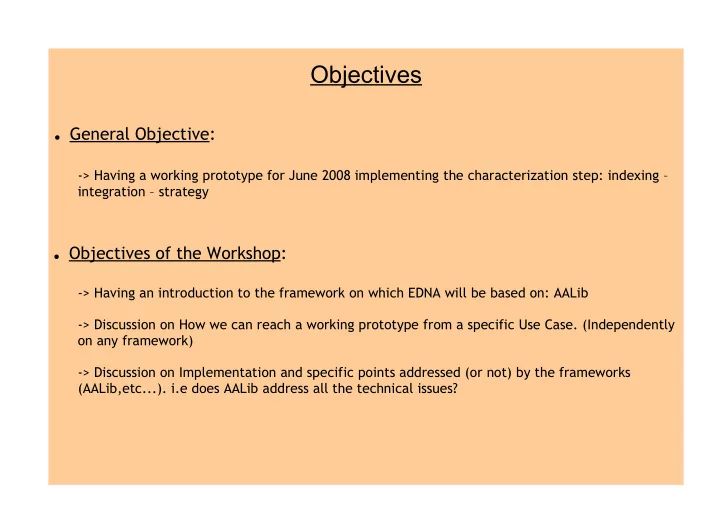
Objectives General Objective : -> Having a working prototype - - PowerPoint PPT Presentation

objectives
SMART_READER_LITE
LIVE PREVIEW

Objectives General Objective : -> Having a working prototype - - PowerPoint PPT Presentation

Objectives General Objective : -> Having a working prototype for June 2008 implementing the characterization step: indexing integration strategy Objectives of the Workshop : -> Having an introduction to the framework on


slide-1
SLIDE 1

Objectives

  • General Objective

:

  • > Having a working prototype for June 2008 implementing the characterization step: indexing –

integration – strategy

  • Objectives of the Workshop

:

  • > Having an introduction to the framework on which EDNA will be based on: AALib
  • > Discussion on How we can reach a working prototype from a specific Use Case. (Independently
  • n any framework)
  • > Discussion on Implementation and specific points addressed (or not) by the frameworks

(AALib,etc...). i.e does AALib address all the technical issues?

slide-2
SLIDE 2

Agenda

  • Tuesday 20th afternoon:

2:00 pm - 5:30 pm : Introduction to AALib (Romeu) (3:30 pm - 4:00 pm : break)

  • Wednesday 21st morning:

9:30 am - 12:30 am : Use Case Implementation (10:30 am – 11:00 am : break)

  • Wednesday 21st afternoon:

2:00 pm - 5:30 pm : Use Case Implementation and AALib (3:30 pm - 4:00 pm : break)

  • (Thursday 22nd morning):

Additional questions/issues if any

slide-3
SLIDE 3

Content

  • Introduction to AALib
  • Use Case Implementation Discussion (General):

➔ From the Use Case to a prototype implementation... ➔ EDNA Skeleton ■ Objectives ■ Configuration

  • Formats
  • Auto-configuration
  • When should the system read the configuration
  • Which configuration verifications should be done

➔ Checking Plugins

  • Use Case Implementation Discussion (specific):

➔ Open Pending Questions

slide-4
SLIDE 4

Content

  • Introduction to AALib
  • Use Case Implementation Discussion (General):

➔ From the Use Case to a prototype implementation... ➔ EDNA Skeleton ■ Objectives ■ Configuration

  • Formats
  • Auto-configuration
  • When should the system read the configuration
  • Which configuration verifications should be done

➔ Checking Plugins

  • Use Case Implementation Discussion (specific):

➔ Open Pending Questions

slide-5
SLIDE 5

From the Use Case to a prototype implementation...

  • Adopt Top-down and Bottom-up approaches depending on what has to be addressed:

Top-down: applicable to analyze the main use cases in order to bring an application skeleton to light Bottom-up: allows the detailed specification/implementation of the base elements... to the overall system

Architecture Data Skeleton Configuration Input – Output

1 st Level : 2 nd Level : (Abstract level)

  • Ext. programs

Abstract layer / Generic Data? 3 rd Level : Working dir Specific Data / ext program

...

Mosflm labelit xds Mosflm xds Raddose - Best Index. Integration Strategy Characterization T O P D O W N B O T T O M U P

slide-6
SLIDE 6

EDNA Skeleton

  • Objectives

Launch sequentially the indexing, the integration and the strategy steps: The steps will either be empty (or will launch the appropriate executable) no scientific results will be provided: no Data Model will be needed in this context.

Indexing Integration Strategy

The application can be configured to execute one or several parallel external programs for a particular step (i.e: the indexing step could either be performed using MOSFLM or labelit or XDS or using the 3 programs in parallel)

MOSFLM labelit XDS MOSFLM BEST XDS RADDOSE

slide-7
SLIDE 7
  • Configuration

The objectives of the configuration are:

  • to define the list of plugins which are necessary to perform a particular step (i.e indexing: MOSFLM or labelit
  • r XDS, or the 3)
  • to define the technical parameters for a particular plugin to work properly (i.e the working directory)
  • to overwrite default hard-coded parameter values/behaviours (MOSFLM as a default external program to be

launched could be replaced by the plugin defined in the configuration file, etc...)

Formats:

2 proposals are currently being studied for the configuration file: an ini-like and an xml format.

  • ini-like configuration file

:

[indexing] software = mosflm, labelit, xds var2 = value2 [integration] software = mosflm var1 = value1 Advantages / drawbacks: The organization is not really object-oriented-like. A special parser is needed. Easy to read and to configure manually.

slide-8
SLIDE 8
  • xml configuration file

:

The xml is a more appropriate format to organize the configuration on different levels of depth. Several approaches are proposed here:

1 st approach : pragmatical

The first approach proposes a pragmatical solution to configure the skeleton described in section 2.1. as a sequence of steps that encapsulates plugins: <step name = “indexing”> <plugin name = “mosflm” /> <plugin name = “labelit” /> <plugin name = “xds”> <workdir=“/path/to/workdir” /> </plugin> </step> <step name = “integration”> ... </step>

slide-9
SLIDE 9

2 nd approach : “all is plugin”

The 2nd approach is more generic. The principle is “All is plugin”. A plugin configuration contains the configuration of its

  • childs. It follows closely the way the application is structured (one level of depth per level of plugins). Even if a plugin has no direct

configuration (no param element), it can have an indirect configuration due to its childs configuration. This approach proposes that if a plugin is present in the configuration file, it will be executed by its parent: <plugin> <name> Indexing </name> <param> <name> time </name> <value> 17:05 </value> </param> <plugin> <name> labelit </name> <param> <name> x </name> <value> y </value> </param> <param> <name> w </name> <value> z </value> </param> <plugin> </plugin> </plugin> </plugin>

slide-10
SLIDE 10

3 rd approach : “all is plugin” / enabling plugins parameters

The information is given in the param element (direct configuration) : a plugin is enabled if the ext program param is “on”. We can note that even if a plugin is not activated, its related configuration is nevertheless present in the file (see labelit or xds in this example) <plugin> <name> indexing </name> <param> <name> indexing_mosflm </name> <value> on </value> </param> <param> <name> indexing_labelit </name> <value> off </value> </param> <param> <name> indexing_xds </name> <value> off </value> </param> <plugin> <name> mosflm </name> ... </plugin> <plugin> <name> labelit </name> ... </plugin> <plugin> <name> xds </name> ... </plugin> </plugin>

slide-11
SLIDE 11

4 th approach : “all is plugin” / enabling plugins parameters (other way)

Enabling a specific plugin from a plugin parent is managed within the option element. The plugin to be enabled is part of the parent option): <plugin> <name> indexing </name> <optionList> <optionItem> <name> indexing_mosflm </name> <enabled> true </enabled> <plugin> <name> mosflm </name> <paramList> <param> <name> workDir </name> <value> /path/to/workDir </value> </param> </paramList> </plugin> </optionItem> <optionItem> <name> indexing_labelit </name> <enabled> false </enabled> <plugin> <name> labelit </name> ... </plugin> </optionItem> <optionItem> <name> indexing_xds </name>

slide-12
SLIDE 12

<enabled> false </enabled> <plugin> <name> xds </name> ... </plugin> </optionItem> </optionList> <paramList> <param> <name> my_param </name> <value> my_value </value> </param> </paramList> </plugin> With this format, a perpetual loop is raised when trying to generate the related python modules with the AALib framework because of the nested plugin elements. A conclusion would be to flatten to a certain point the plugin configuration and to have a kind of compromise between a nested- style configuration and flatten one. The proposal is to have the most simple configuration as a first step to configure the minimum we need for the prototype. Several approaches should be envisaged whether we have to consider the configuration of different instances of a same plugin. Do we need to launch several instances of a same plugin in the prototype?

slide-13
SLIDE 13

5 th approach : One plugin per configuration element + Namespace <EDConfiguration> <EDConfigurationPluginList> <EDConfigurationPluginItem> <name>indexing</name> <EDOptionList> <EDOptionItem> <name>indexingMosflm</name> <enabled>true</enabled> </EDOptionItem> <EDOptionItem> <name>indexingXds</name> <enabled>false</enabled> </EDOptionItem> <EDOptionItem> <name>indexingLabelit</name> <enabled>false</enabled> </EDOptionItem> </EDOptionList> </EDConfigurationPluginItem> <EDConfigurationPluginItem> <name>indexingMosflm</name> <EDParamList> <EDParamItem> <name>workingDir</name> <value>/path/to/working/dir</value> </EDParamItem> </EDParamList> </EDConfigurationPluginItem> </EDConfigurationPluginList> </EDConfiguration>

slide-14
SLIDE 14

6 th approach : Configuration of a particular instance of plugin + Namespace <EDConfiguration> <EDConfigurationPluginList> <EDConfigurationPluginItem> <name>indexing</name> <id>1</id> <EDOptionList> <EDOptionItem> <name>indexingMosflm</name> <enabled>true</enabled> <EDPluginList> <pluginId>2</pluginId> </EDPluginList> </EDOptionItem> </EDOptionList> </EDConfigurationPluginItem> <EDConfigurationPluginItem> <name>IndexingMosflm</name> <id>2</id> </EDConfigurationPluginItem> </EDConfigurationPluginList> </EDConfiguration> What if a plugin father launches several instances of a same plugin class in parallel for instance? How do you fix the instance id in the configuration? Instead of having a <pluginId> element, shouldn't we have a <pluginIdList>? The question is what is really needed for the prototype in order to keep the objective in mind and in order to keep the configuration as simple as possible.

slide-15
SLIDE 15

Auto-configuration:

Possibility to generate a configuration file if it is missing. The generated configuration will be the default application configuration (MOSFLM should be the default external program to be executed for the indexing and the integration steps).

When should the system read the configuration file?:

Once, at the initialization step of the application

Which configuration verifications should be done when loading the configuration file?:

Check that all the plugins are available

Check that all the available plugins can access their related 3rd parties.

The configuration parameters are valid

...

slide-16
SLIDE 16

Checking Plugins

Checking plugins independently is a crucial point to guarantee the modularity of the system. The aim is to verify that a particular plugin works properly in several given environments with the expected results (even the error cases). For that, it is proposed to implement a tool (i.e “ PluginChecker”) that will take as input parameters the plugin name, its configuration file (to simulate the environment) and an input xml file that will store the scientific input data needed to execute the plugin. The result will be in one hand the execution traces of the plugin and in the

  • ther hand, the scientific output data stored in a xml file. Executing the plugin in several configuration environments

with several input data (even bad cases) will be a crucial point to take into account. One way to extend the PluginChecker to a Benchmark would be to compare the obtained output data file to an expected one.

Conf. file Input Data file Plugin PluginChecker Output Data File > plugin > traces > ....

slide-17
SLIDE 17

Content

  • Introduction to AALib
  • Use Case Implementation Discussion (General):

➔ From the Use Case to a prototype implementation... ➔ EDNA Skeleton ■ Objectives ■ Configuration

  • Formats
  • Auto-configuration
  • When should the system read the configuration
  • Which configuration verifications should be done

➔ Checking Plugins

  • Use Case Implementation Discussion (specific):

➔ Open Pending Questions

slide-18
SLIDE 18

Open Pending Questions

Regarding Use Case Implementation:

  • Data Modeling Tools: Enterprise Architect / Umbrello
  • Data Model: it is proposed to check if the experimental Data Model applied to the strategy during the spike can

suit to the indexing and the integration.

  • It is proposed to implement a general EDPlugin from which all the specific plugin should derive. This EDPlugin

will manage general issues like Log, Configuration, Error Messages... OK?

  • Persistence (should not be included in the prototype)
  • ther?

Regarding AALib:

  • Should the prototype work in jython ?
  • How to propagate Data between plugins ?
  • Read/Write xml available?
  • How to make the prototype becoming a server ?
  • GRID (should not be included in the prototype)
  • ther?