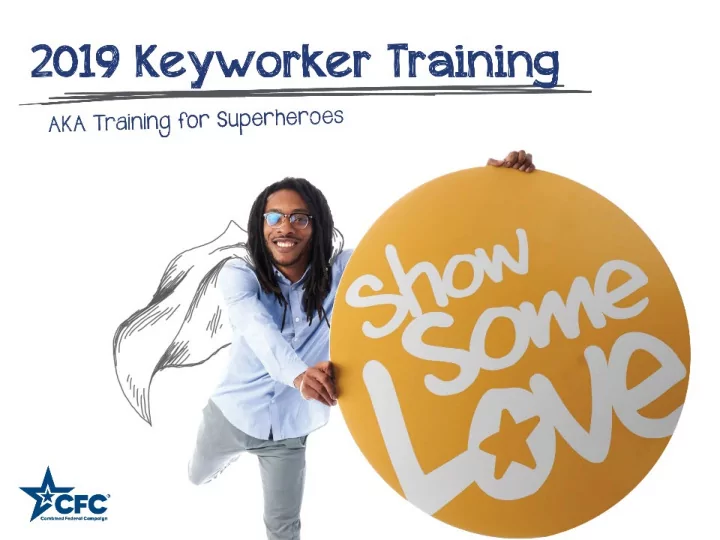
opm.gov/ShowSomeLoveCFC What will we cover today? About the CFC - - PowerPoint PPT Presentation

opm gov showsomelovecfc what will we cover today
SMART_READER_LITE
LIVE PREVIEW

opm.gov/ShowSomeLoveCFC What will we cover today? About the CFC - - PowerPoint PPT Presentation

opm.gov/ShowSomeLoveCFC What will we cover today? About the CFC 2019 theme and plans Keyworker role and responsibilities How to pledge online Available tools and resources page 2 page 3 page 4 Who can give


slide-1
SLIDE 1
  • pm.gov/ShowSomeLoveCFC
slide-2
SLIDE 2
  • About the CFC
  • 2019 theme and plans
  • Keyworker role and

responsibilities

  • How to pledge online
  • Available tools and

resources

page 2

What will we cover today?

slide-3
SLIDE 3

page 3

slide-4
SLIDE 4

page 4

slide-5
SLIDE 5

page 5

*Federal employees can also pledge volunteer hours to CFC-participating charities that accept them.

Who can give through the CFC?

slide-6
SLIDE 6

page 6

slide-7
SLIDE 7

page 7

2019 Campaign Video

slide-8
SLIDE 8

page 8

Draw your cause. Share your sketch. Tell your story.

slide-9
SLIDE 9

page 9

The Hard Part is done!

slide-10
SLIDE 10

page 10

It’s So Convenient

slide-11
SLIDE 11

page 11

Choose your Favorites

slide-12
SLIDE 12

page 12

It’s easy to RENEW

slide-13
SLIDE 13

page 13

You can even Volunteer

slide-14
SLIDE 14

page 14

Zone 019 South Central Texas

  • Over $978,000 donated in 2018
  • 958 charities helped in 2018

We can have a BIG impact

slide-15
SLIDE 15

page 15

  • Cause

focused

  • Expanded

color palette

  • Illustrated

approach

2019 Campaign Theme

slide-16
SLIDE 16

page 16

slide-17
SLIDE 17

page 17

Ok, the CFC sounds great! But what do I have to do as a Keyworker?

slide-18
SLIDE 18

page 18

Attend a training session. Get your supplies. Publicize the campaign. Practice giving. Ask each of your co-workers to participate. Follow up. Submit completed paper pledge forms. Express gratitude.

Keyworker Checklist

slide-19
SLIDE 19

page 19

  • Attend training.
  • Review online resources.
  • Keyworker Checklist
  • Keyworker Guide
  • Making the Ask Video
  • Event Guide

Step 1: Prepare for your role.

slide-20
SLIDE 20
  • What is available digital online.
  • What is available pre-printed in yellow.
  • How to get them.
  • How to distribute to Keyworkers.

Develop your plan…

page 20

  • Paper Pledge Form
  • Charity List
  • Donor Response Card
  • Donor Event Card
  • Donor Sketch Card
  • Thank You Card
  • Posters
  • Barometer Poster

MATERIALS!

slide-21
SLIDE 21

page 21

  • General Posters
  • Barometer Poster
  • Table Tents
  • Advertisements
  • Pre-written Communications
  • Social Media Posts
  • Success Stories
  • Virtual Charity Fair

Step 3: Publicize the campaign.

slide-22
SLIDE 22

page 22

Step 4: Practice giving - OPM.gov/ShowSomeLoveCFC

slide-23
SLIDE 23

page 23

  • 1. Tell your story.
  • 2. Explain the benefits of the

CFC.

  • 3. Ask about their favorite cause.
  • 4. Invite your co-workers to

pledge.

  • 5. Thank your co-workers for

their time.

Step 5: Make the ask.

slide-24
SLIDE 24

page 24

Step 6: Follow up.

slide-25
SLIDE 25

page 25

Step 7: Collect completed pledge forms.

slide-26
SLIDE 26

page 26

Step 8: Express gratitude.

slide-27
SLIDE 27
  • Be sure to keep your leadership informed and

involved, but do not provide lists of givers/non- givers.

  • Promote voluntary giving – no coercion.
  • Encourage causes – do not promote individual

charities.

A few other things…

page 27

slide-28
SLIDE 28

page 28

I’m ready! What’s next?

slide-29
SLIDE 29

page 29

TOOLKITS

  • Start Strong
  • Cause of the

Week

  • Event
  • Spirit Week
  • Finish Strong
  • Thank You

PUBLICITY MATERIALS

  • General Posters
  • Barometer Poster
  • Table Tents
  • Advertisements
  • Pre-written

Communications

  • Social Media Posts
  • Success Stories
  • Virtual Charity Fair

TRAINING RESOURCES

  • Keyworker Checklist
  • Keyworker Guide
  • Making the Ask Video
  • Event Guide

DONOR MATERIALS

  • Pledge Form
  • Charity List
  • Response Card
  • Event Card
  • Sketch Card
  • Thank You Card

Review of Available Tools/Resources

slide-30
SLIDE 30

page 30

How to navigate the website…

The homepage!

slide-31
SLIDE 31

page 31

How to navigate the website…

slide-32
SLIDE 32

page 32

How to navigate the website…

slide-33
SLIDE 33

page 33

Zone 019 South Central Texas Website

For more information, be sure to visit your local zone website:

Zone 019 South Central Texas Zone https://southcentraltexascfc.org

slide-34
SLIDE 34

page 34

Zone 019 South Central Texas Social Media

Participate in social media:

Zone 019 South Central Texas Zone Facebook page name: South Central Texas CFC Twitter handle: scentraltxcfc

slide-35
SLIDE 35

page 35

Central Campaign Administrator (CCA)

For questions related to:

  • Pledging through the CFC donor portal
  • Setting up a donor account
  • Timing of payroll deduction
  • Pledging volunteer hours

plus related topics please contact the Central Campaign Administrator (CCA): 800-797-0098 608-237-4898 TTY available Hours: 9:00 a.m. through 7:00 p.m. (ET) Monday – Friday cfcgiving.opm.gov/contact

slide-36
SLIDE 36

page 36

CFC Help Desk Information

cfcsupport@penngood.com

(833) - LOVE CFC (833) - 568- 3232 Hours of Operation Monday – Friday 9:00 a.m. – 6:00 p.m. (ET) Zone 019 South Central Texas zone019cfcsupport@penngood.com

For questions related to:

  • Training times and

locations

  • Obtaining a Charity list
  • Attending events and

activities

  • Obtaining marketing and

print supplies

slide-37
SLIDE 37

page 37

CFC Key Dates

  • Sept. 9, 2019 – Opening of the online pledge portal
  • Dec. 3, 2019 – Giving Tuesday
  • Dec. 5, 2019 – International Volunteer Day
  • Jan. 12, 2020 – Last day to pledge
slide-38
SLIDE 38

Questions?

slide-39
SLIDE 39
  • pm.gov/ShowSomeLoveCFC

page 39