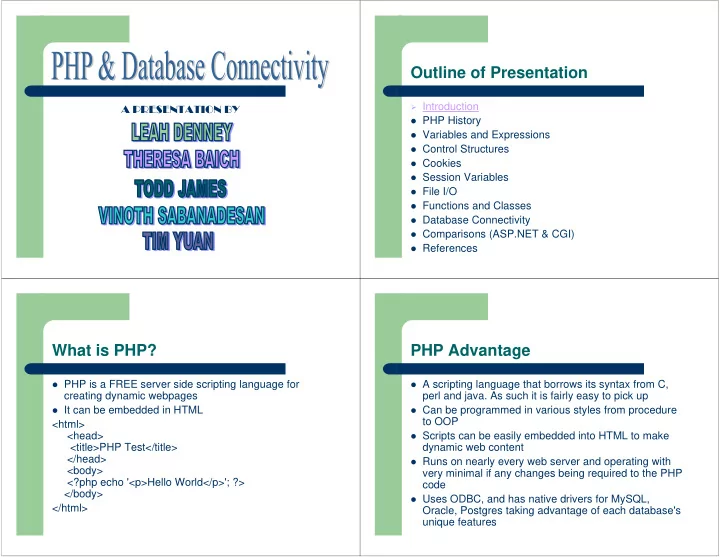
Outline of Presentation Introduction A PRESENTATION BY PHP History - - PowerPoint PPT Presentation
Outline of Presentation Introduction A PRESENTATION BY PHP History Variables and Expressions Control Structures Cookies Session Variables File I/O Functions and Classes Database Connectivity Comparisons
Outline of Presentation
Introduction PHP History Variables and Expressions Control Structures Cookies Session Variables File I/O Functions and Classes Database Connectivity Comparisons (ASP.NET & CGI) References
PHP History: PHP 1 and 2
Originated in 1995 by Rasmus Lerdorf Initially a simple set of perl scripts Zeev Suraski and Andi Gutmans, working
together with Rasmus Lerdorf created PHP 3 in 1997
PHP History: PHP 3
PHP 3 was very successful for the following reasons:
– A solid infrastructure for connecting to a variety of
different databases,protocols, and APIs
– An extensibility feature that attracted developers to
add their own extension modules
– Object oriented Syntax support and a more
consistent language syntax
PHP History: PHP 4
In 2002 a complete rewrite of the PHP core,
now known as zend engine
Improved the performance of complex
applications and improved the modularity of PHP's code base
Support for many more web servers, HTTP
sessions, output buffering, more secure ways
- f handling user input and several new
language constructs
PHP History: PHP 5
Released recently, offers another significant
performance improvement over php 4 with the new ZEND 2 engine
Additional features such as exception handling,
and a stronger object oriented model, all the while being highly backward-compatible
Outline of Presentation
Introduction PHP History Variables and Expressions Control Structures Cookies Session Variables File I/O Functions and Classes Database Connectivity Comparisons (ASP.NET & CGI) References
Variables
Case sensitive so $Welcome_Text is not the
same as $welcome_text
Names can contain letters, numbers and
underscores but cannot begin with a number or underscore
Scalar Variables
A scalar variable can contain:
– String $myVariable = “hello”; – Integer $myVariable = 42; – Float $myVariable = 23.25;
Only strings in double quotes are evaluated
– $myString =“hello $test”;
Arrays
Indexed from 0 to n-1 Create array by array function
– $myArray= array("Hello", "World");
Create array by array indentifier:
– $myArray[] = “Hello”; MyArray[] = “World”;
An element of an array is prefixed with $
– $myArray[3] = ‘alpha’; $myVar = $myArray[0];
Key values do not have to numeric
– $names = array("a"=>"Andy", "b"=>"Chris", "c"=>"Dave",
"d"=>"Bill");
Regular Expressions
Six functions that all take a regular expression string as
an argument
– ereg: search a string for matches of reg expression – eregi: case sensitive version – ereg_replace: replaces occurrences of string with new string – eregi_replace: case sensitive version – split: returns the matches as an array of strings – spliti: case sensitive version
eregi('^[a-zA-Z0-9._-]+@[a-zA-Z0-9-]
+\.[a-zA-Z.]{2,5}$', $email)
Outline of Presentation
Introduction PHP History Variables and Expressions Control Structures Cookies Session Variables File I/O Functions and Classes Database Connectivity Comparisons (ASP.NET & CGI) References
Control Structures - Conditionals
if(condition){statements}
– if($number) {echo “”the number is not zero!”;}
if(condition) {statements} else {statements} if(condition) { statements }
elseif (condition) {statements} else {statements}
switch(expression) {statements} variable= (condition) ? expression1: expression2;
Control Structures - Loops
while (condition) {statements} do {statements} while (condition); for (init;condition;increment) {statements} foreach (list) { statement}
– foreach $line (array) {echo “$line\n”;}
Outline of Presentation
Introduction PHP History Variables and Expressions Control Structures Cookies Session Variables File I/O Functions and Classes Database Connectivity Comparisons (ASP.NET & CGI) References
Cookies
Setting Cookies
– setcookie(string CookieName, string CookieValue, int
CookieExpireTime, path, domain, int secure);
– <?php setcookie("uname", $name, time()+36000); ?>
Retrieving Cookies
– $_COOKIE[“cookieName”] – ?php if (isset($_COOKIE["uname"])) echo "Welcome " .
$_COOKIE["uname"] . "!<br />"; else echo "You are not logged in!<br />"; ?>
Outline of Presentation
Introduction PHP History Variables and Expressions Control Structures Cookies Session Variables File I/O Functions and Classes Database Connectivity Comparisons (ASP.NET & CGI) References
Useful Variables
$_ENV - Contains system environment variables $_GET - Contains variables in the query string,
including from GET forms
$_POST - Contains variables submitted from POST
forms
$_COOKIE - Contains all cookie variables $_SERVER - Contains server variables, such as
HTTP_USER_AGENT
$_REQUEST - Contains everything in $_GET,
$_POST, and $_COOKIE
$_SESSION -- Contains all registered session
variables
Examples of Variable Use
Browser Example
– <? "Your Browser is:
".$_SERVER["HTTP_USER_AGENT"] ?>
Get and Post Example (after a post)
– <?php echo $_POST["variableName"]; ?>
SSI- Server Side Includes
– <?php require("header.htm"); ?>
Outline of Presentation
Introduction PHP History Variables and Expressions Control Structures Cookies Session Variables File I/O Functions and Classes Database Connectivity Comparisons (ASP.NET & CGI) References
File I/O
The fopen() function is used to open files in PHP
– If the fopen() function is unable to open the specified file, it
returns 0
– Example:
<?php $f=fopen("file.txt","r"); ?>
The fclose() function is used to close a file
– <? fclose($f); ?>
The feof() function is used to determine if the end of file
is true
– Note: You cannot read from files opened in w, a, and x mode! – if (feof($f))
echo "End of file";
File I/O cont’d
The fgetc() function is used to read a single character
from a file
– Reading a file character by character :
<?php if (!($f=fopen("welcome.txt","r"))) exit("Unable to open file."); while (!feof($f)) { $x=fgetc($f); echo $x; } fclose($f); ?>
Outline of Presentation
Introduction PHP History Variables and Expressions Control Structures Cookies Session Variables File I/O Functions and Classes Database Connectivity Comparisons (ASP.NET & CGI) References
User-Defined Functions & Classes
Can create functions without predefining them unless
they are created conditionally
<?php function foo($arg_1, $arg_2, /* ..., */ $arg_n){ echo "Example function.\n"; return $retval; }?> Classes can also be defined <?php class Cart { var $items; // Global variable function add_item($artnr, $num) { $this->items[$artnr] += $num; }}?>
Outline of Presentation
Introduction PHP History Variables and Expressions Control Structures Cookies Session Variables File I/O Functions and Classes Database Connectivity Comparisons (ASP.NET & CGI) References
Database Connectivity
Essential part of many web applications PHP allows for simply integration
– Connect to database once; use of includes allows
for connect/close functions to be in separate files
– Make multiple queries throughout page by
embedding PHP code
Connecting with Databases
Similar to connecting using other languages
– Open connection, run query, parse results, close
connection
Able to connect to a variety of databases
– Access, Oracle, mySQL – Each database uses slightly different functions
mySQL Connection
<?php /* declare some relevant variables */ $DBhost = "Your-MySQL-servers-IP-or-domainname"; $DBuser = "Your user name"; $DBpass = "Your Password"; $DBname = "The Name of the Database"; $table = "Table Name"; $DBconnect = mysql_connect($DBhost,$DBuser,$DBpass) or die("Unable to connect to database"); ?> Can place in dbconnect.php file that is included when needed
<?php @mysql_select_db("$DBName") or die("Unable to select database $DBName"); $sqlquery = "SELECT * FROM $table WHERE course = 'cmput410'"; $result = mysql_query($sqlquery); $number = mysql_numrows($result); $i = 0; if ($number < 1) { print "<CENTER><P>There were no results for your search.</CENTER>"; } else { while ($number > $i) { $name = mysql_result($result,$i,"first_name"); $grade = mysql_result($result,$i,"grade"); print "<p><b>Student Name:</b> $first_name<br><b>Grade:</b>$grade</p>"; $i++; }} mysql_close($Dbconnect); ?>
mySQL Connection cont’d
Execute Query Count Results Process 1 row at a time
- Can also use arrays to store results from queries
<?php @mysql_select_db("$DBName") or die("Unable to select database $DBName"); $sqlquery = "SELECT * FROM $table WHERE course = 'cmput410'"; $result = mysql_query($sqlquery); while($row = mysql_fetch_array($result)) { echo "<font face=arial size=-1><p><b>Student Name:</b>". $row[first_name] ."<br><b>Grade:</b>". $row[grade]. "</p>"; } if(mysql_num_rows($result)<1){ echo "<font face=Arial size=+0><b>No Results!</b></font><br>"; } mysql_free_result($result);
mysql_close($Dbconnect);
?>
Results from Queries
Free memory Store results In an array
Oracle Connection
<?php PutEnv("ORACLE_SID=ORASID"); $connection = Ora_Logon ("username","password"); $cursor = Ora_Open ($connection); $query = “SELECT * FROM table WHERE course = 'cmput410'"; $result = Ora_Parse ($cursor, $query); $result = Ora_Exec ($cursor); echo "<table border=1>"; echo "<tr><td><b>Student Name</b></td><td> <b>Grade</b></td></tr>"; while (Ora_Fetch_Into ($cursor, &$values)){ $name = $values[0]; $grade = $values[1]; echo "<tr><td>$name</td><td>$grade</td></tr>"; } echo "</table>"; Ora_Close ($cursor); Ora_Logoff ($connection); ?>