Outline XML Documents: Quick Review on XML Limitations and - - PDF document

outline
SMART_READER_LITE
LIVE PREVIEW

Outline XML Documents: Quick Review on XML Limitations and - - PDF document

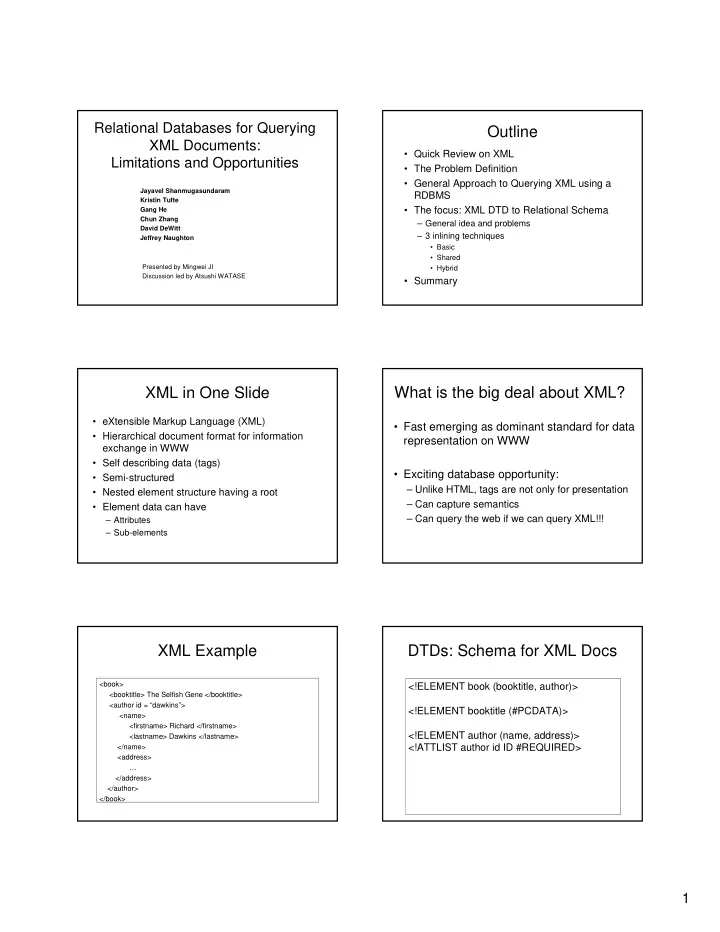
Relational Databases for Querying Outline XML Documents: Quick Review on XML Limitations and Opportunities The Problem Definition General Approach to Querying XML using a Jayavel Shanmugasundaram RDBMS Kristin Tufte Gang He


slide-1
SLIDE 1

1 Relational Databases for Querying XML Documents: Limitations and Opportunities

Jayavel Shanmugasundaram Kristin Tufte Gang He Chun Zhang David DeWitt Jeffrey Naughton Presented by Mingwei JI Discussion led by Atsushi WATASE

Outline

  • Quick Review on XML
  • The Problem Definition
  • General Approach to Querying XML using a

RDBMS

  • The focus: XML DTD to Relational Schema

– General idea and problems – 3 inlining techniques

  • Basic
  • Shared
  • Hybrid
  • Summary

XML in One Slide

  • eXtensible Markup Language (XML)
  • Hierarchical document format for information

exchange in WWW

  • Self describing data (tags)
  • Semi-structured
  • Nested element structure having a root
  • Element data can have

– Attributes – Sub-elements

What is the big deal about XML?

  • Fast emerging as dominant standard for data

representation on WWW

  • Exciting database opportunity:

– Unlike HTML, tags are not only for presentation – Can capture semantics – Can query the web if we can query XML!!!

XML Example

<book> <booktitle> The Selfish Gene </booktitle> <author id = “dawkins”> <name> <firstname> Richard </firstname> <lastname> Dawkins </lastname> </name> <address> … </address> </author> </book>

DTDs: Schema for XML Docs

<!ELEMENT book (booktitle, author)> <!ELEMENT booktitle (#PCDATA)> <!ELEMENT author (name, address)> <!ATTLIST author id ID #REQUIRED>

slide-2
SLIDE 2

2

The Problem

  • Given:

– DTDs – Collection of XML documents conforming to DTDs

  • Query:

– Based on DTD schemas – Over collection of XML documents, performing selections, joins, etc. – Producing an XML result

Approach

  • Process a DTD to generate a relational

schema (our focus today)

  • Parse XML documents conforming to

DTDs and load them into tuples of RDBMS

  • Translate semi-structured queries over

XML documents into SQL queries over RDBMS

  • Convert the results back to XML

Approach

Commercial RDBMS Automatic Translation Layer

DTD Relational Schema Translation Information XML Documents Tuples XML-QL Query SQL Query Relational Result XML Result

DTD to Relational Schema

  • General Approach:

– Each Element ==> Relation – Each Attribute of Element ==> Column of Relation – Connect elements using foreign keys

  • Problem?

– Fragmentation!

Fragmentation: Example

  • Results in 5 relations
  • Just retrieving first and last names of an author

requires three joins!

<!ELEMENT author (name, address)> <!ATTLIST author id ID #REQUIRED> <!ELEMENT name (firstname?, lastname)> <!ELEMENT firstname (#PCDATA)> <!ELEMENT lastname (#PCDATA)> <!ELEMENT address ANY> author (authorID: integer, id: string) name (nameID: integer, authorID: integer) firstname (firstnameID: integer, nameID: integer, value: string) lastname (lastnameID: integer, nameID: integer, value: string) address (addressID: integer, authorID: integer, value: string)

DTD to Relational Schema

  • “inlining”

“Put as many descendants or sub-elements of an element as possible into a single relation”

slide-3
SLIDE 3

3

DTD Graph

book booktitle author monograph title contactauthor authorID editor * name address ? firstname lastname ? authorid article * name

Basic Inlining Technique

  • Intuition:

– Inline as many sub-elements as possible – Do not inline only if it is a set sub-element. – Connect relations using foreign keys

  • Complications:

– A document can be rooted at any element

  • Create separate relational schema for each

root

– Recursion

  • Detect cycles in schema

Basic: Relational Schema

book (bookID: integer, book.booktitle : string, book.author.name.firstname: string, book.author.name.lastname: string, book.author.address: string, author.authorid: string) … author (authorID: integer, author.name.firstname: string, author.name.lastname: string, author.address: string, author.authorid: string) … address (…)

Basic Inlining Technique: Pros

  • Reduces number of joins for queries like

“get the first and last names of a book author”

  • Efficient for queries such as “list all

authors of books”

Basic Inlining Technique: Cons

  • Queries like “list all authors with name

Jack”

– Union of 5 queries!

  • Generate a Large number of relations:

– Separate relational schema for each element as root

Experimental Results

  • Is Basic practical?

– Many DTDs have recursion – Large strongly connected components – Schema translation program ran out of virtual memory!!!

  • Concentrate on Shared vs. Hybrid
slide-4
SLIDE 4

4

Shared Inlining Technique

The principal idea behind “Shared”

– To identify the element nodes that are represented in multiple relations in “Basic” and to share them by creating separate relations for these elements. – To ensure that an element node is represented in exactly one relation

Shared Inlining Technique

  • Intuition:

– Inline as many sub-elements as possible – Do not inline only if it is a shared, recursive

  • r set sub-element.
  • Technique:

– Necessary and Sufficient Condition for shared/ recursive element:

In-degree >= 2 in DTD graph

Shared: Relational Schema

book(…) article(…) monograph(…) title(…) author (authorID: integer, author.parentID: integer, author.parentCODE: integer, author.name.isroot: boolean, author.name.firstname.isroot: :boolean, author.name.firstname: string, author.name.lastname.isroot: boolean, author.name.lastname: string, author.address.isroot: boolean, author.address: string, author.authorid: string)

Shared Inlining Techniques: Pros

+ Reduces number of joins for queries like “get the first and last names of an author” + Efficient for queries such as “list all authors with name Jack”

Shared Inlining Technique: Cons

  • Sharing whenever possible implies extra

joins for path expressions

  • “Article with a given title name”

Hybrid Inlining Technique

  • Inlines some elements that are shared in

Shared

– Elements with in-degree >= 2 that are not set sub-elements or recursive

  • Handles set and recursive sub-elements as

in Shared

slide-5
SLIDE 5

5

Hybrid: Relational Schema

book(…) article(…) monograph(…) author (authorID: integer, author.parentID: integer, author.parentCODE: integer, author.name.isroot: boolean, author.name.firstname.isroot: boolean, author.name.firstname: string, author.name.lastname.isroot: boolean, author.name.lastname: string, author.address.isroot: boolean, author.address: string, author.authorid: string)

Hybrid Inlining Technique: Pros

+ Reduces joins through shared elements (that are not set or recursive elements) + Shares some strengths of Shared:

  • Reduces joins for queries like “get first and

last names of a book author”

Hybrid Inlining Technique: Cons

  • Requires more SQL sub-queries to

retrieve all authors with first name Jack

  • Tradeoff between reducing number of queries

and reducing number of joins

  • Shared and Hybrid target query- and join-

reduction respectively

Group Discussion

  • Q1. Assume we’ll store XML documents into database.

Which one would you pick and why? – Create an XML database from scratch – Use a relational backend

  • Q2. In what condition, would you pick another one?
  • Q3. Assume we pick “relational” to the Q1. Which inlining

technique would you use? – Basic – Shared – Hybrid

Summary

  • Relational model can be used to query

XML documents

  • 4 steps
  • Converting XML DTD to relations:

– General idea – 3 Inling Techniques

  • Basic
  • Shared
  • Hybrid

Reference

  • http://www.cs.wisc.edu/~jai/pubs.html

by Jayavel Shanmugasundaram

slide-6
SLIDE 6

6

Thank You!