Overview of Database Systems PDBM 1.11.5 Dr. Chris Mayfield - - PowerPoint PPT Presentation

overview of database systems
SMART_READER_LITE
LIVE PREVIEW

Overview of Database Systems PDBM 1.11.5 Dr. Chris Mayfield - - PowerPoint PPT Presentation

Overview of Database Systems PDBM 1.11.5 Dr. Chris Mayfield Department of Computer Science James Madison University Jan 13, 2020 Ice breaker Discuss in small groups: 1. What is a database? 2. What are common examples? 3. Why should we


slide-1
SLIDE 1

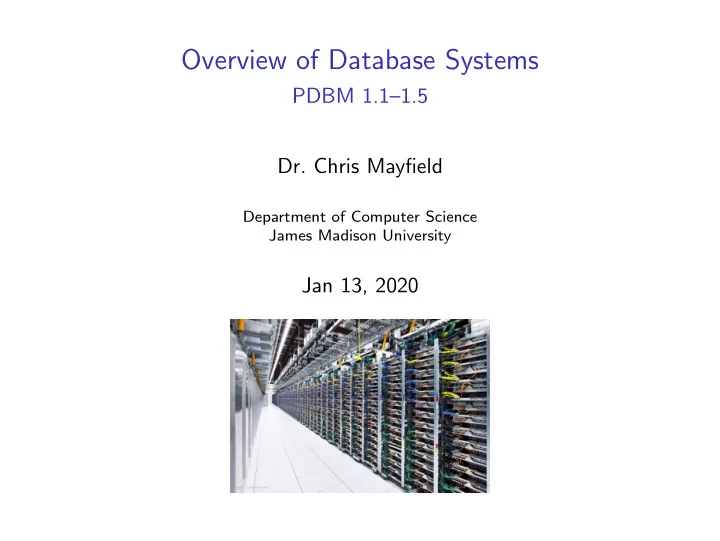
Overview of Database Systems

PDBM 1.1–1.5

  • Dr. Chris Mayfield

Department of Computer Science James Madison University

Jan 13, 2020

slide-2
SLIDE 2

Ice breaker

Discuss in small groups:

  • 1. What is a database?
  • 2. What are common examples?
  • 3. Why should we study databases?

Please also complete the survey

Jan 13, 2020 Overview of Database Systems 2 of 19

slide-3
SLIDE 3

What is a database?

In essence: ◮ a collection of information, that ◮ exists over a long period of time Managed by a DBMS

  • 1. Support storage of large amounts
  • 2. Allow users to specify a schema
  • 3. Give users ability to query data
  • 4. Enable durability and recovery
  • 5. Control concurrent access to data

Jan 13, 2020 Overview of Database Systems 3 of 19

slide-4
SLIDE 4

What are common examples?

And many others!

Jan 13, 2020 Overview of Database Systems 4 of 19

slide-5
SLIDE 5

Why study databases?

Academic ◮ Databases involve many aspects of computer science ◮ Well-established and very active area of research

◮ Three Turing awards in databases (at least)

Business ◮ Everybody needs databases → lots of money to be made Programmer ◮ Many applications involve using and accessing databases Student ◮ Databases are so cool! ◮ Google/etc will hire me! ◮ Need those last 3 credits!

Jan 13, 2020 Overview of Database Systems 5 of 19

slide-6
SLIDE 6

Database management systems

Commercial Open Source

Jan 13, 2020 Overview of Database Systems 6 of 19

slide-7
SLIDE 7

Why use a DBMS?

Manage ◮ Store and process large amounts of data Organize ◮ Give structure (i.e., schema) to the data Query ◮ Extract interesting/relevant information Data Independence “The ability to change the organization of the database itself without changing the application software.”

(Brookshear 12/e)

Jan 13, 2020 Overview of Database Systems 7 of 19

slide-8
SLIDE 8

Features of a DBMS

Support massive amounts of data ◮ Far too big for main memory (GB / TB / PB) ◮ “Recent” trend: databases run on single computers Persistent storage ◮ Applications update, query, manipulate data ◮ Data continues to live long after apps finish Efficient and convenient access ◮ Do not search entire database to answer a query ◮ Tools for users to create and query the data Concurrent, and atomic access ◮ Allow multiple users to access database simultaneously ◮ Provide some guarantee of reliability against failures

Jan 13, 2020 Overview of Database Systems 8 of 19

slide-9
SLIDE 9

Transaction processing

Database operations are grouped into transactions Transactions should meet ACID requirements: ◮ Atomicity: All-or-nothing execution of transactions. ◮ Consistency: Should NOT violate DB’s constraints.

◮ If it does, it needs to be rolled back

◮ Isolation: Each transaction must appear to be executed as if no other transaction is executing at the same time.

◮ Changes become visible only after committed

◮ Durability: Any change a transaction makes to the database should persist and not be lost.

Jan 13, 2020 Overview of Database Systems 9 of 19

slide-10
SLIDE 10

Jan 13, 2020 Overview of Database Systems 10 of 19

slide-11
SLIDE 11

A brief history of DBMSs

The earliest DBMSs (1960s) evolved from file systems ◮ Navigational and hierarchical ◮ User programmed queries by walking from node to node Relational DBMS (1970s to now) ◮ View database in terms of relations or tables ◮ High-level query and definition languages such as SQL Object-oriented DBMS (1980s) ◮ Inspired by object-oriented languages ◮ Object-relational DBMSs “New” types of data: ◮ Semi-structured data (XML, JSON) ◮ Data streams (continuous queries)

Jan 13, 2020 Overview of Database Systems 11 of 19

slide-12
SLIDE 12

Two great overview papers

What Goes Around Comes Around

PDF Link

Anatomy of a Database System

PDF Link

by Michael Stonebraker and Joseph M. Hellerstein

Jan 13, 2020 Overview of Database Systems 12 of 19

slide-13
SLIDE 13

Today’s (yesterday’s?) databases

RDBMS = Relational DBMS ◮ The relational model uses relations to structure data

◮ Separates logical view (externals) from physical view (internals)

ClassList relation: Student Course Grade Hermione Grainger Potions A- Draco Malfoy Potions B Harry Potter Potions A Ron Weasley Potions C Structured query language (SQL) for accessing/modifying data:

SELECT student FROM roster WHERE grade >= ✬B✬;

Jan 13, 2020 Overview of Database Systems 13 of 19

slide-14
SLIDE 14

SQL vs Python

Declarative programming:

SELECT student FROM roster WHERE grade >= ✬B✬;

Imperative programming:

import csv def main (): data = open("roster.csv") data = csv.reader(data) for row in data: student = row [4] grade = row [7] if grade >= "B": print(student) if __name__ == "__main__": main ()

Jan 13, 2020 Overview of Database Systems 14 of 19

slide-15
SLIDE 15

Data storage https://raima.com/database-system-vs-file-system/

Jan 13, 2020 Overview of Database Systems 15 of 19

slide-16
SLIDE 16

Administrivia

Welcome back!

slide-17
SLIDE 17

Course logistics

Course home page: http://w3.cs.jmu.edu/mayfiecs/cs374 Find Q&A on Piazza: http://piazza.com Homework and grades: https://canvas.jmu.edu Your TODO List ◮ Read the Syllabus before the next class ◮ Be sure to read 1.1–1.5 in the textbook ◮ HW1 will be posted soon . . . start early! ◮ Need to form project groups next week

Jan 13, 2020 Overview of Database Systems 17 of 19

slide-18
SLIDE 18

Grade requirements

Assignments 20% ◮ Written problems ◮ SQL programming Group Project 30% ◮ Use lots of public data ◮ Work in groups of four Midterm #1 25% Midterm #2 25%

Jan 13, 2020 Overview of Database Systems 18 of 19

slide-19
SLIDE 19

Tips for success

Come to class prepared ◮ Read the textbook — all of it! Start homework early ◮ Something due each week Stop by office hours ◮ Mon/Wed 1:15–2:45 PM ◮ Other times by appointment HAVE FUN!

Jan 13, 2020 Overview of Database Systems 19 of 19