Pedagogical Goal Your technical skills should not be tied to any - - PDF document

pedagogical goal
SMART_READER_LITE
LIVE PREVIEW

Pedagogical Goal Your technical skills should not be tied to any - - PDF document

3/16/2016 Pedagogical Goal Your technical skills should not be tied to any particular game engine Game Engines Just like your programming skills should not be tied to any particular programming language IMGD 4000 Use best tools for


slide-1
SLIDE 1

3/16/2016 1

Game Engines

IMGD 4000

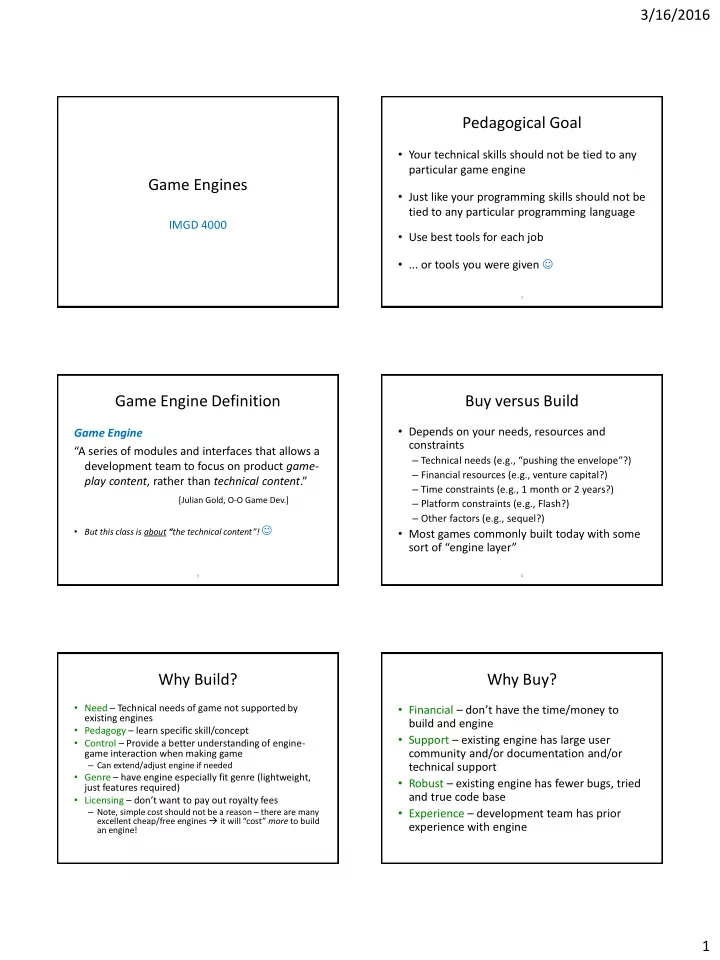
Pedagogical Goal

  • Your technical skills should not be tied to any

particular game engine

  • Just like your programming skills should not be

tied to any particular programming language

  • Use best tools for each job
  • ... or tools you were given 

2 3

Game Engine Definition

Game Engine “A series of modules and interfaces that allows a development team to focus on product game- play content, rather than technical content.” [Julian Gold, O-O Game Dev.]

  • But this class is about “the technical content”! 

4

Buy versus Build

  • Depends on your needs, resources and

constraints

– Technical needs (e.g., “pushing the envelope”?) – Financial resources (e.g., venture capital?) – Time constraints (e.g., 1 month or 2 years?) – Platform constraints (e.g., Flash?) – Other factors (e.g., sequel?)

  • Most games commonly built today with some

sort of “engine layer”

Why Build?

  • Need – Technical needs of game not supported by

existing engines

  • Pedagogy – learn specific skill/concept
  • Control – Provide a better understanding of engine-

game interaction when making game

– Can extend/adjust engine if needed

  • Genre – have engine especially fit genre (lightweight,

just features required)

  • Licensing – don’t want to pay out royalty fees

– Note, simple cost should not be a reason – there are many excellent cheap/free engines  it will “cost” more to build an engine!

Why Buy?

  • Financial – don’t have the time/money to

build and engine

  • Support – existing engine has large user

community and/or documentation and/or technical support

  • Robust – existing engine has fewer bugs, tried

and true code base

  • Experience – development team has prior

experience with engine

slide-2
SLIDE 2

3/16/2016 2

  • 375 3D engines

reviewed at DevMaster.net

  • IndieDB shows 470

engines

– Most popular (left)

  • We are not going to

try to review them all here

7

Choices: “It’s a Jungle Out There”

8

Many Evaluation Dimensions/Features

[ DevMaster.net ]

If there’s a feature term here you don’t know, you should look it up!

Evaluation by Size – Lines of Code

Dragonfly (2015) 5k id Tech 1 (1999) 79k id Tech 2 (2001) 138k id Tech 3 (2005) 329k id Tech 4 (2011) 586k UE4 v4.6 (2015) 1964k

“Measuring software productivity by lines of code is like measuring progress on an airplane by how much it weighs.” - Bill Gates

  • Used cloc
  • Only counting C, C++ and header files.

Game Engine Architecture

DRAGONFLY

DrawCharacter InsertObject LoadSprite GetKey MoveObject SendEvent

GAME CODE

Saucer: hit() Hero: kbd() Star: eventHandler() GameOver: step()

COMPUTER PLATFORM

Allocate memory Clear display File open/close Get keystroke

What are architecture choices for Game Engine layer?

11

Types of Engine Architectures (Broadly)

  • Monolithic (e.g., GameMaker)
  • Modular

– Extensible IDE (e.g., Unity, UE4) – Open Class Library (e.g., C4, UE4,

  • r what Dragonfly would be

when it grows up )

12

Monolithic Engines

  • “Old style”- typically grew out of specific game

– e.g., ID Tech for first-person shooters

  • Tend to be genre-specific

– e.g., GameMaker for arcade-style games

  • Difficult to go beyond extensions/modifications

not anticipated in API (e.g., scripting)

  • Proven, comprehensive capabilities

– Good for original purpose

slide-3
SLIDE 3

3/16/2016 3

13

Modular Engines

  • “Modern” – often developed by game engine

company (relatively new category)

– e.g., Unity

  • Use object-oriented techniques for greater

modularity

  • Much easier to extend/replace components

than for monolithic engines

14

Modular: Extensible IDE’s

  • GUI-oriented development process

– More accessible for novice/casual programmers – More “art asset friendly”

  • Comprehensive asset management

– Integrated with IDE

  • Limited (or controlled) exposure of internals

– Prevents abuse – But also prevents some extensions

15

Modular: Open Class Library

  • Code-oriented development
  • Carefully layered
  • Allows maximum modifiability
  • Often open source

– UE4 source available, but not freely distributable

  • Not as accessible for novices and “casual”

programmers

Game Engine Architecture Blocks

16

Game Engine Architecture Blocks (complete?)

Game Engine Architecture, by Jason Gregory, 2009, AK Peters, ISBN: 1-5688-1413-5.

Game Engine Architecture Blocks

18

slide-4
SLIDE 4

3/16/2016 4

19

Best Engine Choice is Relative to Situation

  • Similar issues of needs, resources and constraints

(as in buy vs. build)

– Platform, programming language constraints – Cost constraints (commercial run $ to $$$) – Specific technical features required (e.g., MMO) – Previous experience of staff – Support from developers, user community (e.g., forums) – Pedagogical goals (e.g., this course, or even to teach yourself)

Choice of UE4 for IMGD 4000

  • Relatively easy (trivial) for artists

– C4 tough art pipeline, Dragonfly limited – Comparable to Unity?

  • Programming in C++

– Still “gold standard” for tech game development – Need for IMGD majors to do more, get better

  • Full support of mature IDE

– Microsoft Visual Studio (Windows), Xcode (Mac)

  • Source code available

– Aid in debugging interactions – Future offerings may delve into code

20

UE4 in Timeline of FPS Game Engines

http://commons.wikimedia.org/wiki/File:Fpsengine.svg

(Click below to open browser to image for zooming)

21

Feature Comparisons

22

vs vs

  • C4 & Unity from DevMaster.net
  • UE4 from UE4 Features and other UE4 docs
  • Caveats:

– Not complete - broad view of main features touched upon in IMGD 4000 – Info is not audited (e.g., DevMaster.net from enthusiasts, UE4 from my knowledge and Epic docs) – Let’s not get bogged down in the details – the idea is to get overall sense of emphasis

23

General Features

Object-Oriented Design, Plug-in Architecture, Save/Load System

  • Clean class hierarchy for scene graph nodes
  • General state serialization support for saving worlds
  • Separation between per-instance and shared data
  • External scene graph referencing from within another scene graph
  • Support for pack files and virtual directory hierarchy
  • Skinable GUI's

Object-Oriented Design, Plug-in Architecture, Save/Load System

  • Professional FPS controller ready to drop in (and tune)
  • Streamed loading for the Unity Web Player
  • Unity asset server / asset source code version control
  • Cross-platform Web player
  • Standalone executables for both Mac OS X and Windows
  • Mac OS X Dashboard Widgets
  • iPhone Publishing is available as add-on product
  • Streaming Asset Bundles: the ability to stream in any asset (terrain, mesh, etc) into the game

Object-Oriented Design, Plug-in Architecture, Save/Load System

  • Professional FPS controller ready to drop in (and tune)
  • Multiplatform compilation – Windows, Mac, Linux Mobile
  • Built-in content and community integration

24

Physics

Basic Physics, Collision Detection, Rigid Body

  • Built-in character controller
  • Built-in projectile controller
  • Real-time fluid surface simulation
  • Real-time cloth simulation

Basic Physics, Collision Detection, Rigid Body, Vehicle Physics

  • Powered by the PhysX Engine, which also supports particle physics
  • Cloth simulation

Basic Physics, Collision Detection, Rigid Body, Vehicle Physics

  • Powered by the PhysX Engine, which also supports particle physics
slide-5
SLIDE 5

3/16/2016 5

25

Scripting

  • Graphical script editor
  • Scripts are edited graphically for easy artist/designer access
  • Games can easily define custom script components, and these automatically appear in the

editor

  • Controllers can advertise custom function calls that can be accessed from scripts
  • Scripts support variables, looping, and conditional execution, all shown in a concise

graphical manner

  • Uses the Mono and supports JavaScript, C# and Boo, interoperable (to a certain extent) and

JIT'ted to native code

  • Complete scripting documentation
  • Source-level debugging
  • Blueprints visual scripting, easier “programming” for artists and designers
  • Live debugging of script code before trying out in game
  • Extensible scripting  Objects can link with blueprints to be used in script code

26

Builtin-Editors

  • Full-featured integrated cross-platform world editor
  • Interface panel editor
  • Complete built-in windowing system
  • Powerful and intuitive interface design
  • Advanced surface attribute manipulation and material management
  • Editor provides asset pipeline: save a file and it updates automatically
  • Editor Extensibility: Create custom editor windows, and new tools and workflows
  • Asset Server that provides version control capabilities for Unity projects
  • Optimized for use with large projects
  • Updates, commits, and graphical version comparisons inside the Unity editor.
  • World editor
  • Version control integration – indicates objects that are checked in, out. Can do diffs, etc.

within editor

27

Graphics

Lighting: Per-vertex, Per-pixel, Lightmapping, Radiosity, Gloss maps, Anisotropic: Texturing: Basic, Multi-texturing, Bumpmapping, Mipmapping, Projected Shaders: Vertex, Pixel, High Level: Shadows: Shadow Mapping, Projected planar, Shadow Volume … Lighting: Per-vertex, Per-pixel, Lightmapping Texturing: Basic, Bumpmapping, Procedural Shaders: Vertex, Pixel, High Level Shadows: Projected planar … Lighting: Lightmapping, Per-pixel, Texturing: Basic, Bumpmapping Shaders: Shadows: …

28

Networking

Client-Server:

  • Fast, reliable network implementation using UDP/IP
  • Solid fault tolerance and hacker resistance
  • Advanced security measures, including packet encryption
  • Automatic message distribution to entity controllers
  • Cross-platform internet voice chat

Client-Server:

  • Build on Raknet
  • Supports .NET library and asynchronous WWW API
  • Multiplayer networking (advanced NAT punch-through, delta compression, easy to set up)

(cf. guest lectures later in term)

Client-Server:

  • Communication via RPC
  • Reliable and unreliable
  • Built in voice support
  • Network simulation features (e.g., packet lag, packet loss)

AI

AI system:

  • Behavior trees
  • Real-time navmesh (pathfinding)
  • Environment query tree

AI system? AI system:

  • Real-time navmesh (pathfinding)