SLIDE 1 Computer Science 134C: Introduction to Computer Science — Spring 2020 Instructors: Shikha Singh (shikha@cs.williams.edu) and Iris Howley (iris@cs.williams.edu)
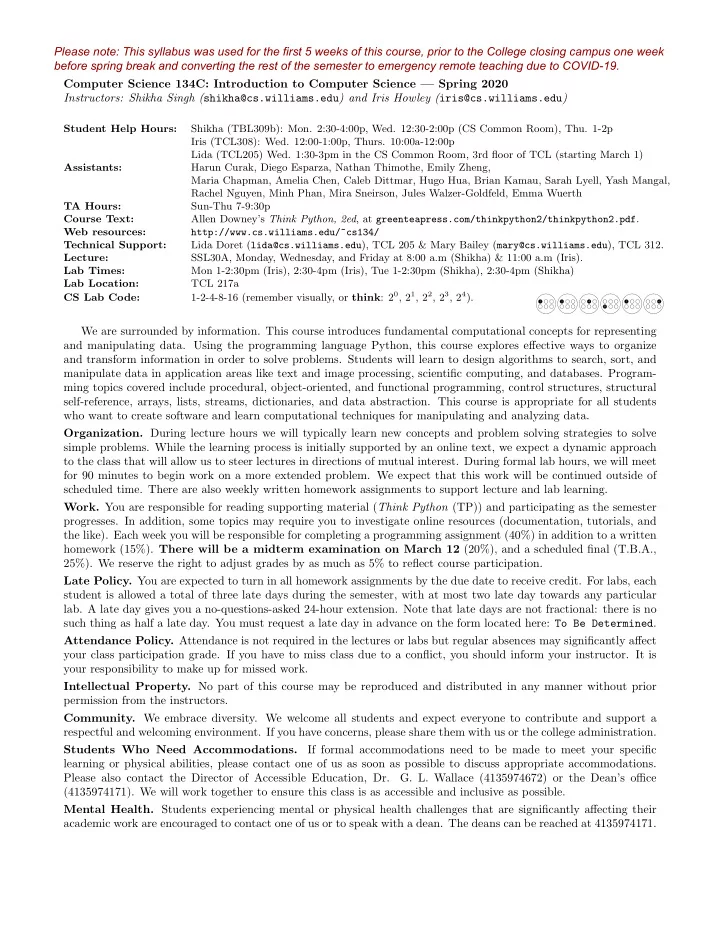
Student Help Hours: Shikha (TBL309b): Mon. 2:30-4:00p, Wed. 12:30-2:00p (CS Common Room), Thu. 1-2p Iris (TCL308): Wed. 12:00-1:00p, Thurs. 10:00a-12:00p Lida (TCL205) Wed. 1:30-3pm in the CS Common Room, 3rd floor of TCL (starting March 1) Assistants: Harun Curak, Diego Esparza, Nathan Thimothe, Emily Zheng, Maria Chapman, Amelia Chen, Caleb Dittmar, Hugo Hua, Brian Kamau, Sarah Lyell, Yash Mangal, Rachel Nguyen, Minh Phan, Mira Sneirson, Jules Walzer-Goldfeld, Emma Wuerth TA Hours: Sun-Thu 7-9:30p Course Text: Allen Downey’s Think Python, 2ed, at greenteapress.com/thinkpython2/thinkpython2.pdf. Web resources: http://www.cs.williams.edu/~cs134/ Technical Support: Lida Doret (lida@cs.williams.edu), TCL 205 & Mary Bailey (mary@cs.williams.edu), TCL 312. Lecture: SSL30A, Monday, Wednesday, and Friday at 8:00 a.m (Shikha) & 11:00 a.m (Iris). Lab Times: Mon 1-2:30pm (Iris), 2:30-4pm (Iris), Tue 1-2:30pm (Shikha), 2:30-4pm (Shikha) Lab Location: TCL 217a CS Lab Code: 1-2-4-8-16 (remember visually, or think: 20, 21, 22, 23, 24).
1 2 4 8 1 6
We are surrounded by information. This course introduces fundamental computational concepts for representing and manipulating data. Using the programming language Python, this course explores effective ways to organize and transform information in order to solve problems. Students will learn to design algorithms to search, sort, and manipulate data in application areas like text and image processing, scientific computing, and databases. Program- ming topics covered include procedural, object-oriented, and functional programming, control structures, structural self-reference, arrays, lists, streams, dictionaries, and data abstraction. This course is appropriate for all students who want to create software and learn computational techniques for manipulating and analyzing data.
- Organization. During lecture hours we will typically learn new concepts and problem solving strategies to solve
simple problems. While the learning process is initially supported by an online text, we expect a dynamic approach to the class that will allow us to steer lectures in directions of mutual interest. During formal lab hours, we will meet for 90 minutes to begin work on a more extended problem. We expect that this work will be continued outside of scheduled time. There are also weekly written homework assignments to support lecture and lab learning.
- Work. You are responsible for reading supporting material (Think Python (TP)) and participating as the semester
- progresses. In addition, some topics may require you to investigate online resources (documentation, tutorials, and
the like). Each week you will be responsible for completing a programming assignment (40%) in addition to a written homework (15%). There will be a midterm examination on March 12 (20%), and a scheduled final (T.B.A., 25%). We reserve the right to adjust grades by as much as 5% to reflect course participation. Late Policy. You are expected to turn in all homework assignments by the due date to receive credit. For labs, each student is allowed a total of three late days during the semester, with at most two late day towards any particular
- lab. A late day gives you a no-questions-asked 24-hour extension. Note that late days are not fractional: there is no
such thing as half a late day. You must request a late day in advance on the form located here: To Be Determined. Attendance Policy. Attendance is not required in the lectures or labs but regular absences may significantly affect your class participation grade. If you have to miss class due to a conflict, you should inform your instructor. It is your responsibility to make up for missed work. Intellectual Property. No part of this course may be reproduced and distributed in any manner without prior permission from the instructors.
- Community. We embrace diversity. We welcome all students and expect everyone to contribute and support a
respectful and welcoming environment. If you have concerns, please share them with us or the college administration. Students Who Need Accommodations. If formal accommodations need to be made to meet your specific learning or physical abilities, please contact one of us as soon as possible to discuss appropriate accommodations. Please also contact the Director of Accessible Education, Dr.
- G. L. Wallace (4135974672) or the Dean’s office
(4135974171). We will work together to ensure this class is as accessible and inclusive as possible. Mental Health. Students experiencing mental or physical health challenges that are significantly affecting their academic work are encouraged to contact one of us or to speak with a dean. The deans can be reached at 4135974171. Please note: This syllabus was used for the first 5 weeks of this course, prior to the College closing campus one week before spring break and converting the rest of the semester to emergency remote teaching due to COVID-19.
SLIDE 2 Honor Code. The Honor Code as it applies to non-programming assignments is outlined in the Student Handbook. For programming assignments in computer science courses, the honor code is interpreted in very specific ways. When a program is assigned, it will be described as a “test” or “laboratory” program. The Honor Code applies to each as follows (unless otherwise specified): Test Programs. Any assignment designated as a test program is to be treated exactly as a take-home, open-book
- test. You are allowed to read your textbook, class notes, and any other source approved by your instructor. You
may not consult anyone other than your instructor. The instructor encourages the asking of questions, but reserves the right not to answer, just as you would expect during an exam. Guideline: Any work that is not your own is considered a violation of the Honor Code. Laboratory Programs. Laboratory programs are expected to be the work of the individual student, designed and coded by him or her alone. Help locating errors and interpreting error messages are allowed, but a student may
- nly receive help in correcting errors of syntax; help in correcting errors of logic is strictly forbidden. In general,
if you are taking photos of someone else’s screen, looking at someone else’s screen, or telling someone else what to type, it is likely your work is no longer the work of an individual student. Guideline: Assistance in the design or coding of program logic will be considered a violation of the Honor Code. If you do not understand how the Honor Code applies to a particular assignment, consult your instructor. Students should be aware of the Computer Ethics outlined in the Student Handbook. Violations (including uninvited access to private information and malicious tampering with or theft of computer equipment or software) are subject to disciplinary action. Guideline: To protect your work dispose of printouts and copies of your work carefully, and avoid leaving your programs on hard disks in labs and other public storage areas. The Department of Computer Science takes the Honor Code seriously. Violations are easy to identify and will be dealt with promptly. The College and Department also have computer usage policies that apply to courses that make use of computers. You can read more about these policies at csci.williams.edu/the-cs-honor-code-and-computer-usage-policy Lab Grading. Programming labs will be graded on the following scale: A+ An absolutely fantastic submission of the sort that will only come along a few times during the semester. A A submission that exceeds our standard expectations for the assignment. The program must reflect additional work beyond the requirements or get the job done in a particularly elegant way. A- A submission that satisfies all the requirements for the assignment – a job well done. B+ Submission meets the requirements for the assignment, possibly with a few small problems. B A submission that has problems serious enough to fall short of the requirements for the assignment. C A submission that has extremely serious problems, but nonetheless shows some effort & understanding. D A submission that shows little effort and does not represent passing work. There is some subjectivity to what makes good style, but the basic goal is to make your ideas as clear and easy to follow as possible. Stylistically, we expect to see programs that exhibit the following:
- Meaningful names used in declarations
- Informative comments
- Good and consistent formatting
- Good choice of Python commands.
Late days. You are allowed a total of 3 late days over the semester, with at most 2 late days towards any one
- lab. You must request a late day in advance on the form, here: http://bit.ly/s20late.
SLIDE 3 Comments from previous renditions “1. Go to office hours, 2. Go to TA sessions, 3. Don’t stress about homeworks.” “Go to office hours! GO TO OFFICE HOURS! Go to office hours!” ⋆ “Read the textbook.” “Look at the code posted after class; don’t try to copy it down in class.” ⋆ “Think about how your code should works logically before typing anything.” ⋆ “Stop complaining and start coding!!!” “Don’t be intimidated...a programming language is just a language...practice the idioms.” “Practice writing code outside of class.” ⋆ “Write code on paper beforehand; it helps to pinpoint errors.” “TAs are soooo helpful and just great to talk to.” ⋆ “You are learning a lot...Enjoy!” ⋆ Tentative Schedule of Topics Week of Monday Lab Wednesday Friday
— —
- 1. Hello, world! (TP1)
- Feb. 10
- 2. Expressions (TP2)
- I. Python and Gitlab
- 3. Functions (TP3)
Winter Carnival
- Feb. 17
- 4. Conditions (TP5-6)
- II. Procedure
- 5. Iteration (TP7)
- 6. Lists (TP10)
- Feb. 24
- 7. Strings (TP8-9)
- III. Toolbox Building
- 8. Mutability, Tuples (TP12)
- 9. Files (TP14)
- Mar. 2
- 10. Sets, Dicts, (TP11)
- IV. Faculty Trivia
- 11. Plotting Data
- 12. Generators
- Mar. 9
- 13. Iterators
- V. Presenting Data
- 14. Classes (TP15-17)
- 15. n-grams
- Mar. 16
- 16. Special Methods
- VI. Generators
- 17. Operators
- 18. Slack
- M. 22&29
Spring Break Spring Break Spring Break Spring Break
- Apr. 6
- 19. Images
- VII. Images
- 20. Slack
- 21. Multiple Classes
- Apr. 13
- 22. Recursion
- VII. Multiple Classes
- 23. Graphical Recursion
- 24. Linked List I
- Apr. 20
- 25. Linked List II.
- VIII. Recursion
- 26. Binary Trees
- 27. Tree Maps
- Apr. 27
* Slack
- IX. Recursive Trees
- 28. Object Persistence
- 29. Scope
May 4
- 30. Iterative Sorting
- X. Project
- 31. Recursive Sorting
- 32. Search
May 11
- 33. Special Topics
- X. Project (cont.)
- 34. Special Topics
- 35. Evaluations
SLIDE 4 Computer Science 134: Introduction to Computer Science — Spring 2020 — Remote Syllabus Instructors: Shikha Singh (shikha@cs.williams.edu) and Iris Howley (iris@cs.williams.edu)
Virtual Instructor Hours: See course calendar Assistants: Harun Curak, Diego Esparza, Nathan Thimothe, Amelia Chen, Hugo Hua, Mira Sneirson, Jules Walzer-Goldfeld, Minh Phan, Maria Chapman, Caleb Dittmar, Sarah Lyell, Brian Kamau, Yash Mangal, Rachel Nguyen TA Hours: See course calendar Course Text: Allen Downey’s Think Python, 2ed, at greenteapress.com/thinkpython2/thinkpython2.pdf. Web resources: http://www.cs.williams.edu/~cs134/ Technical Support: Lida Doret (lida@cs.williams.edu) & Mary Bailey (mary@cs.williams.edu). Lecture: Posted Sunday, Tuesday, and Thursdays on the Glow course site.
We are surrounded by information. This course introduces fundamental computational concepts for representing and manipulating data. Using the programming language Python, this course explores effective ways to organize and transform information in order to solve problems. Students will learn to design algorithms to search, sort, and manipulate data in application areas like text and image processing, scientific computing, and databases. Program- ming topics covered include procedural, object-oriented, and functional programming, control structures, structural self-reference, arrays, lists, streams, dictionaries, and data abstraction. This course is appropriate for all students who want to create software and learn computational techniques for manipulating and analyzing data.
- Organization. During lecture hours we will typically learn new concepts and problem solving strategies to solve
simple problems. While the learning process is initially supported by an online text, we expect a dynamic approach to the class that will allow us to steer lectures in directions of mutual interest. There are be weekly programming lab assignment and homework assignments to supplement the lecture learning.
- Work. You are responsible for reading supporting material (Think Python (TP)), watching pre-recorded lectures,
and pursuing interaction in online Student Help hours as the semester progresses. In addition, some topics may require you to investigate online resources (documentation, tutorials, and the like).
- Grading. Your final grade will be determined according to the following:
- Weekly programming (lab) assignment: 50%
- Weekly homework: 20%
- Four quizzes administered through Glow: 30%
The tentative quiz dates are April 17, April 24, May 15, and May 22. We reserve the right to adjust grades by as much as 5% to reflect course participation. Late Policy. You are expected to turn in all homework assignments by the due date to receive credit. For labs, each student is allowed a total of three late days during the semester, with at most two late days towards any particular lab. A late day gives you a no-questions-asked 24-hour extension. Note that late days are not fractional: there is no such thing as half a late day. You must request a late day in advance on the form located here: http://bit.ly/s20late. Intellectual Property. No part of this course may be reproduced and distributed in any manner without prior permission from the instructors. In particular, no videos recorded as part of this class may be shared with anyone external to the CS134 course.
- Community. We embrace diversity. We welcome all students and expect everyone to contribute and support a
respectful and welcoming environment. If you have concerns, please share them with us or the college administration. Students Who Need Accommodations. If formal accommodations need to be made to meet your specific learning or physical abilities, please contact one of us as soon as possible to discuss appropriate accommodations. Please also contact the Director of Accessible Education, Dr.
- G. L. Wallace (4135974672) or the Dean’s office
(4135974171). We will work together to ensure this class is as accessible and inclusive as possible. Mental Health. Students experiencing mental or physical health challenges that are significantly affecting their academic work are encouraged to contact one of us or to speak with a dean. The deans can be reached at 4135974171. Please note: This syllabus was used for the remaining 6 weeks of the semester in an emergency remote format due to COVID-19.
SLIDE 5 Honor Code. The Honor Code as it applies to non-programming assignments is outlined in the Student Handbook. For programming assignments in computer science courses, the honor code is interpreted in very specific ways. When a program is assigned, it will be described as a “test” or “laboratory” program. The Honor Code applies to each as follows (unless otherwise specified): Test Programs. Any assignment designated as a test program is to be treated exactly as a take-home, open-book
- test. You are allowed to read your textbook, class notes, and any other source approved by your instructor. You
may not consult anyone other than your instructor. The instructor encourages the asking of questions, but reserves the right not to answer, just as you would expect during an exam. Guideline: Any work that is not your own is considered a violation of the Honor Code. Laboratory Programs. Laboratory programs are expected to be the work of the individual student, designed and coded by him or her alone. Help locating errors and interpreting error messages are allowed, but a student may
- nly receive help in correcting errors of syntax; help in correcting errors of logic is strictly forbidden. In general,
if you are taking photos of someone else’s screen, looking at someone else’s screen, or telling someone else what to type, it is likely your work is no longer the work of an individual student. Guideline: Assistance in the design or coding of program logic will be considered a violation of the Honor Code. If you do not understand how the Honor Code applies to a particular assignment, consult your instructor. Students should be aware of the Computer Ethics outlined in the Student Handbook. Violations (including uninvited access to private information and malicious tampering with or theft of computer equipment or software) are subject to disciplinary action. Guideline: To protect your work dispose of printouts and copies of your work carefully, and avoid leaving your programs on hard disks in labs and other public storage areas. The Department of Computer Science takes the Honor Code seriously. Violations are easy to identify and will be dealt with promptly. The College and Department also have computer usage policies that apply to courses that make use of computers. You can read more about these policies at csci.williams.edu/the-cs-honor-code-and-computer-usage-policy Tentative Schedule of Topics Week of Monday Lab Wednesday Friday
— —
- 1. Hello, world! (TP1)
- Feb. 10
- 2. Expressions (TP2)
- I. Python and Gitlab
- 3. Functions (TP3)
Winter Carnival
- Feb. 17
- 4. Conditions (TP5-6)
- II. Procedure
- 5. Iteration (TP7)
- 6. Lists (TP10)
- Feb. 24
- 7. Strings (TP8-9)
- III. Toolbox Building
- 8. Mutability, Tuples (TP12)
- 9. Files (TP14)
- Mar. 2
- 10. Sets, Dicts, (TP11)
- IV. Faculty Trivia
- 11. Plotting Data
- 12. Generators
- Mar. 9
- 13. Iterators
- V. Presenting Data
- 14. Classes (TP15-17)
- 15. Remote Set-up
- M. 16&22&29
Spring Break Spring Break Spring Break Spring Break
- Apr. 6
- 16. Classes, Attributes
- VI. Set-up
- 17. Classes, Methods
- 18. Special Methods
- Apr. 13
- 19. Classes, OOP
- VII. Creating a Class
- 20. Classes, OOP
- 21. Classes, OOP
- Apr. 20
- 22. Intro Recursion.
- VIII. OOP
- 23. Recursion II
- 24. Recursion III
- Apr. 27
- 25. Linked List I
- IX. Recursion
- 26. Linked List II
- 27. Binary Trees
May 4
- 28. Iterative Sorting
- X. XC Lab
- 29. Recursive Sorting
- 30. Search
May 11
No Lab
- 32. Special Topics
- 33. Review
Comments from previous renditions “1. Go to office hours, 2. Go to TA sessions, 3. Don’t stress about homeworks.” “Go to office hours! GO TO OFFICE HOURS! Go to office hours!” ⋆ “Read the textbook.” “Look at the code posted after class; don’t try to copy it down in class.” ⋆ “Think about how your code should works logically before typing anything.” ⋆ “Stop complaining and start coding!!!” “Don’t be intimidated...a programming language is just a language...practice the idioms.” “Practice writing code outside of class.” ⋆ “Write code on paper beforehand; it helps to pinpoint errors.” “TAs are soooo helpful and just great to talk to.” ⋆ “You are learning a lot...Enjoy!” ⋆
SLIDE 6 Howley, Iris. (2020). “Adapting Guided Inquiry Learning Worksheets for Emergency Remote Learning.” Supplementary materials for the Journal of Information and Learning Sciences.
Name: _______________________________________ Partner: ________________________________ Python Activity 20a: Dictionaries, Part 1 Critical Thinking Questions:
1. Examine the sample code defining a list of lists, below: Sample Code a. What’s stored at dog2owner[0][0]? __________________________________ b. What might be stored at dog2owner[0][1]? ____________________________ c. Write a line of code to print the name of Rex’s owner using dog2owner: _______________________________________________________________________ d. Write a line of code to access and print the name of Doug’s dog via dog2owner: _______________________________________________________________________ e. As dog2owner gets bigger and bigger (the CS department is growing!), will a list of a lists be an accessible way to continue storing this information? _______________________________________________________________________ 2. The following code occurs in interactive Python and introduces a new data structure: a. What does dt['rex'] do? ________________________________________________________________________ Learning Objectives Students will be able to: Content:
- Define a dictionary.
- Identify the key and value pair of a dictionary.
- Explain why a dictionary is a good data structure for organizing data.
Process:
- Write code that accesses the keys, values, and length of a dictionary.
- Write code to create and modify dictionaries.
- Write code that iterates over a dictionary’s keys.
Prior Knowledge
- Python concepts from Activities 1-19.
0 >>> dt = {'pickle':'iris','rex':'saul','tex':'doug'} 1 >>> dt['rex'] 2 'saul'
dog2owner = [['pickle','iris'],['rex','saul'],['tex','doug']] print(dog2owner[0][0]) # prints: 'pickle'
Note: More info on POGIL in this course during COVID-19 can be found here: www.irishowley.com/pogil
SLIDE 7 b. How might python know that Rex (the dog) is mapped to Saul (the owner)? Where is that relationship defined? __________________________________________________________________ c. In the line, dt['rex'], what does the value in the square brackets represent? __________________________________________________________________ d. Write a line of code to print the name of your CS134 instructor's name, accessed via the dictionary, dt: __________________________________________________________________ e. Why might a dictionary be a better data structure for this data than a list of lists? __________________________________________________________________ f. How would you describe the keys and values for this dictionary, dt? keys:___________________________ values:___________________________ g. What type of data is stored in the keys and the values for dt? keys:__________________________ values:___________________________ 3. Examine the following code from interactive Python: a. What does the line dt['lilac'] = 'jenn' do? _________________________________________________________________ b. What might this imply about the mutability of dictionaries? _________________________________________________________________
c.
What does the object in square brackets on the left hand side of the assignment
- perator in line 1 represent? (Circle one)
key
value
d.
What does the object on the right hand side of the assignment operator in line 1 represent? (Circle one) key
value e. Write a line of code to add Bob and his dog, Alpha, to our dictionary. _________________________________________________________________ FYI: A dictionary is a data structure that is similar to a list, but instead of storing values at numerical
indices, values are mapped to keys. Keys must be an immutable data type.
0 >>> dt = {'pickle':'iris','rex':'saul','tex':'doug'} 1 >>> dt['lilac'] = 'jenn' 2 >>> dt 3 {'pickle':'iris','rex':'saul','tex':'doug','lilac':'jenn'}
SLIDE 8
4. Examine the following code from interactive Python: a. What type of data is stored in the keys and the values for csPets? keys:_____________________________ values:_____________________________ b. How many keys does csPets have? _______________________ c. What is the length csPets? _______________________ d. How does python determine the length of a dictionary object? _______________________________________________________________________ e. If we added a line 3 of code, csPets['others'] = ['hamster', 'ferret'], what might len(csPets) return? _______________________ 5. Examine the following example code from interactive python: Interactive Python a. If we wrote line 3 of code, len(d), what might be the output? __________ b. Write some code to create an empty dictionary, then ask the user for input(..) for today's month, then day, then year. Place the data into month, day, year keys, mapped to the user's input values, into the empty dictionary: _______________________________________________________________________ _______________________________________________________________________ _______________________________________________________________________ _______________________________________________________________________ _______________________________________________________________________ _______________________________________________________________________ _______________________________________________________________________
0 >>> d = dict() # can also do: d = {} 1 >>> d 2 {} 0 >>> csPets = {'dogs':6, 'cats':3, 'bees':20000} 1 >>> len(csPets) 2 3
SLIDE 9
6. Examine the following example code: a. If we wrote a fourth line of code, print(coll), what might be the output? __________________________________________________________________ b. At the end of this code execution, coll only has: {'colleges': 'amherst'} Why might this be? __________________________________________________________________ 7. Examine the following example code from interactive python: a. What data does the dictionary, date, appear to hold? _________________________________________________________________ b. If you had to guess, what might the programmer want to be output by line 2? _________________________________________________________________ c. For the first defined item of date what might mykey and date[mykey] refer to on lines 1 & 2? mykey:________________ date[mykey]:________________ d. The first time through the loop defined on line 1, line 2 might print 'The month is dec.' What might be printed the second time through the loop? __________________________________________________________________ e. What does line 1, for mykey in date:, do? __________________________________________________________________ f. Write some code that will iterate over the items in date and print only the values: __________________________________________________________________ __________________________________________________________________ __________________________________________________________________ __________________________________________________________________ FYI: Dictionaries can only have one key of its value, any replicated key:value mappings added will
simply overwrite the previous one!
>>> coll = {} # can also do: coll = dict() >>> coll['colleges'] = 'williams' >>> coll['colleges'] = 'amherst' 0 >>> date = {'month':'dec', 'day':9, 'year':1906} 1 >>> for mykey in date: 2 ... print("The {} is {}.".format(mykey, date[mykey]))
SLIDE 10 Application Questions: Use the Python Interpreter to check your work
- 1. Write a function that checks if a given dictionary, d, has a given key. If it doesn’t, create a new
list at key with the given value as its only element. If it does already have the key, append value to the existing list mapped to key. def appendDictList(d, key, value): _____________________________________________________________________________ _____________________________________________________________________________ _____________________________________________________________________________ _____________________________________________________________________________ _____________________________________________________________________________ _____________________________________________________________________________ _____________________________________________________________________________ _____________________________________________________________________________ _____________________________________________________________________________ _____________________________________________________________________________ _____________________________________________________________________________ _____________________________________________________________________________ _____________________________________________________________________________
- 2. Write a function, dataEntry that collects data from the user to put into a dictionary. The user
should be prompted for a key, and then value data to be added to a dictionary, and this process should be repeated until they enter the text 'done'. For extra bonus points, use your previous function, appendDictList, to ensure that no data is overwritten, even if a key is duplicated! The dataEntry function should return the dictionary when the process is done. def dataEntry(): _____________________________________________________________________________ _____________________________________________________________________________ _____________________________________________________________________________ _____________________________________________________________________________ _____________________________________________________________________________ _____________________________________________________________________________ _____________________________________________________________________________ _____________________________________________________________________________ _____________________________________________________________________________ _____________________________________________________________________________ _____________________________________________________________________________