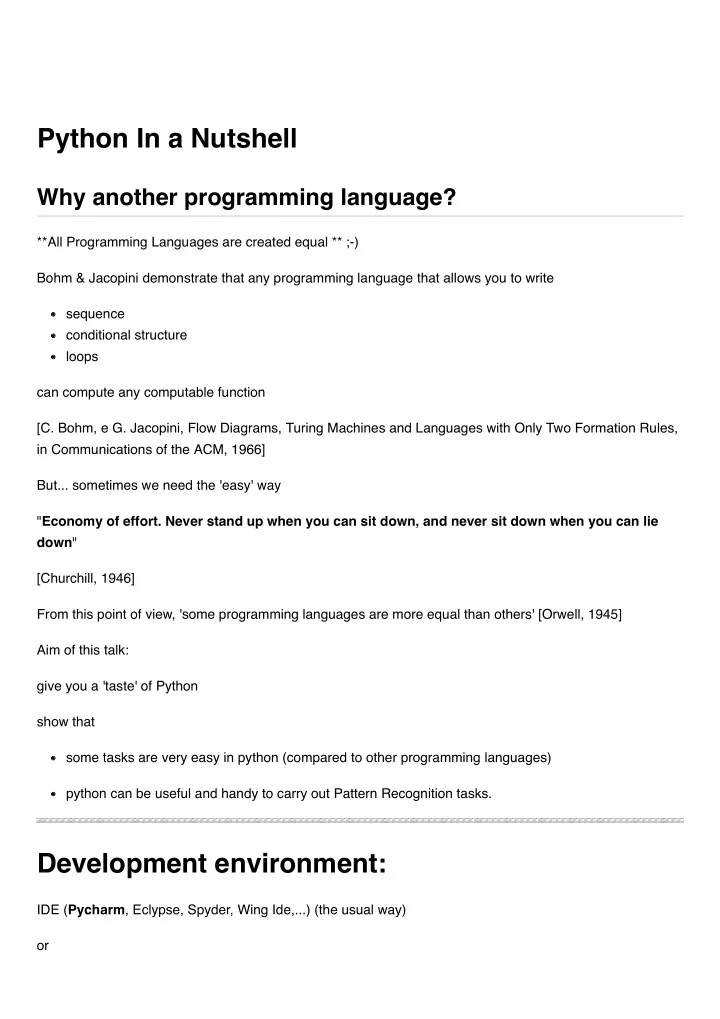
Python In a Nutshell Why another programming language? **All - - PDF document

python in a nutshell
SMART_READER_LITE
LIVE PREVIEW

Python In a Nutshell Why another programming language? **All - - PDF document

Python In a Nutshell Why another programming language? **All Programming Languages are created equal ** ;-) Bohm & Jacopini demonstrate that any programming language that allows you to write sequence conditional structure loops can


slide-1
SLIDE 1

**All Programming Languages are created equal ** ;-) Bohm & Jacopini demonstrate that any programming language that allows you to write sequence conditional structure loops can compute any computable function [C. Bohm, e G. Jacopini, Flow Diagrams, Turing Machines and Languages with Only Two Formation Rules, in Communications of the ACM, 1966] But... sometimes we need the 'easy' way "Economy of effort. Never stand up when you can sit down, and never sit down when you can lie down" [Churchill, 1946] From this point of view, 'some programming languages are more equal than others' [Orwell, 1945] Aim of this talk: give you a 'taste' of Python show that some tasks are very easy in python (compared to other programming languages) python can be useful and handy to carry out Pattern Recognition tasks. IDE (Pycharm, Eclypse, Spyder, Wing Ide,...) (the usual way)

  • r

Python In a Nutshell

Why another programming language?

Development environment:

slide-2
SLIDE 2

Jupyter notebook: an interactive environment Jupyter notebook allows you to integrate in a single instrument Comments LIKE THIS Text with a markup language Code Output ... and latex formulas: a= \int_0^{+\infty} f(x) dx

# there is no need to declare the variables # the type is associate to the VALUE, not to the variable (dynamically typed) # It depends on the value that we assign a=1 # integer print (a, ':', type(a)) b=1.0 # float print (b, ':', type(b)) c='Newton' # string print (c, ':', type(c)) z=1+2*1j # complex print (z, ':', type(z)) a='abc' print (a, ':', type(a)) 1 : <class 'int'> 1.0 : <class 'float'> Newton : <class 'str'> (1+2j) : <class 'complex'> abc : <class 'str'>

a = f(x)dx ∫

+∞

Unstructured Variables Structured Variables: LIST

slide-3
SLIDE 3

## Ustructured Variables - LIST # ( a list of integer values...) list_1=[10, 20, 30, 40, 50] print (list_1) [10, 20, 30, 40, 50] # The object 'list' provides several methods to manipulate list and elements: # is an element in the list? - OPERATOR IN print ('is 20 in the list? ',20 in list_1) print ('is 200 in the list? ',200 in list_1) is 20 in the list? True is 200 in the list? False # what is the element in this position? list_1=[10, 20, 30, 40, 50] idx=-2 print (list_1[idx]) 40 # APPEND method: add an element to the list list_1.append(100) print (list_1) [10, 20, 30, 40, 50, 100] # A list can contain everything, not only numbers. list_2=['a','b', 'c', 'd'] list_3=[1, 'a', list_2, list_1] print (list_3) [1, 'a', ['a', 'b', 'c', 'd'], [10, 20, 30, 40, 50, 100]]

slide-4
SLIDE 4

# It is similar to STRUCT in C, # and it is composed of couples (key : value). diz={'Paolo Rossi':22344, 'Mario Bianchi': 11220} print (diz) print() #print (diz['Paolo Rossi']) #print (diz['Mario Bianchi']) {'Paolo Rossi': 22344, 'Mario Bianchi': 11220} print (diz['Paolo'])

  • KeyError Traceback (most recent call last)

<ipython-input-17-94caf0c3ab4a> in <module>

  • ---> 1 print (diz['Paolo'])

KeyError: 'Paolo'

Why dictionary should be useful in our work? If we collect biometric data, usually these numeric data are stored in an array. But could be useful to store even additional information about the acquisition.

  • > creation date, number of people we’ve enrolled, type of biometric...

# example dataset={} dataset['creation']=2014 dataset['version']=1.2 dataset['number of people']=200 dataset['biometric']='FINGERPRINT' #dataset['data']= ... (matrice delle features) print (dataset)

Structured Variables: DICTIONARY

slide-5
SLIDE 5

{'creation': 2014, 'version': 1.2, 'number of people': 200, 'biometric': 'FINGERPRINT'}

We can compare a FOR loop in C vs a FOR loop in python Problem: print the numbers {10,15,20,7,14} The C approach use an index to scan the array and print all the values. BUT the index itself it is not necessary for the ‘logic’ of the problem. int main(){ int lunghezza=5; int intarray[]={10,15,20,7,14}; int i; for (i=0; i<lunghezza; i++){ printf ("%d\n", intarray[i]); } return 0;} DEFINE THE ARRAY - DEFINE A COUNTER SET THE COUNTER TO 0 - INCREMENT THE COUNTER CHECK THE COUNTER -> you must use an index to scan the array and print all the values. -> The index itself is not necessary for the ‘logic’ of the problem.

# PYTHON: # DEFINE THE LIST list_1=[10,15,20,7,14] for el in list_1: print(el) # print each element ‘EL’ of the list, without make (explicit) use # of an additional index. 10 15 20 7 14

Create a new list using elements that meet a condition

LOOPS

include

List comprehension

slide-6
SLIDE 6

list_1=list(range(10)) print (list_1) # create a new list that contains squared values for each element, # only if the elements is greater than 5. [0, 1, 2, 3, 4, 5, 6, 7, 8, 9] # 'CLASSIC' approach squares=[] for x in list_1: if x>5: squares.append(x*x) print (squares) [36, 49, 64, 81] # Pythonic way squares = [x**2 for x in list_1 if x>5] print (squares) # The two solutions are equal, but the second one is more compact. [36, 49, 64, 81]

The two solutions are equal, but the second one is more compact. http://docs.scipy.org/doc/numpy/

# The package NUMPY allows us to use a Matlab-like environment without buying Matlab. import numpy as np # tells to the Interpreter to use the package NUMPY, # and to use the alias np for reason of brevity.

Numpy: Matlab without buying Matlab.

slide-7
SLIDE 7

# an array... a= np.array([[1, 2, 3],[4,5,6]]) # random numbers sampled from a Normal distribution. b= np.random.randn(2,) print ('a=\n',a,'\n\n b=\n',b) a= [[1 2 3] [4 5 6]] b= [0.003393 0.05186149]

Linear Algebra

# dot product c= np.random.randn(2,) print ('b=\n',b,'\n\nc=\n',c) print("\n\n b dot c =\n", c.dot(b)) b= [0.003393 0.05186149] c= [-0.03248859 0.54681233] b dot c = 0.02824826967200978 # Compute eigenvalues X=np.random.rand(3,3) np.linalg.eigvals(X) array([1.35076168+0.j , 0.14179065+0.2999451j, 0.14179065-0.2999451j])

ARRAY and LINEAR ALGEBRA

slide-8
SLIDE 8

Other functions

d=np.arange(1,10,2) print (d) [1 3 5 7 9] # Sum all elements of a vector - # 'CLASSIC' approach s=0 for el in d: s=s+el print(s) 25 # Pythonic way s=np.sum(d) print(s) 25 # The .sum() method compute the sum over all the elements of a vector. # We can obtain the same results using a FOR cycle, # but the .sum() method give us a more compact solution. # It is not only a matter of convenience. # A more concise and intuitive notation allows us # to focus on the problem at hand.

With NumPy arrays, you can achieve significant performance speedups particularly when your computations follow the Single Instruction, Multiple Data (SIMD) paradigm. Example: given an array X, we wish to apply the same operation to each entry. compute the mean of each row. subtract from each element the mean of the row. |----|----|----|----|----|----|----|----| | 0 | 1 | 2 | 3 | 4 | 5 | 6 |

slide-9
SLIDE 9

7 | -> mean0 | 8 | 9 | 10 | 11 | 12 | 13 | 14 | 15 | -> mean1 | 16 | 17 | 18 | 19 | 20 | 21 | 22 | 23 | -> mean2 | 24 | 25 | 26 | 27 | 28 | 29 | 30 | 31 | -> mean3

X = np.arange(32).reshape(4,8) print ('X\n\n',X) X [[ 0 1 2 3 4 5 6 7] [ 8 9 10 11 12 13 14 15] [16 17 18 19 20 21 22 23] [24 25 26 27 28 29 30 31]] # 'CLASSIC' approach # compute the mean myMean=np.zeros(4) for r in range(4): tmp=0 for c in range(8): tmp=tmp+X[r,c] myMean[r]=tmp/8 print('mean:\n\n',myMean) mean: [ 3.5 11.5 19.5 27.5] # subtract the mean X1 = np.zeros([4, 8]) for r in range(4): for c in range(8): X1[r,c]=X[r,c]-myMean[r] print ('X1\n\n',X1)

slide-10
SLIDE 10

X1 [[-3.5 -2.5 -1.5 -0.5 0.5 1.5 2.5 3.5] [-3.5 -2.5 -1.5 -0.5 0.5 1.5 2.5 3.5] [-3.5 -2.5 -1.5 -0.5 0.5 1.5 2.5 3.5] [-3.5 -2.5 -1.5 -0.5 0.5 1.5 2.5 3.5]] # The ‘pythonic’ way is very simple and compact: # method .mean(): computes the mean. # Parameters tell to the method if we wish to compute a mean for each row, # or for each column, or a single value for the whole array. myMean=X.mean(axis=1,keepdims=True) X1=X-myMean # subtracts from each element the mean computed on the correct row. print('mean\n\n',myMean) print('\nX1\n\n',X1.T) mean [[ 3.5] [11.5] [19.5] [27.5]] X1 [[-3.5 -3.5 -3.5 -3.5] [-2.5 -2.5 -2.5 -2.5] [-1.5 -1.5 -1.5 -1.5] [-0.5 -0.5 -0.5 -0.5] [ 0.5 0.5 0.5 0.5] [ 1.5 1.5 1.5 1.5] [ 2.5 2.5 2.5 2.5] [ 3.5 3.5 3.5 3.5]]