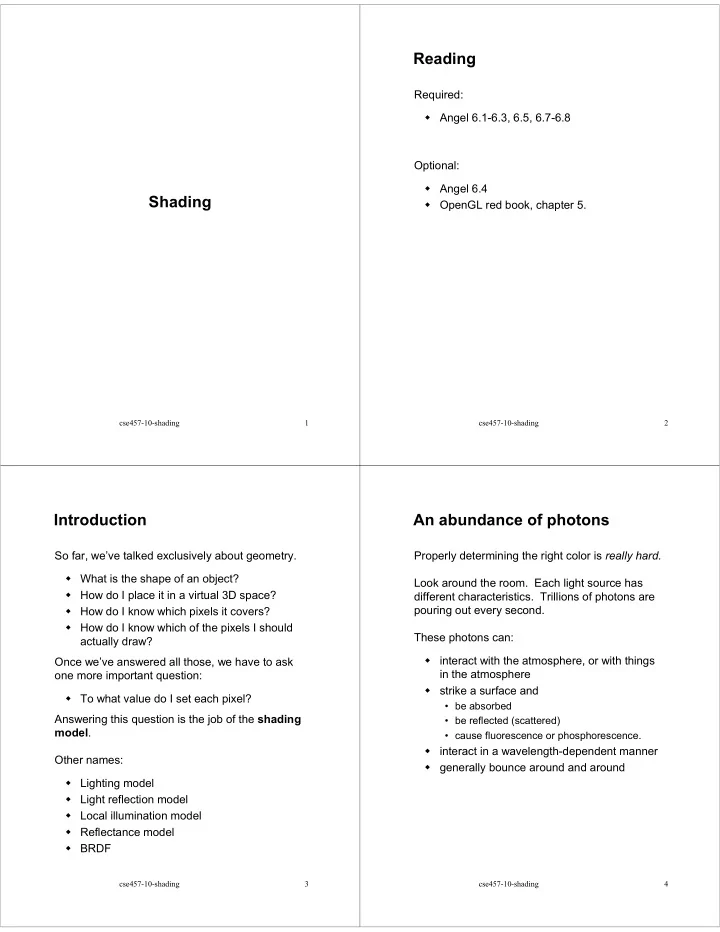
Reading Required: Angel 6.1-6.3, 6.5, 6.7-6.8 Optional: Angel 6.4 - - PDF document

reading
SMART_READER_LITE
LIVE PREVIEW

Reading Required: Angel 6.1-6.3, 6.5, 6.7-6.8 Optional: Angel 6.4 - - PDF document

Reading Required: Angel 6.1-6.3, 6.5, 6.7-6.8 Optional: Angel 6.4 Shading OpenGL red book, chapter 5. cse457-10-shading 1 cse457-10-shading 2 Introduction An abundance of photons So far, weve talked exclusively about


slide-1
SLIDE 1

cse457-10-shading 1

Shading

cse457-10-shading 2

Reading

Required: Angel 6.1-6.3, 6.5, 6.7-6.8 Optional: Angel 6.4 OpenGL red book, chapter 5.

cse457-10-shading 3

Introduction

So far, we’ve talked exclusively about geometry. What is the shape of an object? How do I place it in a virtual 3D space? How do I know which pixels it covers? How do I know which of the pixels I should actually draw? Once we’ve answered all those, we have to ask

  • ne more important question:

To what value do I set each pixel? Answering this question is the job of the shading model. Other names: Lighting model Light reflection model Local illumination model Reflectance model BRDF

cse457-10-shading 4

An abundance of photons

Properly determining the right color is really hard. Look around the room. Each light source has different characteristics. Trillions of photons are pouring out every second. These photons can: interact with the atmosphere, or with things in the atmosphere strike a surface and

  • be absorbed
  • be reflected (scattered)
  • cause fluorescence or phosphorescence.

interact in a wavelength-dependent manner generally bounce around and around

slide-2
SLIDE 2

cse457-10-shading 5

Our problem

We’re going to build up to an approximation of reality called the Phong illumination model. It has the following characteristics: not physically based gives a first-order approximation to physical light reflection very fast widely used In addition, we will assume local illumination, i.e., light goes: light source -> surface -> viewer. No interreflections, no shadows.

cse457-10-shading 6

Setup…

Given: a point P on a surface visible through pixel p The normal N at P The lighting direction, L, and intensity, L8,at P The viewing direction, V, at P The shading coefficients at P Compute the color, I, of pixel p. Assume that the direction vectors are normalized: = = = N L V 1

cse457-10-shading 7

“Iteration zero”

The simplest thing you can do is… Assign each polygon a single color: where I is the resulting intensity ke is the emissivity or intrinsic shade associated with the object This has some special-purpose uses, but not really good for drawing a scene. [Note: ke is omitted in Angel.]

e

I = k

cse457-10-shading 8

“Iteration one”

Let’s make the color at least dependent on the

  • verall quantity of light available in the scene:

ka is the ambient reflection coefficient.

  • really the reflectance of ambient light
  • “ambient” light is assumed to be equal in all

directions

La is the ambient light intensity. Physically, what is “ambient” light?

= +

e a a

I k k L

slide-3
SLIDE 3

cse457-10-shading 9

Wavelength dependence

Really, ke, ka, and Ia are functions over all wavelengths λ. Ideally, we would do the calculation on these

  • functions. For the ambient shading equation, we

would start with: then we would find good RGB values to represent the spectrum I(λ). Traditionally, though, ka and Ia are represented as RGB triples, and the computation is performed on each color channel separately:

λ λ λ

a a

I = k L ( ) ( ) ( )

R a,R a,R G a,G a,G B a,B a,B

I = k L I = k L I = k L

cse457-10-shading 10

Diffuse reflection

Let’s examine the ambient shading model:

  • bjects have different colors

we can control the overall light intensity

  • what happens when we turn off the lights?
  • what happens as the light intensity increases?
  • what happens if we change the color of the

lights?

So far, objects are uniformly lit. not the way things really appear in reality, light sources are localized in position or direction Diffuse, or Lambertian reflection will allow reflected intensity to vary with the direction of the light.

cse457-10-shading 11

Diffuse reflectors

Diffuse reflection occurs from dull, matte surfaces, like latex paint, or chalk. These diffuse or Lambertian reflectors reradiate light equally in all directions. Picture a rough surface with lots of tiny microfacets.

cse457-10-shading 12

Diffuse reflectors

…or picture a surface with little pigment particles embedded beneath the surface (neglect reflection at the surface for the moment): The microfacets and pigments distribute light rays in all directions. Embedded pigments are responsible for the coloration of diffusely reflected light in plastics and paints. Note: the figures above are intuitive, but not strictly (physically) correct.

slide-4
SLIDE 4

cse457-10-shading 13

Diffuse reflectors, cont.

The reflected intensity from a diffuse surface does not depend on the direction of the viewer. The incoming light, though, does depend on the direction of the light source:

cse457-10-shading 14

“Iteration two”

The incoming energy is proportional to , giving the diffuse reflection equations: where: kd is the diffuse reflection coefficient L is the intensity of the light source N is the normal to the surface (unit vector) L is the direction to the light source (unit vector) (x)+ means max {0,x} [Note: Angel uses Ld instead of L.]

____

e a a d e a a d

I = k + k L + k L = k + k I + k L( )

cse457-10-shading 15

Specular reflection

Specular reflection accounts for the highlight that you see on some objects. It is particularly important for smooth, shiny surfaces, such as: metal polished stone plastics apples skin Properties: Specular reflection depends on the viewing direction V. For non-metals, the color is determined solely by the color of the light. For metals, the color may be altered (e.g., brass)

cse457-10-shading 16

Specular reflection “derivation”

For a perfect mirror reflector, light is reflected about N, so For a near-perfect reflector, you might expect the highlight to fall off quickly with increasing angle φ. Also known as: “rough specular” reflection “directional diffuse” reflection “glossy” reflection =  =   if

  • therwise

L I V R

slide-5
SLIDE 5

cse457-10-shading 17

Derivation, cont.

One way to get this effect is to take (R·V), raised to a power ns. As ns gets larger, the dropoff becomes {more,less} gradual gives a {larger,smaller} highlight simulates a {more,less} mirror-like surface

0.2 0.4 0.6 0.8 1.0 30 210 240 90 300 150 330 180

N V L R

60 120 100 80 60 40 20 20 40 60 80 100 0.1 0.2 0.3 0.4 0.5 0.6 0.7 0.8 0.9 1

cosns φ

φ

ns s = = 1 ns s = = 128 128

cse457-10-shading 18

“Iteration three”

The next update to the Phong shading model is then: where: ks is the specular reflection coefficient ns is the specular exponent or shininess R is the reflection of the light about the normal (unit vector) V is viewing direction (unit vector) [Note: Angel uses α instead of ns, and maintains a separate Ld and Ls, instead of a single L. This choice reflects the flexibility available in OpenGL.]

⋅ ⋅

L L

s

e a a d + s +

n

I = k + k I + k + k ( ) ( ) N L V R

cse457-10-shading 19

Intensity drop-off with distance

OpenGL supports different kinds of lights: point, directional, and spot. For point light sources, the laws of physics state that the intensity of a point light source must drop

  • ff inversely with the square of the distance.

We can incorporate this effect by multiplying Il by 1/d2. Sometimes, this distance-squared dropoff is considered too “harsh.” A common alternative is: with user-supplied constants for a, b, and c.

2

atten

1 f (d)= a+ bd + cd

cse457-10-shading 20

“Iteration four”

Since light is additive, we can handle multiple lights by taking the sum over every light. Our equation is now: This is the Phong illumination model. Which quantities are spatial vectors? Which are RGB triples? Which are scalars?   ⋅ ⋅  

s

n e a a j j d j + s j + j

atten

I = k + k L + f d L k + k ( ) ( ) ( ) N L V R

slide-6
SLIDE 6

cse457-10-shading 21

Choosing the parameters

Experiment with different parameter settings. To get you started, here are a few suggestions: Try ns in the range [0,100] Try ka + kd + ks < 1 Use a small ka (~0.1)

varying Planet Medium, white Medium, color of plastic medium Plastic Large, color

  • f metal

Small, color

  • f metal

large Metal ks kd ns

cse457-10-shading 22

Materials in OpenGL

The OpenGL code to specify the surface shading properties is fairly straightforward. For example:

GLfloat ke[] = { 0.1, 0.15, 0.05, 1.0 }; GLfloat ka[] = { 0.1, 0.15, 0.1, 1.0 }; GLfloat kd[] = { 0.3, 0.3, 0.2, 1.0 }; GLfloat ks[] = { 0.2, 0.2, 0.2, 1.0 }; GLfloat ns[] = { 50.0 }; glMaterialfv(GL_FRONT, GL_EMISSION, ke); glMaterialfv(GL_FRONT, GL_AMBIENT, ka); glMaterialfv(GL_FRONT, GL_DIFFUSE, kd); glMaterialfv(GL_FRONT, GL_SPECULAR, ks); glMaterialfv(GL_FRONT, GL_SHININESS, ns);

Notes: The GL_FRONT parameter tells OpenGL that we are specifiying the materials for the front

  • f the surface.

Only the alpha value of the diffuse color is used for blending. It’s usually set to 1.

cse457-10-shading 23

Shading in OpenGL

The OpenGL lighting model allows you to associate different lighting colors according to material properites they will influence. Thus, our original shading equation becomes: where you can have a global ambient light with intensity La in addition to have an ambient light intensity La j associated with each individual light.   ⋅ ⋅  

s

n e a a j a a j d d j j + s s j j + j

atten

I = k + k L + f d k L + k L + k L ( ) ( ) ( ) N L V R

cse457-10-shading 24

Shading in OpenGL

Repeating from the previous slide… In OpenGL this equation is specified something like:

GLfloat La[] = { 0.2, 0.2, 0.2, 1.0 }; GLfloat La0[] = { 0.1, 0.1, 0.1, 1.0 }; GLfloat Ld0[] = { 1.0, 1.0, 1.0, 1.0 }; GLfloat Ls0[] = { 1.0, 1.0, 1.0, 1.0 }; GLfloat pos0[] = { 1.0, 1.0, 1.0, 0.0 }; GLfloat a[] = { 1.0 }; GLfloat b[] = { 0.5 }; GLfloat c[] = { 0.25 }; glLightModelfv(GL_LIGHT_MODEL_AMBIENT, La); glLightfv(GL_LIGHT0, GL_AMBIENT, La0); glLightfv(GL_LIGHT0, GL_DIFFUSE, Ld0); glLightfv(GL_LIGHT0, GL_SPECULAR, Ls0); glLightfv(GL_LIGHT0, GL_POSITION, pos0); glLightfv(GL_LIGHT0, GL_CONSTANT_ATTENUATION, a); glLightfv(GL_LIGHT0, GL_LINEAR_ATTENUATION, b); glLightfv(GL_LIGHT0, GL_QUADRATIC_ATTENUATION, c);

You can have as many as GL_MAX_LIGHTS lights in a

  • scene. This number is system-dependent.

  ⋅ ⋅  

s

n e a a j a a j d d j j + s s j j + j

atten

I = k + k L + f d k L + k L + k L ( ) ( ) ( ) N L V R

slide-7
SLIDE 7

cse457-10-shading 25

BRDF

The Phong illumination model is really a function that maps light from incoming (light) directions ωin to outgoing (viewing) directions ωout: This function is called the Bi-directional Reflectance Distribution Function (BRDF). Here’s a plot with ωin held constant: BRDF’s can be quite sophisticated…

( ,

)

  • ut

in

r

f ω ω ( ,

)

  • ut

in

r

f ω ω ωin

cse457-10-shading 26

More sophisticated BRDF’s

Westin, Arvo, Torrance 1992 Cook and Torrance, 1982

cse457-10-shading 27

Gouraud vs. Phong interpolation

Now we know how to compute the color at a point

  • n a surface using the Phong lighting model.

Does graphics hardware do this calculation at every point? Typically not (although this is changing)… Smooth surfaces are often approximated by polygonal facets, because: Graphics hardware generally wants polygons (esp. triangles). Sometimes it easier to write ray-surface intersection algorithms for polygonal models. How do we compute the shading for such a surface?

cse457-10-shading 28

Faceted shading

Assume each face has a constant normal: For a distant viewer and a distant light source, how will the color of each triangle vary? Result: faceted, not smooth, appearance.

slide-8
SLIDE 8

cse457-10-shading 29

Faceted shading (cont’d)

cse457-10-shading 30

Gouraud interpolation

To get a smoother result that is easily performed in hardware, we can do Gouraud interpolation. Here’s how it works: Compute normals at the vertices. Shade only the vertices. Interpolate the resulting vertex colors.

cse457-10-shading 31

Facted shading vs. Gouraud interpolation

cse457-10-shading 32

Gouraud interpolation artifacts

Gouraud interpolation has significant limitations. If the polygonal approximation is too coarse, we can miss specular highlights. We will encounter Mach banding (derivative discontinuity enhanced by human eye). Alas, this is usually what graphics hardware supports. Maybe someday soon all graphics hardware will do…

slide-9
SLIDE 9

cse457-10-shading 33

Phong interpolation

To get an even smoother result with fewer artifacts, we can perform Phong interpolation. Here’s how it works:

  • Compute normals at the vertices.
  • Interpolate normals and normalize.
  • Shade using the interpolated normals.

cse457-10-shading 34

Gouraud vs. Phong interpolation

cse457-10-shading 35

Summary

The most important thing to take away from this lecture is the equation for the Phong model described in the “Iteration Four” slide. What is the physical meaning of each variable? How are the terms computed? What effect does each term contribute to the image? What does varying the parameters do? You should also understand the differences between faceted, Gouraud, and Phong interpolated shading.