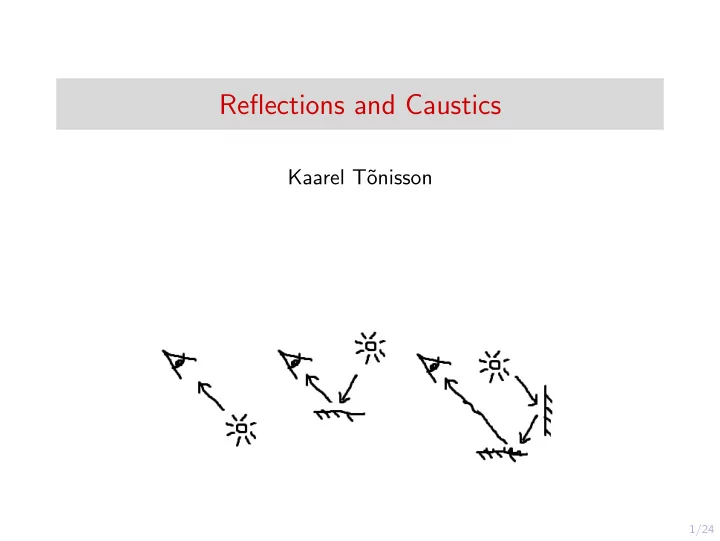
Reflections and Caustics Kaarel T onisson 1/24 Introduction - - PowerPoint PPT Presentation

reflections and caustics
SMART_READER_LITE
LIVE PREVIEW

Reflections and Caustics Kaarel T onisson 1/24 Introduction - - PowerPoint PPT Presentation

Reflections and Caustics Kaarel T onisson 1/24 Introduction Photons Photons in physics Photons in computer graphics Fake reflection techniques Caustics Basics Caustics in computer graphics Caustic textures


slide-1
SLIDE 1

1/24

Reflections and Caustics

Kaarel T˜

  • nisson
slide-2
SLIDE 2

2/24

Introduction

◮ Photons

◮ Photons in physics ◮ Photons in computer graphics ◮ ”Fake” reflection techniques

◮ Caustics

◮ Basics ◮ Caustics in computer graphics ◮ Caustic textures

◮ Global illumination techniques

◮ Radiosity ◮ Basic raytracing ◮ Path tracing ◮ Metropolis light transport ◮ Photon mapping

Links in bold

slide-3
SLIDE 3

3/24

Real-life photon physics

Caution: Consult a real physicist for photonic details

◮ Light is transmitted by photons ◮ Photons interact with materials by being reflected, absorbed,

  • r refracted(transmitted)

◮ Reflections are either specular or diffuse ◮ Reflectance depends on properties such as

◮ Material structure ◮ Liquids, gases, monocrystals, metals create little or no diffuse

reflections

◮ Surface smoothness ◮ Smooth surfaces have higher specular reflectance than coarse

surfaces

slide-4
SLIDE 4

4/24

Types of reflections

◮ Specular (regular) reflection: mirror-like, reflected from the

surface

◮ Diffuse reflection: transmitted, reflections on in-material

structural boundaries, scattered everywhere

slide-5
SLIDE 5

5/24

Simulating photons in computer graphics

We can’t have both speed and accuracy

◮ Simulating several millions of photons is possible, but

expensive (global illumination techniques)

◮ Virtual photons that represent a number of actual photons are

used

◮ Not possible in real-time ◮ May take several hours of computations for quality to reach

acceptable levels

◮ Simulating a small number of photons does not look good

◮ Can be done cheaply ◮ Images are grainy ◮ Can be useful for minor effects if post-processed

slide-6
SLIDE 6

6/24

Simulating photons in computer graphics, cont.

◮ Photon simulation is often ignored (classic rasterization)

◮ Light sources increase the light levels of surfaces ◮ Ambient light added to all surfaces to avoid darkness ◮ Usable for real-time rendering ◮ No physical accuracy ◮ Requires tuning to produce good-looking results

◮ It is expensive to simulate the sub-surface structure of a

material

◮ The diffusion coefficient is set as a property of the material

◮ Clever tricks are used to create physically incorrect but

aesthetically pleasing reflections

slide-7
SLIDE 7

7/24

”Fake” reflection techniques

◮ Pre-calculated (pre-baked) reflections

◮ Calculate (”bake”) reflection ahead of time using more

accurate light simulation

◮ Apply baked image to the reflection surface ◮ Often used to simulate diffuse inter-reflection in video games

◮ Fake rooms

◮ Duplicate room (and objects) behind glass

slide-8
SLIDE 8

8/24

”Fake” reflection techniquess, cont.

◮ Planar reflections

◮ Render the scene from an extra viewpoint ◮ Requires an additional rendering pass over the scene ◮ If mirrors reflect each other, many more passes are needed ◮ The reason you see mirrors mainly on single walls in small

toilets

Max Payne 2 mirror glitch (video) Mafia 3 mirror glitch (video)

slide-9
SLIDE 9

9/24

Basics of caustics

◮ A caustic or a caustic network is the envelope of light rays

reflected or refracted by a curved surface or object, or the projection of that envelope of rays on another surface

slide-10
SLIDE 10

10/24

Caustics in computer graphics

◮ Caustic textures

◮ Made by hand or pre-calculated (using photon simulation) ◮ Usable in rasterization rendering

◮ Limited photon simulation

◮ Physically inaccurate, but doable in real-time ◮ NVIDIA GPU Gems on water caustics (article)

◮ Massive photon simulation

◮ Create virtual photons from light sources ◮ Let the photons interact with surfaces

slide-11
SLIDE 11

11/24

Caustic textures

◮ Pre-calculate (or make by hand) a number of textures ◮ Apply and cycle textures on the location where caustic effects

would appear

◮ Cheap, suitable for real-time use ◮ No physical accuracy

Periodic caustic textures (website)

slide-12
SLIDE 12

12/24

Global illumination techniques

◮ Global illumination (indirect illumination) techniques

approximately provide physically correct light in rendering

◮ Simulates light bouncing from surfaces, illuminating around

corners, causing color bleeding

◮ Often include the effects of caustics and diffuse inter-reflection

(but not always)

◮ Technigues covered here:

◮ Radiosity ◮ Raytracing ◮ Path tracing ◮ Photon mapping

slide-13
SLIDE 13

13/24

Radiosity

◮ Separate surfaces into small surfaces (”patches”) ◮ Calculate view factor between each pair of patches

◮ Describes how visible patches are to each other based on

angle, distance, occlusion

◮ Each patch has a level of light ◮ For each patch, calculate how much light it gives to patches

that are visible

◮ Iteratively repeat until result is sufficient ◮ Assumes that surfaces are perfectly diffuse (Lambertian), no

specularity Radiosity lecture (33 min video)

slide-14
SLIDE 14

14/24

Basics of raytacing

◮ Track rays from camera (viewer eye) through screen pixel to

scene point

◮ Calculate the color of the pixel

◮ Uses surface color at the minimum, potentially much more

data

◮ Several techniques add to the basic raytracing method to

improve results

slide-15
SLIDE 15

15/24

Path tracing

◮ Augments raytracing ◮ For each raytraced point, perform Monte Carlo sampling in

the half-sphere around it

◮ Select a random direction and trace a ray in that direction ◮ If the ray reaches a surface, retrieve its color value and

terminate, or bounce again

◮ Average the color samples to obtain pixel value

slide-16
SLIDE 16

16/24

Path tracing, cont.

◮ Take additional samples to converge towards actual image ◮ May take several thousand samples to converge to a stable

image

◮ Specular reflections do not work well with completely random

sample directions

◮ Backward tracing produces many caustics artifacts

slide-17
SLIDE 17

17/24

Metropolis light transport

◮ Improvement over path tracing for difficult scenes ◮ When a path to a light source is found, explore nearby paths

first

◮ Converges towards the final image much faster than na¨

ıve tracing Metropolis light transport video

slide-18
SLIDE 18

18/24

Photon mapping

◮ Two-pass global illumination technique (augmenting

raytracing)

◮ Created by Henrik Wann Jensen in 1996 ◮ Decouples luminosity calculation from the geometry

Jensen (article)

slide-19
SLIDE 19

19/24

Photon mapping: first step

◮ First step: emit photons (light packets) from light sources

◮ Two different photon types: ◮ Caustic: directed towards specular surfaces, lives until it hits a

diffuse surface (then create global map photon)

◮ Global: freely allowed to travel until absorbed

◮ When a photon intersects a surface, cache the intersection

point and incoming direction into a photon map (global or caustic)

◮ Based on surface material, apply a Russian Roulette sampling

(select just one outcome, do not create new photons):

◮ If reflected, apply BRDF calculation to photon, save result to

photon map

◮ If absorbed, end tracing of photon ◮ If transmitted/refracted, apply a transmission function to find

new direction of photon

◮ (Re)organize photon maps for k-nearest neighbor lookup

slide-20
SLIDE 20

20/24

Photon mapping: second step

◮ Second step: Raytrace the image ◮ For efficiency, the equation is decomposed into:

◮ Direct illumination: From ray intersection point, trace to each

light source

◮ Specular reflection: Using raytracing ◮ Caustics: Calculated using radiance from the caustics photon

map (many photons needed for accuracy)

◮ Soft indirect illumination: Calculated using radiance from the

global photon map (low importance, fewer photons needed)

◮ Radiance calculation for intersection point:

◮ Gather N nearest photons ◮ Let S be the sphere containing these photons ◮ For each photon, divide the amount of flux by the area of S,

then multiply by BRDF

◮ Flux describes how many real photons our photon packet

represents

◮ Sum over the N photons to get radiance of point

slide-21
SLIDE 21

21/24

Photon mapping: optimizations

◮ Instead of random directions, send photons towards selected

  • bjects

◮ For perfectly diffuse (Lambertian) surfaces, irradiance caching

can be used to interpolate values from previous calculations

◮ Using a cone filter can increase sharpness of caustics

◮ Photon contribution to radiance is weighted depending on the

distance from ray intersection point

slide-22
SLIDE 22

22/24

Photon mapping based techniques

◮ Techniques that improve upon photon mapping

◮ Photon mapping can overblur the image ◮ The technique is computationally costly

◮ NVIDIA hardware accelerated global illumination image

space photon mapping (article and video)

◮ Stochastic progressive photon mapping (video)

slide-23
SLIDE 23

23/24

Thank you for listening!

slide-24
SLIDE 24

24/24

Sources

http://3drender.com/light/caustics.html http://www.theeshadow.com/h/caustic/ https://web.cs.wpi.edu/~emmanuel/courses/cs563/write_ups/zackw/photon_mapping/PhotonMapping.html http://www.dgp.toronto.edu/~stam/reality/Research/PeriodicCaustics/index.html http://web.cs.wpi.edu/~emmanuel/courses/cs563/write_ups/zackw/photon_mapping/PhotonMapping.html https://research.nvidia.com/publication/ hardware-accelerated-global-illumination-image-space-photon-mapping http://graphics.stanford.edu/papers/metro/gamma-fixed/ https://www.quora.com/ Why-do-so-many-video-games-have-an-aversion-to-using-working-mirrors-in-their-environments http://marctenbosch.com/photon/ http://http.developer.nvidia.com/GPUGems/gpugems_ch02.html https://www.scratchapixel.com/lessons/3d-basic-rendering/global-illumination-path-tracing