Review : What is An Operating System? ! Software ( kernel ) that - - PDF document

review what is an operating system
SMART_READER_LITE
LIVE PREVIEW

Review : What is An Operating System? ! Software ( kernel ) that - - PDF document

Review : What is An Operating System? ! Software ( kernel ) that runs at all times Really, the part of the system that runs in kernel CSCI 6730 / 4730 mode (or need to). Operating Systems But note - there are even


slide-1
SLIDE 1

Maria Hybinette, UGA

CSCI 6730 / 4730 Operating Systems

Structures & System Design

Maria Hybinette, UGA

2

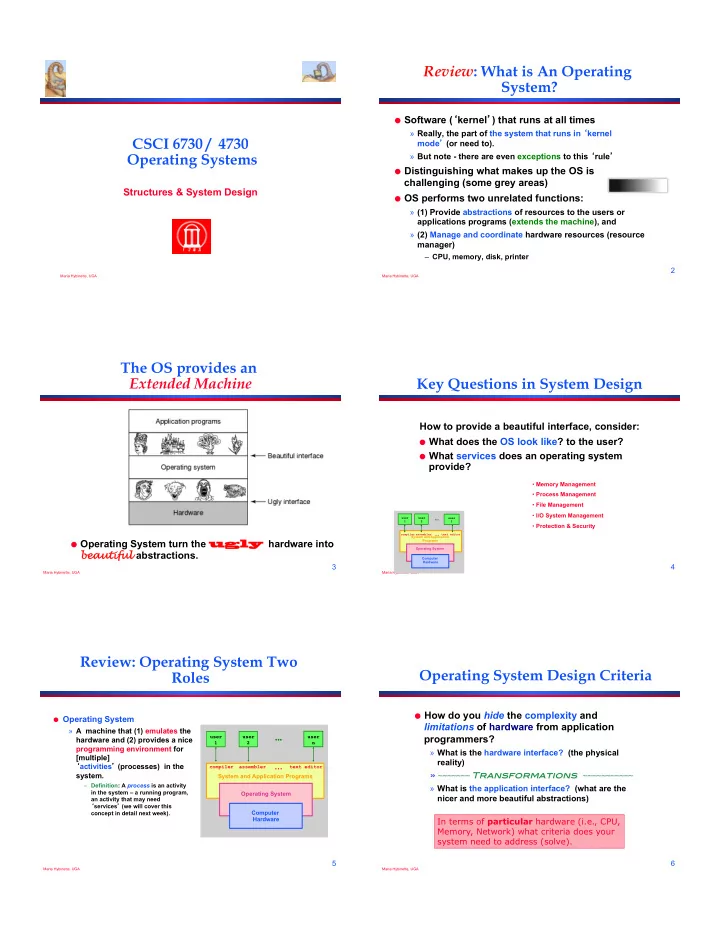
Review: What is An Operating System?

! Software (‘kernel’) that runs at all times

» Really, the part of the system that runs in ‘kernel mode’ (or need to). » But note - there are even exceptions to this ‘rule’

! Distinguishing what makes up the OS is

challenging (some grey areas)

! OS performs two unrelated functions:

» (1) Provide abstractions of resources to the users or applications programs (extends the machine), and » (2) Manage and coordinate hardware resources (resource manager)

– CPU, memory, disk, printer

Maria Hybinette, UGA

3

The OS provides an Extended Machine

! Operating System turn the ugly

ugly hardware into bea eautiful abstractions.

Maria Hybinette, UGA

4

Key Questions in System Design

How to provide a beautiful interface, consider:

! What does the OS look like? to the user? ! What services does an operating system

provide?

System and Application Programs compiler assembler text editor

Operating System Computer Hardware user 1 user 2

user

  • 3
  • Memory Management
  • Process Management
  • File Management
  • I/O System Management
  • Protection & Security

Maria Hybinette, UGA

5

Review: Operating System Two Roles

! Operating System

» A machine that (1) emulates the hardware and (2) provides a nice programming environment for [multiple] ‘activities’ (processes) in the system.

– Definition: A process is an activity in the system – a running program, an activity that may need ‘services’ (we will cover this concept in detail next week). System and Application Programs

compiler assembler text editor

Operating System Computer Hardware

user 1 user 2 user

  • n
  • Maria Hybinette, UGA

6

Operating System Design Criteria

! How do you hide the complexity and

limitations of hardware from application programmers?

» What is the hardware interface? (the physical reality) » ~~~~~~~ Transformations ~~~~~~~~~~~ » What is the application interface? (what are the nicer and more beautiful abstractions) In terms of particular hardware (i.e., CPU, Memory, Network) what criteria does your system need to address (solve).

slide-2
SLIDE 2

Maria Hybinette, UGA

7

Example Design Questions

! How to make multiple CPU appear as one CPU but faster? ! How to make limited memory appear as infinite (e.g., a

large array may not fit into memory).

! How to make a mechanical disk appear to be as fast as

electronic memory?

! How to make insecure, unreliable network transmissions

appear to be reliable and secure?

! How to make many physical machines appear to be a

single machine?

! Fairness Fairness ! Timeliness Timeliness ! Secure Secure ! Reliable Reliable ! Ownership Ownership ! Single Single ‘machininess machininess’ ! Power-efficient Power-efficient

Maria Hybinette, UGA

8

Summary of OS Key Roles

! Provide standard services or resources: » Screen, CPU, I/O, disk, mouse » Resource abstraction (extended machine) ! Provide for sharing of resources: » coordinate between multiple applications to work together in

– safe, efficient, and fair ways (protected)

» Resource coordination & management.

Maria Hybinette, UGA

9

Resource

! Example: Accessing a raw disk involves

» specifying the data, the length of data, the disk drive, the track location(s), and the sector location(s) within the corresponding track(s). (150 mph)

! Problem: But applications don’t want to worry about the

complexity of a disk (don’t care about tracks or sectors)

!"#$%&'(% !"#$%)*&++,'#%

  • %+'&.$%

lseek( file, file_size, SEEK_SET ); write( file, text, len ); write( block, len, device, track, sector );

System Calls

Heads generate a magnetic field that polarize the disk

Maria Hybinette, UGA

10

Shell: Another Level of provided to users

! Provide ‘users’ with access to the services

  • f the kernel.

» A ‘shell’ of-course,– illusion of a thin layer of abstraction to the kernel and its services.

! CLI – command line interface to kernel

services (project 1 focus)

! GUI - graphical user interface to the kernel

» ! Project 1 [Check DONE

Hardware OS Abstraction Shell Abstraction Person

Maria Hybinette, UGA

11

What is the functionality of a [CLI] ‘shell’

! Provides two things:

» Interactive Use (IU) » And an environment for ‘scripting’ (programmable) » Project 1 : dealt primarily with IU.

! Tcsh – great for IU, not so great for scripting ! Ksh – original version – bulk of code is to

provide a great environment for scripting provides powerful programming constructs).

» [problem?] Proprietary (until recently -2006)

Maria Hybinette, UGA

12

Review and Moving On…

! Looked at the OS role in abstracting the

‘machine’ (system calls, and shells).

! Moving on to management now.

» To provide effective resource sharing -> we need ‘protection’ (do we?)

slide-3
SLIDE 3

Maria Hybinette, UGA

13

Coordination: Resource Sharing

! Example Goal: Protect the OS from other activities and

provide protection across activities.

! Problem: Activities can crash each other (and crash the OS)

unless there is coordination between them.

! General Solution: Constrain an activity so it only runs in its

  • wn memory environment (e.g., in its own sandbox), and

make sure the activity cannot access other sandboxes. » Sandbox: Address Space (memory space)

– It’s others memory spaces that the activity can’t touch including the Operating System’s address space

Maria Hybinette, UGA

14

Coordination: Resource Sharing

! Other areas of protection:

» Writing to disk (where) – really any form of I/O. » Writing / Reading Memory » Creating new processes

! How do we create (and manage) these

‘areas’ of protection.

Maria Hybinette, UGA

15

Protection Implementation: “Dual Mode” Operations

! General Idea: The OS is omnipotent and everything

else isn’t - as simple as that

» Utilize Two modes CPU operation (provided by hardware)

– Kernel Mode – Anything goes – access everywhere (unrestricted access) to the underlying hardware.

! In this mode can execute any CPU instruction and reference any

memory access

– User Mode – Activity can only access state within its own address space (for example - web browsers, calculators, compilers, JVM, word from microsoft, power point, etc run in user mode).

How does the OS prevent arbitrary programs (run by arbitrary users) from invoking accidental or malicious calls to halt the operating system

  • r modify memory such as the master boot sector?

Maria Hybinette, UGA

16

Hardware: Different modes of protection (>2 Intel)

! Hardware provides different mode ‘bits’ of protection –

where at the lowest level – ring 0 – anything goes, unrestricted mode (trusted kernel runs here).

– Intel x86 architecture provides multiple levels of protection:

Maria Hybinette, UGA

17

Hardware: Provides Dual-Mode Operation

! Mode bit (0 or 1) provided by

hardware

» Provides ability to distinguish when system is running user code or kernel code » Mode 1 : normal when address space is ‘limited’

! Mode bit switch a

‘interrupts’ (trap) or when calling set user mode

kernel user Interrupt/fault, system call set user mode

  • Question: What is the mechanism from the point of

view of a process to access kernel functions (e.g., it wants to write to disk)?

Maria Hybinette, UGA

18

“System Calls” (e.g., Intel’s trap())

! Mechanism for user activities (user processes) to

access kernel functions.

! Example: UNIX implements system calls (‘request

calls’) via the trap() instruction (system call, e.g., read () contains the trap instruction, internally).

! When the control returns to the user code the CPU is

switched back to User Mode.

trap /#,'%012,% 3,'4,*567),'8"#1'%012,% 6,+%3,'4,*%012,% 9'7#+,2%:12,% ;'&4.<%=>7()? % 9&@*,% !" 2 A% libc is intermediate library that handles the ‘packaging’ Trap in Linux is INT 0x80 assembly instruction

slide-4
SLIDE 4

Maria Hybinette, UGA

19

Example: I/O “System” Calls

! All I/O instructions are

privileged instructions.

! Must ensure that a user

program could never gain control of the computer in kernel mode

» Avoid a user program that, as part of its execution, stores a “new address” in the interrupt vector.

– libc

System call to perform I/O Read read

System Call n

1

Case n

2 3

Execute System Call Perform I/O Return to user Calls System Call Trap to kernel User level Kernel level

Maria Hybinette, UGA

20

UNIX – details - Steps in Making a System Call

! Consider the UNIX read “system”

call (via a library routine)

» count = read( fd, buffer, nbytes )

» reads nbytes of data from a file (given a file descriptor fd) into a buffer

! 11 steps:

» 1-3: push parameters onto stack » 4: calls routine » 5: code for read placed in register

– Actual system call # goes into EAX register – Args goes into other registers (e.g, EBX and ECX)

» 6: trap to OS

– INT 0x80 assembly instruction I in LINUX

» 7-8: OS saves state, calls the appropriate handler (read) » 9-10: return control back to user program » 11: pop parameters off stack

Return to caller Trap to the kernel Put code for read in register Increment stack pointer Call read Push fd Push nbytes Push & buffer Dispatch Sys call handlers User Space Kernel Space

Address 0xFFFFFFFF 0x0

Read User Program Read

1 2 3 7 8 11 6 4 9 10 5

Art of picking Registers; http:// www.swansontec.com/sregisters.html P44-45 tannenbaum

Maria Hybinette, UGA

21

System Calls Triva

! Linux has 319 different system calls (2.6) ! Free BSD ‘almost’ 330.

Maria Hybinette, UGA

22

Types of System Calls

! Process control

» fork, execv, waitpid, exit, abort

! File management

» open, close, read, write

! Device management

» request device, read, write

! Information maintenance

» get time, get date, get process attributes

! Communications

» message passing: send and receive messages,

– create/delete communication connections

» Shared memory map memory segments

Maria Hybinette, UGA

23

Library Routines: Higher Level

  • f Abstraction to System Calls

! Provide another level of

abstraction to system calls to

» improve portability and » easy of programming ! Standard POSIX C-Library

(UNIX) (stdlib, stdio):

» C program invoking printf() library call, which calls write() system call

! Win 32 API for Windows ! JVM

Maria Hybinette, UGA

24

Types Hardware Protection

! Dual-Mode Operation (Privileged Operations)

» Example: Provides: I/O Protection

! Memory Protection (Space) ! CPU Protection (Time)

slide-5
SLIDE 5

Maria Hybinette, UGA

25

Example: Memory Protection

! Must provide memory protection » The interrupt vector and the interrupt service routines. ! In order to have memory

protection, add two registers that determine the range of legal addresses a program may access:

» Base register – holds the smallest legal physical memory address. » Limit register – contains the size

  • f the range

! Memory outside the defined range

is protected.

Maria Hybinette, UGA

26

CPU Protection

! Timer – interrupts computer after specified

period to ensure operating system maintains control.

» Timer is decremented every clock tick. » When timer reaches the value 0, an interrupt

  • ccurs.

! Timer commonly used to implement time

sharing.

! Time also used to compute the current time. ! Load-timer is a privileged instruction.

Maria Hybinette, UGA

27

OS Evolution

! Phase 1: Hardware Expensive, Humans

Cheap

» Goal: Use computer time & space efficiently » Maximize throughput while minimize the use of space

! Phase 2: Hardware Cheap, Humans

Expensive

» Goal: Use people’s time efficiently » Minimize response time

Maria Hybinette, UGA

28

Phase 1: Hardware Expensive Simple Structure: MS-DOS

! Goal: Minimize space -

written to provide the most functionality in the least amount of space

» Simple layered structure » Not divided into modules carefully » Interfaces and levels of functionality are not well separated

– High level routine access to low level I/O routines

  • Current hardware:
  • No dual-mode and no

hardware protection -

Maria Hybinette, UGA

29

Process Control: MS-DOS

Kernel Command interpreter Free memory At Startup Process Kernel Command interpreter Free memory Running a Program

! Command interpreter is

invoked when the computer is started

! To run a program, that

program is loaded into memory – overwriting some of the command interpreter

! Upon program termination

control is returned to the command interpreter which reloads its overwritten parts MS-DOS is a single-tasking OS (single user, single process)

can get some of benefits of multiprogramming via "terminate & stay resident” system call (forces reserves space so that process code remains in memory)

Maria Hybinette, UGA

30

Phase 1: Hardware Expensive Multi-programming

! Goal: Better throughput and utilization

» Provide a pool of ready jobs » OS can always run a job » Keep multiple jobs ready in memory » When the job waits for I/O, switch to another job – Keep both CPU and I/O is busy

slide-6
SLIDE 6

Maria Hybinette, UGA

31

Example: Process Control: UNIX

Running Multiple Programs Process B Kernel interpreter Free memory Process D Process C

! Each user runs their own shell (command interpreter),

e.g., sh, csh, bash, !

! To start a process, the shell executes a fork system

call, the selected program is loaded into memory via an exec system call, and the new process executes

! depending on the command, the shell may wait for the

process to finish or else continue as the process runs in the "background"

! when a process is done, it executes an exit system call

to terminate, returning a status code that can be accessed by the shell

UNIX is a multi-programming OS (multiple users, multiple processes) Recall: most UNIX commands are implemented by system programs

Maria Hybinette, UGA

32

Phase b2: People time becomes more valuable

! Some hardware is becoming less expensive,

e.g., keyboard, monitors (per user), mainframes still expensive.

! Time sharing system ! Goal: Improve user response time ! Approach:

» Switch between jobs to give appearance of dedicated machine » More complex scheduling needed, concurrency control and synchronization.

Maria Hybinette, UGA

33

Phase 2a: Inexpensive Personal Computers

! 1980 Hardware (software more expensive)

» Entire machine is inexpensive » One dedicated machine per user

! Goal: Give user control over machine ! Approach:

» Remove time sharing between users » Work with little main memory

Maria Hybinette, UGA

34

Phase 2b: Inexpensive Powerful Computers

! 1990s Hardware

» PCs with increasing computation and storage » User connect via the web

! Goal of OS

» Allow single user to run several application simultaneously » Provide security from malicious attacks » Efficiently support web servers

! Approach:

» Add back time-sharing, protection and virtual memory

Maria Hybinette, UGA

35

Current Systems Trends

! OS changes due to both hardware and users ! Current trends:

» Multiprocessors » Network systems » Virtual machines

! OS Code base is LARGE

» Millions lines of code » 1000 person-years of work

! Code is complex and poorly understood

» System outlives any of its builder » System will ALWAYS contain bugs » Behavior hard to predict, tuning is done by guessing

Maria Hybinette, UGA

36

Review

! How do devices communicate? ! What is multiprogramming? ! What is time-sharing? ! What is a process? ! What type of ‘protection’ does hardware

provide?

slide-7
SLIDE 7

Maria Hybinette, UGA

37

Review OS Core Components

! Processor Scheduler

» When a process executes

! Memory Manager

» When and how memory is located to a process

! File System

» Organize data in persistent storage

! Communication (e.g., networking)

» Enables processes to communicate with each

  • ther, and how.

Maria Hybinette, UGA

38

Kernel Categories

! Monolithic ! Microkernel ! Hybrid Kernels ! Nanokernels ! Exokernels

Maria Hybinette, UGA

39

Evolution of the Structure the OS

! Monolithic Kernel

» 2 (3) Layers

– Hardware – System – User ! More layers & provide interface between them ! Keep only the essential layer in the kernel

» Micro Kernel

Maria Hybinette, UGA

40

Monolithic Kernels

! Earliest and most common OS architecture (UNIX,

MS-DOS)

! Every component of the OS is contained in the

Kernel

! Examples: OS/360, VMS and Linux

Hardware I/O Managers File System

Device Drivers Network Drivers Graphics Drivers Graphics Subsystem File System Application Application Application

Memory Protection Monolithic Kernel Maria Hybinette, UGA

41

Monolithic Kernels

! Advantages:

» Highly efficient because of direct communication between components » Susceptible to malicious code - all code execute with unrestricted access to the system.

! Disadvantages:

» Difficult to isolate source of bugs and other errors » Hard to modify and maintain » Kernel gets bigger as the OS develops.

Hardware I/O Managers File System

Device Drivers Network Drivers Graphics Drivers Graphics Subsystem File System Application Application Application

Memory Protection Monolithic Kernel Maria Hybinette, UGA

42

Layered Approach

! Divides the OS into a number of layers

(levels). » each built on top of lower layers. » bottom layer 0 is the hardware; highest the UI.

! With modularity:

» layers are selected such that each uses functions (operations) and services of

  • nly lower-level layers

application application system services file system memory management hardware process scheduling kernel user I/O management

slide-8
SLIDE 8

Maria Hybinette, UGA

43

Layered Approach

! Approach: Higher level layers access

services of lower level functions:

» Example: Device driver for backing store (disk space used by virtual memory) must be lower than memory managers because memory management ‘uses’ the ability of the device driver.

! Problem: Which level should be lower a

device driver for backing store of scheduler?

» Example:

– Backing store need the scheduler because the driver may need to wait for I/O and the CPU can be rescheduled at that time. – CPU scheduler need to use backing store because it may need to keep more space in memory than is physically available.

application application system services file system backing store hardware process scheduling kernel user memory management

Maria Hybinette, UGA

44

Layered Approach

! Problem: Efficiency?

» I/O layer, memory layer, scheduler layer, hardware » I/O operations triggers may call three layers. » Each layer passes parameters, modifies data etc. » Lots of layers, adds overhead

application application system services file system memory layer hardware process scheduling kernel user I/O layer

Maria Hybinette, UGA

45

Layered Approach

! Examples: THE, Windows XP and LINUX have

some level of layering.

! Advantages:

» Modular, Reuse

! Disadvantages:

» Hard to define layers

– Example: CPU scheduler is lower than virtual memory driver (driver may need to wait for I/O) yet the scheduler may have more info than can fit in memory

» Efficiency - slower each layer adds overheads

application application system services file system memory and I/O devices hardware process scheduling kernel user

Maria Hybinette, UGA

46

Layered OS’s Trend

! Trend is towards fewer

layers, i.e. OS/2

Maria Hybinette, UGA

47

Microkernel System Structure

! Approach: Separate kernel

programs into system and user level programs (or libraries)

» Moves as much from the kernel into “user” space » Minimal kernel only essential components

– Kernel: process, memory and communication management (main function of kernel) – Communication takes place between user modules using message passing.

User processes paging System processes micro- kernel user mode kernel mode communication protection low-level VM processor control file system thread system network support CPU scheduling

Maria Hybinette, UGA

48

Microkernel System Structure

User processes paging System processes micro- kernel user mode kernel mode communication protection low-level VM processor control file system thread system network support CPU scheduling

! Advantages:

» Easier to extend a microkernel

– add functionality does not need to modify kernel

» Easier to port the operating system to new architectures » More reliable (less code is running in kernel mode) » Less points of failures. » More secure

! Disadvantages:

» Slow: Performance overhead of user space to kernel space communication

Examples: Mach, MacOS X, Windows NT

slide-9
SLIDE 9

Maria Hybinette, UGA

49

Microkernel System Structure

! Windows NT first version

that used pure layered microkernel approach and moved code into higher layers but later moved them back to kernel space for performance reasons.

User processes paging System processes micro- kernel user mode kernel mode communication protection low-level VM processor control file system thread system network support CPU scheduling

Examples: Mach, MacOS X, Windows NT

Maria Hybinette, UGA

50

Monolithic Kernel: Modules

! Most modern operating systems implement

kernel modules: dynamically loadable modules.

» Uses object-oriented approach » Each core component is separate » Each talks to the others over known interfaces » Each is loadable as needed within the kernel

! Overall, similar to layers but with more

flexible

» module can call any other module

Maria Hybinette, UGA

51

Hybrid Mac OS X Structure

! Hybrid structure using a layered

structure.

! Kernel environment at one level.

» Mach micro kernel provides

– memory management – support for RPC & IPC – message passing – thread scheduling

» BSD provides BSD command line interface » support for networking and file system » Posix API’s pthreads » I/O Kit » Dynamically loadedable modules (extensions)

Maria Hybinette, UGA

52

Virtual Machines

! A virtual machine takes the

layered approach to its logical conclusion.

» It treats hardware and the

  • perating system kernel as

though they were all hardware

! A virtual machine provides an

interface identical to the underlying bare hardware

! The operating system creates the

illusion of multiple processes, each executing on its own processor with its own (virtual) memory

Maria Hybinette, UGA

53

Virtual Machines (Cont.)

! The resources of the physical computer are

shared to create the virtual machines

» CPU scheduling can create the appearance that users have their own processor » Spooling and a file system can provide virtual card readers and virtual line printers » A normal user time-sharing terminal serves as the virtual machine operator’s console » Limitation: disk drives -> solution -> minidisks

Maria Hybinette, UGA

54

Virtual Machines (Cont.)

(a) Nonvirtual machine (b) virtual machine

Non-virtual Machine Virtual Machine

slide-10
SLIDE 10

Maria Hybinette, UGA

55

Virtual Machines

! Advantages: » Provides complete protection of system resources – Each virtual machine is isolated from all other virtual machines.

! Consequence: permits no direct sharing of resources.

» Great vehicle for operating-systems research and development. – System development is done on the virtual machine, instead of on a physical machine and so does not disrupt normal system operations. ! Disadvantages: » The virtual machine concept is difficult to implement due to the effort required to provide an exact duplicate to the underlying machine.

Maria Hybinette, UGA

56

VMware Architecture

! Abstracts Intel 80X86 hardware into isolated virtual

machines

! Runs as an application on a host operating system ! Run guest OSs as independent virtual machines

Maria Hybinette, UGA

57

VmWare Files

http://www.vmware.com/ support/ws5/doc/ ws_learning_files_in_a_v m.html

Maria Hybinette, UGA

58

Java Virtual Machine

! Used to run Java programs ! JVM is a specification for an

abstract computer (not a physical machine)

! Compiled Java programs

are platform-neutral byte codes executed by a Java Virtual Machine (JVM).

! JVM consists of

» class loader » class verifier » runtime interpreter

Maria Hybinette, UGA

59

The Java Virtual Machine

  • 1. source code (.java) is compiled into platform-neutral

bytecodes (.class)

  • 2. class loader: loads compiled files and Java API
  • 3. class verifier: checks validity/security of code
  • 4. code is executed by java interpreter (running on JVM)

Maria Hybinette, UGA

60

Resources

System Calls:

! http://www.tldp.org/HOWTO/html_single/

Implement-Sys-Call-Linux-2.6-i386/

! http://www.tamacom.com/tour/kernel/linux/ ! http://www.tldp.org/LDP/khg/HyperNews/get/

syscall/syscall86.html