Session Outline Course themes imperative problem solving (think: - - PowerPoint PPT Presentation

session outline course themes imperative problem solving
SMART_READER_LITE
LIVE PREVIEW

Session Outline Course themes imperative problem solving (think: - - PowerPoint PPT Presentation

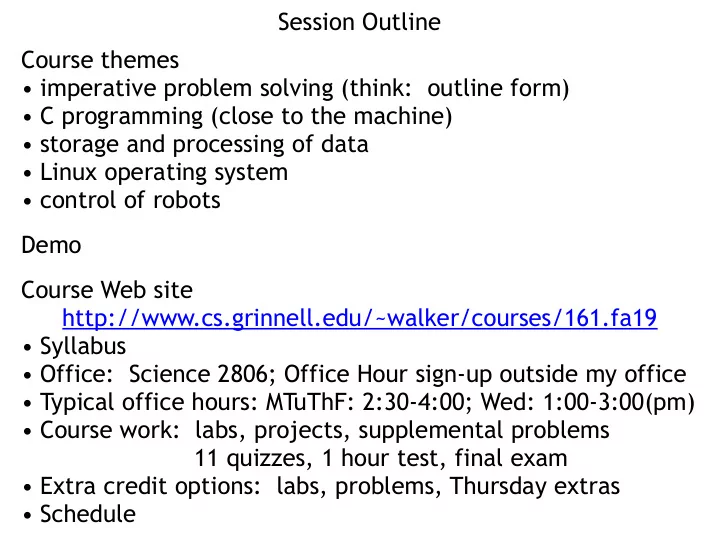
Session Outline Course themes imperative problem solving (think: outline form) C programming (close to the machine) storage and processing of data Linux operating system control of robots Demo Course Web site


slide-1
SLIDE 1

Session Outline Course themes

  • imperative problem solving (think: outline form)
  • C programming (close to the machine)
  • storage and processing of data
  • Linux operating system
  • control of robots

Demo Course Web site http://www.cs.grinnell.edu/~walker/courses/161.fa19

  • Syllabus
  • Office: Science 2806; Office Hour sign-up outside my office
  • Typical office hours: MTuThF: 2:30-4:00; Wed: 1:00-3:00(pm)
  • Course work: labs, projects, supplemental problems

11 quizzes, 1 hour test, final exam

  • Extra credit options: labs, problems, Thursday extras
  • Schedule
slide-2
SLIDE 2

Some Preliminaries Course mechanics

  • lab based
  • Before class: read, formulate questions (if any)
  • Class: questions, weekly quiz, then work with partner
  • Before next class: finish lab and/or formulate questions
  • check schedule each day!
  • labs and projects: collaborative
  • this week: work with whomever you are next
  • starting next week: I assign partners, changed each week
  • tests and supplemental problems: individual
  • details will enfold through next few days;

read syllabus for now

slide-3
SLIDE 3

More Preliminaries Start getting to know each other a little (20 seconds/person)

  • name
  • home town
  • why 161?
  • hopes for course
  • math background
  • sign seen recently:

there's a fine line between a numerator and a denominator

  • no specific math background required for CSC 161
  • knowing your background helps me plan examples

Clickers

  • slides posted for on-campus use after class
  • link on Syllabus and References pages
slide-4
SLIDE 4

Clicker Question 1 for practice:

What did you have for breakfast?

  • A. Eggs-to-order!
  • B. Straight up carbs.
  • C. A hot beverage.
  • D. None of the above.
  • E. What is breakfast?
slide-5
SLIDE 5

Expected personal computer use

What computer, if any, do you expect to use as your primary machine for your work this semester?

  • A. My Mac OS X laptop or

desktop (in my room).

  • B. A college owned Mac.
  • C. My Windows-based

laptop or desktop (in my room).

  • D. A college owned

Windows-based machine.

  • E. Other
slide-6
SLIDE 6

Terminal windows

Within a Mac OS X machine or a Windows- based computer, have you

  • pened a Terminal

window and typed commands?

  • A. Yes, a lot.
  • B. Yes, I tried once or

twice, but not much.

  • C. No, never tried it
  • D. What’s a Terminal

window?

slide-7
SLIDE 7

And Still More preliminaries Course materials

  • Extensive (131,000+ lines of online materials in 730+ files)
  • Homework for this evening:
  • Look at syllabus
  • Read materials for today and tomorrow
  • Finish workstation setup
  • Make substantial headway on Linux basics lab
  • Come Monday with Questions!!!
  • Discussion of various pieces of the course through the week
  • Textbooks?
  • none required
  • K.N. King: targets those getting started
  • Kernighan and Ritchie: targets experienced audience
slide-8
SLIDE 8

Let's get Started!!! Plan Work in pairs—your choice this week! (I'll assign partners after this week—more later) Lab activities in 2 parts

  • 1. Each partner should log on and do the Workstation Setup
  • Log on (with your college-wide password)
  • Check you can open a terminal window
  • Set color preferences for terminal window

(My preference is white on black, but do what you want)

  • 2. Make substantial start on the Linux basics lab
  • Do lab in parallel with reading
  • Read lab task, read about it, try it out
  • Focus on terminal commands;
  • Skim matters of system file structures and permissions
  • Must do set up of .bashrc, directory structure
  • For weekend: get through substantial part of Linux basics
slide-9
SLIDE 9

Getting Started

From course home page:

  • Note left column for recent and forthcoming coursework
  • Click on schedule
  • Two sessions or elements for today
  • Overview: read over the weekend, questions Monday
  • Linux/Mac OS C Basics:
  • Reading covers many commands (read in stages)
  • Lab:
  • gain some experience
  • editor choice: either vi or emacs encouraged
  • some setup required (steps 3–5, 10—13)
  • practice with other steps strongly encouraged
  • suggested window layout
  • terminal window commands
  • cryptic for historical reasons
  • I apologize in advance