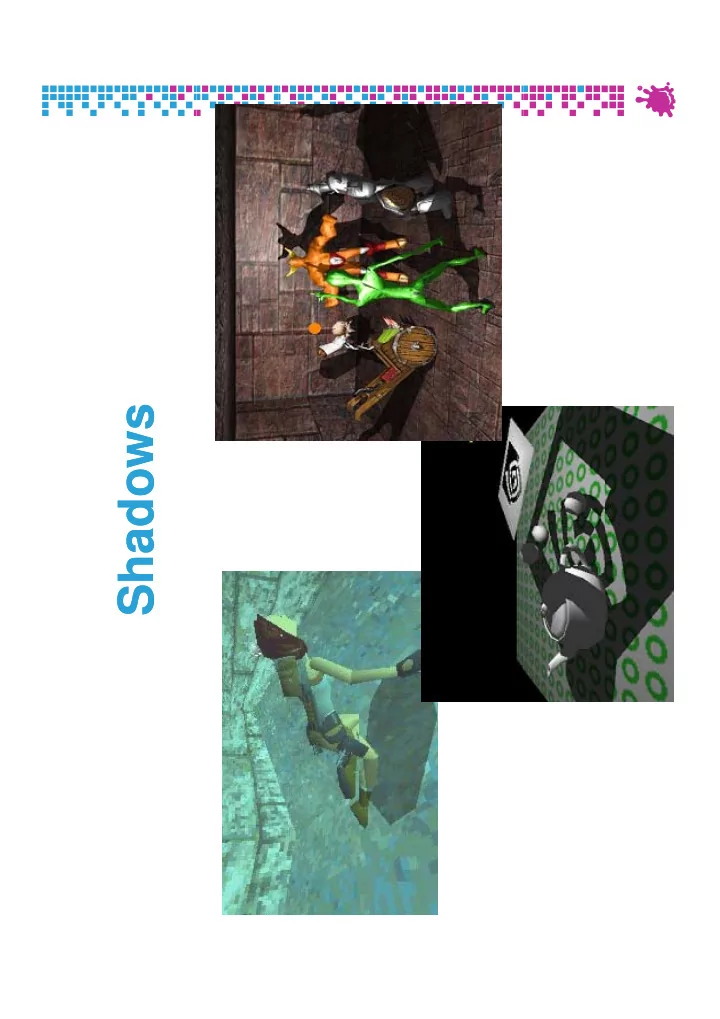
Shadows Shadows What for? Shadows tell us about the relative - - PDF document
Shadows Shadows What for? Shadows tell us about the relative locations and motions of objects and motions of objects Vienna University of Technology 2 What for? Shadows tell us about the relative locations and motions of objects and
What for? Shadows tell us about the relative locations and motions of objects and motions of objects
Vienna University of Technology 2
What for? Shadows tell us about the relative locations and motions of objects and motions of objects And about light positions
Vienna University of Technology 3
What for? Objects look like they are “floating” Shadows can fix that!
Vienna University of Technology 4
Shadows can fix that!
Motivation
Shadows contribute significantly to realism of rendered images rendered images Anchors objects in scene Global effect expensive! Global effect expensive! Light source behaves very similar to camera Is a point visible from the light source?
shadows are “hidden” regions g
Shadow is a projection of caster on receiver
projection methods projection methods
Best done completely in hardware through shaders
Vienna University of Technology 5
Shadow Algorithms
Static shadow algorithms (lights + objects) Radiosity ray tracing lightmaps Radiosity, ray tracing lightmaps Approximate shadows Projected shadows (Blinn 88) Shadow volumes (Crow 77) Object-space algorithm Shadow maps (Williams 78) Shadow maps (Williams 78) Projective image-space algorithm S f h d i f ll b l i h Soft shadow extensions for all above algorithms
Still hot research topic (500+ shadow publications)
Vienna University of Technology 6
Shadow Terms
li ht light source creator (occluder, blocker, caster) creator and ( ) receiver receiver (occludee)
Vienna University of Technology 7
( )
Hard vs. Soft Shadows
point source point source area source area source
hard shadow hard shadow umbra umbra penumbra penumbra penumbra penumbra
+fast +fast
p p
- only good for localized lights
- nly good for localized lights
(sun, projectors) (sun, projectors) +fake soft shadow through +fake soft shadow through + very realistic + very realistic
- very expensive
very expensive
Vienna University of Technology 8
+fake soft shadow through +fake soft shadow through filtering filtering + becomes more and more + becomes more and more usable usable
Static Shadows Glue to surface whatever we want Id i t h d i t li ht Idea: incorporate shadows into light maps
For each texel, cast ray to each light source
Bake soft shadows in light maps
Not by texture filtering alone but: Not by texture filtering alone, but: Sample area light sources
Vienna University of Technology 9
Static Soft Shadow Example no filtering no filtering filtering filtering 1 l 1 l 1 sample 1 sample n samples n samples
Vienna University of Technology 10
Approximate Shadows Hand-drawn approximate geometry
Perceptual studies suggest: Perceptual studies suggest: shape not so important Minimal cost
Vienna University of Technology 11
Approximate Shadows
Dark polygon (maybe with texture)
Cast ray from light source through object center Cast ray from light source through object center Blend polygon into frame buffer at location of hit May apply additional rotation/scale/translation May apply additional rotation/scale/translation
Incorporate distance and receiver orientation
P bl ith ti ti Problem with z-quantization:
viewer light Blend at hit polygon Blend at hit polygon viewer light p yg p yg Z-
- test equal
test equal z-buffer quantization errors! buffer quantization errors!
Vienna University of Technology 12
Approximate Shadows
viewer viewer light light viewer viewer light light Elevate above hit polygon Elevate above hit polygon Z-
- test less or equal
test less or equal h d t bi h d t bi shadow too big shadow too big may appear floating may appear floating No z No z-
- test, only one eye ray
test, only one eye ray shadow too big shadow too big shadow too big, shadow too big, maybe in wrong place maybe in wrong place
Vienna University of Technology 13
Projection Shadows (Blinn 88) Shadows for selected large planar receivers
Ground plane Ground plane Walls
Projective geometry: flatten 3D model onto flatten 3D model onto plane
“ ” and “darken” using framebuffer blend
Vienna University of Technology 14
Projection for Ground Plane Use similar-triangle tricks
l y
l l p
l y
− = − −
y y y x x x x
v l l l v l p
y y x x
l l
v
− − =
y y y x x y x
v l v l v l p
y=0 y=0
− =
y z z y y y
v l v l p
p
= −
y y z
p v l p
Vienna University of Technology 15
y
p
Projection Matrix Projective 4x4 matrix:
l l ⎞ ⎛
l
l l M
x y
⎟ ⎟ ⎞ ⎜ ⎜ ⎜ ⎛ −
v
l l l M
y z
⎟ ⎠ ⎜ ⎜ ⎜ ⎝ − − = 1
p
Arbitrary plane:
ly ⎠ ⎝ 1
n
y p
Intersect line p = l – α (v – l) ith l d with plane n x + d = 0 Express result as a 4x4 matrix
Vienna University of Technology 16
p
Append this matrix to view transform
Projection Shadow Algorithm Render scene (full lighting) F h i l For each receiver polygon
Compute projection matrix M Append to view matrix Render selected shadow caster Render selected shadow caster
With framebuffer blending enabled
Vienna University of Technology 17
Projection Shadow Artifacts
Bad Good Bad Good
t d ff extends off ground region
Vienna University of Technology 18
Z fighting double blending
Stencil Buffer Projection Shadows Stencil can solve all of these problems
Separate 8 bit frame buffer for numeric ops Separate 8-bit frame buffer for numeric ops
Stencil buffer algorithm (requires 1 bit):
Clear stencil to 0 Draw ground polygon last and with Draw ground polygon last and with
glStencilOp(GL_KEEP, GL_KEEP, GL_ONE); f il f il f il f il
Draw shadow caster with no depth test but
fail fail zfail zfail pass pass glStencilFunc(GL_EQUAL, 1, 0xFF); glStencilOp(GL_KEEP, GL_KEEP, GL_ZERO);
Vienna University of Technology 19
Every plane pixel is touched at most once
Stencil Buffer Planar Reflections Draw object twice, second time with:
glScalef(1, -1, 1) glScalef(1, 1, 1)
Reflects through floor
Good stencil Bad
Vienna University of Technology 20
Good, stencil used to limit reflection. Bad
Projection Shadow Summary Easy to implement
GLQuake first game to implement it GLQuake first game to implement it
Only practical for very few, large receivers No self shadowing Possible remaining artifacts: wrong shadows g g
Objects behind light source Objects behind recei er Objects behind receiver
Vienna University of Technology 21
Shadow Volumes (Crow 1977) Occluders and light source cast out a 3D shadow volume shadow volume
Shadow through new geometry Results in Pixel correct shadows
Light source
Visualization of Visualization of Shadowed scene Shadowed scene
Vienna University of Technology 22
Visualization of Visualization of shadow volume shadow volume Shadowed scene Shadowed scene
Shadow Volumes (Crow 1977) Heavily used in Doom3
Vienna University of Technology 23
2D Cutaway of Shadow Volume Occluder polygons extruded to semi-infinite volumes volumes
shadowing surface outside shadow volume
- bject
shadow light source (illuminated) shadow volume (infinite extent) source eye partially shadowed
- bject
eye position surface inside shadow volume
Vienna University of Technology 24
- bject
(shadowed)
Shadow Volume Algorithm
3D point-in-polyhedron indide-outside test Principle similar to 2D point-in-polygon test Principle similar to 2D point-in-polygon test
Choose a point known to be outside the volume C t i t ti f t t i t t k Count intersection on ray from test point to known point with polyhedron faces
F t f 1 Front face +1 Back face -1
Lik i di l ! Like non-zero winding rule!
Known point will distinguish algorithms:
Infinity: “Z-fail” algorithm Eye-point: “Z-pass” algorithm
Vienna University of Technology 25
y p p g
Enter/Leave Approach Increment on enter, decrement on leave Si lt l t t ll i ibl i l Simultaneously test all visible pixels
Stop when hitting object nearest to viewer
shadowing object light source zero +1 zero eye +1 +2 +2 +3
Vienna University of Technology 26
y position +3
Shadow Volume Algorithm Shadow volumes in object precision
Calculated by CPU/Vertex Shaders Calculated by CPU/Vertex Shaders
Shadow test in image precision
Using stencil buffer as counter!
Vienna University of Technology 27
Shadow Volume Algorithm
Vienna University of Technology 28
Step 1: Render scene ⇒ Z-values
Shadow Volume Algorithm
Front face: +1 Back face: -1
Vienna University of Technology 29
Step 2: Render shadow volume faces
Shadow Volume Algorithm
Front face: ±0 (Depth test) Front face: ±0 (Depth test) Back face: ±0 (Depth test) Σ = ±0
Vienna University of Technology 30
Shadow Volume Algorithm
±0 Front face: +1 Front face: +1 Back face: ±0 (Depth test) Σ = +1
Vienna University of Technology 31
Shadow Volume Algorithm
±0 +1 Front face: +1 Front face: +1 Back face:
- 1
Σ = ±0
Vienna University of Technology 32
Shadow Volume Algorithm
±0 ±0 +1
Vienna University of Technology 33
Step 3: Apply shadow mask to scene
Shadow Volume Algorithm (Zpass) Render scene to establish z-buffer
Can also do ambient illumination Can also do ambient illumination
For each light
Clear stencil Draw shadow volume twice using culling Draw shadow volume twice using culling
Render front faces and increment stencil Render back faces and decrement stencil
Illuminate all pixels not in shadow volume Illuminate all pixels not in shadow volume
Render testing stencil = 0 Use additi e blend
Vienna University of Technology 34
Use additive blend
Zpass Technique (Before Shadow)
h d i bj Light Shadowing object Light source zero zero +1 zero Eye +1 +2 +2 +3 Unshadowed
- bject
y position +3
Shadow Volume Count = 0 (no depth tests passes)
Vienna University of Technology 35
Shadow Volume Count = 0 (no depth tests passes)
Zpass Technique (In Shadow)
Light Shadowing object Light source zero zero +1 zero +
- +
+ Eye +1 +2 +2 +3 Shadowed
- bject
y position +3 j
Shadow Volume Count = +1+1+1 1 = 2
Vienna University of Technology 36
Shadow Volume Count = +1+1+1-1 = 2
Zpass Technique (Behind Shadow)
Li h Shadowing object Light source zero +1 zero Unshadowed +
- +
+ Eye +1 +2 +2
- bject
Eye position +1 +3
Sh d V l C t 1 1 1 1 1 1 0
Vienna University of Technology 37
Shadow Volume Count = +1+1+1-1-1-1 = 0
Zpass Near Plane Problem
Missed shadow volume intersection due to
ero
Far clip plane near clip plane clipping; leads to mistaken count
zero +1 +1 zero +1 +2 3 +2 +3
Near clip plane
Vienna University of Technology 38
Alternative: Zfail Technique
Zpass near plane problem difficult to solve
Have to “cap” shadow volume at near plane Have to cap shadow volume at near plane Expensive and not robust, many special cases
T i t t d Zf il t h i Try reversing test order Zfail technique (also known as Carmack’s reverse)
Start from infinity and stop at nearest intersection
Render shadow volume fragments only when d th t t f il depth test fails
Render back faces first and increment Then front faces and decrement Need to cap shadow volume at infinity or light
Vienna University of Technology 39
extent
Zfail, Behind Shadow
Li ht Shadowing object Light source zero +1 zero Unshadowed Eye +1 +2 +2 3
- bject
Eye position 1 +3
Sh d V l C t 0 ( d th t t f il)
Vienna University of Technology 40
Shadow Volume Count = 0 (zero depth tests fail)
Zfail, in Shadow
Shadowing object Light source zero +1 zero + + Eye +1 +2 +2 + Shadowed
- bject
Eye position +1 +3
- bject
Vienna University of Technology 41
Shadow Volume Count = +1+1 = 2
Zfail, before Shadow
Light Shadowing object Light source zero zero +1 zero
- +
- +
+ Eye +1 +2 +2 +3 Unshadowed
- bject
y position +3 j
Shadow Volume Count = 1 1 1+1+1+1 = 0
Vienna University of Technology 42
Shadow Volume Count = -1-1-1+1+1+1 = 0
Shadow Volumes Shadow volume = closed polyhedron A t ll 3 t f l ! Actually 3 sets of polygons!
- 1. Object polygons facing the light (“light cap”)
- 2. Object polygons facing away from the light
and projected to infinity (with w = 0) (“dark and projected to infinity (with w 0) ( dark cap”) A t l h d l l ( t d d
- 3. Actual shadow volume polygons (extruded
- bject edges) (“sides”)
b hi h d ? but which edges?
Vienna University of Technology 43
Zpass vs. Zfail
Equivalent, but reversed Zpass Zpass
Faster (light cap and dark cap not needed)
Li ht i id bj t l f il t t Light cap inside object always fails z-test Dark cap infinitely far away either fails or falls on background background
Problem at near clip plane (no robust solution)
Zf il Zfail
Slower (need to render dark and light caps!) Problem at far clip plane when light extends farther than far clip plane
Vienna University of Technology 44
Robust solution with infinite shadow volumes!
Zpass vs. Zfail Idea: Combine techniques!
Test whether viewport in shadow Zfail Test whether viewport in shadow Zfail Otherwise Zpass
Idea: avoid far plane clipping in Zfail!
Send far plane to infinity in projection matrix Send far plane to infinity in projection matrix
Easy, but loses some depth buffer precision
Draw infinite vertices using homogeneous coordinates: project to infinity w = 0 p j y robust solution!
Vienna University of Technology 45
W=0 Rasterization At infinity, vertices become vectors
(-3,-1,z1,1) (2,-2,z2,1) (2,-2,z2,0) (-1,-3,z1,0) (2,-2,z2,0)
Vienna University of Technology 46
( 1, 3,z1,0)
Computing Actual SV Polygons Trivial but bad: one volume per triangle
3 shadow volume polygons per triangle 3 shadow volume polygons per triangle
Better: find exact silhouette
Expensive on CPU
Even better: possible silhouette edges Even better: possible silhouette edges
Edge shared by a back-facing and front- facing polygon (with respect to light source!), extended to infinity y Actual extrusion can be done by vertex shader
Vienna University of Technology 47
shader
Possible Silhouette Edges
Vienna University of Technology 48
Shadow Volumes Summary
Advantages
Arbitrary receivers y Fully dynamic Omnidirectional lights (unlike shadow maps!) O d ect o a g ts (u e s ado aps ) Exact shadow boundaries (pixel-accurate) Automatic self shadowing Automatic self shadowing Broad hardware support (stencil)
Disadvantages Disadvantages
Fill-rate intensive Difficult to get right (Zfail vs Zpass) Difficult to get right (Zfail vs. Zpass) Silhouette computation required Doesn’t work for arbitrary casters (smoke fog )
Vienna University of Technology 49
Doesn t work for arbitrary casters (smoke, fog…)
Shadow Volume Issues Stencil buffering fast and present in all cards With 8 bits of stencil maximum shadow depth With 8 bits of stencil, maximum shadow depth is 255
EXT t il
- vercomes this
EXT_stencil_wrap overcomes this
Two-sided stencil tests can test front- and back triangles simultaneously
Saves one pass – available on NV30+ p
NV_depth_clamp (hardware capping)
Regain depth precision with normal projection Regain depth precision with normal projection
Requires watertight models with connectivity, d t ti ht t i ti
Vienna University of Technology 50
and watertight rasterization
Shadow Maps Casting curved shadows on curved surfaces
Image space algorithm 2 passes Image-space algorithm, 2 passes
Fi l Final scene Sh d Shadow map
Vienna University of Technology 51
Shadow Map Algorithm
Li ht Eye Light Shadow map Eye view
Render from light; save depth values Render from light; save depth values Render from eye
Transform all fragments to light space Compare zeye and zlight (both in light space!!!)
Vienna University of Technology 52
y g
zeye > zLicht fragment in shadow
Shadow Maps in Hardware Render scene to z-buffer (from light source)
Copy depth buffer to texture Copy depth buffer to texture Render to depth texture + pbuffer
Project shadow map into scene (remember projective texturing!) (remember projective texturing!) Hardware shadow test (ARB_shadow)
Use homogeneous texture coordinates Compare r/q with texel at (s/q t/q) Compare r/q with texel at (s/q, t/q) Output 1 for lit and 0 for shadow
Vienna University of Technology 53
Blend fragment color with shadow test result
Shadow Maps in Hardware Shadow extension available since GeForce3
Requires high precision texture format Requires high precision texture format (ARB_depth_texture)
On modern hardware:
Render lightspace depth into texture Render lightspace depth into texture In vertex shader:
Calculate texture coordinates as in projective texturing
In fragment shader:
Depth compare
Vienna University of Technology 54
Depth compare
Problem: Perspective Aliasing
Sufficient resolution far from eye eye Insufficient resolution near eye
Vienna University of Technology 55
aliased
- kay
Problem: Projection Aliasing
Shadow receiver ~ orthogonal to Shadow Map - viewplane Shadow Map viewplane
Vienna University of Technology 56
Problem: Incorrect Self-Shadowing
Polygon
Vienna University of Technology 57
Problem: Incorrect Self-Shadowing
Polygon
zeye > zlight Incorrect Self-shadowing
Vienna University of Technology 58
y g
Solution for Perspective Aliasing
Insufficient resolution near eye
Vienna University of Technology 59
aliased
- kay
Solution for Perspective Aliasing
Insufficient resolution near eye y Redistribute values in shadow map
Vienna University of Technology 60
Solution for Perspective Aliasing
Sufficient resolution near eye y Redistribute values in shadow map
Vienna University of Technology 61
- kay
- kay
Solution for Perspective Aliasing
How to redistribute? Use perspective transform p p Additional perspective matrix, used in both:
Light pass Light pass Eye pass
More details: [WSP2004] [WSP2004]
[WSP2004] M. Wimmer, D. Scherzer, and W. Purgathofer; Light space perspective shadow maps; In Proceedings of Eurographics Symposium on Rendering 2004
Vienna University of Technology 62
g p y p g
Solution for Projection Aliasing
Shadow receiver ~ orthogonal to Shadow Map plane Redistribution does not work But But...
Vienna University of Technology 63
Solution for Projection Aliasing
Diffuse lighting: I = IL max( dot( L, N ), 0 ) Almost orthogonal receivers have small I Almost orthogonal receivers have small I Dark artifacts not very visible!
L N
Vienna University of Technology 64
Solution for Projection Aliasing
Recommendations Small ambient term Small ambient term Diffuse term hides artifacts Specular term not Specular term not problematic Light and view direction Light and view direction almost identical Shadow Map resolution Shadow Map resolution sufficient
Vienna University of Technology 65
Solution for Projection Aliasing Blur shadows Hides artifacts Hides artifacts Soft shadow borders
Render shadow Render shadow result values to separate texture and blur
Vienna University of Technology 66
Solution for Incorrect Self-Shadowing
Polygon Shifted Polygon Shifted Polygon
zAug > zLicht Incorrect Self-shadowing
Vienna University of Technology 67
g
zAug < zLicht No Self-shadowing
Solution for Incorrect Self-Shadowing How to choose bias?
Constant Bias No Bias
Vienna University of Technology 68
Slope-Scale Bias Constant Bias
Depth Bias glPolygonOffset(1.1,4.0) works well
Works in window coordinates Works in window coordinates
Too little bias, Too little bias, everything begins to everything begins to shadow shadow Too much bias, shadow Too much bias, shadow starts too far back starts too far back
Vienna University of Technology 69
Solution for Incorrect Self-Shadowing
Other possibility: Previous: render front faces into Shadow Map Now: render back faces into Shadow Map: Back-
Vienna University of Technology 70
p Side Rendering
Problem: Aliasing Artifacts Resolution mismatch image/shadow map!
Use perspective shadow maps Use perspective shadow maps
Use “percentage closer” filtering
Normal color filtering cannot be used Filter lookup result not depth map values! Filter lookup result, not depth map values! 2x2 PCF in hardware for NVIDIA Better: Poisson-disk distributed samples (e.g., 6 averaged samples) 6 a e aged sa p es)
Vienna University of Technology 71
Shadow Map Filtering GL NEAREST GL LINEAR GL_NEAREST GL_LINEAR
Vienna University of Technology 72
Shadow Map Summary Advantages
Fast
- nly one additional pass
Fast – only one additional pass Independent of scene complexity (no additional shadow polygons!) Self shadowing (but beware bias) Self shadowing (but beware bias) Can sometimes reuse depth map
Disadvantages
Problematic for omnidirectional lights
- b e
a c o o d ec o a g s Biasing tweak (light leaks, surface acne) J d d ( li i )
Vienna University of Technology 73
Jagged edges (aliasing)
OGRE shadow demo OGRE shadow demo
Vienna University of Technology 74
Conclusions Shadows are very important but still difficult Many variations based on shadow y volumes/shadow maps to do shadowing:
Variance shadow mapping (VSM) Variance shadow mapping (VSM) Perspective shadow mapping (PSM) Hierarchical shadow volume Subdivided shadow maps Subdivided shadow maps …
Vienna University of Technology 75