Software components software re-use libraries, etc. - - PDF document

software components
SMART_READER_LITE
LIVE PREVIEW

Software components software re-use libraries, etc. - - PDF document

Software components software re-use libraries, etc. inter-language linkage the Microsoft way COM: the Component Object Model Visual Basic: scripting, embedding, viruses .NET C# other approaches to components


slide-1
SLIDE 1

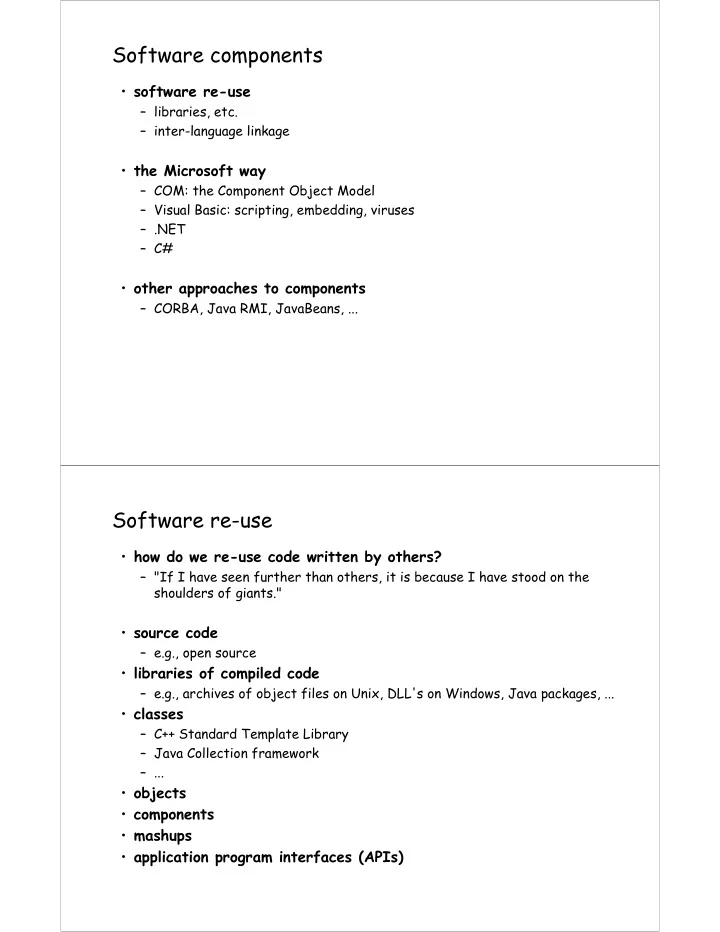
Software components

  • software re-use

– libraries, etc. – inter-language linkage

  • the Microsoft way

– COM: the Component Object Model – Visual Basic: scripting, embedding, viruses – .NET – C#

  • other approaches to components

– CORBA, Java RMI, JavaBeans, ...

Software re-use

  • how do we re-use code written by others?

– "If I have seen further than others, it is because I have stood on the shoulders of giants."

  • source code

– e.g., open source

  • libraries of compiled code

– e.g., archives of object files on Unix, DLL's on Windows, Java packages, ...

  • classes

– C++ Standard Template Library – Java Collection framework – ...

  • objects
  • components
  • mashups
  • application program interfaces (APIs)
slide-2
SLIDE 2

Libraries

  • linking to previously compiled code
  • static linking: all called routines are included in executable
  • dynamic linking

– called routines located and linked in on demand

shared libraries on Unix (.so == "shared object") dynamic link libraries (DLL's) on Windows plug-ins in browsers

  • advantages of dynamic linking

– no cost if a particular routine is not called – minor startup cost for initialization when called – minimal cost when running (extra indirection for call) – library code is shared among all simultaneous uses – can update libraries without updating entire program

  • some disadvantages

– runs in same address space as rest of program, may lead to security issues – DLL hell on Windows: inconsistencies among versions

especially after install then uninstall

COM: Microsoft's component object model

  • binary standard for creating & using components

– components can be written in any language

IDL (interface definition language) to describe arguments and return values, generate necessary code

– components can be in same process, separate process on same machine, or on some other machine (DCOM)

DCOM transports include TCP/IP and HTTP

– supporting libraries marshal arguments, call functions, retrieve results

all happens transparently to process that uses it

– integral part of Microsoft systems

available on non-MS operating systems (sort of?)

  • COM components are objects with interfaces

– interface: functions that provides access to methods

based on C++ virtual function calls, but implementable in any language

– 128-bit GUID (globally unique identifiers)

stored in Windows registry so others can find it

slide-3
SLIDE 3

ActiveX

  • Microsoft's name for technologies and services based on COM
  • ActiveX components are COM objects

– executable code that packages an object as .EXE (standalone executable) .DLL (dynamic link library) .OCX (visual interface control)

  • ActiveX controls

– COM components with user-interface aspects – written in C++, Java, VB, … – can be used in web pages (analogous to applets, but less restricted) – can be controlled with VBScript, JScript and other scripting languages

  • ActiveX documents

– lets users view and edit non-HTML documents through the browser – integrates existing documents into browser or any other application

Calling a COM object

  • conceptually, what happens when a COM object is called from a

program...

  • first time

– find its code

look up in Windows registry registered during install or when created or by explicit call

– do any initialization

Windows needs to keep track of what DLLs are in use

– link it into current program (if a DLL)

fill in calls with pointer to real code: vtbl

  • each subsequent method call

– collect arguments into proper form ("marshalling") – call function – convert return value and output arguments into proper form

  • when done

– do any finalization – release resources

last user tells Windows that DLL is no longer in use

slide-4
SLIDE 4

Alternative approaches

  • CORBA (Common Object Request Broker Architecture)

– industry consortium (OMG: Object Management Group) – client-server model, using objects – object-request broker (ORB)

communicates client requests to target objects, finds object implementation, activates it if necessary, delivers request, and returns response

– IDL (interface definition language) and compiler for specifying and implementing interfaces

  • Java RMI (Remote Method Invocation)

– a remote procedure call mechanism – call objects located (usually) on other systems – very loosely equivalent to (D)COM – can pass objects, not just primitive types

  • Java Beans (marketing name for Java components)

– an API for writing component software in Java – components expose features (methods & events) – visual application builder tools determine properties by "introspection" or "reflection": can query an object about its properties – loosely analogous to ActiveX components – attempting to solve same problems as COM and CORBA, but within Java

Visual Basic

  • a programming language

– modern dialect of Basic (John Kemeny ('47, *49) and Tom Kurtz (*56), 1964) – reasonable control flow, data types, arrays, structures

  • a toolkit

– standard library for math, file I/O, text manipulation – user interface components: buttons, text, menus, ... – extensible: easy access to entire Windows API and existing objects

can add own C/C++ code and create new controls

– a "glue" language for assembling from pre-built pieces

  • an integrated development environment

– interactive system for building and testing VB programs

draw interface by dragging and dropping components fill in behaviors in code templates, set properties like size, color, position, … manage/edit source code and other resources run in controlled environment for test and debug, compile and export as .EXE file

  • an extension mechanism

– embedded (as VBA) in many other programs, including Word, Excel, Powerpoint, Outlook; can easily extend their capabilities – a vehicle for distributing viruses

slide-5
SLIDE 5

Component scripting

  • component exposes what it can do as an object interface:

methods, properties, events

– can control object from a programming language that can access objects

  • a large industry creates such components

– written in VB, C++, etc.

  • VBScript is a scripting version of VB for controlling scriptable
  • bjects

– can use it to control scriptable programs – also CScript, WScript, PowerShell, ...

  • Visual Basic for Applications (VBA) is a version of VB that lives

inside some programs

– notably Word, Excel, other Office programs, Outlook, … – can use it to control them and other scriptable programs

  • in general, can do anything from a program that is possible from

keyboard and mouse

– macro recorder to create command sequences – shell escape to run other processes – network libraries to access other systems

Security issues

  • VB embedding and scripting is a mixed blessing

– useful properties: can easily extend capabilities, customize behaviors – lots of not so nice properties: viruses are very easy

  • scripts, plug-ins, applets let others run their code on your machine
  • how can this be made safe (enough)?
  • code-signing (Microsoft's "Authenticode")

– uses crypto to assure that code comes from who it says it does – and that it hasn't been tampered with – but NOT that it works properly

doesn't protect against bugs, invasion of privacy, ...

  • sandboxing (Java applets, Javascript)

– isolate code inside virtual machine or similar – limits capabilities (e.g., no access to local file system) – doesn't protect against bugs in programs – or bugs in the security model and implementation

  • perfect security is not possible

– see Doug McIlroy's Virology 101 paper