Summary of Chapter 1 (part 1) Summary of Python Functionality in - - PDF document

summary of chapter 1 part 1
SMART_READER_LITE
LIVE PREVIEW

Summary of Chapter 1 (part 1) Summary of Python Functionality in - - PDF document

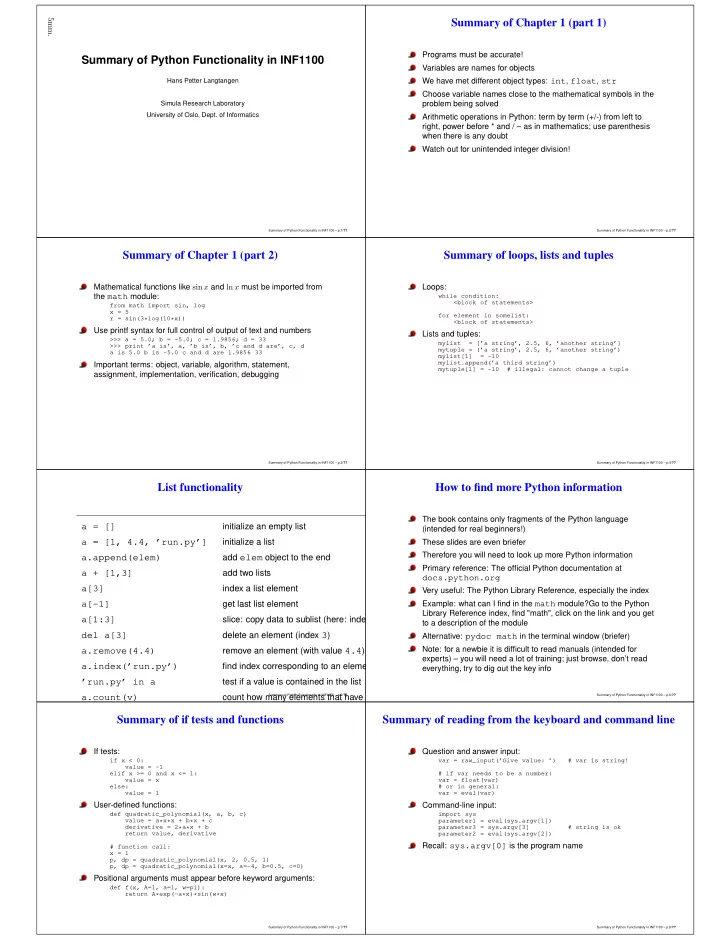
5mm. Summary of Chapter 1 (part 1) Summary of Python Functionality in INF1100 Programs must be accurate! Variables are names for objects We have met different object types: int , float , str Hans Petter Langtangen Choose variable names close


slide-1
SLIDE 1

5mm.

Summary of Python Functionality in INF1100

Hans Petter Langtangen Simula Research Laboratory University of Oslo, Dept. of Informatics

Summary of Python Functionality in INF1100 – p.1/??

Summary of Chapter 1 (part 1)

Programs must be accurate! Variables are names for objects We have met different object types: int, float, str Choose variable names close to the mathematical symbols in the problem being solved Arithmetic operations in Python: term by term (+/-) from left to right, power before * and / – as in mathematics; use parenthesis when there is any doubt Watch out for unintended integer division!

Summary of Python Functionality in INF1100 – p.2/??

Summary of Chapter 1 (part 2)

Mathematical functions like sin x and ln x must be imported from the math module:

from math import sin, log x = 5 r = sin(3*log(10*x))

Use printf syntax for full control of output of text and numbers

>>> a = 5.0; b = -5.0; c = 1.9856; d = 33 >>> print ’a is’, a, ’b is’, b, ’c and d are’, c, d a is 5.0 b is -5.0 c and d are 1.9856 33

Important terms: object, variable, algorithm, statement, assignment, implementation, verification, debugging

Summary of Python Functionality in INF1100 – p.3/??

Summary of loops, lists and tuples

Loops:

while condition: <block of statements> for element in somelist: <block of statements>

Lists and tuples:

mylist = [’a string’, 2.5, 6, ’another string’] mytuple = (’a string’, 2.5, 6, ’another string’) mylist[1] = -10 mylist.append(’a third string’) mytuple[1] = -10 # illegal: cannot change a tuple

Summary of Python Functionality in INF1100 – p.4/??

List functionality

a = []

initialize an empty list

a = [1, 4.4, ’run.py’]

initialize a list

a.append(elem)

add elem object to the end

a + [1,3]

add two lists

a[3]

index a list element

a[-1]

get last list element

a[1:3]

slice: copy data to sublist (here: index

del a[3]

delete an element (index 3)

a.remove(4.4)

remove an element (with value 4.4)

a.index(’run.py’)

find index corresponding to an elemen

’run.py’ in a

test if a value is contained in the list

a.count(v)

count how many elements that have t

Summary of Python Functionality in INF1100 – p.5/??

How to find more Python information

The book contains only fragments of the Python language (intended for real beginners!) These slides are even briefer Therefore you will need to look up more Python information Primary reference: The official Python documentation at

docs.python.org

Very useful: The Python Library Reference, especially the index Example: what can I find in the math module?Go to the Python Library Reference index, find "math", click on the link and you get to a description of the module Alternative: pydoc math in the terminal window (briefer) Note: for a newbie it is difficult to read manuals (intended for experts) – you will need a lot of training; just browse, don’t read everything, try to dig out the key info

Summary of Python Functionality in INF1100 – p.6/??

Summary of if tests and functions

If tests:

if x < 0: value = -1 elif x >= 0 and x <= 1: value = x else: value = 1

User-defined functions:

def quadratic_polynomial(x, a, b, c) value = a*x*x + b*x + c derivative = 2*a*x + b return value, derivative # function call: x = 1 p, dp = quadratic_polynomial(x, 2, 0.5, 1) p, dp = quadratic_polynomial(x=x, a=-4, b=0.5, c=0)

Positional arguments must appear before keyword arguments:

def f(x, A=1, a=1, w=pi): return A*exp(-a*x)*sin(w*x)

Summary of Python Functionality in INF1100 – p.7/??

Summary of reading from the keyboard and command line

Question and answer input:

var = raw_input(’Give value: ’) # var is string! # if var needs to be a number: var = float(var) # or in general: var = eval(var)

Command-line input:

import sys parameter1 = eval(sys.argv[1]) parameter3 = sys.argv[3] # string is ok parameter2 = eval(sys.argv[2])

Recall: sys.argv[0] is the program name

Summary of Python Functionality in INF1100 – p.8/??
slide-2
SLIDE 2

Summary of reading command-line arguments with getopt

  • option value pairs with the aid of getopt:

import getopt

  • ptions, args = getopt.getopt(sys.argv[1:], ’’,

[’parameter1=’, ’parameter2=’, ’parameter3=’, ’p1=’, ’p2=’, ’p3=’] # shorter forms # set default values: parameter1 = ... parameter2 = ... parameter3 = ... from scitools.misc import str2obj for option, value in options: if option in (’--parameter1’, ’--p1’): parameter1 = eval(value) # if not string elif option in (’--parameter2’, ’--p2’): parameter2 = value # if string elif option in (’--parameter3’, ’--p3’): parameter3 = str2obj(value) # if any object

Summary of Python Functionality in INF1100 – p.9/??

Summary of eval and exec

Evaluating string expressions with eval:

>>> x = 20 >>> r = eval(’x + 1.1’) >>> r 21.1 >>> type(r) <type ’float’>

Executing strings with Python code, using exec:

exec(""" def f(x): return %s """ % sys.argv[1])

Summary of Python Functionality in INF1100 – p.10/??

Summary of exceptions

Handling exceptions:

try: <statements> except ExceptionType1: <provide a remedy for ExceptionType1 errors> except ExceptionType2, ExceptionType3, ExceptionType4: <provide a remedy for three other types of errors> except: <provide a remedy for any other errors> ...

Raising exceptions:

if z < 0: raise ValueError\ (’z=%s is negative - cannot do log(z)’ % z)

Summary of Python Functionality in INF1100 – p.11/??

Array functionality

array(ld)

copy list data ld to a numpy array

asarray(d)

make array of data d (copy if necessa

zeros(n)

make a vector/array of length n, with

zeros(n, int)

make a vector/array of length n, with

zeros((m,n), float)

make a two-dimensional with shape (

zeros(x.shape, x.dtype)

make array with shape and element ty

linspace(a,b,m)

uniform sequence of m numbers betw

seq(a,b,h)

uniform sequence of numbers from a

iseq(a,b,h)

uniform sequence of integers from a

a.shape

tuple containing a’s shape

a.size

total no of elements in a

len(a)

length of a one-dim. array a (same as

Summary of Python Functionality in INF1100 – p.12/??

Summary of difference equations

Sequence: x0, x1, x2, . . ., xn, . . ., xN Difference equation: relation between xn, xn−1 and maybe xn−2 (or more terms in the "past") + known start value x0 (and more values x1, ... if more levels enter the equation) Solution of difference equations by simulation:

index_set = <array of n-values: 0, 1, ..., N> x = zeros(N+1) x[0] = x0 for n in index_set[1:]: x[n] = <formula involving x[n-1]>

Can have (simple) systems of difference equations:

for n in index_set[1:]: x[n] = <formula involving x[n-1]> y[n] = <formula involving y[n-1] and x[n]>

Taylor series and numerical methods such as Newton’s method can be formulated as difference equations, often resulting in a good way of programming the formulas

Summary of Python Functionality in INF1100 – p.13/??

Summary of file reading and writing

Reading a file:

infile = open(filename, ’r’) for line in infile: # process line lines = infile.readlines() for line in lines: # process line for i in range(len(lines)): # process lines[i] and perhaps next line lines[i+1] fstr = infile.read() # process the while file as a string fstr infile.close()

Writing a file:

  • utfile = open(filename, ’w’)

# new file or overwrite

  • utfile = open(filename, ’a’)

# append to existing file

  • utfile.write("""Some string

.... """)

Summary of Python Functionality in INF1100 – p.14/??

Dictionary functionality

a = {}

initialize an empty dic

a = {’point’: [2,7], ’value’: 3}

initialize a dictionary

a = dict(point=[2,7], value=3)

initialize a dictionary

a[’hide’] = True

add new key-value pa

a[’point’]

get value correspond

’value’ in a True if value is a k del a[’point’]

delete a key-value pa

a.keys()

list of keys

a.values()

list of values

len(a)

number of key-value

for key in a:

loop over keys in unk

for key in sorted(a.keys()):

loop over keys in alph

Summary of Python Functionality in INF1100 – p.15/??

Summary of some string operations

s = ’Berlin: 18.4 C at 4 pm’ s[8:17] # extract substring s.find(’:’) # index where first ’:’ is found s.split(’:’) # split into substrings s.split() # split wrt whitespace ’Berlin’ in s # test if substring is in s s.replace(’18.4’, ’20’) s.lower() # lower case letters only s.upper() # upper case letters only s.split()[4].isdigit() s.strip() # remove leading/trailing blanks ’, ’.join(list_of_words)

Summary of Python Functionality in INF1100 – p.16/??
slide-3
SLIDE 3

Summary of defining a class

Example on a defining a class with attributes and methods:

class Gravity: """Gravity force between two objects.""" def __init__(self, m, M): self.m = m self.M = M self.G = 6.67428E-11 # gravity constant def force(self, r): G, m, M = self.G, self.m, self.M return G*m*M/r**2 def visualize(self, r_start, r_stop, n=100): from scitools.std import plot, linspace r = linspace(r_start, r_stop, n) g = self.force(r) title=’m=%g, M=%g’ % (self.m, self.M) plot(r, g, title=title)

Summary of Python Functionality in INF1100 – p.17/??

Summary of using a class

Example on using the class:

mass_moon = 7.35E+22 mass_earth = 5.97E+24 # make instance of class Gravity: gravity = Gravity(mass_moon, mass_earth) r = 3.85E+8 # earth-moon distance in meters Fg = gravity.force(r) # call class method

Summary of Python Functionality in INF1100 – p.18/??

Summary of special methods

c = a + b implies

c = a.__add__(b)

There are special methods for a+b, a-b, a*b, a/b, a**b, -a,

if a:, len(a), str(a) (pretty print), repr(a) (recreate a

with eval), etc. With special methods we can create new mathematical objects like vectors, polynomials and complex numbers and write "mathematical code" (arithmetics) The call special method is particularly handy:

c = C() v = c(5) # means v = c.__call__(5)

Functions with parameters should be represented by a class with the parameters as attributes and with a call special method for evaluating the function

Summary of Python Functionality in INF1100 – p.19/??

Summary of drawing random numbers (scalar code)

Draw a uniformly distributed random number in [0, 1):

import random as random_number r = random_number.random()

Draw a uniformly distributed random number in [a, b):

r = random_number.uniform(a, b)

Draw a uniformly distributed random integer in [a, b]:

i = random_number.randint(a, b)

Draw a normal/Gaussian random number with mean m and st.dev. s:

g = random_number.gauss(m, s)

Summary of Python Functionality in INF1100 – p.20/??

Summary of drawing random numbers (vectorized code)

Draw n uniformly distributed random numbers in [0, 1):

from numpy import random r = random.random(n)

Draw n uniformly distributed random numbers in [a, b):

r = random.uniform(a, b, n)

Draw n uniformly distributed random integers in [a, b]:

i = random.randint(a, b+1, n) i = random.random_integers(a, b, n)

Draw n normal/Gaussian random numbers with mean m and st.dev. s:

g = random.normal(m, s, n)

Summary of Python Functionality in INF1100 – p.21/??

Summary of probability and statistics computations

Probability: perform N experiments, count M successes, then success has probability M/N (N must be large) Monte Carlo simulation: let a program do N experiments and count M (simple method for probability problems) Mean and standard deviation is computed by

from numpy import mean, std m = mean(array_of_numbers) s = std(array_of_numbers)

Histogram and its visualization:

from scitools.std import compute_histogram, plot x, y = compute_histogram(array_of_numbers, 50, piecewise_constant=True) plot(x, y)

Summary of Python Functionality in INF1100 – p.22/??

Summary of object-orientation principles

A subclass inherits everything from the superclass When to use a subclass/superclass? if code common to several classes can be placed in a superclass if the problem has a natural child-parent concept The program flow jumps between super- and sub-classes It takes time to master when and how to use OO Study examples!

Summary of Python Functionality in INF1100 – p.23/??

Recall the class hierarchy for differentiation

Mathematical principles

Collection of difference formulas for f′(x). For example, f′(x) ≈ f(x + h) − f(x − h) 2h Superclass Diff contains common code (constructor), subclasses implement various difference formulas.

Implementation example (superclass and one subclass)

class Diff: def __init__(self, f, h=1E-9): self.f = f self.h = float(h) class Central2(Diff): def __call__(self, x): f, h = self.f, self.h return (f(x+h) - f(x-h))/(2*h)

Summary of Python Functionality in INF1100 – p.24/??
slide-4
SLIDE 4

Recall the class hierarchy for integration (part 1)

Mathematical principles General integration formula for numerical integration: b

a

f(x)dx ≈

n−1

  • j=0

wif(xi) Superclass Integrator contains common code (constructor,

  • j wif(xi)), subclasses implement definition of wi and xi.
Summary of Python Functionality in INF1100 – p.25/??

Recall the class hierarchy for integration (part 2)

Implementation example (superclass and one subclass)

class Integrator: def __init__(self, a, b, n): self.a, self.b, self.n = a, b, n self.points, self.weights = self.construct_method() def integrate(self, f): s = 0 for i in range(len(self.weights)): s += self.weights[i]*f(self.points[i]) return s class Trapezoidal(Integrator): def construct_method(self): x = linspace(self.a, self.b, self.n) h = (self.b - self.a)/float(self.n - 1) w = zeros(len(x)) + h w[0] /= 2; w[-1] /= 2 # adjust end weights return x, w

Summary of Python Functionality in INF1100 – p.26/??

Recall the class hierarchy for solution of ODEs (part 1)

Mathematical principles Many different formulas for solving ODEs numerically: u′ = f(u, t), Ex: uk+1 = uk + ∆tf(uk, tk) Superclass ODESolver implements common code (constructor, set initial condition u(0) = u0, solve), subclasses implement definition of stepping formula (advance method).

Summary of Python Functionality in INF1100 – p.27/??

Recall the class hierarchy for solution of ODEs (part 2)

Implementation example (superclass and one subclass)

class ODESolver: def __init__(self, f, dt): self.f, self.dt = f, dt def set_initial_condition(self, u0): ... def solve(self, T): ... while t < T: unew = self.advance() # unew is array # update t, store unew and t return numpy.array(self.u), numpy.array(self.t) class ForwardEuler(ODESolver): def advance(self): u, dt, f, k, t = \ self.u, self.dt, self.f, self.k, self.t[-1] unew = u[k] + dt*f(u[k], t) return unew

Summary of Python Functionality in INF1100 – p.28/??

A summarizing example for Chapter 2; problem

textttsrc/misc/Oxford_sun_hours.txt: data of the no of sun hours in Oxford, UK, for every month since Jan, 1929:

[ [43.8, 60.5, 190.2, ...], [49.9, 54.3, 109.7, ...], [63.7, 72.0, 142.3, ...], ... ]

Compute the average number of sun hours for each month during the total data period (1929–2009)’, r’Which month has the best weather according to the means found in the preceding task? For each decade, 1930-1939, 1949-1949, . . ., 2000-2009, compute the average number of sun hours per day in January and December

Summary of Python Functionality in INF1100 – p.29/??

A summarizing example for Chapter 2; the program (task 1)

data = [ [43.8, 60.5, 190.2, ...], [49.9, 54.3, 109.7, ...], [63.7, 72.0, 142.3, ...], ... ] monthly_mean = [0]*12 for month in range(1, 13): m = month - 1 # corresponding list index (starts at 0) s = 0 # sum n = 2009 - 1929 + 1 # no of years for year in range(1929, 2010): y = year - 1929 # corresponding list index (starts at 0) s += data[y][m] monthly_mean[m] = s/n month_names = ’Jan’, ’Feb’, ’Mar’, ’Apr’, ’May’, ’Jun’, ’Ju # nice printout: for name, value in zip(month_names, monthly_mean): print ’%s: %.1f’ % (name, value)

Summary of Python Functionality in INF1100 – p.30/??

A summarizing example for Chapter 2; the program (task 2)

max_value = max(monthly_mean) month = month_names[monthly_mean.index(max_value)] print ’%s has best weather with %.1f sun hours on average’ % (mont max_value = -1E+20 for i in range(len(monthly_mean)): value = monthly_mean[i] if value > max_value: max_value = value max_i = i # store index too print ’%s has best weather with %.1f sun hours on average’ % (mont

Summary of Python Functionality in INF1100 – p.31/??

A summarizing example for Chapter 2; the program (task 3)

decade_mean = [] for decade_start in range(1930, 2010, 10): Jan_index = 0; Dec_index = 11 # indices s = 0 for year in range(decade_start, decade_start+10): y = year - 1929 # list index print data[y-1][Dec_index] + data[y][Jan_index] s += data[y-1][Dec_index] + data[y][Jan_index] decade_mean.append(s/(20.*30)) for i in range(len(decade_mean)): print ’Decade %d-%d: %.1f’ % (1930+i*10, 1939+i*10, decade

Summary of Python Functionality in INF1100 – p.32/??
slide-5
SLIDE 5

A summarizing example for Chapter 3; problem

An integral b

a

f(x)dx can be approximated by Simpson’s rule: b

a

f(x)dx ≈ b − a 3n  f(a) + f(b) + f

n/2

  • i=1

f(a + (2i − 1)h) + 2

n/2−1

  • i=1

f(a + 2ih) Problem: make a function Simpson(f, a, b, n=500) for computing an integral of f(x) by Simpson’s rule. Call Simpson(...) for 3

2

π

0 sin3 xdx (exact value: 2) for

n = 2, 6, 12, 100, 500.

Summary of Python Functionality in INF1100 – p.33/??

A summarizing example for Chapter 3; the program (function)

def Simpson(f, a, b, n=500): """ Return the approximation of the integral of f from a to b using Simpson’s rule with n intervals. """ h = (b - a)/float(n) sum1 = 0 for i in range(1, n/2 + 1): sum1 += f(a + (2*i-1)*h) sum2 = 0 for i in range(1, n/2): sum2 += f(a + 2*i*h) integral = (b-a)/(3*n)*(f(a) + f(b) + 4*sum1 + 2*sum2) return integral

Summary of Python Functionality in INF1100 – p.34/??

izing example for Chapter 3; the program (function, now test for poss

def Simpson(f, a, b, n=500): if a > b: print ’Error: a=%g > b=%g’ % (a, b) return None # Check that n is even if n % 2 != 0: print ’Error: n=%d is not an even integer!’ % n n = n+1 # make n even # as before... ... return integral

Summary of Python Functionality in INF1100 – p.35/??

A summarizing example for Chapter 3; the program (application)

def h(x): return (3./2)*sin(x)**3 from math import sin, pi def application(): print ’Integral of 1.5*sin^3 from 0 to pi:’ for n in 2, 6, 12, 100, 500: approx = Simpson(h, 0, pi, n) print ’n=%3d, approx=%18.15f, error=%9.2E’ % (n, a application()

Summary of Python Functionality in INF1100 – p.36/??

A summarizing example for Chapter 3; the program (verification)

Property of Simpson’s rule: 2nd degree polynomials are integrated exactly!

def verify(): """Check that 2nd-degree polynomials are integrated exactly.""" a = 1.5 b = 2.0 n = 8 g = lambda x: 3*x**2 - 7*x + 2.5 # test integrand G = lambda x: x**3 - 3.5*x**2 + 2.5*x # integral of g exact = G(b) - G(a) approx = Simpson(g, a, b, n) if abs(exact - approx) > 1E-14: # never use == for floats! print "Error: Simpson’s rule should integrate g exactly" verify()

Summary of Python Functionality in INF1100 – p.37/??

A Summarizing example: solving f(x) = 0

Nonlinear algebraic equations like x = 1 + sin x tan x + cos x = sin 8x x5 − 3x3 = 10 are usually impossible to solve by pen and paper Numerical methods can solve these easily There are general algorithms for solving f(x) = 0 for "any" f The three equations above correspond to f(x) = x − 1 − sin x f(x) = tan x + cos x − sin 8x f(x) = x5 − 3x3 − 10

Summary of Python Functionality in INF1100 – p.38/??

We shall learn about a method for solving f(x) = 0

A solution x of f(x) = 0 is called a root of f(x) Outline of the the next slides: Formulate a method for finding a root Translate the method to a precise algorithm Implement the algorithm in Python

Summary of Python Functionality in INF1100 – p.39/??

The Bisection method

Start with an interval [a, b] in which f(x) changes sign Then there must be (at least) one root in [a, b] Halve the interval: m = (a + b)/2; does f change sign in left half [a, m]? Yes: continue with left interval [a, m] (set b = m) No: continue with right interval [m, b] (set a = m) Repeat the procedure After halving the initial interval [p, q] n times, we know that f(x) must have a root inside a (small) interval 2−n(q − p) The method is slow, but very safe Other methods (like Newton’s method) can be faster, but may also fail to locate a root – bisection does not fail

Summary of Python Functionality in INF1100 – p.40/??
slide-6
SLIDE 6

Solving cos πx = 0: iteration no. 1

  • 1
  • 0.8
  • 0.6
  • 0.4
  • 0.2
0.2 0.4 0.6 0.8 1 0.1 0.2 0.3 0.4 0.5 0.6 0.7 0.8 0.9 The Bisection method, iteration 1: [0.41, 0.82] f(x) a b m y=0 Summary of Python Functionality in INF1100 – p.41/??

Solving cos πx = 0: iteration no. 2

  • 1
  • 0.8
  • 0.6
  • 0.4
  • 0.2
0.2 0.4 0.6 0.8 1 0.1 0.2 0.3 0.4 0.5 0.6 0.7 0.8 0.9 The Bisection method, iteration 2: [0.41, 0.61] f(x) a b m y=0 Summary of Python Functionality in INF1100 – p.42/??

Solving cos πx = 0: iteration no. 3

  • 1
  • 0.8
  • 0.6
  • 0.4
  • 0.2
0.2 0.4 0.6 0.8 1 0.1 0.2 0.3 0.4 0.5 0.6 0.7 0.8 0.9 The Bisection method, iteration 3: [0.41, 0.51] f(x) a b m y=0 Summary of Python Functionality in INF1100 – p.43/??

Solving cos πx = 0: iteration no. 4

  • 1
  • 0.8
  • 0.6
  • 0.4
  • 0.2
0.2 0.4 0.6 0.8 1 0.1 0.2 0.3 0.4 0.5 0.6 0.7 0.8 0.9 The Bisection method, iteration 4: [0.46, 0.51] f(x) a b m y=0 Summary of Python Functionality in INF1100 – p.44/??

From method description to a precise algorithm

We need to translate the mathematical description of the Bisection method to a Python program An important intermediate step is to formulate a precise algorithm Algorithm = detailed, code-like formulation of the method for i = 0, 1, 2, . . . , n m = (a + b)/2 (compute midpoint) if f(a)f(m) ≤ 0 then b = m (root is in left half) else a = m (root is in right half) end if end for f(x) has a root in [a, b]

Summary of Python Functionality in INF1100 – p.45/??

The algorithm can be made more efficient

f(a) is recomputed in each if test This is not necessary if a has not changed since last pass in the loop On modern computers and simple formulas for f(x) these extra computations do not matter However, in science and engineering one meets f functions that take hours or days to evaluate at a point, and saving some f(a) evaluations matters! Rule of thumb: remove redundant computations (unless the code becomes much more complicated, and harder to verify)

Summary of Python Functionality in INF1100 – p.46/??

New, more efficient version of the algorithm

Idea: save f(x) evaluations in variables fa = f(a) for i = 0, 1, 2, . . . , n m = (a + b)/2 fm = f(m) if fafm ≤ 0 then b = m (root is in left half) else a = m (root is in right half) fa = fm end if end for f(x) has a root in [a, b]

Summary of Python Functionality in INF1100 – p.47/??

How to choose n? That is, when to stop the iteration

We want the error in the root to be ǫ or smaller After n iterations, the initial interval [a, b] is halved n times and the current interval has length 2−n(b − a). This is sufficiently small if 2−n(b − a) = ǫ ⇒ n = −ln ǫ − ln(b − a) ln 2 A simpler alternative: just repeat halving until the length of the current interval is ≤ ǫ This is easiest done with a while loop:

while b-a <= epsilon:

We also add a test to check if f really changes sign in the initial inverval [a, b]

Summary of Python Functionality in INF1100 – p.48/??
slide-7
SLIDE 7

Final version of the Bisection algorithm

fa = f(a) if faf(b) > 0 then error: f does not change sign in [a, b] end if i = 0 while b − a > ǫ: i ← i + 1 m = (a + b)/2 fm = f(m) if fafm ≤ 0 then b = m (root is in left half) else a = m (root is in right half) fa = fm end if end while if x is the real root, |x − m| < ǫ

Summary of Python Functionality in INF1100 – p.49/??

Python implementation of the Bisection algorithm

def f(x): return 2*x - 3 # one root x=1.5 eps = 1E-5 a, b = 0, 10 fa = f(a) if fa*f(b) > 0: print ’f(x) does not change sign in [%g,%g].’ % (a, b) sys.exit(1) i = 0 # iteration counter while b-a > eps: i += 1 m = (a + b)/2.0 fm = f(m) if fa*fm <= 0: b = m # root is in left half of [a,b] else: a = m # root is in right half of [a,b] fa = fm x = m # this is the approximate root

Summary of Python Functionality in INF1100 – p.50/??

Implementation as a function (more reusable ⇒ better!)

def bisection(f, a, b, eps): fa = f(a) if fa*f(b) > 0: return None, 0 i = 0 # iteration counter while b-a < eps: i += 1 m = (a + b)/2.0 fm = f(m) if fa*fm <= 0: b = m # root is in left half of [a,b] else: a = m # root is in right half of [a,b] fa = fm return m, i

Summary of Python Functionality in INF1100 – p.51/??

Make a module of this function

If we put the bisection function in a file bisection.py, we automatically have a module, and the bisection function can easily be imported in other programs to solve f(x) = 0 Verification part in the module is put in a "private" function and called from the module’s test block:

def _test(): # start with _ to make "private" def f(x): return 2*x - 3 # one root x=1.5 eps = 1E-5 a, b = 0, 10 x, iter = bisection(f, a, b, eps) # check that x is 1.5 if __name__ == ’__main__’: _test()

Summary of Python Functionality in INF1100 – p.52/??

To the point of this lecture: get input!

We want to provide an f(x) formula at the command line along with a and b (3 command-line args) Usage:

python bisection_solver.py ’sin(pi*x**3)-x**2’ -1 3.5

The complete application program:

import sys f_formula = sys.argv[1] a = float(sys.argv[2]) b = float(sys.argv[3]) epsilon = 1E-6 from scitools.StringFunction import StringFunction f = StringFunction(f_formula) from bisection import bisection root, iter = bisection(f, a, b, epsilon) print ’Found root %g in %d iterations’ % (root, iter)

Summary of Python Functionality in INF1100 – p.53/??

Improvements: error handling

import sys try: f_formula = sys.argv[1] a = float(sys.argv[2]) b = float(sys.argv[3]) except IndexError: print ’%s f-formula a b [epsilon]’ % sys.argv[0] sys.exit(1) try: # is epsilon given on the command-line? epsilon = float(sys.argv[4]) except IndexError: epsilon = 1E-6 # default value from scitools.StringFunction import StringFunction from math import * # might be needed for f_formula f = StringFunction(f_formula) from bisection import bisection root, iter = bisection(f, a, b, epsilon) if root == None: print ’No root found’; sys.exit(1) print ’Found root %g in %d iterations’ % (root, iter)

Summary of Python Functionality in INF1100 – p.54/??

Applications of the Bisection method

Two examples: tanh x = x and tanh x5 = x5 Can run a program for graphically demonstrating the method:

Unix/DOS> python bisection_plot.py "x-tanh(x)" -1 1 Unix/DOS> python bisection_plot.py "x**5-tanh(x**5)" -1 1

The first equation is easy to treat The second leads to much less accurate results Why??? Run the demos!

Summary of Python Functionality in INF1100 – p.55/??

Summarizing example: animating a function (part 1)

Goal: visualize the temperature in the ground as a function of depth (z) and time (t), displayed as a movie in time: T(z, t) = T0 + Ae−az cos(ωt − az), a = ω 2k First we make a general animation function for an f(x, t):

def animate(tmax, dt, x, function, ymin, ymax, t0=0, xlabel=’x’, ylabel=’y’, hardcopy_stem=’tmp_’): t = t0 counter = 0 while t <= tmax: y = function(x, t) plot(x, y, axis=[x[0], x[-1], ymin, ymax], title=’time=%g’ % t, xlabel=xlabel, ylabel=ylabel, hardcopy=hardcopy_stem + ’%04d.png’ % counter) t += dt counter += 1

Then we call this function with our special T(z, t) function

Summary of Python Functionality in INF1100 – p.56/??
slide-8
SLIDE 8

Summarizing example: animating a function (part 2)

# remove old plot files: import glob, os for filename in glob.glob(’tmp_*.png’): os.remove(filename) def T(z, t): # T0, A, k, and omega are global variables a = sqrt(omega/(2*k)) return T0 + A*exp(-a*z)*cos(omega*t - a*z) k = 1E-6 # heat conduction coefficient (in m*m/s) P = 24*60*60.# oscillation period of 24 h (in seconds)

  • mega = 2*pi/P

dt = P/24 # time lag: 1 h tmax = 3*P # 3 day/night simulation T0 = 10 # mean surface temperature in Celsius A = 10 # amplitude of the temperature variations (in C) a = sqrt(omega/(2*k)) D = -(1/a)*log(0.001) # max depth n = 501 # no of points in the z direction z = linspace(0, D, n) animate(tmax, dt, z, T, T0-A, T0+A, 0, ’z’, ’T’) # make movie files: movie(’tmp_*.png’, encoder=’convert’, fps=2,

  • utput_file=’tmp_heatwave.gif’)
Summary of Python Functionality in INF1100 – p.57/??

Summarizing example: music of sequences

Given a x0, x1, x2, . . ., xn, . . ., xN Can we listen to this sequence as "music"? Yes, we just transform the xn values to suitable frequencies and use the functions in scitools.sound to generate tones We will study two sequences: xn = e−4n/N sin(8πn/N) and xn = xn−1 + qxn−1 (1 − xn−1) , x = x0 The first has values in [−1, 1], the other from x0 = 0.01 up to around 1 Transformation from "unit" xn to frequencies: yn = 440 + 200xn (first sequence then gives tones between 240 Hz and 640 Hz) Three functions: two for generating sequences, one for the sound

Summary of Python Functionality in INF1100 – p.58/??

Module file: soundeq.py

Look at files/soundeq.py for complete code. Try it out in these examples:

Unix/DOS> python soundseq.py oscillations 40 Unix/DOS> python soundseq.py logistic 100

Try to change the frequency range from 200 to 400.

Summary of Python Functionality in INF1100 – p.59/??

Summarizing example: interval arithmetics

Consider measuring gravity by dropping a ball: y(t) = y0 − 1 2gt2 T: time to reach the ground y = 0; g = 2y0T −2 What if y0 and T are uncertain? Say y0 ∈ [0.99, 1.01] m and T ∈ [0.43, 0.47] s. What is the uncertainty in g? Interval arithmetics can answer this question Rules for computing with intervals, p = [a, b] and q = [c, d]:

  • 1. p + q = [a + c, b + d]
  • 2. p − q = [a − d, b − c]
  • 3. pq = [min(ac, ad, bc, bd), max(ac, ad, bc, bd)]
  • 4. p/q = [min(a/c, a/d, b/c, b/d), max(a/c, a/d, b/c, b/d)] ([c, d]

cannot contain zero) Obvious idea: make a class for interval arithmetics

Summary of Python Functionality in INF1100 – p.60/??

Class for interval arithmetics

class IntervalMath: def __init__(self, lower, upper): self.lo = float(lower) self.up = float(upper) def __add__(self, other): a, b, c, d = self.lo, self.up, other.lo, other.up return IntervalMath(a + c, b + d) def __sub__(self, other): a, b, c, d = self.lo, self.up, other.lo, other.up return IntervalMath(a - d, b - c) def __mul__(self, other): a, b, c, d = self.lo, self.up, other.lo, other.up return IntervalMath(min(a*c, a*d, b*c, b*d), max(a*c, a*d, b*c, b*d)) def __div__(self, other): a, b, c, d = self.lo, self.up, other.lo, other.up if c*d <= 0: return None return IntervalMath(min(a/c, a/d, b/c, b/d), max(a/c, a/d, b/c, b/d)) def __str__(self): return ’[%g, %g]’ % (self.lo, self.up)

Summary of Python Functionality in INF1100 – p.61/??

Demo of the new class for interval arithmetics

Code:

I = IntervalMath # abbreviate a = I(-3,-2) b = I(4,5) expr = ’a+b’, ’a-b’, ’a*b’, ’a/b’ # test expressions for e in expr: print e, ’=’, eval(e)

Output:

a+b = [1, 3] a-b = [-8, -6] a*b = [-15, -8] a/b = [-0.75, -0.4]

Summary of Python Functionality in INF1100 – p.62/??

Shortcomings of the class

This code

a = I(4,5) q = 2 b = a*q

leads to

File "IntervalMath.py", line 15, in __mul__ a, b, c, d = self.lo, self.up, other.lo, other.up AttributeError: ’float’ object has no attribute ’lo’

Problem: IntervalMath times int is not defined Remedy: (cf. class Complex)

def __mul__(self, other): if isinstance(other, (int, float)): # NEW

  • ther = IntervalMath(other, other)

# NEW a, b, c, d = self.lo, self.up, other.lo, other.up return IntervalMath(min(a*c, a*d, b*c, b*d), max(a*c, a*d, b*c, b*d))

with similar adjustments of other special methods

Summary of Python Functionality in INF1100 – p.63/??

More shortcomings of the class

Try to compute g = 2*y0*T**(-2): multiplication of int (2) and

IntervalMath (y0), and power operation T**(-2) are not defined

def __rmul__(self, other): if isinstance(other, (int, float)):

  • ther = IntervalMath(other, other)

return other*self def __pow__(self, exponent): if isinstance(exponent, int): p = 1 if exponent > 0: for i in range(exponent): p = p*self elif exponent < 0: for i in range(-exponent): p = p*self p = 1/p else: # exponent == 0 p = IntervalMath(1, 1) return p else: raise TypeError(’exponent must int’)

Summary of Python Functionality in INF1100 – p.64/??
slide-9
SLIDE 9

Adding more functionality to the class

"Rounding" to the midpoint value:

>>> a = IntervalMath(5,7) >>> float(a) 6

is achieved by

def __float__(self): return 0.5*(self.lo + self.up)

repr and str methods:

def __str__(self): return ’[%g, %g]’ % (self.lo, self.up) def __repr__(self): return ’%s(%g, %g)’ % \ (self.__class__.__name__, self.lo, self.up)

Summary of Python Functionality in INF1100 – p.65/??

Demonstrating the class: g = 2y0T −2

>>> g = 9.81 >>> y_0 = I(0.99, 1.01) >>> Tm = 0.45 # mean T >>> T = I(Tm*0.95, Tm*1.05) # 10% uncertainty >>> print T [0.4275, 0.4725] >>> g = 2*y_0*T**(-2) >>> g IntervalMath(8.86873, 11.053) >>> # computing with mean values: >>> T = float(T) >>> y = 1 >>> g = 2*y_0*T**(-2) >>> print ’%.2f’ % g 9.88

Summary of Python Functionality in INF1100 – p.66/??

Demonstrating the class: volume of a sphere

>>> R = I(6*0.9, 6*1.1) # 20 % error >>> V = (4./3)*pi*R**3 >>> V IntervalMath(659.584, 1204.26) >>> print V [659.584, 1204.26] >>> print float(V) 931.922044761 >>> # compute with mean values: >>> R = float(R) >>> V = (4./3)*pi*R**3 >>> print V 904.778684234

20% uncertainty in R gives almost 60% uncertainty in V

Summary of Python Functionality in INF1100 – p.67/??

Example: investment with random interest rate

Recall difference equation for the development of an investment x0 with annual interest rate p: xn = xn−1 + p 100xn−1, given x0 In reality, p is uncertain in the future Let us model this uncertainty by letting p be random Assume the interest is added every month: xn = xn−1 + p 100 · 12xn−1 where n counts months

Summary of Python Functionality in INF1100 – p.68/??

The model for changing the interest rate

p changes from one month to the next by γ: pn = pn−1 + γ where γ is random With probability 1/M, γ = 0 (i.e., the annual interest rate changes on average every M months) If γ = 0, γ = ±m, each with probability 1/2 It does not make sense to have pn < 1 or pn > 15

Summary of Python Functionality in INF1100 – p.69/??

The complete mathematical model

xn = xn−1 + pn−1 12 · 100xn−1, i = 1, . . . , N r1 = random number in 1, . . . , M r2 = random number in 1, 2 γ =      m, if r1 = 1 and r2 = 1, −m, if r1 = 1 and r2 = 2, 0, if r1 = 1 pn = pn−1 +

  • γ,

if pn + γ ∈ [1, 15], 0,

  • therwise

A particular realization xn, pn, n = 0, 1, . . . , N, is called a path (through time) or a realization. We are interested in the statistics of many paths.

Summary of Python Functionality in INF1100 – p.70/??

Note: this is almost a random walk for the interest rate

Remark: The development of p is like a random walk, but the "particle" moves at each time level with probability 1/M (not 1 – always – as in a normal random walk).

Summary of Python Functionality in INF1100 – p.71/??

Simulating the investment development; one path

def simulate_one_path(N, x0, p0, M, m): x = zeros(N+1) p = zeros(N+1) index_set = range(0, N+1) x[0] = x0 p[0] = p0 for n in index_set[1:]: x[n] = x[n-1] + p[n-1]/(100.0*12)*x[n-1] # update interest rate p: r = random_number.randint(1, M) if r == 1: # adjust gamma: r = random_number.randint(1, 2) gamma = m if r == 1 else -m else: gamma = 0 pn = p[n-1] + gamma p[n] = pn if 1 <= pn <= 15 else p[n-1] return x, p

Summary of Python Functionality in INF1100 – p.72/??
slide-10
SLIDE 10

Simulating the investment development; N paths

Compute N paths (investment developments xn) and their mean path (mean development)

def simulate_n_paths(n, N, L, p0, M, m): xm = zeros(N+1) pm = zeros(N+1) for i in range(n): x, p = simulate_one_path(N, L, p0, M, m) # accumulate paths: xm += x pm += p # compute average: xm /= float(n) pm /= float(n) return xm, pm

Can also compute the standard deviation path ("width" of the N paths), see the book for details

Summary of Python Functionality in INF1100 – p.73/??

Input and graphics

Here is a list of variables that constitute the input:

x0 = 1 # initial investment p0 = 5 # initial interest rate N = 10*12 # number of months M = 3 # p changes (on average) every M months n = 1000 # number of simulations m = 0.5 # adjustment of p

We may add some graphics in the program: plot some realizations of xn and pn plot the mean xn with plus/minus one standard deviation plot the mean pn with plus/minus one standard deviation See the book for graphics details (good example on updating several different plots simultaneously in a simulation)

Summary of Python Functionality in INF1100 – p.74/??

Some realizations of the investment

0.9 1 1.1 1.2 1.3 1.4 1.5 1.6 1.7 1.8 1.9 2 20 40 60 80 100 120 sample paths of investment Summary of Python Functionality in INF1100 – p.75/??

Some realizations of the interest rate

1 2 3 4 5 6 7 8 9 20 40 60 80 100 120 sample paths of interest rate Summary of Python Functionality in INF1100 – p.76/??

The mean and uncertainty of the investment over time

0.9 1 1.1 1.2 1.3 1.4 1.5 1.6 1.7 1.8 1.9 2 20 40 60 80 100 120 Mean +/- 1 st.dev. of investment Summary of Python Functionality in INF1100 – p.77/??

The mean and uncertainty of the interest rate over time

2 3 4 5 6 7 8 20 40 60 80 100 120 Mean +/- 1 st.dev. of annual interest rate Summary of Python Functionality in INF1100 – p.78/??

A summarizing example: generalized reading of input data

With a little tool, we can easily read data into our programs Example program: dump n f(x) values in [a, b] to file

  • utfile = open(filename, ’w’)

from numpy import linspace for x in linspace(a, b, n):

  • utfile.write(’%12g

%12g\n’ % (x, f(x)))

  • utfile.close()

I want to read a, b, n, filename and a formula for f from... the command line a file of the form

a = 0 b = 2 filename = mydat.dat

similar commands in the terminal window questions in the terminal window a graphical user interface

Summary of Python Functionality in INF1100 – p.79/??

Graphical user interface

Summary of Python Functionality in INF1100 – p.80/??
slide-11
SLIDE 11

What we write in the application code

from ReadInput import * # define all input parameters as name-value pairs in a dict: p = dict(formula=’x+1’, a=0, b=1, n=2, filename=’tmp.dat’) # read from some input medium: inp = ReadCommandLine(p) # or inp = PromptUser(p) # questions in the terminal window # or inp = ReadInputFile(p) # read file or interactive commands # or inp = GUI(p) # read from a GUI # load input data into separate variables (alphabetic order) a, b, filename, formula, n = inp.get_all() # go!

Summary of Python Functionality in INF1100 – p.81/??

About the implementation

A superclass ReadInput stores the dict and provides methods for getting input into program variables (get, get_all) Subclasses read from different input sources

ReadCommandLine, PromptUser, ReadInputFile, GUI

See the book or ReadInput.py for implementation details For now the ideas and principles are more important than code details!

Summary of Python Functionality in INF1100 – p.82/??