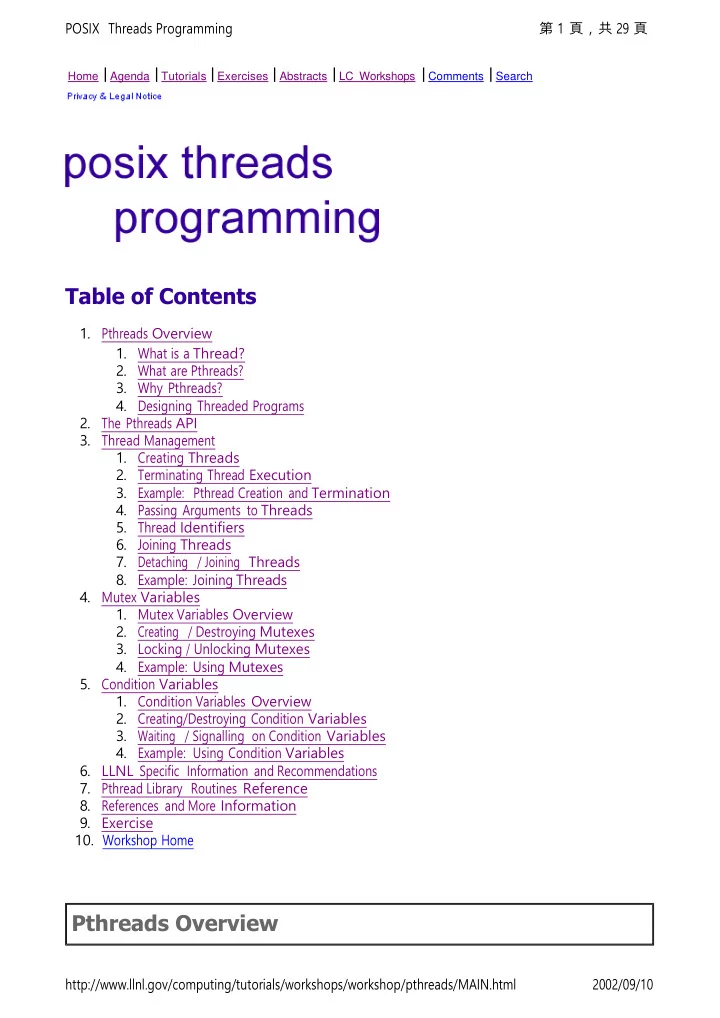
Table of Contents 1. Pthreads Overview 1. What is a Thread? 2. What - - PDF document

table of contents
SMART_READER_LITE
LIVE PREVIEW

Table of Contents 1. Pthreads Overview 1. What is a Thread? 2. What - - PDF document

POSIX Threads Programming 1 29 Home | Agenda | Tutorials | Exercises | Abstracts | LC Workshops | Comments | Search Table of Contents 1. Pthreads Overview 1. What is a Thread? 2. What are Pthreads? 3. Why Pthreads? 4. Designing


slide-1
SLIDE 1

POSIX Threads Programming

第 1 頁,共 29 頁

http://www.llnl.gov/computing/tutorials/workshops/workshop/pthreads/MAIN.html 2002/09/10

Home | Agenda | Tutorials | Exercises | Abstracts | LC Workshops | Comments | Search

Table of Contents

  • 1. Pthreads Overview
  • 1. What is a Thread?
  • 2. What are Pthreads?
  • 3. Why Pthreads?
  • 4. Designing Threaded Programs
  • 2. The Pthreads API
  • 3. Thread Management
  • 1. Creating Threads
  • 2. Terminating Thread Execution
  • 3. Example: Pthread Creation and Termination
  • 4. Passing Arguments to Threads
  • 5. Thread Identifiers
  • 6. Joining Threads
  • 7. Detaching / Joining Threads
  • 8. Example: Joining Threads
  • 4. Mutex Variables
  • 1. Mutex Variables Overview
  • 2. Creating / Destroying Mutexes
  • 3. Locking / Unlocking Mutexes
  • 4. Example: Using Mutexes
  • 5. Condition Variables
  • 1. Condition Variables Overview
  • 2. Creating/Destroying Condition Variables
  • 3. Waiting / Signalling on Condition Variables
  • 4. Example: Using Condition Variables
  • 6. LLNL Specific Information and Recommendations
  • 7. Pthread Library Routines Reference
  • 8. References and More Information
  • 9. Exercise

10.

Workshop Home

Pthreads Overview

slide-2
SLIDE 2

POSIX Threads Programming

第 2 頁,共 29 頁

http://www.llnl.gov/computing/tutorials/workshops/workshop/pthreads/MAIN.html 2002/09/10

What is a Thread?

 Technically, a thread is defined as an independent stream of instructions that can be scheduled to

run as such by the operating system. But what does this mean?

 In the UNIX environment a thread:  Exists within a process and uses the process resources  Has its own independent flow of control as long as its parent process exists and the OS

supports it

 May share the process resources with other threads that act equally independently (and

dependently)

 Dies if the parent process dies - or something similar  To the software developer, the concept of a "procedure" that runs independently from its main

program may best describe a thread.

 Understanding what a thread means knowing the relationship between a process and a thread. A

process is created by the operating system. Processes contain information about program resources and program execution state, including:

 Process ID, process group ID, user ID, and group ID  Environment  Working directory.  Program instructions  Registers  Stack  Heap  File descriptors  Signal actions  Shared libraries  Inter-process communication tools (such as message queues, pipes, semaphores, or shared

memory).

slide-3
SLIDE 3

POSIX Threads Programming

第 3 頁,共 29 頁

http://www.llnl.gov/computing/tutorials/workshops/workshop/pthreads/MAIN.html 2002/09/10

 Threads use and exist within these process resources, yet are able to be scheduled by the operating

system and run as independent entities within a process.

 A thread can possess an independent flow of control and be schedulable because it maintains its

  • wn:

 Stack pointer  Registers  Scheduling properties (such as policy or priority)  Set of pending and blocked signals  Thread specific data.

slide-4
SLIDE 4

POSIX Threads Programming

第 4 頁,共 29 頁

http://www.llnl.gov/computing/tutorials/workshops/workshop/pthreads/MAIN.html 2002/09/10

 A process can have multiple threads, all of which share the resources within a process and all of

which execute within the same address space. Within a multi-threaded program, there are at any time multiple points of execution.

 Because threads within the same process share resources:  Changes made by one thread to shared system resources (such as closing a file) will be seen

by all other threads.

 Two pointers having the same value point to the same data.  Reading and writing to the same memory locations is possible, and therefore requires explicit

synchronization by the programmer.

Pthreads Overview What are Pthreads?

 Historically, hardware vendors have implemented their own proprietary versions of threads. These

implementations differed substantially from each other making it difficult for programmers to develop portable threaded applications.

 In order to take full advantage of the capabilities provided by threads, a standardized programming

interface was required. For UNIX systems, this interface has been specified by the IEEE POSIX 1003.1c standard (1995). Implementations which adhere to this standard are referred to as POSIX threads, or Pthreads. Most hardware vendors now offer Pthreads in addition to their proprietary

API's.

slide-5
SLIDE 5

POSIX Threads Programming

第 5 頁,共 29 頁

http://www.llnl.gov/computing/tutorials/workshops/workshop/pthreads/MAIN.html 2002/09/10

 Pthreads are defined as a set of C language programming types and procedure calls, implemented

with a pthread.h header/include file and a thread library

  • though the this library may be part of

another library, such as libc.

 There are several drafts of the POSIX threads standard. It is important to be aware of the draft

number of a given implementation, because there are differences between drafts that can cause problems.

Pthreads Overview Why Pthreads?

 The primary motivation for using Pthreads is to realize potential program performance gains.  When compared to the cost of creating and managing a process, a thread can be created with much

less operating system overhead. Managing threads requires fewer system resources than managing processes. For example, the following table compares timing results for the fork() subroutine and the

pthreads_create() subroutine. Timings reflect 50,000 process/thread creations, were performed

with the timex utility, and units are in seconds.

IBM Architecture 332 MHz 604e 4 CPUs/node 512 MB Memory 222 MHz POWER3 8 CPU/node 4 GB Memory 375 MHz POWER3 16 CPUs/node 16 GB Memory

fork() pthread_create()

real user sys real user sys 92.42 2.66 105.29 8.72 4.97

3.93

80.05 3.71 82.30 8.64 3.74

5.84

173.62 13.86 172.13 9.58 3.78

6.74

fork_vs_thread.txt

 All threads within a process share the same address space. Inter

  • thread communication is more

efficient and in many cases, easier to use than inter

  • process communication.

 Threaded applications offer potential performance gains and practical advantages over non-threaded

applications in several other ways:

 Overlapping CPU work with I/O: For example, a program may have sections where it is

performing a long I/O operation. While one thread is waiting for an I/O system call to

slide-6
SLIDE 6

POSIX Threads Programming

第 6 頁,共 29 頁

http://www.llnl.gov/computing/tutorials/workshops/workshop/pthreads/MAIN.html 2002/09/10 complete, CPU intensive work can be performed by other threads.

 Priority/real-time scheduling: tasks which are more important can be scheduled to supersede

  • r interrupt lower priority tasks.

 Asynchronous event handling: tasks which service events of indeterminate frequency and

duration can be interleaved. For example, a web server can both transfer data from previous requests and manage the arrival of new requests.

 Multi-threaded applications will work on a uniprocessor system, yet naturally take advantage of a

multiprocessor system, without recompiling.

 In a multiprocessor environment, the most important reason for using Pthreads is to take advantage

  • f potential parallelism. This will be the focus of the remainder of this tutorial.

Pthreads Overview Designing Threaded Programs

 In order for a program to take advantage of Pthreads, it must be able to be organized into discrete,

independent tasks which can execute concurrently. For example, if routine1 and routine2 can be interchanged, interleaved and/or overlapped in real time, they are candidates for threading.

 Tasks that may be suitable for threading include tasks that:  Block for potentially long waits  Use many CPU cycles  Must respond to asynchronous events  Are of lesser or greater importance than other tasks  Are able to be performed in parallel with other tasks  Be careful if your application uses libraries or other objects that don't explicitly guarantee thread-

  • safeness. When in doubt, assume that they are not thread-safe until proven otherwise.
slide-7
SLIDE 7

POSIX Threads Programming

第 7 頁,共 29 頁

http://www.llnl.gov/computing/tutorials/workshops/workshop/pthreads/MAIN.html 2002/09/10

 Several common models for threaded programs exist:  Manager/worker: a single thread, the manager assigns work to other threads, the workers.

Typically, the manager handles all input and parcels out work to the other tasks. At least two

forms of the manager/worker model are common: static worker pool and dynamic worker

pool.

 Pipeline: a task is broken into a series of suboperations, each of which is handled in series,

but concurrently, by a different thread. An automobile assembly line best describes this model.

 Peer: similar to the manager/worker model, but after the main thread creates other threads, it

participates in the work.

The Pthreads API

 The Pthreads API is defined in the ANSI/IEEE POSIX 1003.1 - 1995 standard. Unlike MPI, this

standard is not freely available on the Web

  • it must be purchased from IEEE.

 The subroutines which comprise the Pthreads API can be informally grouped into three major

classes:

  • 1. Thread management: The first class of functions work directly on threads - creating,

detaching, joining, etc. They include functions to set/query thread attributes (joinable, scheduling etc.)

  • 2. Mutexes: The second class of functions deal with synchronization, called a "mutex", which is

an abbreviation for "mutual exclusion". Mutex functions provide for creating, destroying, locking and unlocking mutexes. They are also supplemented by mutex attribute functions that set or modify attributes associated with mutexes.

  • 3. Condition variables: The third class of functions address communications between threads

that share a mutex. They are based upon programmer specified conditions. This class includes functions to create, destroy, wait and signal based upon specified variable values. Functions to set/query condition variable attributes are also included.

 Naming conventions: All identifiers in the threads library begin with pthread_

Routine Prefix Functional Group pthread_

Threads themselves and miscellaneous subroutines pthread_attr_ Thread attributes objects

pthread_mutex_ Mutexes pthread_mutexattr_

Mutex attributes objects.

slide-8
SLIDE 8

POSIX Threads Programming

第 8 頁,共 29 頁

http://www.llnl.gov/computing/tutorials/workshops/workshop/pthreads/MAIN.html 2002/09/10

pthread_cond_

Condition variables

pthread_condattr_

Condition attributes objects

pthread_key_

Thread-specific data keys

 The concept of opaque objects pervades the design of the API. The basic calls work to create or

modify opaque objects - the opaque objects can be modified by calls to attribute functions, which deal with opaque attributes.

 The Pthreads API contains over 60 subroutines. This tutorial will focus on a subset of these -

specifically, those which are most likely to be immediately useful to the beginning Pthreads

programmer.

 The pthread.h header file must be included in each source file using the Pthreads library.  The current POSIX standard is defined only for the C language. Fortran programmers can use

wrappers around C function calls. Also, the IBM Fortran compiler provides a Pthreads API. See the

XLF Language Reference, located with

IBM's Fortran documentation for more information.

 A number of excellent books about Pthreads are available. Several of these are listed in the

References section of this tutorial.

Thread Management Creating Threads

 Initially, your main() program comprises a single, default thread. All other threads must be

explicitly created by the programmer.

 Routines:

pthread_create (thread,attr,start_routine,arg)

 This routine creates a new thread and makes it executable. Typically, threads are first created from

within main() inside a single process. Once created, threads are peers, and may create other threads.

 The pthread_create subroutine returns the new thread ID via the thread argument. The caller can use

this thread ID to perform various operations on the thread. This ID should be checked to ensure that the thread was successfully created.

 The attr parameter is used to set thread attributes. You can specify a thread attributes object, or

NULL for the default values. Thread attributes are discussed later.

 The start_routine is the C routine that the thread will execute once it is created.

slide-9
SLIDE 9

POSIX Threads Programming

第 9 頁,共 29 頁

http://www.llnl.gov/computing/tutorials/workshops/workshop/pthreads/MAIN.html 2002/09/10

 A single argument may be passed to

start_routine via arg. It must be passed by reference as a

pointer cast of type void.

 The maximum number of threads that may be created by a process is implementation dependent.

Question: After a thread has been created, how do you know when it will be scheduled to run by the operating system...especially on an SMP machine?

Answer

Thread Management Terminating Thread Execution

 There are several ways in which a Pthread may be terminated:  The thread returns from its starting routine (the main routine for the initial thread).  The thread makes a call to the pthread_exit subroutine (covered below).  The thread is canceled by another thread via the pthread_cancel routine (not covered here).  The entire process is terminated due to a call to either the exec or exit subroutines.  Routines:

pthread_exit (status)

 This routine is used to explicitly exit a thread. Typically, the pthread_exit() routine is called after a

thread has completed its work and is no longer required to exist.

 If main() finishes before the threads it has created, and exits with pthread_exit() , the other threads

will continue to execute. Otherwise, they will be automatically terminated when main() finishes.

 The programmer may optionally specify a termination status, which is stored as a void pointer for

any thread that may join the calling thread.

 Cleanup: the pthread_exit() routine does not close files; any files opened inside the thread will

remain open after the thread is terminated.

 Recommendation: Use pthread_exit() to exit from all threads...especially

main() .

Thread Management Example: Pthread Creation and Termination

slide-10
SLIDE 10

POSIX Threads Programming

第 10 頁,共 29 頁

http://www.llnl.gov/computing/tutorials/workshops/workshop/pthreads/MAIN.html 2002/09/10

 This simple example code creates 5 threads with the pthread_create() routine. Each thread prints a

"Hello World!" message, and then terminates with a call to pthread_exit() .

Example Code - Pthread Creation and Termination

#include <pthread.h> #include <stdio.h> #define NUM_THREADS 5 void *PrintHello(void *threadid)

{

printf("\n%d: Hello World!\n", threadid); pthread_exit(NULL);

} int main() {

pthread_t threads[NUM_THREADS];

int rc, t;

for(t=0;t < NUM_THREADS;t++){ printf("Creating thread %d\n", t);

rc = pthread_create(&threads[t], NULL, PrintHello, (void *)t);

if (rc){

printf("ERROR; return code from pthread_create() is %d\n", rc);

exit( -1); } }

pthread_exit(NULL);

}

Thread Management Passing Arguments to Threads

 The pthread_create() routine permits the programmer to pass one argument to the thread start

  • routine. For cases where multiple arguments must be passed, this limitation is easily overcome by

creating a structure which contains all of the arguments, and then passing a pointer to that structure in the pthread_create() routine.

 All arguments must be passed by reference and cast to (void *).

Question: How can you safely pass data to newly created threads, given their non-deterministic start-up and scheduling?

Answer

 Three examples of argument passing to newly created threads follow:

Thread Argument Passing - Example 1

This code fragment demostrates how to pass a simple integer to each thread. The calling

slide-11
SLIDE 11

POSIX Threads Programming

第 11 頁,共 29 頁

http://www.llnl.gov/computing/tutorials/workshops/workshop/pthreads/MAIN.html 2002/09/10 thread uses a unique data structure for each thread, insuring that each thread's argument remains intact throughout the program.

int *taskids[NUM_THREADS]; for(t=0;t < NUM_THREADS;t++) { taskids[t] = (int *) malloc(sizeof(int)); *taskids[t] = t;

printf("Creating thread %d\n", t); rc = pthread_create(&threads[t], NULL, PrintHello, (void *) taskids[t]);

...

}

Thread Argument Passing - Example 2

This example shows how to setup/pass multiple arguments via a structure.

struct thread_data{ int thread_id; int sum; char *message;

}; struct thread_data thread_data_array[NUM_THREADS];

void *PrintHello(void *threadarg)

{ struct thread_data *my_data;

...

my_data = (struct thread_data *) threadarg; taskid = my_data ->thread_id; sum = my_data ->sum; hello_msg = my_data ->message;

...

} int main() {

...

thread_data_array[t].thread_id = t; thread_data_array[t].sum = sum; thread_data_array[t].message = messages[t]; rc = pthread_create(&threads[t], NULL, PrintHello, (void *) &thread_data_array[t]);

...

}

Thread Argument Passing - Example 3 (Incorrect)

This example performs argument passing incorrectly. The loop which creates threads modifies the contents of the address passed as an argument, possibly before the created threads can access it.

int rc, t;

slide-12
SLIDE 12

POSIX Threads Programming

第 12 頁,共 29 頁

http://www.llnl.gov/computing/tutorials/workshops/workshop/pthreads/MAIN.html 2002/09/10

for(t=0;t < NUM_THREADS;t++) { printf("Creating thread %d\n", t);

rc = pthread_create(&threads[t], NULL, PrintHello,

(void *) &t);

...

}

Thread Management Thread Identifiers

 Routines:

pthread_self () pthread_equal (thread1,thread2)

 The pthread_self() routine returns the unique, system assigned thread ID of the calling thread.  The pthread_equal() routine compares two thread IDs. If the two IDs are different 0 is returned,

  • therwise a non-zero value is returned.

 Note that for both of these routines, the thread identifier objects are opaque and can not be easily

  • inspected. Because thread IDs are opaque objects, the C language equivalence operator == should

not be used to compare two thread IDs against each other, or to compare a single thread ID against another value.

Thread Management Joining Threads

 "Joining" is one way to accomplish synchronization between threads. Two other ways, mutexes and

condition variables will be discussed later.

 Routines:

pthread_join (threadid,status)

slide-13
SLIDE 13

POSIX Threads Programming

第 13 頁,共 29 頁

http://www.llnl.gov/computing/tutorials/workshops/workshop/pthreads/MAIN.html 2002/09/10

 The pthread_join() subroutine blocks the calling thread until the specified threadid thread

terminates.

 The programmer is able to obtain the target thread's termination return status if specified through

pthread_exit() , in the status parameter.

 It

is impossible to join a detached thread (discussed next)

Thread Management Detaching / Joining Threads

 When a thread is created, one of its attributes defines whether it is joinable or detached. Detached

means it can never be joined.

 Routines:

pthread_attr_init (attr) pthread_attr_setdetachstate (attr,detachstate) pthread_attr_getdetachstate (attr,detachstate) pthread_attr_destroy (attr)

pthread_detach (threadid,status)

 To explicitly create a thread as joinable or detached, the attr argument in the pthread_create()

routine is used. The typical 4 step process is:

  • 1. Declare a pthread attribute variable of the pthread_attr_t data type
  • 2. Initialize the attribute variable with pthread_attr_init()
  • 3. Set the attribute detached status with pthread_attr_setdetachstate()
  • 4. When done, free library resources used by the attribute with

pthread_attr_destroy()

 The pthread_detach() routine can be used to explicitly detach a thread even though it was created

as joinable. There is no converse routine.

 The final draft of the POSIX standard specifies that threads should be created as joinable. However,

not all implementations may follow this.

 Recommendations:  If a thread requires joining, consider explicitly creating it as joinable. This provides

portability as not all implementations may create threads as joinable by default.

 If you know in advance that a thread will never need to join with another thread, consider

creating it in a detached state. Some system resources may be able to be freed.

slide-14
SLIDE 14

POSIX Threads Programming

第 14 頁,共 29 頁

http://www.llnl.gov/computing/tutorials/workshops/workshop/pthreads/MAIN.html 2002/09/10

Thread Management Example: Pthread Joining

 This example demonstrates how to "wait" for thread completions by using the Pthread join routine.

Since not all current implementations of Pthreads create threads in a joinable state, the threads in this example are explicitly created in a joinable state so that they can be joined later.

Example Code - Pthread Joining

#include <pthread.h> #include <stdio.h> #define NUM_THREADS 3 void *BusyWork(void *null)

{ int i;

double result=0.0; for (i=0; i < 1000000; i++)

{ result = result + (double)random(); } printf("result = %d\n",result);

pthread_exit((void *) 0);

}

void main()

{

pthread_t thread[NUM_THREADS]; pthread_attr_t attr;

int rc, t, status; /* Initialize and set thread detached attribute */

pthread_attr_init(&attr); pthread_attr_setdetachstate(&attr, PTHREAD_CREATE_JOINABLE); for(t=0;t < NUM_THREADS;t++)

{

printf("Creating thread %d\n", t); rc = pthread_create(&thread[t], &attr, BusyWork, NULL);

if (rc)

{

printf("ERROR; return code from pthread_create()

is %d\n", rc); exit( -1);

} } /* Free attribute and wait for the other threads */

pthread_attr_destroy(&attr); for(t=0;t < NUM_THREADS;t++)

{

rc = pthread_join(thread[t], (void **)&status);

if (rc)

{

printf("ERROR; return code from pthread_join()

is %d\n", rc); exit( -1);

}

printf("Completed join with thread %d status= %d\n",t, status);

}

pthread_exit(NULL);

}

slide-15
SLIDE 15

POSIX Threads Programming

第 15 頁,共 29 頁

http://www.llnl.gov/computing/tutorials/workshops/workshop/pthreads/MAIN.html 2002/09/10

Mutex Variables Overview

 Mutex is an abbreviation for "mutual exclusion". Mutex variables are one of the primary means of

implementing thread synchronization and for protecting shared data when multiple writes occur.

 A mutex variable acts like a "lock" protecting access to a shared data resource. The basic concept of

a mutex as used in Pthreads is that only one thread can lock (or own) a mutex variable at any given

  • time. Thus, even if several threads try to lock a mutex only one thread will be successful. No other

thread can own that mutex until the owning thread unlocks that mutex. Threads must "take turns" accessing protected data.

 Mutexes can be used to prevent "race" conditions. An example of a race condition involving a bank

transaction is shown below:

Thread 1 Thread 2 Balance

Read balance: $1000

$1000

Read balance: $1000

$1000

Deposit $200

$1000

Deposit $200

$1000

Update balance $1000+$200

$1200

Update balance $1000+$200

$1200

 In the above example, a mutex should be used to lock the "Balance" while a thread is using this

shared data resource.

 Very often the action performed by a thread owning a mutex is the updating of global variables.

This is a safe way to ensure that when several threads update the same variable, the final value is the same as what it would be if only one thread performed the update. The variables being updated belong to a "critical section".

 A typical sequence in the use of a mutex is as follows:  Create and initialize a mutex variable  Several threads attempt to lock the mutex  Only one succeeds and that thread owns the mutex  The owner thread performs some set of actions  The owner unlocks the mutex

slide-16
SLIDE 16

POSIX Threads Programming

第 16 頁,共 29 頁

http://www.llnl.gov/computing/tutorials/workshops/workshop/pthreads/MAIN.html 2002/09/10

 Another thread acquires the mutex and repeats the process  Finally the mutex is destroyed  When several threads compete for a mutex, the losers block at that call

  • an unblocking call is

available with "trylock" instead of the "lock" call.

 When protecting shared data, it is the programmer's responsibility to make sure every thread that

needs to use a mutex does so. For example, if 4 threads are updating the same data, but only one uses a mutex, the data can still be corrupted.

Mutex Variables Creating / Destroying Mutexes

 Routines:

pthread_mutex_init (mutex,attr) pthread_mutex_destroy (mutex) pthread_mutexattr_init (attr) pthread_mutexattr_destroy (attr)

 Mutex variables must be declared with type pthread_mutex_t, and must be initialized before they

can be used. There are two ways to initialize a mutex variable:

  • 1. Statically, when it is declared. For example:

pthread_mutex_t mymutex = PTHREAD_MUTEX_INITIALIZER;

  • 2. Dynamically, with the pthread_mutex_init() routine. This method permits setting mutex
  • bject attributes, attr.

The mutex is initially unlocked.

 The attr object is used to establish properties for the mutex object, and must be of type

pthread_mutexattr_t if used (may be specified as NULL to accept defaults). The Pthreads standard defines three optional mutex attributes:

 Protocol: Specifies the protocol used to prevent priority inversions for a mutex.  Prioceiling: Specifies the priority ceiling of a mutex.  Process-shared: Specifies the process sharing of a mutex.

Note that not all implementations may provide the three optional mutex attributes.

 The pthread_mutexattr_init() and pthread_mutexattr_destroy() routines are used to create and

slide-17
SLIDE 17

POSIX Threads Programming

第 17 頁,共 29 頁

http://www.llnl.gov/computing/tutorials/workshops/workshop/pthreads/MAIN.html 2002/09/10 destroy mutex attribute objects respectively.

 pthread_mutex_destroy() should be used to free a mutex object which is no longer needed.

Mutex Variables Locking / Unlocking Mutexes

 Routines:

pthread_mutex_lock (mutex) pthread_mutex_trylock (mutex) pthread_mutex_unlock (mutex)

 The pthread_mutex_lock() routine is used by a thread to acquire a lock on the specified mutex

  • variable. If the mutex is already locked by another thread, this call will block the calling thread until

the mutex is unlocked.

 pthread_mutex_trylock() will attempt to lock a mutex. However, if the mutex is already locked, the

routine will return immediately with a "busy" error code. This routine may be useful in preventing deadlock conditions, as in a priority-inversion situation.

 pthread_mutex_unlock() will unlock a mutex if called by the owning thread. Calling this routine is

required after a thread has completed its use of protected data if other threads are to acquire the mutex for their work with the protected data. An error will be returned if:

 If the mutex was already unlocked  If the mutex is owned by another thread

Question: When more than one thread is waiting for a locked mutex, which thread will be granted the lock first after it is released?

Answer

Mutex Variables Example: Using Mutexes

 This example program illustrates the use of mutex variables in a threads program that performs a

dot product. The main data is made available to all threads through a globally accessible structure. Each thread works on a different part of the data. The main thread waits for all the threads to

slide-18
SLIDE 18

POSIX Threads Programming

第 18 頁,共 29 頁

http://www.llnl.gov/computing/tutorials/workshops/workshop/pthreads/MAIN.html 2002/09/10 complete their computations, and then it prints the resulting sum.

Example Code - Using Mutexes

#include <pthread.h> #include <stdio.h> #include <malloc.h>

/*

The following structure contains the necessary information to allow the function "dotprod" to access its input data and place its output into the structure. This structure is unchanged from the sequential version.

*/ typedef struct {

double *a; double *b; double sum;

int veclen; } DOTDATA; /* Define globally accessible variables and a mutex */ #define NUMTHRDS 4 #define VECLEN 100

DOTDATA dotstr;

pthread_t callThd[NUMTHRDS]; pthread_mutex_t mutexsum;

/*

The function dotprod is activated when the thread is created. All input to this routine is obtained from a structure

  • f type DOTDATA and all output from this function is written into

this structure. The benefit of this approach is apparent for the

multi-threaded program: when a thread is created we pass a single argument to the activated function - typically this argument

is a thread number. All the other information required by the

function is accessed from the globally accessible structure. */

void *dotprod(void *arg)

{ /* Define and use local variables for convenience */

int i, start, end, offset, len ;

double mysum, *x, *y;

  • ffset = (int)arg;

len = dotstr.veclen;

start = offset*len;

end = start + len; x = dotstr.a; y = dotstr.b;

/*

Perform the dot product and assign result to the appropriate variable in the structure.

*/

mysum = 0;

for (i=start; i < end ; i++)

{

mysum += (x[i] * y[i]);

} /*

Lock a mutex prior to updating the value in the shared

structure, and unlock it upon updating. */

pthread_mutex_lock (&mutexsum); dotstr.sum += mysum; pthread_mutex_unlock (&mutexsum);

slide-19
SLIDE 19

POSIX Threads Programming

第 19 頁,共 29 頁

http://www.llnl.gov/computing/tutorials/workshops/workshop/pthreads/MAIN.html 2002/09/10

pthread_exit((void*) 0);

} /*

The main program creates threads which do all the work and then

print out result upon completion. Before creating the threads,

the input data is created. Since all threads update a shared structure, we need a mutex for mutual exclusion. The main thread needs to wait for all threads to complete, it waits for each one of the threads. We specify a thread attribute value that allow the main thread to join with the threads

it creates. Note also that we free up handles when they are

no longer needed.

*/

void main (int argc, char *argv[])

{ int i;

double *a, *b; int

status;

pthread_attr_t attr;

/* Assign storage and initialize values */

a = (double*) malloc (NUMTHRDS*VECLEN*sizeof(double)); b = (double*) malloc (NUMTHRDS*VECLEN*sizeof(double)); for (i=0; i < VECLEN*NUMTHRDS; i++)

{ a[i]=1; b[i]=a[i]; } dotstr.veclen = VECLEN; dotstr.a = a; dotstr.b = b;

dotstr.sum=0; pthread_mutex_init(&mutexsum, NULL);

/* Create threads to perform the dotproduct */

pthread_attr_init(&attr); pthread_attr_setdetachstate(&attr, PTHREAD_CREATE_JOINABLE);

for(i=0;i < NUMTHRDS;i++) { /*

Each thread works on a different set of data. The offset is specified by 'i'. The size of the data for each thread is indicated by VECLEN.

*/

pthread_create( &callThd[i], &attr, dotprod, (void *)i);

}

pthread_attr_destroy(&attr);

/* Wait on the other threads */ for(i=0;i < NUMTHRDS;i++) { pthread_join( callThd[i], (void **)&status); } /* After joining, print out the results and cleanup */ printf ("Sum = %f \n", dotstr.sum); free (a); free (b);

pthread_mutex_destroy(&mutexsum); pthread_exit(NULL);

}

Serial version Pthreads version

slide-20
SLIDE 20

POSIX Threads Programming

第 20 頁,共 29 頁

http://www.llnl.gov/computing/tutorials/workshops/workshop/pthreads/MAIN.html 2002/09/10

Condition Variables Overview

 Condition variables provide yet another way for threads to synchronize. While mutexes implement

synchronization by controlling thread access to data, condition variables allow threads to synchronize based upon the actual value of data.

 Without condition variables, the programmer would need to have threads continually polling

(possibly in a critical section), to check if the condition is met. This can be very resource consuming since the thread would be continuously busy in this activity. A condition variable is a way to achieve the same goal without polling.

 A condition variable is always used in conjunction with a mutex lock.  A representative sequence for using condition variables is shown below.

Main Thread

 Declare and initialize global data/variables which require synchronization (such as

"count")

 Declare and initialize a condition variable object  Declare and initialize an associated mutex  Create threads A and B to do work

Thread A Thread B

 Do work up to the point where a

certain condition must occur (such as "count" must reach a specified value)

 Lock associated mutex and check

value of a global variable

 Call pthread_cond_wait() to perform a

blocking wait for signal from Thread-

  • B. Note that a call to

pthread_cond_wait() automatically and

atomically unlocks the associated mutex variable so that it can be used by Thread-B.

 When signalled, wake up. Mutex is

automatically and atomically locked.

 Explicitly unlock mutex  Continue  Do work  Lock associated mutex  Change the value of the global variable

that Thread-A is waiting upon.

 Check value of the global Thread-A

wait variable. If it fulfills the desired condition, signal Thread-A.

 Unlock mutex.  Continue

Main Thread

Join / Continue

slide-21
SLIDE 21

POSIX Threads Programming

第 21 頁,共 29 頁

http://www.llnl.gov/computing/tutorials/workshops/workshop/pthreads/MAIN.html 2002/09/10

Condition Variables Creating / Destroying Condition Variables

 Routines:

pthread_cond_init (condition,attr) pthread_cond_destroy (condition) pthread_condattr_init (attr) pthread_condattr_destroy (attr)

 Condition variables must be declared with type pthread_cond_t , and must be initialized before they

can be used. There are two ways to initialize a condition variable:

  • 1. Statically, when it is declared. For example:

pthread_cond_t myconvar = PTHREAD_COND_INITIALIZER;

  • 2. Dynamically, with the pthread_cond_init() routine. The ID of the created condition variable

is returned to the calling thread through the condition parameter. This method permits setting condition variable object attributes, attr.

 The optional attr object is used to set condition variable attributes. There is only one attribute

defined for condition variables: process-shared, which allows the condition variable to be seen by threads in other processes. The attribute object, if used, must be of type pthread_condattr_t (may be specified as NULL to accept defaults). Note that not all implementations may provide the process

  • shared attribute.

 The pthread_condattr_init() and pthread_condattr_destroy() routines are used to create and

destroy condition variable attribute objects.

 pthread_cond_destroy() should be used to free a condition variable that is no longer needed.

Condition Variables Waiting / Signalling on Condition Variables

slide-22
SLIDE 22

POSIX Threads Programming

第 22 頁,共 29 頁

http://www.llnl.gov/computing/tutorials/workshops/workshop/pthreads/MAIN.html 2002/09/10

 Routines:

pthread_cond_wait (condition,mutex) pthread_cond_signal (condition) pthread_cond_broadcast (condition)

 pthread_cond_wait() blocks the calling thread until the specified

condition is signalled. This routine

should be called while mutex is locked, and it will automatically release the mutex while it waits. Should also unlock mutex after signal has been received.

 The pthread_cond_signal() routine is used to signal (or wake up) another thread which is waiting

  • n the condition variable. It should be called after mutex is locked, and must unlock mutex in order

for pthread_cond_wait() routine to complete.

 The pthread_cond_broadcast() routine should be used instead of pthread_cond_signal() if more

than one thread is in a blocking wait state.

 It

is a logical error to call pthread_cond_signal() before calling pthread_cond_wait(). Proper locking and unlocking of the associated mutex variable is essential when using these

  • routines. For example:

 Failing to lock the mutex before calling pthread_cond_wait() may cause it NOT to block.  Failing to unlock the mutex after calling pthread_cond_signal() may not allow a matching

pthread_cond_wait() routine to complete (it will remain blocked).

Condition Variables Example: Using Condition Variables

 This simple example code demonstrates the use of several Pthread condition variable routines. The

main routine creates three threads. Two of the threads perform work and update a "count" variable. The third thread waits until the count variable reaches a specified value.

Example Code - Using Condition Variables

#include <pthread.h> #include <stdio.h> #define NUM_THREADS 3 #define TCOUNT 10 #define COUNT_LIMIT 12

int

count = 0;

int thread_ids[3] = {0,1,2};

pthread_mutex_t count_mutex;

slide-23
SLIDE 23

POSIX Threads Programming

第 23 頁,共 29 頁

http://www.llnl.gov/computing/tutorials/workshops/workshop/pthreads/MAIN.html 2002/09/10

pthread_cond_t count_threshold_cv; void *inc_count(void *idp)

{ int j,i;

double result=0.0;

int *my_id = idp;

for (i=0; i < TCOUNT; i++)

{ pthread_mutex_lock(&count_mutex);

count++;

/*

Check the value of count and signal waiting thread when condition is

  • reached. Note that this occurs while mutex is locked.

*/

if (count == COUNT_LIMIT) {

pthread_cond_signal(&count_threshold_cv); printf("inc_count(): thread %d, count = %d Threshold reached.\n", *my_id, count);

} printf("inc_count(): thread %d, count = %d, unlocking mutex\n",

*my_id, count); pthread_mutex_unlock(&count_mutex);

/* Do some work so threads can alternate on mutex lock */

for (j=0; j < 1000; j++)

result = result + (double)random(); }

pthread_exit(NULL);

}

void *watch_count(void *idp)

{ int *my_id = idp;

printf("Starting watch_count(): thread %d\n", *my_id);

/*

Lock mutex and wait for signal. Note that the pthread_cond_wait routine

will automatically and atomically unlock mutex while it waits. Also, note

that if COUNT_LIMIT is reached before this routine is run by the waiting thread, the loop will be skipped to prevent pthread_cond_wait from never returning.

*/

pthread_mutex_lock(&count_mutex); while (count < COUNT_LIMIT) { pthread_cond_wait(&count_threshold_cv, &count_mutex); printf("watch_count(): thread %d Condition signal received.\n", *my_id);

}

pthread_mutex_unlock(&count_mutex); pthread_exit(NULL);

}

void main()

{

int i, rc;

pthread_t threads[3]; pthread_attr_t attr;

/* Initialize mutex and condition variable objects */

pthread_mutex_init(&count_mutex, NULL); pthread_cond_init (&count_threshold_cv, NULL);

/*

For portability, explicitly create threads in a joinable state so that they can be joined later.

*/

pthread_attr_init(&attr); pthread_attr_setdetachstate(&attr, PTHREAD_CREATE_JOINABLE); pthread_create(&threads[0], &attr, inc_count, (void *)&thread_ids[0]); pthread_create(&threads[1], &attr, inc_count, (void *)&thread_ids[1]); pthread_create(&threads[2], &attr, watch_count, (void *)&thread_ids[2]);

/* Wait for all threads to complete */

for (i = 0; i < NUM_THREADS; i++) {

pthread_join(threads[i], NULL); }

slide-24
SLIDE 24

POSIX Threads Programming

第 24 頁,共 29 頁

http://www.llnl.gov/computing/tutorials/workshops/workshop/pthreads/MAIN.html 2002/09/10

printf ("Main(): Waited on %d threads. Done.\n", NUM_THREADS);

/* Clean up and exit */

pthread_attr_destroy(&attr); pthread_mutex_destroy(&count_mutex); pthread_cond_destroy(&count_threshold_cv); pthread_exit(NULL);

}

LLNL Specific Information and Recommendations

This section describes details specific to LLNL's ASCI IBM systems.

Implementations:

 All ASCI IBM systems include IBM's Pthreads implementation, which follows draft 10 (final) of

the POSIX standard. This is the preferred implementation.

 For compatibility with earlier implementations, the IBM compilers provide a means to use a draft 7

version of Pthreads. Why Use Pthreads on the ASCI IBM Machines?

 The primary motivation for considering the use of Pthreads on any IBM SMP architecture is to

achieve optimum performance. In particular, if an application is using MPI for on-node communications, there is a potential that performance could be greatly improved by using Pthreads for on-node data transfer instead.

 IBM's MPI provides the MP_SHARED_MEMORY environment variable to direct the use of shared

memory for on-node MPI communications. By default, this is set to "yes" by LLNL in the /etc/environment file on all ASCI IBM machines. Without this, on-node MPI communications demonstrate serious performance degradation as the number of tasks increase.

 Even with MP_SHARED_MEMORY set to "yes", on-node MPI communications can not compete

with Pthreads:

 ASCI Blue (604e) shared memory MPI bandwidth: @80 MB/sec per MPI task  ASCI White (POWER3) shared memory MPI bandwidth: @275 MB/sec per MPI task  Pthreads worst case: Every data reference by a thread requires a memory read. In this case, a

thread's "bandwidth" is limited by the machine's memory-to-CPU bandwidth: 604e: 1.3 GB/sec POWER3 NH-2: 16 GB/sec

 Pthreads best case: Data is local to a thread's cache offering much greater cache-CPU

bandwidths. Mixing MPI with Pthreads:

slide-25
SLIDE 25

POSIX Threads Programming

第 25 頁,共 29 頁

http://www.llnl.gov/computing/tutorials/workshops/workshop/pthreads/MAIN.html 2002/09/10

 Programs that contain both MPI and Pthreads are common and easy to develop on all ASCI IBM

systems.

 When compiling such hybrid applications, use the thread-safe MPI compiler command.  An example code that uses both MPI and Pthreads is available below. The serial, threads-only,

MPI-only and MPI-with-threads versions demonstrate one possible progression.

 Serial  Pthreads only  MPI only  MPI with pthreads  makefile

Compiling:

 Livermore Computing maintains a number of compilers, and usually a couple different versions of

  • each. These are documented on the LC's Supported Compilers web page.

 The more commonly used thread-safe, Pthreads enabled IBM compiler commands are listed below.

For more information see the man page (click on the compiler command) and the relevant IBM compiler documentation.

Compiler Command xlc_r cc_r C - ANSI / non-ANSI xlC_r

C++

Description xlf_r

xlf90_r mpxlc_r Fortran

  • using IBM's Pthreads API (non-portable)

mpcc_r C with MPI - ANSI / non_ANSI mpCC_r

C++ with MPI

mpxlf_r

mpxlf90_r Fortran with MPI - using IBM's Pthreads API (non-portable) IBM Implementation Notes:

 The three mutex attributes, protocol, prioceiling and process-shared are not supported  The process-shared condition variable attribute is not supported  AIX versions differ in how pthreads are created. Prior to AIX 4.3 threads were created in a detached

  • state. Since AIX 4.3 threads are created in a joinable state.

 AIX versions differ in the maximum number of threads that a process may create.

slide-26
SLIDE 26

POSIX Threads Programming

第 26 頁,共 29 頁

http://www.llnl.gov/computing/tutorials/workshops/workshop/pthreads/MAIN.html 2002/09/10

Pthread Library Routines Reference

Pthread Functions

Thread Management pthread_create

pthread_exit pthread_join

pthread_once

pthread_kill pthread_self

pthread_equal pthread_yield pthread_detach Thread Specific

Data pthread_key_cre ate

pthread_key_delete pthread_getspecific pthread_setspecific Thread Cancellation pthread_cancel pthread_cleanup_pop pthread_cleanup_push pthread_setcancelstate pthread_getcancelstate pthread_testcancel Thread Scheduling pthread_getschedparam pthread_setschedparam

Signals

pthread_sigmask

Pthread Attribute Functions

Basic Management

pthread_attr_init

slide-27
SLIDE 27

POSIX Threads Programming

第 27 頁,共 29 頁

http://www.llnl.gov/computing/tutorials/workshops/workshop/pthreads/MAIN.html 2002/09/10 pthread_attr_destroy

slide-28
SLIDE 28

POSIX Threads Programming

第 28 頁,共 29 頁

http://www.llnl.gov/computing/tutorials/workshops/workshop/pthreads/MAIN.html 2002/09/10 Detachable or

Joinable

Specifying Stack

Information

Thread Scheduling

Attributes

pthread_attr_setdetachstate pthread_attr_getdetachstate pthread_attr_getstackaddr pthread_attr_getstacksize pthread_attr_setstackaddr pthread_attr_setstacksize pthread_attr_getschedparam pthread_attr_setschedparam pthread_attr_getschedpolicy pthread_attr_setschedpolicy pthread_attr_setinheritsched pthread_attr_getinheritsched pthread_attr_setscope pthread_attr_getscope

Mutex Functions

Mutex Management pthread_mutex_init pthread_mutex_destroy

pthread_mutex_lock

pthread_mutex_unlock pthread_mutex_trylock Priority Management pthread_mutex_setprioceiling

pthread_mutex_getprioceiling Mutex Attribute Functions

Basic Management

pthread_mutexattr_init

pthread_mutexattr_destroy

Sharing

pthread_mutexattr_getpshared pthread_mutexattr_setpshared Protocol Attributes pthread_mutexattr_getprotocol pthread_mutexattr_setprotocol

slide-29
SLIDE 29

POSIX Threads Programming

第 29 頁,共 29 頁

http://www.llnl.gov/computing/tutorials/workshops/workshop/pthreads/MAIN.html 2002/09/10 Priority Management pthread_mutexattr_setprioceiling

pthread_mutexattr_getprioceiling Condition Variable Functions

Basic Management

pthread_cond_init

pthread_cond_destroy

pthread_cond_signal

pthread_cond_broadcast

pthread_cond_wait pthread_cond_timedwait Condition Variable Attribute Functions

Basic Management

pthread_condattr_init

pthread_condattr_destroy

Sharing

pthread_condattr_getpshared pthread_condattr_setpshared

References and More Information

 "Pthreads Programming". B. Nichols et al. O'Reilly and Associates.  "Threads Primer". B. Lewis and D. Berg. Prentice Hall  "Programming With POSIX Threads". D. Butenhof. Addison Wesley

www.awl.com/cseng/titles/0

  • 201-63392-2

 "Programming With Threads". S. Kleiman et al. Prentice Hall  IBM Fortran Compiler Documentation

www

  • 4.ibm.com/software/ad/fortran

 IBM C/C++ Compiler Documentation

www

  • 4.ibm.com/software/ad/caix

http://www.llnl.gov/computing/tutorials/workshops/workshop/pthreads/MAIN.html Last Modified: 05/24/2002 02:51:45 blaiseb@llnl.gov UCRL-MI-133316

slide-30
SLIDE 30

http://www.llnl.gov/computing/tutorials/workshops/workshop/pthreads/MAIN.html 2002/09/10

Jf '

29 Jf POSIX Threads Programming 29