
SLIDE 1
Taking Immersive Leap in Training
- f Landing Signal Officers
Amela ¡Sadagic ¡ Naval ¡Postgraduate ¡School ¡
Clay ¡(Larry) ¡“Sea ¡Fog” ¡Greunke ¡ US ¡Navy ¡
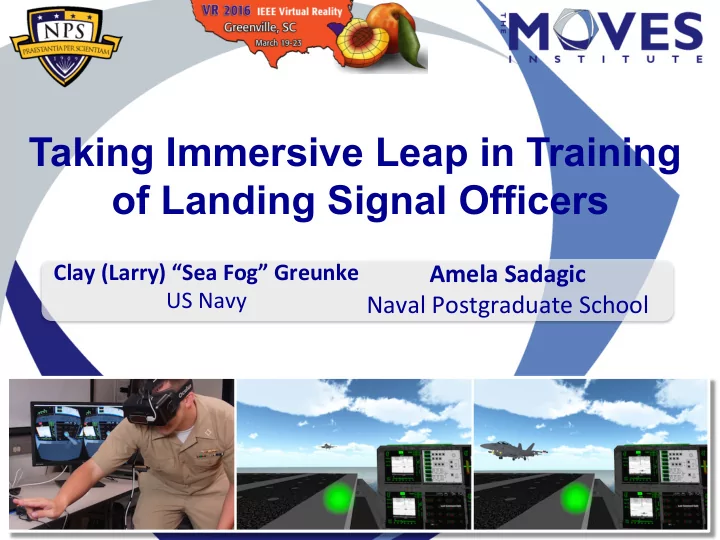
Taking Immersive Leap in Training of Landing Signal Officers Clay - - PowerPoint PPT Presentation
Taking Immersive Leap in Training of Landing Signal Officers Clay (Larry) Sea Fog Greunke Amela Sadagic US Navy Naval Postgraduate School Overview Problem Space and Motivation
Amela ¡Sadagic ¡ Naval ¡Postgraduate ¡School ¡
Clay ¡(Larry) ¡“Sea ¡Fog” ¡Greunke ¡ US ¡Navy ¡
2 ¡
Naval aircraft aboard aircraft carriers.
position until landing, to guide pilot toward an acceptable position on the carrier.
– Deck Calling LSO – Controlling LSO – Backup LSO – CAG LSO
3 ¡
4 ¡
5 ¡
2005 – Jul 2015. 99 involved LSOs performance.
junior LSOs occurs while a carrier is deployed
Training (IFGT) – an LSO spends 6 hours working with the large LSO Trainer (2H111). Agreement in domain: Additional training
6 ¡
physical interfaces / actual instruments
7 ¡
8 ¡
transfer of training (skills & knowledge) [1][2][3][4]
– Technical characteristics of VR system – Judgment of distance in VR [5][6][7][8] – Cybersickness [9][10][11][12] – Appropriateness of training approaches – Richness of scenarios – Length of exposure
new LSO trainer.
9 ¡
and user input essential for training of LSOs à Perform task analysis vetted by Subject Matter Experts (SMEs).
training needs, domain view of benefits and shortcomings of training with 2H111. à Address shortcomings and bring additional capabilities non-existent in 2H111.
10 ¡
the LSO team:
system: Absence of haptic feedback i.e. lack of physical instrumentation that 2H111 has (LSO can press real buttons and switches)
11 ¡
understanding about:
community,
2H111 simulator – (a) benefits and good characteristics, and (b) negative issues and
12 ¡
Skills, knowledge and concepts qualified as most difficult to acquire by an LSO (more results in [13])
à This plays a role when deciding what to emphasize in new training system.
relates to the ideal glideslope angle
13 ¡
lightweight training system.
for cybersickness (extended exposure to training solution needed to acquire LSOs skills).
14 ¡
Unity Application Virtual Environment Voice Recognition App. Xbox Controller Immersed LSO (a trainee) Xbox Controller Instructor LSO Keyboard Headphones Leap Motion Controller Oculus DK2 Head tracking Display Microphone
15 ¡
Core i7-4980HQ CPU @ 2.80 GHz, 16 GB RAM and GeForce GTX 980M GPU
trainee LSO + one for instructor), Leap Motion Controller, microphone
Hz, field of view (FOV) 100 degrees, and weight of device: .97 lbs.
16 ¡
17 ¡
Measurement: Frame rate is 37 – 60 FPS
to be present), and LSOs VR prototype can support training of individual positions (other positions could be simulated - agents);
enable novel learning points
18 ¡
– Daytime and nighttime aircraft recoveries – Signals from Arresting Gear Officers (AGO) visible – Strobe light patterns to be fixed – Add “day ID light” on the Super Hornet variants
(MOVLAS)
19 ¡
Daytime & nighttime recovery
MOVLAS & LSODS in 2H111 and VR
20 ¡
Portion of Deck Caller LSO’s perspective with Arresting Gear Officer being visible on the flight deck
21 ¡
‘Magic book’ AR using a smartphone à added capability for top-down view of landing operation
22 ¡
(e.g. AR concepts) - https://youtu.be/d79oT3PxT2U
23 ¡
trainers
24 ¡
components COTS solutions
were possible (note: additional efforts could still be invested to improve frame rate in complex scenes)
interactive modalities. Time make immersive leap has come!
[1] R.P. Darken, and W.P. Banker. Navigating in Natural Environments: A Virtual Environment Training Transfer Study. Virtual Reality Annual International Symposium,
[2] N.E. Seymour, A. G. Gallagher, S.A. Roman, M.K. O’Brien, V.K. Bansal, D.K. Andersen, and R.M. Satava. Virtual Reality Training Improves Operating Room Performance. Annals of Surgery, Vol. 236, No. 4, 2002 Oct, pages 458–464. [3] J.M. Nolan, and J.M. Jones. Games For Training: Leveraging Commercial Off The Shelf Multiplayer Gaming Software For Infantry Squad Collective Training, Master Thesis, Naval Postgraduate School, 2005. [4] B. Brown. A Training Transfer Study of Simulation Games. Master thesis, Naval Postgraduate School, 2010. [5] P. Willemsen, M.B. Colton, S.H. Creem-Regehr, and W.B. Thompson. The effects of head-mounted display mechanics on distance judgments in virtual environments. APGV '04 Proceedings of the 1st Symposium on Applied perception in graphics and visualization, 2004. [6] W.B. Thompson, P. Willemsen, A.A. Gooch, S.H. Creem-Regehr, J.M. Loomis, and A.C.
2004, pages 560 – 571.
25 ¡
[7] J.M. Knapp, and J.M. Loomis. Limited Field of View of Head-Mounted Displays Is Not the Cause of Distance Underestimation in Virtual Environments. Journal Presence: Teleoperators and Virtual Environments, Vol. 13, No. 5, Oct. 2004, pages 572-577. [8] I.V. Piryankova, S. de la Rosa, U. Kloos, H.H. Bülthoff, and B.J. Mohler. Egocentric Distance Perception in Large Screen Immersive Displays. Journal Displays, Vol. 34,
[9] K.M. Stanney, and R.S. Kennedy. The Psychometrics of Cybersickness. Communications of the ACM, Vol. 40, No. 8, Aug. 1997, pages 66-68. [10] K.M. Stanney, R.S. Kennedy, and J.M. Drexler. Cybersickness Is Not Simulator
Meeting, l997. [11] R. Patterson, M. Winterbottom, and B. Pierce. Perceptual Issues in the Use of Head- mounted Visual Displays. Human Factors: Journal of Human Factors and Ergonomics Society, Vol. 48, No. 3, 2006, pages 555–573. [12] J. J. LaViola Jr. A Discussion of Cybersickness in Virtual Environments. ACM SIGCHI Bulletin, Vol. 32, No. 1, 2000, pages 47–56. [13] L. Greunke, "“Charlie,” Development of a Light-weight, Virtual Reality Trainer for the LSO Community: Time to Make the Leap Toward Immersive VR," Master Thesis, Naval Postgraduate School, 2015.
26 ¡
As seen in Research Demo, Ballrooms A & B!