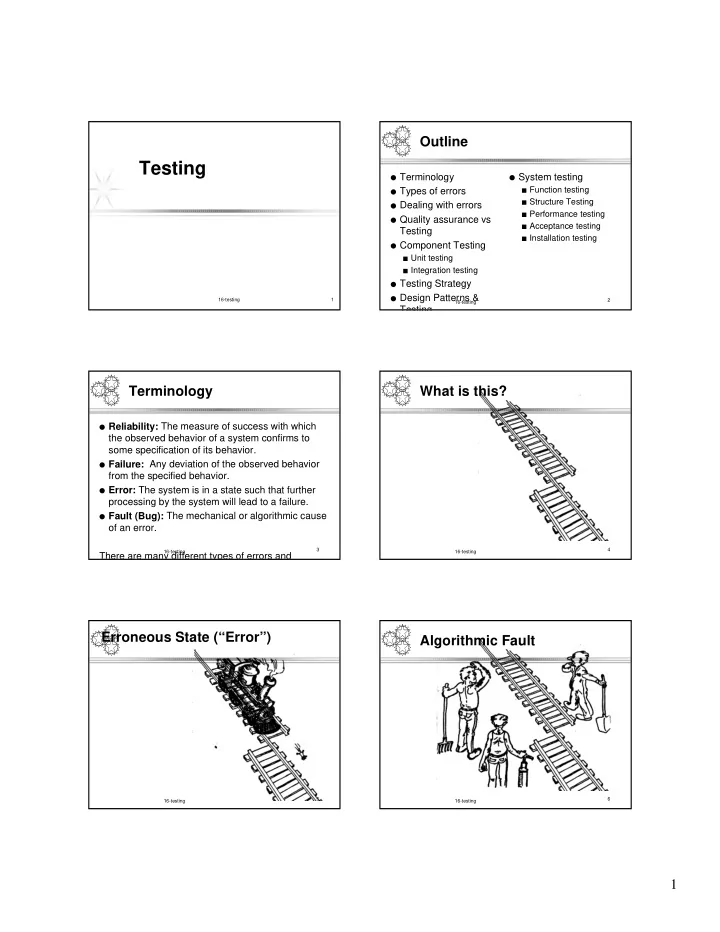
Testing Terminology System testing Types of errors Function - - PDF document

testing
SMART_READER_LITE
LIVE PREVIEW

Testing Terminology System testing Types of errors Function - - PDF document

Outline Testing Terminology System testing Types of errors Function testing Structure Testing Dealing with errors Performance testing Quality assurance vs Acceptance testing Testing Installation testing


slide-1
SLIDE 1

1

16-testing 1

Testing

2 16-testing

Outline

  • Terminology
  • Types of errors
  • Dealing with errors
  • Quality assurance vs

Testing

  • Component Testing

■ Unit testing ■ Integration testing

  • Testing Strategy
  • Design Patterns &

Testing

  • System testing

■ Function testing ■ Structure Testing ■ Performance testing ■ Acceptance testing ■ Installation testing

3 16-testing

Terminology

  • Reliability: The measure of success with which

the observed behavior of a system confirms to some specification of its behavior.

  • Failure: Any deviation of the observed behavior

from the specified behavior.

  • Error: The system is in a state such that further

processing by the system will lead to a failure.

  • Fault (Bug): The mechanical or algorithmic cause
  • f an error.

There are many different types of errors and

4 16-testing

What is this?

5 16-testing

Erroneous State (“Error”)

6 16-testing

Algorithmic Fault

slide-2
SLIDE 2

2

7 16-testing

Mechanical Fault

8 16-testing

How do we deal with Errors and Faults?

9 16-testing

Verification?

10 16-testing

Modular Redundancy?

11 16-testing

Declaring the Bug as a Feature?

12 16-testing

Patching?

slide-3
SLIDE 3

3

13 16-testing

Testing?

14 16-testing

Examples of Faults and Errors

  • Faults in the Interface

specification

■ Mismatch between what the

client needs and what the server

  • ffers

■ Mismatch between requirements

and implementation

  • Algorithmic Faults

■ Missing initialization ■ Branching errors (too soon, too

late)

■ Missing test for nil

  • Mechanical Faults (very hard

to find)

■ Documentation does not

match actual conditions or

  • perating procedures
  • Errors

■ Stress or overload errors ■ Capacity or boundary errors ■ Timing errors ■ Throughput or performance

errors

15 16-testing

Dealing with Errors

  • Verification:

■ Assumes hypothetical environment that does not match real environment ■ Proof might be buggy (omits important constraints; simply wrong)

  • Modular redundancy:

■ Expensive

  • Declaring a bug to be a “feature”

■ Bad practice

  • Patching

■ Slows down performance

  • Testing (this lecture)

■ Testing is never good enough 16 16-testing

Another View on How to Deal with Errors

  • Error prevention (before the system is released):

■ Use good programming methodology to reduce complexity ■ Use version control to prevent inconsistent system ■ Apply verification to prevent algorithmic bugs

  • Error detection (while system is running):

■ Testing: Create failures in a planned way ■ Debugging: Start with an unplanned failures ■ Monitoring: Deliver information about state. Find performance bugs

  • Error recovery (recover from failure once the system is released):

■ Data base systems (atomic transactions) ■ Modular redundancy ■ Recovery blocks 17 16-testing

Some Observations

  • It is impossible to completely test any nontrivial

module or any system

■ Theoretical limitations: Halting problem ■ Practial limitations: Prohibitive in time and cost

  • Testing can only show the presence of bugs, not

their absence (Dijkstra)

18 16-testing

Testing takes creativity

  • Testing often viewed as dirty work.
  • To develop an effective test, one must have:

◆ Detailed understanding of the system ◆ Knowledge of the testing techniques ◆ Skill to apply these techniques in an effective and efficient manner

  • Testing is done best by independent testers

We often develop a certain mental attitude that the program should in a certain way when in fact it does not.

  • Programmer often stick to the data set that makes the program work

"Don’t mess up my code!"

  • A program often does not work when tried by somebody else.

Don't let this be the end-user.

slide-4
SLIDE 4

4

19 16-testing

Testing Activities

Tested Subsystem

Subsystem Code

Functional Integration Unit

Tested Subsystem

Requirements Analysis Document System Design Document

Tested Subsystem

Test Test Test Unit Test Unit Test

User Manual Requirements Analysis Document Subsystem Code Subsystem Code All tests by developer

Functioning System Integrated Subsystems

20 16-testing

Testing Activities ctd

Global Requirements User’s understanding Tests by developer

Performance Acceptance

Client’s Understanding

  • f Requirements

Test

Functioning System

Test Installation

User Environment

Test System in Use

Usable System Validated System Accepted System

Tests (?) by user Tests by client 21 16-testing

Fault Handling Techniques

Testing Fault Handling Fault Avoidance Fault Tolerance Fault Detection Debugging Component Testing Integration Testing System Testing Verification Configuration Management Atomic Transactions Modular Redundancy Correctness Debugging Performance Debugging Reviews Design Methodology 22 16-testing

Quality Assurance encompasses Testing

Usability Testing Quality Assurance Testing Prototype Testing Scenario Testing Product Testing Fault Avoidance Fault Tolerance Fault Detection Debugging Component Testing Integration Testing System Testing Verification Configuration Management Atomic Transactions Modular Redundancy Correctness Debugging Performance Debugging Reviews Walkthrough Inspection

23 16-testing

Component Testing

  • Unit Testing:

■ Individual subsystem ■ Carried out by developers ■ Goal: Confirm that subsystems is correctly coded and carries out

the intended functionality

  • Integration Testing:

■ Groups of subsystems (collection of classes) and eventually the

entire system

■ Carried out by developers ■ Goal: Test the interface among the subsystem 24 16-testing

System Testing

  • System Testing:

The entire system

Carried out by developers

Goal: Determine if the system meets the requirements (functional and global)

  • Acceptance Testing:

Evaluates the system delivered by developers

Carried out by the client. May involve executing typical transactions on site on a trial basis

Goal: Demonstrate that the system meets customer requirements and is ready to use

  • Implementation (Coding) and testing go hand in hand
slide-5
SLIDE 5

5

25 16-testing

Unit Testing

  • Informal:

Incremental coding

  • Static Analysis:

Hand execution: Reading the source code

Walk-Through (informal presentation to others)

Code Inspection (formal presentation to others)

Automated Tools checking for

◆ syntactic and semantic errors ◆ departure from coding standards

  • Dynamic Analysis:

Black-box testing (Test the input/output behavior)

White-box testing (Test the internal logic of the subsystem or object)

Data-structure based testing (Data types determine test cases)

26 16-testing

Black-box Testing

  • Focus: I/O behavior. If for any given input, we can predict the output,

then the module passes the test.

■ Almost always impossible to generate all possible inputs ("test cases")

  • Goal: Reduce number of test cases by equivalence partitioning:

■ Divide input conditions into equivalence classes ■ Choose test cases for each equivalence class. (Example: If an object is

supposed to accept a negative number, testing one negative number is enough)

27 16-testing

Black-box Testing (Continued)

  • Selection of equivalence classes (No rules, only guidelines):

Input is valid across range of values. Select test cases from 3 equivalence classes:

◆ Below the range ◆ Within the range ◆ Above the range

Input is valid if it is from a discrete set. Select test cases from 2 equivalence classes:

◆ Valid discrete value ◆ Invalid discrete value

  • Another solution to select only a limited amount of test cases:

Get knowledge about the inner workings of the unit being tested => white-box testing

28 16-testing

White-box Testing

  • Focus: Thoroughness (Coverage). Every statement in

the component is executed at least once.

  • Four types of white-box testing

■ Statement Testing ■ Loop Testing ■ Path Testing ■ Branch Testing 29 16-testing if ( i = TRUE) printf("YES\n"); else printf("NO\n"); Test cases: 1) i = TRUE; 2) i = FALSE

White-box Testing (Continued)

  • Statement Testing (Algebraic Testing): Test single statements (Choice of
  • perators in polynomials, etc)
  • Loop Testing:

Cause execution of the loop to be skipped completely. (Exception: Repeat loops)

Loop to be executed exactly once

Loop to be executed more than once

  • Path testing:

Make sure all paths in the program are executed

  • Branch Testing (Conditional Testing): Make sure that each possible outcome

from a condition is tested at least once

30 16-testing

White-box Testing Example

/*Read in and sum the scores*/ FindMean(float Mean, FILE ScoreFile) { SumOfScores = 0.0; NumberOfScores = 0; Mean = 0; Read(Scor eFile, Score); while (! EOF(ScoreFile) { if ( Score > 0.0 ) { SumOfScores = SumOfScores + Score; NumberOfScores++; } Read(ScoreFile, Score); } /* Compute the mean and print the result */ if (NumberOfScores > 0 ) { Mean = SumOfScores/NumberOfScores; printf("The mean score is %f \n", Mean); } else printf("No scores found in file\n"); }

slide-6
SLIDE 6

6

White-box Example: Determining the Paths

FindMean (FILE ScoreFile) { float SumOfScores = 0.0; int NumberOfScores = 0; float Mean=0.0; float Score; Read(ScoreFile, Score); while (! EOF(ScoreFile) { if (Score > 0.0 ) { SumOfScores = SumOfScores + Score; NumberOfScores++; } Read(ScoreFile, Score); } /* Compute the mean and print the result */ if (NumberOfScores > 0) { Mean = SumOfScores / NumberOfScores; printf(“ The mean score is %f\n”, Mean); } else printf (“No scores found in file\n”); } 1 2 3 4 5 7 6 8 9

32 16-testing

Constructing the Logic Flow Diagram

Start 2 3 4 5 6 7 8 9 Exit 1 F T F T F T

33 16-testing

Finding the Test Cases

Start 2 3 4 5 6 7 8 9 Exit 1 b d e g f i j h c k l a (Covered by any data) (Data set must (Data set must contain at least

  • ne value)

be empty) (Total score > 0.0) (Total score < 0.0) (Positive score) (Negative score) (Reached if either f or e is reached)

34 16-testing

Test Cases

  • Test case 1 : ? (To execute loop exactly once)
  • Test case 2 : ? (To skip loop body)
  • Test case 3: ?,? (to execute loop more than once)

These 3 test cases cover all control flow paths

35 16-testing

Comparison of White & Black- box Testing

  • White-box Testing:

Potentially infinite number of paths have to be tested

White-box testing often tests what is done, instead of what should be done

Cannot detect missing use cases

  • Black-box Testing:

Potential combinatorical explosion of test cases (valid & invalid data)

Often not clear whether the selected test cases uncover a particular error

Does not discover extraneous use cases ("features")

  • Both types of testing are needed
  • White-box testing and black box

testing are the extreme ends of a testing continuum.

  • Any choice of test case lies in

between and depends on the following:

Number of possible logical paths

Nature of input data

Amount of computation

Complexity of algorithms and data structures

36 16-testing

The 4 Testing Steps

  • 1. Select what has to be measured

Completeness of requirements

Code tested for reliability

Design tested for cohesion

  • 2. Decide how the testing is done

Code inspection

Proofs

Black-box, white box,

Select integration testing strategy (big bang, bottom up, top down, sandwich)

  • 3. Develop test cases

A test case is a set of test data or situations that will be used to exercise the unit (code, module, system) being tested or about the attribute being measured

  • 4. Create the test oracle

An oracle contains of the predicted results for a set of test cases

The test oracle has to be written down before the actual testing takes place

slide-7
SLIDE 7

7

37 16-testing

Guidance for Test Case Selection

  • Use analysis knowledge about

functional requirements (black- box):

Use cases

Expected input data

Invalid input data

  • Use design knowledge about

system structure, algorithms, data structures (white-box):

Control structures

◆ Test branches, loops, ...

Data structures

◆ Test records fields, arrays, ...

  • Use implementation

knowledge about algorithms:

■ Force division by zero ■ Use sequence of test cases

for interrupt handler

38 16-testing

Unit-testing Heuristics

  • 1. Create unit tests as soon as object

design is completed:

Black-box test: Test the use cases & functional model

White-box test: Test the dynamic model

Data-structure test: Test the

  • bject model
  • 2. Develop the test cases

Goal: Find the minimal number of test cases to cover as many paths as possible

  • 3. Cross-check the test cases to eliminate

duplicates

Don't waste your time!

  • 4. Desk check your source code

■ Reduces testing time

  • 5. Create a test harness

■ Test drivers and test stubs are

needed for integration testing

  • 6. Describe the test oracle

■ Often the result of the first

successfully executed test

  • 7. Execute the test cases

■ Don’t forget regression testing ■ Re-execute test cases every time

a change is made.

  • 8. Compare the results of the test with the

test oracle

■ Automate as much as possible 39 16-testing

Component-Based Testing Strategy

  • The entire system is viewed as a collection of subsystems (sets of

classes) determined during the system and object design.

  • The order in which the subsystems are selected for testing and

integration determines the testing strategy

■ Big bang integration (Nonincremental) ■ Bottom up integration ■ Top down integration ■ Sandwich testing ■ Variations of the above

  • For the selection use the system decomposition from the System

Design

40 16-testing

Using the Bridge Pattern to enable early Integration Testing

  • Use the bridge pattern to provide multiple implementations

under the same interface.

  • Interface to a component that is incomplete, not yet known
  • r unavailable during testing

VIP Seat Interface (in Vehicle Subsystem) Seat Implementation Stub Code Real Seat Simulated Seat (SA/RT)

41 16-testing

Example: Three Layer Call Hierarchy

A B C D G F E Layer I Layer II Layer III

42 16-testing

Integration Testing: Big-Bang Approach

Unit Test Database Unit Test Network Unit Test Event Service Unit Test Learning Unit Test Billing Unit Test UI

System Test PAID Don’t try this!

slide-8
SLIDE 8

8

43 16-testing

Bottom-up Testing Strategy

  • The subsystem in the lowest layer of the call

hierarchy are tested individually

  • Then the next subsystems are tested that call

the previously tested subsystems

  • This is done repeatedly until all subsystems are

included in the testing

  • Special program needed to do the testing, Test

Driver:

■ A routine that calls a particular subsystem and

passes a test case to it

44 16-testing

Bottom-up Integration

A B C D G F E Layer I Layer II Layer III

Test D,G Test F Test E Test G Test C Test A, B, C, D, E, F, G Test B, E, F

45 16-testing

Pros and Cons of bottom up integration testing

  • Bad for functionally decomposed systems:

■ Tests the most important subsystem last

  • Useful for integrating the following systems

■ Object-oriented systems ■ real-time systems ■ systems with strict performance requirements

46 16-testing

Top-down Testing Strategy

  • Test the top layer or the controlling subsystem first
  • Then combine all the subsystems that are called by the

tested subsystems and test the resulting collection of subsystems

  • Do this until all subsystems are incorporated into the test
  • Special program is needed to do the testing, Test stub :

■ A program or a method that simulates the activity of a missing

subsystem by answering to the calling sequence of the calling subsystem and returning back fake data.

47 16-testing

Top-down Integration Testing

A B C D G F E Layer I Layer II Layer III

Test A Test A, B, C, D, E, F, G Test A, B, C, D Layer I Layer I + II All Layers

48 16-testing

Pros and Cons of top-down integration testing

  • Test cases can be defined in terms of the functionality of the system

(functional requirements)

  • Writing stubs can be difficult: Stubs must allow all possible conditions

to be tested.

  • Possibly a very large number of stubs may be required, especially if

the lowest level of the system contains many methods.

  • One solution to avoid too many stubs: Modified top-down testing

strategy

■ Test each layer of the system decomposition individually before

merging the layers

■ Disadvantage of modified top-down testing: Both, stubs and drivers

are needed

slide-9
SLIDE 9

9

49 16-testing

Sandwich Testing Strategy

  • Combines top-down strategy with bottom-up strategy
  • The system is view as having three layers

■ A target layer in the middle ■ A layer above the target ■ A layer below the target ■ Testing converges at the target layer

  • How do you select the target layer if there are more than 3

layers?

■ Heuristic: Try to minimize the number of stubs and

drivers

50 16-testing

Selecting Layers for the PAID system

  • Top Layer:

■ User Interface

  • Middle Layer:

■ Billing, Learning,Event Service

  • Bottom Layer

■ Network, Database

51 16-testing

Sandwich Testing Strategy

A B C D G F E Layer I Layer II Layer III

Test D,G Test F Test E Test G Test A Test A, B, C, D, E, F, G Test B, E, F Bottom Layer Tests Top Layer Tests 52 16-testing

Pros and Cons of Sandwich Testing

  • Top and Bottom Layer Tests can be done in

parallel

  • Does not test the individual subsystems

thoroughly before integration

  • Solution: Modified sandwich testing strategy

53 16-testing

Modified Sandwich Testing Strategy

  • Test in parallel:

■ Middle layer with drivers and stubs ■ Top layer with stubs ■ Bottom layer with drivers

  • Test in parallel:

■ Top layer accessing middle layer (top layer

replaces drivers)

■ Bottom accessed by middle layer (bottom layer

replaces stubs)

Modified Sandwich Testing Strategy

A B C D G F E Layer I Layer II Layer III

Test D,G Test F Test E Test G Test A Test A, B, C, D, E, F, G Test B, E, F Test B Test D Test C Triple Test I Double Test I Double Test II Triple Test I Double Test I Double Test II

slide-10
SLIDE 10

10

Scheduling Sandwich Tests: Example of a Dependency Chart

Unit Tests Double Tests Triple Tests SystemTests

56 16-testing

Steps in Component-Based Testing

.

  • 1. Based on the integration

strategy, select a component to be tested. Unit test all the classes in the component.

  • 2. Put selected component

together; do any preliminary fix- up necessary to make the integration test operational (drivers, stubs)

  • 3. Do functional testing: Define test

cases that exercise all uses cases with the selected component

  • 4. Do structural testing: Define test

cases that exercise the selected component

  • 5. Execute performance tests
  • 6. Keep records of the test cases

and testing activities.

  • 7. Repeat steps 1 to 7 until the full

system is tested. The primary goal of integration testing is to identify errors in the (current) component configuration.

57 16-testing

Which Integration Strategy should you use?

  • Factors to consider

■ Amount of test harness (stubs

&drivers)

■ Location of critical parts in the

system

■ Availability of hardware ■ Availability of components ■ Scheduling concerns

  • Bottom up approach

■ good for object oriented

design methodologies

■ Test driver interfaces must

match component interfaces

■ ... ■ ...Top-level components are

usually important and cannot be neglected up to the end of testing

■ Detection of design errors

postponed until end of testing

  • Top down approach

■ Test cases can be defined in

terms of functions examined

■ Need to maintain correctness

  • f test stubs

■ Writing stubs can be difficult 58 16-testing

System Testing

  • Functional Testing
  • Structure Testing
  • Performance Testing
  • Acceptance Testing
  • Installation Testing

Impact of requirements on system testing:

■ The more explicit the requirements, the easier they are to test. ■ Quality of use cases determines the ease of functional testing ■ Quality of subsystem decomposition determines the ease of structure

testing

■ Quality of nonfunctional requirements and constraints determines the ease

  • f performance tests:

59 16-testing

Structure Testing

  • Essentially the same as white box testing.
  • Goal: Cover all paths in the system design

■ Exercise all input and output parameters of each

component.

■ Exercise all components and all calls (each component

is called at least once and every component is called by all possible callers.)

■ Use conditional and iteration testing as in unit testing.

60 16-testing

Functional Testing

.

.

Essentially the same as black box testing

  • Goal: Test functionality of system
  • Test cases are designed from the requirements

analysis document (better: user manual) and centered around requirements and key functions (use cases)

  • The system is treated as black box.
  • Unit test cases can be reused, but in end user
  • riented new test cases have to be developed as

well.

slide-11
SLIDE 11

11

61 16-testing

Performance Testing

  • Stress Testing

■ Stress limits of system (maximum #

  • f users, peak demands, extended
  • peration)
  • Volume testing

■ Test what happens if large amounts

  • f data are handled
  • Configuration testing

■ Test the various software and

hardware configurations

  • Compatibility test

■ Test backward compatibility with

existing systems

  • Security testing

■ Try to violate security requirements

  • Timing testing

■ Evaluate response times and

time to perform a function

  • Environmental test

■ Test tolerances for heat,

humidity, motion, portability

  • Quality testing

■ Test reliability, maintain- ability

& availability of the system

  • Recovery testing

■ Tests system’s response to

presence of errors or loss of data.

  • Human factors testing

■ Tests user interface with user 62 16-testing

Test Cases for Performance Testing

  • Push the (integrated) system to its limits.
  • Goal: Try to break the subsystem
  • Test how the system behaves when overloaded.

■ Can bottlenecks be identified? (First candidates for redesign in the next

iteration

  • Try unusual orders of execution

■ Call a receive() before send()

  • Check the system’s response to large volumes of data

■ If the system is supposed to handle 1000 items, try it with 1001 items.

  • What is the amount of time spent in different use cases?

Are typical cases executed in a timely fashion?

63 16-testing

Acceptance Testing

  • Goal: Demonstrate system is

ready for operational use

■ Choice of tests is made by

client/sponsor

■ Many tests can be taken from

integration testing

■ Acceptance test is performed

by the client, not by the developer.

  • Majority of all bugs in software is

typically found by the client after the system is in use, not by the developers or testers. Therefore two kinds of additional tests:

  • Alpha test:

■ Sponsor uses the software at

the developer’s site.

■ Software used in a controlled

setting, with the developer always ready to fix bugs.

  • Beta test:

■ Conducted at sponsor’s site

(developer is not present)

■ Software gets a realistic workout

in target environ- ment

■ Potential customer might get

discouraged

64 16-testing

Testing has its own Life Cycle

Establish the test objectives Design the test cases Write the test cases Test the test cases Execute the tests Evaluate the test results Change the system Do regression testing

65 16-testing

Test Team

Test

Analyst

Team

User

Programmer too familiar with code

Professional Tester Configuration Management Specialist System Designer

66 16-testing

Summary

  • Testing is still a black art, but many rules and

heuristics are available

  • Testing consists of component-testing (unit

testing, integration testing) and system testing

  • Design Patterns can be used for component-

based testing

  • Testing has its own lifecycle