The Adventures of Building a GIS for the Inner Workings of a Sewage - - PowerPoint PPT Presentation

the adventures of building a gis for the inner
SMART_READER_LITE
LIVE PREVIEW

The Adventures of Building a GIS for the Inner Workings of a Sewage - - PowerPoint PPT Presentation

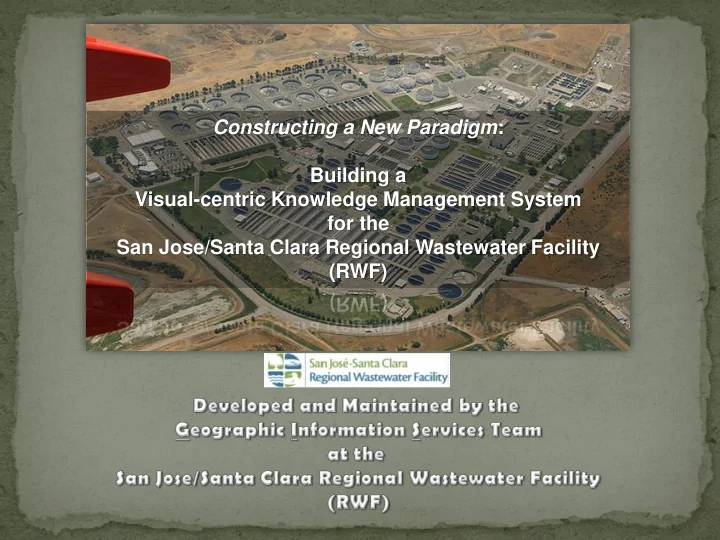
One Size Does Not Fit All: The Adventures of Building a GIS for the Inner Workings of a Sewage Treatment Plant Constructing a New Paradigm : Building a Visual-centric Knowledge Management System for the San Jose/Santa Clara Regional Wastewater


slide-1
SLIDE 1

One Size Does Not Fit All: The Adventures of Building a GIS for the Inner Workings of a Sewage Treatment Plant Constructing a New Paradigm: Building a Visual-centric Knowledge Management System for the San Jose/Santa Clara Regional Wastewater Facility (RWF)

slide-2
SLIDE 2

A geographic information system (GIS) lets us visualize, question, analyze, and interpret data to understand relationships, patterns, and trends.

What is GIS?

slide-3
SLIDE 3

Why use GIS?

 Cost Savings from Greater Efficiency  Better Decision Making  Improved Communication  Better Record Keeping  A Visual Based Medium for Knowledge Management

slide-4
SLIDE 4

From this… to this…GIS database Finally…to this…Web Map Application

Data/Documents Management System Before GIS

slide-5
SLIDE 5

GIS

UNDERGROUND SERVICE ALERT (USA) SYSTEM DIAGRAMS & SCHEMATICS ASSET MANAGEMENT (CMMS) CUSTOM APPLICATION PROGRAMMING ENTERPRISE DATABASE MANAGEMENT HYDRAULIC MODELING WEB MAP VIEWER CUSTOMIZATION SUBSURFACE UTILITY ENGINEERING (SUE) TECHNIQUES

slide-6
SLIDE 6

How GIS is Used

Capture Valve and Pipe Information Capture Buried Utility locations and key characteristics Disseminate critical knowledge in a visual format Integrate Critical Systems Integrate key documents, drawings, and diagrams Capture abandoned above and below ground infrastructure Tool to train new staff Key element in Intelligent Document Management System Integration with Asset Management/CMMS Links to Videos and Photos past and present Identify exposed buried utilities

slide-7
SLIDE 7

Software and Tools used:

Software

  • ArcGIS for Desktop - Advanced
  • ArcGIS for Server - Enterprise
  • ArcGIS for Schematics
  • ArcGIS Web AppBuilder
  • InfoWorks ICM
  • InfoWater
  • Microsoft SQL Server
  • Microsoft Visio

Global Positioning System

  • Trimble Geo6000 w/ Sub-Dm Option and GPS Base Station

Ground Penetrating Radar

  • GSSI UtilityScan DF w/ Ruggedized Cart

Pipe/Cable Locator

  • RadioDetection RD8000
  • FlexiTrace and Sondes
slide-8
SLIDE 8

The following slides will illustrate some of the key elements

  • f the

RWF’s GIS-based Knowledge Management Program

 WebMap Viewers  Dynamic Diagrams/Schematics  Hydraulic Modeling  Geotagged Photos  RWF Subsurface Utilities Damage Prevention Program  Electrical System Linkages

slide-9
SLIDE 9

GIS-based Web Map Viewers – the visual medium of knowledge management

CIP ENGINEERING & PLANT MASTER PLAN OPERATIONS & MAINTENANCE UNDERGROUND SERVICE ALERT (USA) AND DIG SAFELY SAFETY AND HAZARDS AWARENESS Software Used: ArcGIS for Desktop, ArcGIS for Server, and ArcGIS Web AppBuilder

Hearing Protection Zones

slide-10
SLIDE 10

GIS-based Smart Diagrams/Schematics – shun dumb diagrams

Diagrams linked to centralized GIS

  • database. As

database changes, so do diagrams. Software Used: ArcGIS for Desktop ArcGIS for Schematics Microsoft Visio

slide-11
SLIDE 11

GIS-based Hydraulic Models

Model hydraulics of flows into, within, and thru your Plant for any system Software Used: ArcGIS for Desktop InfoWorks ICM and InfoWater

slide-12
SLIDE 12

Secondary Scum (SSM) Secondary Scum (SSM) No.4 Water (WTR4) Chlorine Solution (CS) Abandoned -

Geotagged Photos of Exposed Buried Utilities

 3,000 Geotagged Photos in GIS Database  2,000+ locations inside RWF  Each photo is tagged with high-accuracy GPS coordinates  Can easily identify what utility is buried where and how deep  Photos complement drawings and GIS

slide-13
SLIDE 13

Tools and Transport used for the RWF Subsurface Utilities Damage Prevention Program

Ground Penetrating Radar (GPR) Global Positioning System (GPS) Pipe/Cable Locator “We do not locate, mark, and forget. We locate, mark, capture, and store!” Tim Hayes, RWF GIS Supervisor

slide-14
SLIDE 14

Electrical System Knowledge Capture

Link Manhole Foldout Diagrams to EMH Locations in Electrical WebMap Create Foldout Diagrams for all Handholes and Manholes Field Verify all Pull Boxes Generate Single Line Diagrams using GIS

slide-15
SLIDE 15

Results of RWF GIS-centric approach to Knowledge Management

 Everyone is more safe.  Staff have an easy way to utilize and disseminate critical knowledge when they need it most.  Money and time has been saved.  Significantly lower risk of knowledge being lost when staff leave.  New staff get oriented to facility faster.  Everyone has higher morale. A positive medley of tangibles and intangibles