
SLIDE 1
The Climate-system Historical Forecast Project (CHFP)
CITES2019
Ramiro Saurral (CIMA, Buenos Aires, Argentina)
The C limate-system H istorical F orecast P roject ( CHFP ) - - PowerPoint PPT Presentation
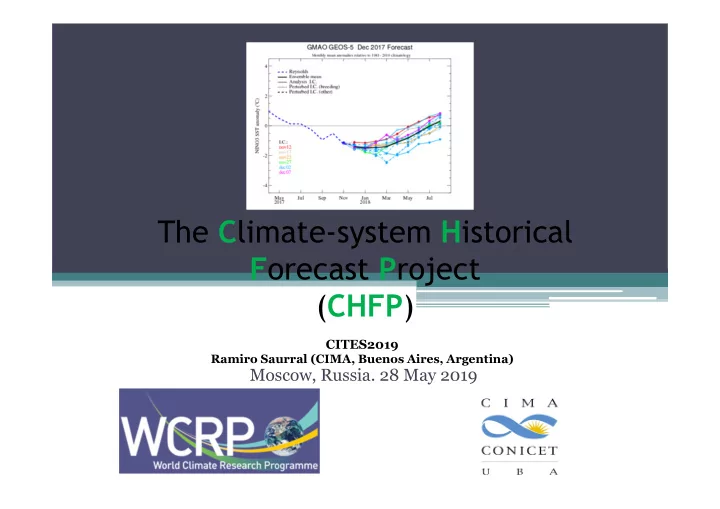
The C limate-system H istorical F orecast P roject ( CHFP ) CITES2019 Ramiro Saurral (CIMA, Buenos Aires, Argentina) Moscow, Russia. 28 May 2019 2 Background and main objectives of CHFP First steps The CHFP was born in 2007 as part of the
CITES2019
Ramiro Saurral (CIMA, Buenos Aires, Argentina)
The CHFP was born in 2007 as part of the Working Group on Seasonal to Interannual Prediction (currently Working Group on Subseasonal to Interdecadal Prediction; WGSIP), having the nature of a multi-model and multi-institutional experimental framework for sub-seasonal to decadal complete physical climate system prediction. By the complete physical climate system, we mean contributions from the atmosphere, oceans, land surface cryosphere and atmospheric composition in producing regional and sub-seasonal to decadal climate
have lead to the understanding that modeling and predicting a given climate anomaly over any region is incomplete without a proper treatment of the effects of SST, sea ice, snow cover, soil wetness, vegetation, stratospheric processes, and atmospheric composition (carbon dioxide, ozone, etc.). CHFP is particularly focused on the sub-seasonal to seasonal scale.
the climate system and data for initialisation
integrating process studies and field campaigns into model improvements
system interact and affect one another
2
across recent decades, and is freely available for research use. 3 http://chfps.cima.fcen.uba.ar/
4
From Tompkins et al. (2017), BAMS
The CHFP database currently contains data from 16 coupled forecast systems and hosts more than 10 TB of information in NetCDF format. It is continuously growing and will continue to do so over the coming years to serve as a record of progress in global seasonal forecasting capability. 5
Forecast system Research Center/Country
ARPEGE MétéoFrance (France) CCCma-CanCM3 CCCma (Canada) CCCma-CanCM4 CCCma (Canada) CFS NCEP (USA) CMAM Canada CMAMlo Canada ECMWF-S4 ECMWF (UK) GloSea5 MetOffice (UK)
Forecast system Research Center/Country
JMA/MRI-CGCM1 JMA (Japan) JMA/MRI-CGCM2 JMA( Japan) L38GloSea4 MetOffice (UK) L85GloSea4 MetOffice (UK) MIROC5 CCSR (Japan) MPI-ESM-LR MPI (Germany) MPI-ESM-MR MPI (Germany) POAMA BoM (Australia)
Near future: NMME (Phase 1 and 2), RHMC SL-AV, SINTEX-2
(4-month lead-time) forecasts initialized AT LEAST twice a year, in May and
have start times every month, or 4 times a year, which is of course useful).
any regridding onto a same grid).
temperatures, total precipitation, zonal and meridional winds, heat fluxes and soil moisture, among others for the atmosphere, while several others are available related to the ocean (SST, sea ice, …) 6
7
Downloading and using CHFP is very easy! The steps are: 1) Register at the CHFP website (http://chfps.cima.fcen.uba.ar) 2) Search for model/s, variable/s and start time/s. Files can be downloaded one at a time or, more efficiently, through scripts. 8
9
Files can be downloaded individually or (more efficiently) using scripts. An easy way to go in Linux is to download the list of files and use wget…
http://chfps.cima.fcen.uba.ar/request/20140128131722/tasmin_monthly_ECMWF-S4_CHFP_19810201.nc http://chfps.cima.fcen.uba.ar/request/20140128131722/tasmin_monthly_ECMWF-S4_CHFP_19820201.nc http://chfps.cima.fcen.uba.ar/request/20140128131722/tasmin_monthly_ECMWF-S4_CHFP_19830201.nc
$ wget -b -c -nd t=0 -i file_list.txt -o log_01 In the example above, file “log_01” will contain all the information regarding the download speed and status. 10
If in doubt of what a file contains, a good way to go is to use Panoply 11
12
Another good option is to use OpenDAP, which allows to use NCO tools to subset, split and merge files before download. 13
14
15
16
17
18