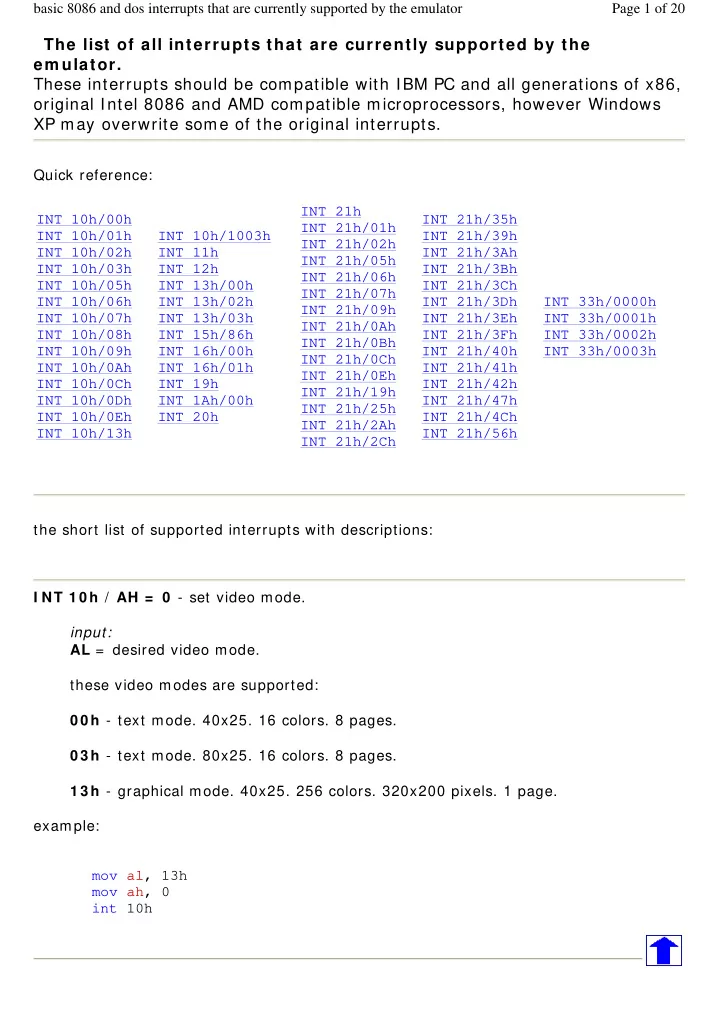
SLIDE 1 The list of all interrupts that are currently supported by the
em ulator. These interrupts should be compatible with IBM PC and all generations of x86,
- riginal Intel 8086 and AMD compatible microprocessors, however Windows
XP may overwrite some of the original interrupts.
Quick reference: the short list of supported interrupts with descriptions: I NT 1 0 h / AH = 0 - set video mode. input: AL = desired video mode. these video modes are supported: 0 0 h - text mode. 40x25. 16 colors. 8 pages. 0 3 h - text mode. 80x25. 16 colors. 8 pages. 1 3 h - graphical mode. 40x25. 256 colors. 320x200 pixels. 1 page. example: mov al, 13h mov ah, 0 int 10h INT 10h/00h INT 10h/01h INT 10h/02h INT 10h/03h INT 10h/05h INT 10h/06h INT 10h/07h INT 10h/08h INT 10h/09h INT 10h/0Ah INT 10h/0Ch INT 10h/0Dh INT 10h/0Eh INT 10h/13h INT 10h/1003h INT 11h INT 12h INT 13h/00h INT 13h/02h INT 13h/03h INT 15h/86h INT 16h/00h INT 16h/01h INT 19h INT 1Ah/00h INT 20h INT 21h INT 21h/01h INT 21h/02h INT 21h/05h INT 21h/06h INT 21h/07h INT 21h/09h INT 21h/0Ah INT 21h/0Bh INT 21h/0Ch INT 21h/0Eh INT 21h/19h INT 21h/25h INT 21h/2Ah INT 21h/2Ch INT 21h/35h INT 21h/39h INT 21h/3Ah INT 21h/3Bh INT 21h/3Ch INT 21h/3Dh INT 21h/3Eh INT 21h/3Fh INT 21h/40h INT 21h/41h INT 21h/42h INT 21h/47h INT 21h/4Ch INT 21h/56h INT 33h/0000h INT 33h/0001h INT 33h/0002h INT 33h/0003h Page 1 of 20 basic 8086 and dos interrupts that are currently supported by the emulator
SLIDE 2 I NT 1 0 h / AH = 0 1 h - set text-mode cursor shape. input: CH = cursor start line (bits 0-4) and options (bits 5-7). CL = bottom cursor line (bits 0-4). when bit 5 of CH is set to 0 , the cursor is visible. when bit 5 is 1 , the cursor is not visible. ; hide blinking text cursor: mov ch, 32 mov ah, 1 int 10h ; show standard blinking text cursor: mov ch, 6 mov cl, 7 mov ah, 1 int 10h ; show box-shaped blinking text cursor: mov ch, 0 mov cl, 7 mov ah, 1 int 10h ; note: some bioses required CL to be >=7, ;
- therwise wrong cursor shapes are displayed.
I NT 1 0 h / AH = 2 - set cursor position. input: DH = row. DL = column. BH = page number (0..7). example: mov dh, 10 mov dl, 20 mov bh, 0 mov ah, 2 int 10h I NT 1 0 h / AH = 0 3 h - get cursor position and size. input: BH = page number. return: DH = row. Page 2 of 20 basic 8086 and dos interrupts that are currently supported by the emulator
SLIDE 3
DL = column. CH = cursor start line. CL = cursor bottom line. I NT 1 0 h / AH = 0 5 h - select active video page. input: AL = new page number (0..7). the activated page is displayed. I NT 1 0 h / AH = 0 6 h - scroll up window. I NT 1 0 h / AH = 0 7 h - scroll down window. input: AL = number of lines by which to scroll (00h = clear entire window). BH = attribute used to write blank lines at bottom of window. CH, CL = row, column of window's upper left corner. DH, DL = row, column of window's lower right corner. I NT 1 0 h / AH = 0 8 h - read character and attribute at cursor position. input: BH = page number. return: AH = attribute. AL = character. I NT 1 0 h / AH = 0 9 h - write character and attribute at cursor position. input: AL = character to display. BH = page number. BL = attribute. CX = number of times to write character. I NT 1 0 h / AH = 0 Ah - write character only at cursor position. input: AL = character to display. BH = page number. CX = number of times to write character. I NT 1 0 h / AH = 0 Ch - change color for a single pixel. Page 3 of 20 basic 8086 and dos interrupts that are currently supported by the emulator
SLIDE 4 input: AL = pixel color CX = column. DX = row. example: mov al, 13h mov ah, 0 int 10h ; set graphics video mode. mov al, 1100b mov cx, 10 mov dx, 20 mov ah, 0ch int 10h ; set pixel. I NT 1 0 h / AH = 0 Dh - get color of a single pixel. input: CX = column. DX = row.
AL = pixel color I NT 1 0 h / AH = 0 Eh - teletype output. input: AL = character to write. this functions displays a character on the screen, advancing the cursor and scrolling the screen as necessary. the printing is always done to current active page. example: mov al, 'a' mov ah, 0eh int 10h ; note: on specific systems this ; function may not be supported in graphics mode. I NT 1 0 h / AH = 1 3 h - write string. input: AL = write mode: bit 0 : update cursor after writing; Page 4 of 20 basic 8086 and dos interrupts that are currently supported by the emulator
SLIDE 5
bit 1 : string contains attributes. BH = page number. BL = attribute if string contains only characters (bit 1 of AL is zero). CX = number of characters in string (attributes are not counted). DL,DH = column, row at which to start writing. ES:BP points to string to be printed. example: mov al, 1 mov bh, 0 mov bl, 0011_1011b mov cx, msg1end - offset msg1 ; calculate message size. mov dl, 10 mov dh, 7 push cs pop es mov bp, offset msg1 mov ah, 13h int 10h jmp msg1end msg1 db " hello, world! " msg1end: I NT 1 0 h / AX = 1 0 0 3 h - toggle intensity/ blinking. input: BL = write mode: 0 : enable intensive colors. 1 : enable blinking (not supported by the emulator and windows command prompt). BH = 0 (to avoid problems on some adapters). example: mov ax, 1003h mov bx, 0 int 10h bit color table: character attribute is 8 bit value, low 4 bits set fore color, high 4 bits set background color. note: the emulator and windows command line prompt do not support background blinking, however to make colors look the same in dos and in full screen mode it is required to turn off the background blinking.
HEX BIN COLOR 0 0000 black
Page 5 of 20 basic 8086 and dos interrupts that are currently supported by the emulator
SLIDE 6
1 0001 blue 2 0010 green 3 0011 cyan 4 0100 red 5 0101 magenta 6 0110 brown 7 0111 light gray 8 1000 dark gray 9 1001 light blue A 1010 light green B 1011 light cyan C 1100 light red D 1101 light magenta E 1110 yellow F 1111 white
note: ; use this code for compatibility with dos/cmd prompt full screen mode: mov ax, 1003h mov bx, 0 ; disable blinking. int 10h I NT 1 1 h - get BIOS equipment list. return: AX = BIOS equipment list word, actually this call returns the contents of the word at 0040h: 0010h. Currently this function can be used to determine the number of installed number of floppy disk drives.
Bit fields for BIOS-detected installed hardware: bit(s) Description 15-14 Number of parallel devices. 13 Reserved. 12 Game port installed. 11-9 Number of serial devices. 8 Reserved. 7-6 Number of floppy disk drives (minus 1): 00 single floppy disk; 01 two floppy disks; 10 three floppy disks; 11 four floppy disks. 5-4 Initial video mode: 00 EGA,VGA,PGA, or other with on-board video BIOS; 01 40x25 CGA color. 10 80x25 CGA color (emulator default). 11 80x25 mono text. 3 Reserved. 2 PS/2 mouse is installed. 1 Math coprocessor installed. 0 Set when booted from floppy.
Page 6 of 20 basic 8086 and dos interrupts that are currently supported by the emulator
SLIDE 7
I NT 1 2 h - get memory size. return: AX = kilobytes of contiguous memory starting at absolute address 00000h, this call returns the contents of the word at 0040h: 0013h. Floppy drives are em ulated using FLOPPY_0(..3) files. I NT 1 3 h / AH = 0 0 h - reset disk system. I NT 1 3 h / AH = 0 2 h - read disk sectors into memory. I NT 1 3 h / AH = 0 3 h - write disk sectors. input: AL = number of sectors to read/ write (must be nonzero) CH = cylinder number (0..79). CL = sector number (1..18). DH = head number (0..1). DL = drive number (0..3 , for the emulator it depends on quantity of FLOPPY_ files). ES:BX points to data buffer. return: CF set on error. CF clear if successful. AH = status (0 - if successful). AL = number of sectors transferred. Note: each sector has 5 1 2 bytes. I NT 1 5 h / AH = 8 6 h - BIOS wait function. input: CX:DX = interval in microseconds return: CF clear if successful (wait interval elapsed), CF set on error or when wait function is already in progress. Page 7 of 20 basic 8086 and dos interrupts that are currently supported by the emulator
SLIDE 8
Note: the resolution of the wait period is 977 microseconds on many systems (1 million microseconds - 1 second). Windows XP does not support this interrupt (always sets CF= 1). I NT 1 6 h / AH = 0 0 h - get keystroke from keyboard (no echo). return: AH = BIOS scan code. AL = ASCII character. (if a keystroke is present, it is removed from the keyboard buffer). I NT 1 6 h / AH = 0 1 h - check for keystroke in the keyboard buffer. return: ZF = 1 if keystroke is not available. ZF = 0 if keystroke available. AH = BIOS scan code. AL = ASCII character. (if a keystroke is present, it is not removed from the keyboard buffer). I NT 1 9 h - system reboot. Usually, the BIOS will try to read sector 1, head 0, track 0 from drive A: to 0000h: 7C00h. The emulator just stops the execution, to boot from floppy drive select from the menu: 'virtual drive' -> 'boot from floppy' I NT 1 Ah / AH = 0 0 h - get system time. return: CX:DX = number of clock ticks since midnight. AL = midnight counter, advanced each time midnight passes. notes: there are approximately 1 8 .2 0 6 4 8 clock ticks per second, Page 8 of 20 basic 8086 and dos interrupts that are currently supported by the emulator
SLIDE 9
and 1 8 0 0 B0 h per 24 hours. AL is not set by the emulator. I NT 2 0 h - exit to operating system.
The short list of em ulated MS-DOS interrupts -- I NT 2 1 h DOS file system is emulated in C:\ em u8 0 8 6 \ vdrive\ x (x is a drive letter)
If no drive letter is specified and current directory is not set, then C:\ em u8 0 8 6 \ MyBuild\ path is used by default. FLOPPY_ 0 ,1 ,2 ,3 files are emulated independently from DOS file system. For the emulator physical drive A: is this file c:\ em u8 0 8 6 \ FLOPPY_ 0 (for BIOS interrupts: I NT 1 3 h and boot). For DOS interrupts (I NT 2 1 h) drive A: is emulated in this subdirectory: C:\ em u8 0 8 6 \ vdrive\ a\
Note: DOS file system lim its the file and directory names to 8 characters, extension is limited to 3 characters; example of a valid file name: m yfile.txt (file name = 6 chars, extension - 3 chars). extension is written after the dot, no other dots are allowed.
I NT 2 1 h / AH= 1 - read character from standard input, with echo, result is stored in AL. if there is no character in the keyboard buffer, the function waits until any key is pressed. example: mov ah, 1 int 21h I NT 2 1 h / AH= 2 - write character to standard output. entry: DL = character to write, after execution AL = DL. example: mov ah, 2 mov dl, 'a' Page 9 of 20 basic 8086 and dos interrupts that are currently supported by the emulator
SLIDE 10
int 21h I NT 2 1 h / AH= 5 - output character to printer. entry: DL = character to print, after execution AL = DL. example: mov ah, 5 mov dl, 'a' int 21h I NT 2 1 h / AH= 6 - direct console input or output. parameters for output: DL = 0..254 (ascii code) parameters for input: DL = 255 for output returns: AL = DL for input returns: ZF set if no character available and AL = 0 0 h, ZF clear if character available. AL = character read; buffer is cleared. example: mov ah, 6 mov dl, 'a' int 21h ; output character. mov ah, 6 mov dl, 255 int 21h ; get character from keyboard buffer (if any) or set ZF I NT 2 1 h / AH= 7 - character input without echo to AL. if there is no character in the keyboard buffer, the function waits until any key is pressed. example: mov ah, 7 int 21h Page 10 of 20 basic 8086 and dos interrupts that are currently supported by the emulator
SLIDE 11 I NT 2 1 h / AH= 9 - output of a string at DS:DX. String must be terminated by '$ '. example:
mov dx, offset msg mov ah, 9 int 21h ret msg db "hello world $" I NT 2 1 h / AH= 0 Ah - input of a string to DS:DX, fist byte is buffer size, second byte is number of chars actually read. this function does not add '$' in the end of string. to print using I NT 2 1 h / AH= 9 you must set dollar character at the end of it and start printing from address DS:DX + 2 . example:
mov dx, offset buffer mov ah, 0ah int 21h jmp print buffer db 10,?, 10 dup(' ') print: xor bx, bx mov bl, buffer[1] mov buffer[bx+2], '$' mov dx, offset buffer + 2 mov ah, 9 int 21h ret the function does not allow to enter more characters than the specified buffer size. see also int2 1 .asm in c: \ emu8086\ examples I NT 2 1 h / AH= 0 Bh - get input status; returns: AL = 0 0 h if no character available, AL = 0 FFh if character is available. Page 11 of 20 basic 8086 and dos interrupts that are currently supported by the emulator
SLIDE 12
I NT 2 1 h / AH= 0 Ch - flush keyboard buffer and read standard input. entry: AL = number of input function to execute after flushing buffer (can be 01h,06h,07h,08h, or 0Ah - for other values the buffer is flushed but no input is attempted); other registers as appropriate for the selected input function. I NT 2 1 h / AH= 0 Eh - select default drive. Entry: DL = new default drive (0= A: , 1= B: , etc) Return: AL = number of potentially valid drive letters Notes: the return value is the highest drive present. I NT 2 1 h / AH= 1 9 h - get current default drive. Return: AL = drive (0= A: , 1= B: , etc) I NT 2 1 h / AH= 2 5 h - set interrupt vector; input: AL = interrupt number. DS:DX -> new interrupt handler. I NT 2 1 h / AH= 2 Ah - get system date; return: CX = year (1980-2099). DH = month. DL = day. AL = day of week (00h= Sunday) I NT 2 1 h / AH= 2 Ch - get system time; return: CH = hour. CL = minute. DH = second. DL = 1/ 100 seconds. Page 12 of 20 basic 8086 and dos interrupts that are currently supported by the emulator
SLIDE 13 I NT 2 1 h / AH= 3 5 h - get interrupt vector; entry: AL = interrupt number; return: ES:BX -> current interrupt handler. I NT 2 1 h / AH= 3 9 h - make directory. entry: DS:DX -> ASCIZ pathname; zero terminated string, for example:
mov dx, offset filepath mov ah, 39h int 21h ret filepath DB "C:\mydir", 0 ; path to be created. end
the above code creates c:\ em u8 0 8 6 \ vdrive\ C\ m ydir directory if run by the emulator.
Return: CF clear if successful AX destroyed. CF set on error AX = error code. Note: all directories in the given path must exist except the last one. I NT 2 1 h / AH= 3 Ah - remove directory. Entry: DS:DX -> ASCIZ pathname of directory to be removed. Return: CF is clear if successful, AX destroyed CF is set on error AX = error code. Notes: directory must be empty (there should be no files inside of it). I NT 2 1 h / AH= 3 Bh - set current directory. Entry: DS:DX -> ASCIZ pathname to become current directory (max 64 bytes). Return: Carry Flag is clear if successful, AX destroyed. Carry Flag is set on error AX = error code. Notes: even if new directory name includes a drive letter, the default drive is not changed, Page 13 of 20 basic 8086 and dos interrupts that are currently supported by the emulator
SLIDE 14
- nly the current directory on that drive.
I NT 2 1 h / AH= 3 Ch - create or truncate file. entry: CX = file attributes: mov cx, 0 ; normal - no attributes. mov cx, 1 ; read-only. mov cx, 2 ; hidden. mov cx, 4 ; system mov cx, 7 ; hidden, system and read-only! mov cx, 16 ; archive DS:DX -> ASCIZ filename. returns: CF clear if successful, AX = file handle. CF set on error AX = error code.
note: if specified file exists it is deleted w ithout a w arning.
example:
mov ah, 3ch mov cx, 0 mov dx, offset filename mov ah, 3ch int 21h jc err mov handle, ax jmp k filename db "myfile.txt", 0 handle dw ? err: ; .... k: ret I NT 2 1 h / AH= 3 Dh - open existing file. Page 14 of 20 basic 8086 and dos interrupts that are currently supported by the emulator
SLIDE 15 Entry: AL = access and sharing modes: mov al, 0 ; read mov al, 1 ; write mov al, 2 ; read/write DS:DX -> ASCIZ filename. Return: CF clear if successful, AX = file handle. CF set on error AX = error code. note 1: file pointer is set to start of file. note 2: file must exist. example:
mov al, 2 mov dx, offset filename mov ah, 3dh int 21h jc err mov handle, ax jmp k filename db "myfile.txt", 0 handle dw ? err: ; .... k: ret I NT 2 1 h / AH= 3 Eh - close file. Entry: BX = file handle Return: CF clear if successful, AX destroyed. CF set on error, AX = error code (06h). Page 15 of 20 basic 8086 and dos interrupts that are currently supported by the emulator
SLIDE 16
I NT 2 1 h / AH= 3 Fh - read from file. Entry: BX = file handle. CX = number of bytes to read. DS:DX -> buffer for data. Return: CF is clear if successful - AX = number of bytes actually read; 0 if at EOF (end of file) before call. CF is set on error AX = error code. Note: data is read beginning at current file position, and the file position is updated after a successful read the returned AX may be smaller than the request in CX if a partial read occurred. I NT 2 1 h / AH= 4 0 h - write to file. entry: BX = file handle. CX = number of bytes to write. DS:DX -> data to write. return: CF clear if successful; AX = number of bytes actually written. CF set on error; AX = error code. note: if CX is zero, no data is written, and the file is truncated or extended to the current position data is written beginning at the current file position, and the file position is updated after a successful write the usual cause for AX < CX on return is a full disk. I NT 2 1 h / AH= 4 1 h - delete file (unlink). Entry: DS:DX -> ASCIZ filename (no wildcards, but see notes). return: CF clear if successful, AX destroyed. AL is the drive of deleted file (undocumented). Page 16 of 20 basic 8086 and dos interrupts that are currently supported by the emulator
SLIDE 17 CF set on error AX = error code. Note: DOS does not erase the file's data; it merely becomes inaccessible because the FAT chain for the file is cleared deleting a file which is currently open may lead to filesystem corruption. I NT 2 1 h / AH= 4 2 h - SEEK - set current file position. Entry: AL = origin of move: 0 - start of file. 1 - current file position. 2 - end of file. BX = file handle. CX:DX = offset from origin of new file position. Return: CF clear if successful, DX:AX = new file position in bytes from start of file. CF set on error, AX = error code. Notes: for origins 1 and 2 , the pointer may be positioned before the start of the file; no error is returned in that case, but subsequent attempts to read or write the file will produce
- errors. If the new position is beyond the current end of file, the file will be extended by
the next write (see AH= 40h). example:
mov ah, 3ch mov cx, 0 mov dx, offset filename mov ah, 3ch int 21h ; create file... mov handle, ax mov bx, handle mov dx, offset data mov cx, data_size mov ah, 40h int 21h ; write to file... mov al, 0 mov bx, handle mov cx, 0 mov dx, 7 mov ah, 42h int 21h ; seek... mov bx, handle Page 17 of 20 basic 8086 and dos interrupts that are currently supported by the emulator
SLIDE 18
mov dx, offset buffer mov cx, 4 mov ah, 3fh int 21h ; read from file... mov bx, handle mov ah, 3eh int 21h ; close file... ret filename db "myfile.txt", 0 handle dw ? data db " hello files! " data_size=$-offset data buffer db 4 dup(' ') I NT 2 1 h / AH= 4 7 h - get current directory. Entry: DL = drive number (00h = default, 01h = A: , etc) DS:SI -> 64-byte buffer for ASCIZ pathname. Return: Carry is clear if successful Carry is set on error, AX = error code (0Fh) Notes: the returned path does not include a drive and the initial backslash. I NT 2 1 h / AH= 4 Ch - return control to the operating system (stop program). I NT 2 1 h / AH= 5 6 h - rename file / move file. Entry: DS:DX -> ASCIZ filename of existing file. ES:DI -> ASCIZ new filename. Return: Page 18 of 20 basic 8086 and dos interrupts that are currently supported by the emulator
SLIDE 19
CF clear if successful. CF set on error, AX = error code. Note: allows move between directories on same logical drive only; open files should not be renamed!
m ouse driver interrupts -- I NT 3 3 h
I NT 3 3 h / AX= 0 0 0 0 - mouse ininialization. any previous mouse pointer is hidden. returns: if successful: AX= 0FFFFh and BX= number of mouse buttons. if failed: AX= 0 example: mov ax, 0 int 33h see also: mouse.asm in examples. I NT 3 3 h / AX= 0 0 0 1 - show mouse pointer. example: mov ax, 1 int 33h I NT 3 3 h / AX= 0 0 0 2 - hide visible mouse pointer. example: mov ax, 2 int 33h Page 19 of 20 basic 8086 and dos interrupts that are currently supported by the emulator
SLIDE 20
I NT 3 3 h / AX= 0 0 0 3 - get mouse position and status of its buttons. returns: if left button is down: BX= 1 if right button is down: BX= 2 if both buttons are down: BX= 3 CX = x DX = y example: mov ax, 3 int 33h ; note: in graphical 320x200 mode the value of CX is doubled. ; see mouse2.asm in examples. Page 20 of 20 basic 8086 and dos interrupts that are currently supported by the emulator