Andreas Zeller
Detecting Anomalies
2
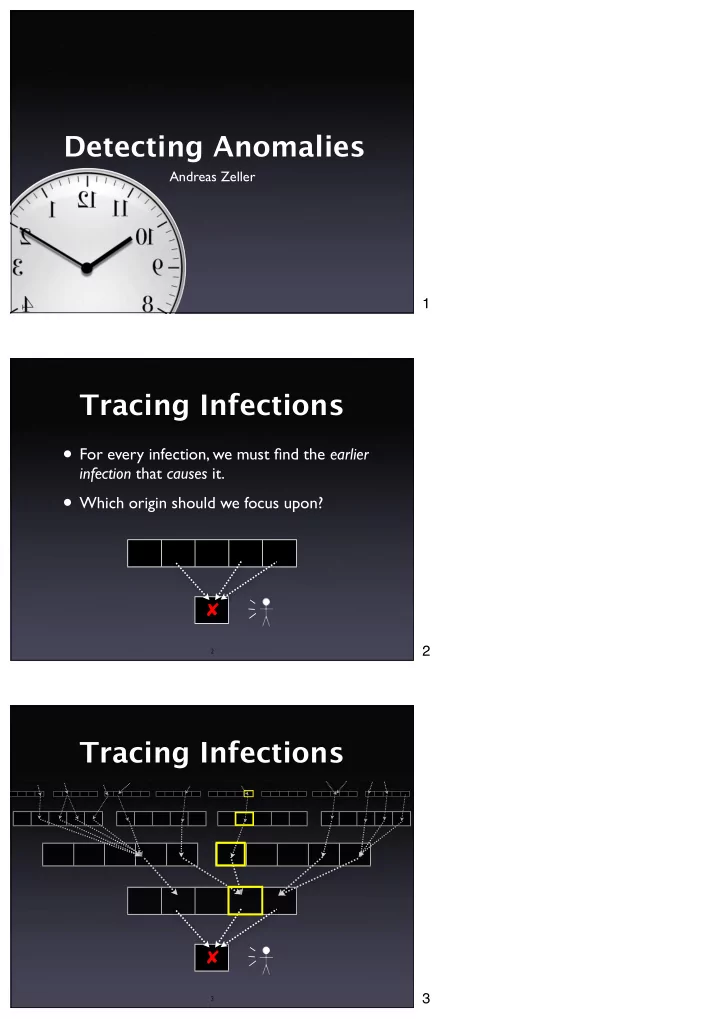
Tracing Infections
✘
- For every infection, we must find the earlier
infection that causes it.
- Which origin should we focus upon?
3
The middle program $ middle 3 3 5 middle: 3 $ middle 2 1 3 - - PDF document
Detecting Anomalies Andreas Zeller 1 Tracing Infections For every infection, we must find the earlier infection that causes it. Which origin should we focus upon? 2 2 Tracing Infections 3 3 Focusing on Anomalies
Andreas Zeller
2
3
4
5
6
7
8
9
10
11
int main(int arc, char *argv[]) { int x = atoi(argv[1]); int y = atoi(argv[2]); int z = atoi(argv[3]); int m = middle(x, y, z); printf("middle: %d\n", m); return 0; }
12
int middle(int x, int y, int z) { int m = z; if (y < z) { if (x < y) m = y; else if (x < z) m = y; } else { if (x > y) m = y; else if (x > z) m = x; } return m; } 10 11 12
13
for C programs x 3 1 3 5 5 2 y 3 2 2 5 3 1 z 5 3 1 5 4 3
✔ ✔ ✔ ✔
✘
14
int middle(int x, int y, int z) { int m = z; if (y < z) { if (x < y) m = y; else if (x < z) m = y; } else { if (x > y) m = y; else if (x > z) m = x; } return m; }
15
x 3 1 3 5 5 2 y 3 2 2 5 3 1 z 5 3 1 5 4 3
✔ ✔ ✔ ✔
✘
16
int middle(int x, int y, int z) { int m = z; if (y < z) { if (x < y) m = y; else if (x < z) m = y; } else { if (x > y) m = y; else if (x > z) m = x; } return m; } x 3 1 3 5 5 2 y 3 2 2 5 3 1 z 5 3 1 5 4 3
✔ ✔ ✔ ✔
✘
int middle(int x, int y, int z) { int m = z; if (y < z) { if (x < y) m = y; else if (x < z) m = y; } else { if (x > y) m = y; else if (x > z) m = x; } return m; }
17 18
19
hue(s) = red hue + %passed(s) %passed(s) + %failed(s) × hue range
20
3 1 3 5 5 2 y 3 2 2 5 3 1 z 5 3 1 5 4 3
✔ ✔ ✔ ✔
✘
int middle(int x, int y, int z) { int m = z; if (y < z) { if (x < y) m = y; else if (x < z) m = y; } else { if (x > y) m = y; else if (x > z) m = x; } return m; }
21
Source: Jones et al., ICSE 2002
22
Source: Jones et al., ICSE 2002
23
24
25
Source: Jones et al., ICSE 2002
26
Source: Jones et al., ICSE 2002
27
Source: Renieris and Reiss, ASE 2003
28
29
30
25 50 75 100 <10 <20 <30 <40 <50 <60 <70 <80 <90 <100 Nearest Neighbor Intersection
% of failing tests % of executed source code to examine
Renieris+Reiss (ASE 2003) Results obtained from Siemens test suite; can not be generalized Jones et al. (ICSE 2002)
31
32
ajc Test3.aj $ java test.Test3 $ test.Test3@b8df17.x Unexpected Signal : 11
Function name=(N/A) Library=(N/A) ... Please report this error at http:// java.sun.com/... $
33
34
ThisJoinPointVisitor.canTreatAsStatic(), MethodDeclaration.traverse(), ThisJoinPointVisitor.isRef(), ThisJoinPointVisitor.isRef()
35 mark read read skip read read skip read mark read read read read skip skip read read read read skip skip read mark read read read read skip skip read
Trace Sequences Sequence Set
anInputStreamObj InputStream
36
aProducer aQueue aLinkedList
add add
aConsumer
isEmpty size get firstElement removeFirst isEmpty size add add add add
incoming calls
calls aLogger
add
37
1.0 0.5 0.5 0.5 0.5 1.0 passing run passing run failing run 0.60 0.50 0.40 ranking by average weight weights
38
39
25 50 75 100 1 2 3 4 5 6 7 8 9 AMPLE/window size 8
classes to examine (of 16) % of failing tests
less than window size 1
Results obtained from NanoXML; can not be generalized Dallmeier et al. (ECOOP 2005)
40
41
42
43
44
45
public int ex1511(int[] b, int n) { int s = 0; int i = 0; while (i != n) { s = s + b[i]; i = i + 1; } return s; }
Postcondition
b[] = orig(b[]) return == sum(b)
Precondition
n == size(b[]) b != null n <= 13 n >= 7
46
47
Postcondition
b[] = orig(b[]) return == sum(b)
48
49
50
x = 6 x ∈ {2, 5, –30} x < y y = 5x + 10 z = 4x +12y +3 z = fn(x, y) A subseq B x ∈ A sorted(A)
51
string.content[string.length] = ‘\0’ node.left.value ≤ node.right.value this.next.last = this
52
public int ex1511(int[] b, int n) { int s = 0; int i = 0; while (i != n) { s = s + b[i]; i = i + 1; } return s; }
== s n size (b[]) sum (b[])
(n) ret s n size(b[]) sum(b[])
ret
53
run 1
== s n size (b[]) sum (b[])
(n) ret s n size(b[]) sum(b[])
ret
54
run 2
== s n size (b[]) sum (b[])
(n) ret s n size(b[]) sum(b[])
ret
55
run 3
== s n size (b[]) sum (b[])
(n) ret s n size(b[]) sum(b[])
ret
56
57
public int ex1511(int[] b, int n) { int s = 0; int i = 0; while (i != n) { s = s + b[i]; i = i + 1; } return s; }
58
59
60
61
62
63
64
65
66
Code i Values alues Differences erences Invariant
i = 10
1010 1010 1111 – – i = 10
i += 1
1011 1010 1110 1 1111 10 ≤ i ≤ 11 ∧ |i′ – i| = 1
i += 1
1100 1010 1000 1 1111 8 ≤ i ≤ 15 ∧ |i′ – i| = 1
i += 1
1101 1010 1000 1 1111 8 ≤ i ≤ 15 ∧ |i′ – i| = 1
i += 2
1111 1010 1000 1 1101 8 ≤ i ≤ 15 ∧ |i′ – i| ≤ 2
V M V M
67
68
69
70
71
72
73
500 1000 1500 2000 2500 3000 20 40 60 80 100 120 140
Number of successful trials used Number of "good" features left
74
75
76
77
20 40 60 80 0% <10% <20% <30%
10,0 57,0 77,0 79,0 10,0 42,0 64,0 70,0 5,0 35,0 41,0 48,0 16,0 25,0 37,0
78
% of failing tests source code to examine
Results obtained from Siemens test suite; can not be generalized
NN (Renieris + Reiss, ASE 2003) CT (Cleve + Zeller, ICSE 2005) SD (Liblit et al., PLDI 2005) SOBER (Liu et al, ESEC 2005)
79
80
81 This work is licensed under the Creative Commons Attribution License. To view a copy of this license, visit http://creativecommons.org/licenses/by/1.0