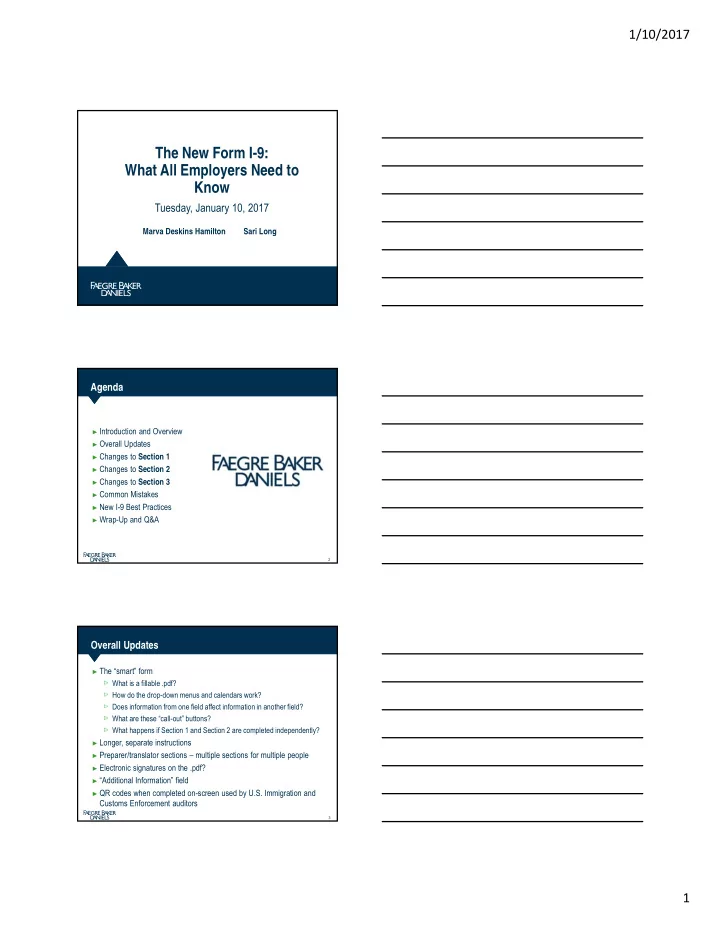
The New Form I-9: What All Employers Need to Know Tuesday, January - - PDF document

the new form i 9 what all employers need to know
SMART_READER_LITE
LIVE PREVIEW

The New Form I-9: What All Employers Need to Know Tuesday, January - - PDF document

1/10/2017 The New Form I-9: What All Employers Need to Know Tuesday, January 10, 2017 Marva Deskins Hamilton Sari Long Agenda Introduction and Overview Overall Updates Changes to Section 1 Changes to Section 2 Changes to


slide-1
SLIDE 1

1/10/2017 1

The New Form I-9: What All Employers Need to Know

Tuesday, January 10, 2017

Marva Deskins Hamilton Sari Long

Agenda

►Introduction and Overview ►Overall Updates ►Changes to Section 1 ►Changes to Section 2 ►Changes to Section 3 ►Common Mistakes ►New I-9 Best Practices ►Wrap-Up and Q&A

2

Overall Updates

►The “smart” form

What is a fillable .pdf? How do the drop-down menus and calendars work? Does information from one field affect information in another field? What are these “call-out” buttons? What happens if Section 1 and Section 2 are completed independently?

►Longer, separate instructions ►Preparer/translator sections – multiple sections for multiple people ►Electronic signatures on the .pdf? ►“Additional Information” field ►QR codes when completed on-screen used by U.S. Immigration and

Customs Enforcement auditors

3

slide-2
SLIDE 2

1/10/2017 2

Overall Updates (con’t)

4

Overall Updates (con’t)

►On-screen version includes link to instructions, allows the form to be

cleared with “Start Over,” and has a Print function

►Note the new expiration date ►Incorrect/blank fields show up red when form is completed on-screen

5

Changes to Section 1

►“Start Here” and “Anti-Discrimination Notice” revised: ►On-screen call-out buttons that pull up relevant I-9 instructions:

6

slide-3
SLIDE 3

1/10/2017 3

Changes to Section 1 (con’t)

►Specific instructions for two last names, only one name, and middle

initial

►Other last names used specified ►No prohibition on P.O. boxes in the address field ►Room to describe a location of residence if no address ►Email field cannot be blank (“N/A”) ►Specific instructions for border commuters from Mexico and Canada ►Drop-down menu for State ►Only letters allowed for on-screen version fields for names, initials,

and City or Town

►Only digits allowed for on-screen version for telephone number, SSN,

ZIP code, and DOB

7

Changes to Section 1 (con’t)

►Citizenship attestation:

On-screen version requires one box to be checked If “aliens authorized to work” is selected, an expiration date must be entered, and an Alien Registration/USCIS number OR Form I-94 Admission Number OR a Foreign Passport Number must be entered:

8

Changes to Section 1 (con’t)

►Along with signature of employee, form specifies “Today’s Date” ►Preparer and/or Translator Certification MUST be checked ►If preparer box is checked, another box pops up to ask “How many?” ►If more than one used, additional pages populate on-screen; paper

completers need to be aware and generate separately

9

slide-4
SLIDE 4

1/10/2017 4

Changes to Section 1 (con’t)

10

►POLL QUESTION

With the new I-9, how will your organization complete I-9s moving forward?

A.

On-screen

B.

In paper

C.

Electronic I-9 system (in-house or third-party)

D.

A combination of the above

E.

I don’t know

11

Changes to Section 2

►Addition of citizenship/immigration status at top of page 2 ►Autopopulates with on-screen version from what was checked in

Section 1; must be hand-written on paper version

►Citizenship/immigration status must match what was entered in

Section 1

►Drop-down menus list numbers 1-4 to correspond with Section 1:

12

slide-5
SLIDE 5

1/10/2017 5

Changes to Section 2 (con’t)

►Example: U.S. Citizen selected as status. List A document presented ►Note that inapplicable documents are below the line if completed on-

screen

►If selected, a pop-up window indicates that the document selected does

not correlate with the citizenship/immigration status from Section 1

13

Changes to Section 2 (con’t)

►If a List A document is entered on-screen, Issuing Authority

auto-populates

►If an expiration date is entered earlier than today’s date, a pop-up

appears to remind you that you cannot use an expired document

14

Changes to Section 2 (con’t)

►If completing the form on-screen, “N/A” is entered in all blank fields

automatically once you have entered sufficient List A or List B and C

►documents ►Note that a full nine-digit Social Security number is NOT forced once a

List C “Social Security Card (Unrestricted)” is selected from the drop- down menu

15

slide-6
SLIDE 6

1/10/2017 6

Changes to Section 2 (con’t)

►“Click to Finish” button at end of Section 2 if completing on-screen;

red fields for incomplete/incorrect information

16

Changes to Section 2 (con’t)

►“Additional Information” box to allow employers to enter information

previously written in margins

17

Changes to Section 2 (con’t)

►Information to consider for “Additional Information” box, if desired:

Pending extensions of work authorization documents like TPS, F-1 OPT STEM, cap-gap; H-1B/H-2A employees continuing employment with pending extension petitions that give them automatic work authorization for 240 days; Employee termination dates/corresponding I-9 retention date; E-Verify case number; Certain J-1 documents; and/or “Any other comments or notations necessary for the employer’s business process.”

18

slide-7
SLIDE 7

1/10/2017 7

Changes to Section 2 (con’t)

►Employer certification must be completed within three business days

  • f employee’s start date

►Must not be back-dated ►Don’t forget employer information (name, address, title, etc.)

19

Changes to Section 2 (con’t)

►Employer or third-party employer agent who examines the original

documents presented by the employee must be the same person who completes and signs the employer certification

►Do the documents appear reasonably genuine, and do they relate to

the individual presenting them?

20

Section 2 (con’t)

►If using the paper version, the document title, issuing authority,

document number, and expiration date (if any) must be hand-written

  • nto the form in the appropriate List A, B, or C columns

►Information should never be entered into all three columns

One document from List A OR One document from List B with one document from List C

►If an employee presents more than the necessary documents, do not

make copies of all documents; ask employee to select which document(s) he or she would like to present

►This is not new – List of Acceptable Documents remains the same,

process for reviewing original documents remains the same

21

slide-8
SLIDE 8

1/10/2017 8

POLL QUESTION

►On average, how often does your organization conduct either a self-

audit or bring in outside auditors to review your I-9s?

Once a quarter Once a year As needed Never Not sure

22

Changes to Section 3

►Apart from some formatting changes, largely the same as previous

version of the I-9

►Can start on next page; employee name at top of page ►Click to Finish button for Section 3

23

Common Mistakes – Old and New

►Technical v. substantive violations ►Not having an I-9 for every employee ►Not selecting a citizenship box ►Form not signed and properly dated by employee ►Form not signed and properly dated by employer ►Incorrect and/or incomplete documentation of identity and work

authorization documents in each/all of the three columns in Section 2

►Wrong version of the Form I-9 used at the time of hire ►Improper/missing re-verification of expiring work authorization ►Mismatch between documents presented and citizenship box checked ►Missing employee info at top of page 2

24

slide-9
SLIDE 9

1/10/2017 9

New I-9 Best Practices

►Ensure all new employees hired on or after January 22, 2017 are

using the new I-9.

►Determine internally how I-9s will be completed and retained. ►Perform a self-audit of your current I-9s. Make corrections, track down

missing documents or forms, or reverify expiring documents.

►Stay current with I-9 updates by subscribing to USCIS updates,

attending free USCIS webinars, and watching for new release of the M-274.

►Determine if your electronic I-9 system meets regulatory requirements

based on new form updates.

►Ensure I-9 instructions are printed and available separately if

completing the form in paper.

25

Wrap-Up and Q&A

26

Contact Information

Marva Deskins Hamilton Counsel +1 317 237 1168 marva.hamilton@FaegreBD.com

27

Sari M. Long Associate +1 202 312 7029 sari.long@FaegreBD.com