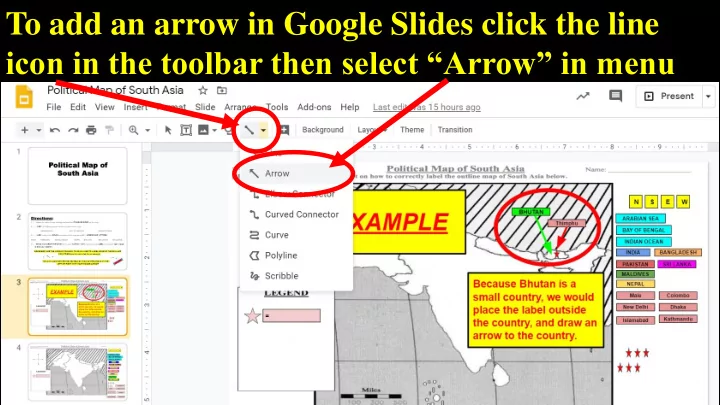
To add an arrow in Google Slides click the line icon in the toolbar - PowerPoint PPT Presentation
To add an arrow in Google Slides click the line icon in the toolbar then select Arrow in menu To make an arrow more visible: 1.) click the arrow 2.) click the Line Weight icon in the toolbar 3.) then select the size from the menu
To add an arrow in Google Slides click the line icon in the toolbar then select “Arrow” in menu
To make an arrow more visible: 1.) click the arrow 2.) click the “ Line Weight ” icon in the toolbar 3.) then select the size from the menu
To change an arrow’s color: 1.) click the arrow 2.) click the “ Line Color ” icon in the toolbar 3.) then select the color from the menu
Recommend
More recommend
Explore More Topics
Stay informed with curated content and fresh updates.