Web Performance in 2019 Mike Herchel Senior Front-end Dev at - - PowerPoint PPT Presentation

web performance in 2019
SMART_READER_LITE
LIVE PREVIEW

Web Performance in 2019 Mike Herchel Senior Front-end Dev at - - PowerPoint PPT Presentation

Web Performance in 2019 Mike Herchel Senior Front-end Dev at Lullabot // @mikeherchel WHAT TO EXPECT Why make webpages fast? What is fast? Quick rundown on how browsers work How to measure performance More in depth rundown on


slide-1
SLIDE 1

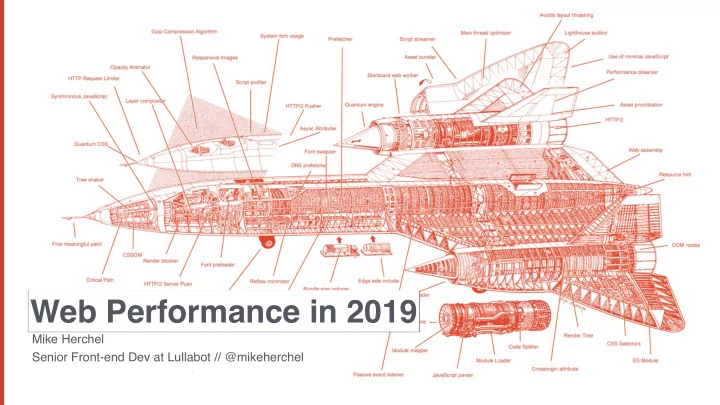
Mike Herchel Senior Front-end Dev at Lullabot // @mikeherchel

Web Performance in 2019
slide-2
SLIDE 2

WHAT TO EXPECT

  • Why make webpages fast?
  • What is fast?
  • Quick rundown on how browsers work
  • How to measure performance
  • More in depth rundown on how browsers

work with tips and tricks to optimize each stage.

slide-3
SLIDE 3

Mike Herchel Millie Herchel Dexter Herchel

slide-4
SLIDE 4
slide-5
SLIDE 5

– https://www.doubleclickbygoogle.com/articles/mobile-speed-matters/

53% of mobile site visits are abandoned if pages take longer than 3 seconds to load.

slide-6
SLIDE 6

– https://www.doubleclickbygoogle.com/articles/mobile-speed-matters/

Mobile sites load in 5 seconds earn up to 2x more mobile ad revenue.

slide-7
SLIDE 7

WHAT IS FAST?

slide-8
SLIDE 8

FRONTEND PERFORMANCE METRICS

  • Time to First Byte
  • Time to First Meaningful Paint
  • Time to First Interactive
  • Speed Index
slide-9
SLIDE 9

TIME TO FIRST BYTE

  • Time from when you begin navigation until the first byte of the

html file hits your browser.

  • Delays here can indicate backend performance issues.
  • Effective caching really helps with this (Drupal FTW)
  • CDNs can dramatically help. They position content closer to the

user.

slide-10
SLIDE 10

TIME TO FIRST BYTE

slide-11
SLIDE 11

TIME TO FIRST MEANINGFUL PAINT

  • Primary content is visible.
  • Marks the paint event that follows the most significant change to

layout.

  • Can be ambiguous.
slide-12
SLIDE 12

TIME TO FIRST MEANINGFUL PAINT

slide-13
SLIDE 13

TIME TO INTERACTIVE

  • Load is finished, and main thread work is done
  • Consistently interactive
slide-14
SLIDE 14

TIME TO INTERACTIVE

slide-15
SLIDE 15

SPEED INDEX

  • Calculated value
  • Average time at which visible parts of the page are displayed
  • How quickly does the page approach visually complete?
  • Essentially the time it takes for average pixel to paint (milliseconds)

https://sites.google.com/a/webpagetest.org/docs/using-webpagetest/metrics/speed-index

slide-16
SLIDE 16

SPEED INDEX

https://sites.google.com/a/webpagetest.org/docs/using-webpagetest/metrics/speed-index

slide-17
SLIDE 17

SPEED INDEX

slide-18
SLIDE 18

HOW BROWSERS WORK: NETWORK DOWNLOAD

  • 1. Download index file
  • 2. Parse index file as it is downloading
  • 3. Prioritize critical content
slide-19
SLIDE 19

HOW BROWSERS WORK: PRIORITIZING CONTENT

  • 1. Highest
  • Initial document
  • CSS
  • 2. High
  • Webfonts
  • Script tags in the <head>
  • XHR
  • 3. Medium
  • Script tags outside of the <head>
  • 4. Low
  • Images
slide-20
SLIDE 20
slide-21
SLIDE 21

HOW BROWSERS WORK: PARSE / EXECUTE CSS & JS

  • 1. Browser parses and executes JS
  • 2. Will completely parse and execute JS in the head that is not

async’d or deferred before rendering layout.

  • 3. Will execute synchronously or afterwards if JS is in the footer

(or async’d or deferred).

slide-22
SLIDE 22

https://developers.google.com/web/fundamentals/performance/critical-rendering-path/constructing-the-object-model

HOW BROWSERS WORK: CREATING THE CSSOM

slide-23
SLIDE 23

https://developers.google.com/web/fundamentals/performance/critical-rendering-path/constructing-the-object-model

HOW BROWSERS WORK: CREATING THE DOM

slide-24
SLIDE 24

https://developers.google.com/web/fundamentals/performance/critical-rendering-path/render-tree-construction

HOW BROWSERS WORK: CREATING THE RENDER TREE

slide-25
SLIDE 25

LAYOUT

(AKA REFLOW)

  • Browser calculates how much space it takes to put elements on

screen.

  • Calculates where to place the elements on the screen in relation

to other elements and the viewport.

  • Expensive.
slide-26
SLIDE 26
slide-27
SLIDE 27

PAINT

  • The process of filling in pixels.
  • Text, colors, images, borders, etc
  • Expensive.
slide-28
SLIDE 28

COMPOSITING

  • Multiple layers within browser get placed on the screen.
  • Think of these as Photoshop layers - they can easily be moved

around

  • Cheap!
slide-29
SLIDE 29

MEASURING PERFORMANCE

slide-30
SLIDE 30

MEASURING PERF: DEVTOOLS AUDITS TAB

  • 1. Demo
slide-31
SLIDE 31

MEASURING PERF: DEVTOOLS PERFORMANCE

  • 1. Demo
slide-32
SLIDE 32

OPTIMIZATIONS

slide-33
SLIDE 33

OPTIMIZATIONS: NETWORK DOWNLOAD

  • Use less bandwidth
  • Limit the use of large images
  • Use responsive images
  • Limit network requests
  • Especially if you’re not using HTTP/2 (aka h2)
slide-34
SLIDE 34
slide-35
SLIDE 35

PRPL PATTERN

  • Push critical resources for the initial URL route.
  • Render initial route.
  • Pre-cache remaining routes.
  • Lazy-load and create remaining routes on demand.

https://developers.google.com/web/fundamentals/performance/prpl-pattern/

slide-36
SLIDE 36

OPTIMIZATIONS: NETWORK DOWNLOAD

  • Use less bandwidth
  • Limit the use of large images
  • Use responsive images
  • Limit network requests
  • Especially if you’re not using HTTP/2 (aka h2)
slide-37
SLIDE 37
slide-38
SLIDE 38
slide-39
SLIDE 39
slide-40
SLIDE 40

RESOURCE HINTS

  • Link tags inserted in <HEAD> that tell the browser to reach out

and download or connect to resources


  • <link rel='preload' ...

  • <link rel='dns-prefetch' ...

  • <link rel='preconnect' ...
slide-41
SLIDE 41

PRELOAD IN ACTION

  • Preload Resource hints FTW
slide-42
SLIDE 42
slide-43
SLIDE 43

PRECONNECT IN ACTION

  • Preconnect Resource hints FTW
slide-44
SLIDE 44
slide-45
SLIDE 45
slide-46
SLIDE 46

ALL TOGETHER NOW…

slide-47
SLIDE 47

START USING TODAY!

slide-48
SLIDE 48

PREFETCH

  • Prefetch links within the viewport, while the CPU is idle
  • For Drupal, use https://www.drupal.org/project/quicklink
slide-49
SLIDE 49

PREFETCHING LINKS

slide-50
SLIDE 50

LINKS ENTERING VIEWPORT

slide-51
SLIDE 51

OPTIMIZATIONS: NETWORK

  • Avoid chaining dependencies (eg. ES6 imports triggering file

download, which triggers another file download etc)

slide-52
SLIDE 52
slide-53
SLIDE 53 https://developers.google.com/web/fundamentals/performance/critical-rendering-path/constructing-the-object-model

OPTIMIZATIONS: RENDERING

slide-54
SLIDE 54

WHAT IS THE CRITICAL PATH?

  • Anything and everything that prevents the webpage from

rendering

  • HTML
  • CSS in the head
  • JavaScript in the head
  • Fonts!
  • You want to minimize everything that is in the critical path.
slide-55
SLIDE 55

CRITICAL PATH CSS

  • What is this?
  • Load CSS that is used to render the initial viewport (“above the fold”)

inline within a <style> tag

  • Load remaining CSS before each component (with the <body> tag).
  • Browser will parse the initial styles in the head, and immediately

render document

  • The browser will then parse and interpret the CSS in the body

as it finds it.

slide-56
SLIDE 56

CSS OPTIMIZATIONS

  • Avoid inlining images via Base64 encoding
  • Avoid large stylesheets
  • Follow best practices and componentize your styles. Make them easy to

delete

  • Don’t worry about selector performance.
  • Inline CSS for critical path
  • Split up monolithic stylesheets
  • Chrome developer tools has a coverage tool that will help ID

unused CSS (and JS).

slide-57
SLIDE 57

OPTIMIZE YOUR JAVASCRIPT

  • Less JavaScript the better!
slide-58
SLIDE 58

JAVASCRIPT MAIN THREAD EXECUTION

slide-59
SLIDE 59

https://medium.com/@addyosmani/the-cost-of-javascript-in-2018-7d8950fbb5d4

2018 JAVASCRIPT PROCESSING TIMES

slide-60
SLIDE 60

OPTIMIZE YOUR JAVASCRIPT

  • Less JavaScript the better!
  • Identify unused code through Chrome DevTools coverage tool.
  • Identify 💪💪💪 third party scripts.
  • Code split
  • Either automatically through build tool (webpack)
  • or through (D7) drupal_add_js() or Libraries API (D8)
  • Virtual DOM fixes this
  • Profile!
slide-61
SLIDE 61

PROFILING JAVASCRIPT

  • 1. Demo
slide-62
SLIDE 62

IDENTIFY 💪 3RD PARTY SCRIPTS

  • 1. Demo
slide-63
SLIDE 63

KEY TAKEAWAYS

(START DOING THIS TODAY!)

  • Learn how to identify performance issues
  • Learn the metrics
  • Practice measuring these
  • Find the bottlenecks on your site!
  • Less JavaScript
  • Start using resource hints today!
  • Preload your fonts!
  • Async and then preload your scripts
slide-64
SLIDE 64

MAKE THE WEB A BETTER PLACE!

Don’t let proprietary solutions win!

slide-65
SLIDE 65

“ “

THANK YOU!

Mike Herchel Senior Frontend Developer at Lullabot @mikeherchel