XML <Foo> <Bars> XML and databases <Bar Number=2 - - PDF document

xml
SMART_READER_LITE
LIVE PREVIEW

XML <Foo> <Bars> XML and databases <Bar Number=2 - - PDF document

XML <Foo> <Bars> XML and databases <Bar Number=2 String=ABC /> <Bar Number=1 /> <Bar String=XTC> Baz </Bar> Dennis Andersson, FOI </Bars> Andreas Borg, LiU/IDA/PELAB <Bar> Booze


slide-1
SLIDE 1

1

XML and databases

Dennis Andersson, FOI Andreas Borg, LiU/IDA/PELAB

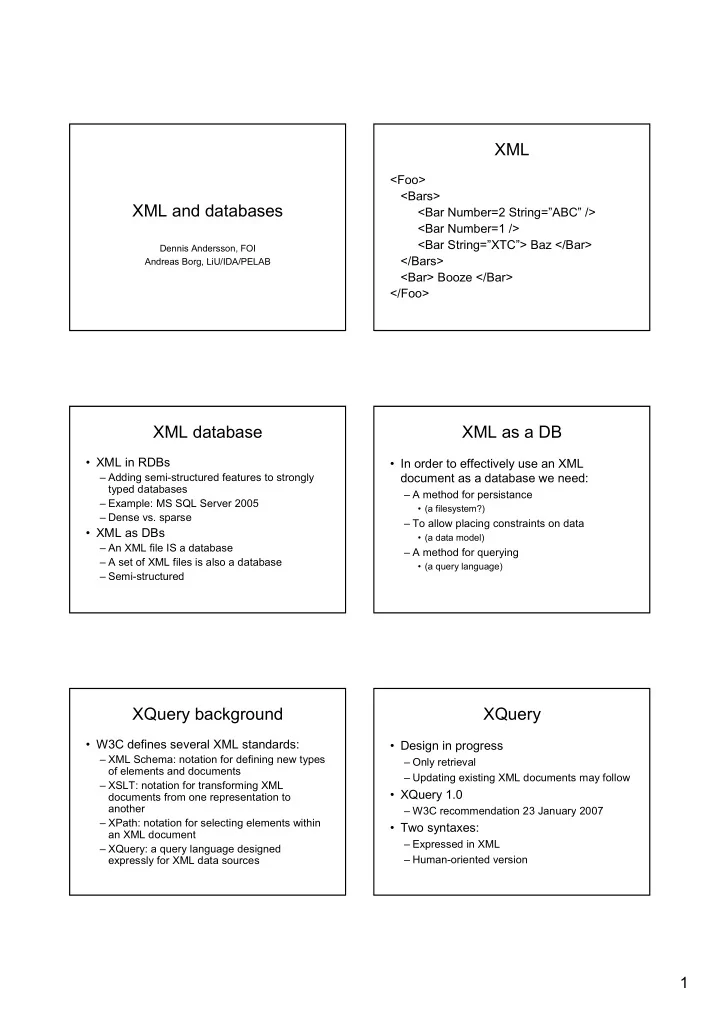
XML

<Foo> <Bars> <Bar Number=2 String=”ABC” /> <Bar Number=1 /> <Bar String=”XTC”> Baz </Bar> </Bars> <Bar> Booze </Bar> </Foo>

XML database

  • XML in RDBs

– Adding semi+structured features to strongly typed databases – Example: MS SQL Server 2005 – Dense vs. sparse

  • XML as DBs

– An XML file IS a database – A set of XML files is also a database – Semi+structured

XML as a DB

  • In order to effectively use an XML

document as a database we need:

– A method for persistance

  • (a filesystem?)

– To allow placing constraints on data

  • (a data model)

– A method for querying

  • (a query language)

XQuery background

  • W3C defines several XML standards:

– XML Schema: notation for defining new types

  • f elements and documents

– XSLT: notation for transforming XML documents from one representation to another – XPath: notation for selecting elements within an XML document – XQuery: a query language designed expressly for XML data sources

XQuery

  • Design in progress

– Only retrieval – Updating existing XML documents may follow

  • XQuery 1.0

– W3C recommendation 23 January 2007

  • Two syntaxes:

– Expressed in XML – Human+oriented version

slide-2
SLIDE 2

2

XQuery data model

  • Sequence: An ordered collection of zero or more items
  • Item: Node or atomic value

– Node

  • Element
  • Attribute
  • Text
  • Document
  • Comment
  • Processing instruction
  • Namespace nodes

– Atomic value: E.g. strings, integers, decimals

  • Typed value: A sequence of zero or more typed values
  • Document order: Each node appears before its children

XQuery Expressions

  • Basics (literals, variables, core function library)
  • Path expressions (child, descendant, parent …)
  • Predicates (e.g. ” ”)
  • Element constructors (to construct new

elements)

  • Iteration and sorting (FLWR: for+let+where+

return)

  • Arithmetic (+,+,*,div)
  • Operations on sequences
  • Conditional expressions
  • Quantified expressions (some, every)

Example data: items.xml

document element attribute text node

Example data: bids.xml Path expressions

  • The result of each step is a sequence of nodes
  • The value is the node sequence resulting from the last

step

  • Q1: List the descriptions of all items offered for sale by

Smith.

– XML

  • – Human+oriented
  • Predicates
  • Q3:Find the status attribute of the item that is the

parent of a given description

  • variable

parent attribute node

slide-3
SLIDE 3

3

Iteration and sorting

  • Q4: For each item that has more than ten bids, generate a popular+

item element containing the item number, description, and bid count.

  • ! "#$
  • %&"

' ( ( % &"' )% &" ) %&"

* & + F L W R

A model for XML databases

  • An XML document is

– tags are properly nested – no need to conform to a particular schema – semi+structured data – relational and object+oriented modeling techniques becomes complex – efficient data models are needed

XDD, XML Declarative Description

  • A simple yet expressive mechanism

– explicit and implicit info

  • A description in XDD consists of

– XML elements – XML expressions (extended XML elements with variables) – XML clauses (constraints and relationships)

XML elements

  • Ground XML expression XML element
  • Example:

<Element id=1 type=”foo”>

<SubElement>Bar</SubElement> <SubElement>Baz</SubElement> <SubElement>Boz</SubElement>

</Element>

  • Example:

<AnotherElement />

(Non+ground) XML expressions

  • XML element with variable

– Name

  • – String
  • – Attribute+value+pair
  • – XML+expression
  • – Intermediate+expression
  • Example:

<$N:element id=$S:id $P:att1>

$E:subelements

</$N:element>

Generalization

<AirTrip from=”Bangkok” to=”London”> <Path> <City>Bangkok</City> <City>Singapore</City> <City>London</City> </Path> <Price>650</Price> </AirTrip> <AirTrip from= to=”London”>

  • </AirTrip>

<> <City>Singapore</City> </> (ground XML expression) (generalization of a) (another generalization of a)

slide-4
SLIDE 4

4

Specialization

<AirTrip from= to=”London”>

  • </AirTrip>

<AirTrip from= to=”London”>

  • </AirTrip>

<AirTrip from= to=”London”>

  • </AirTrip>

<AirTrip from= to=”London”>

  • !

"

  • </AirTrip>

<AirTrip from= to=”London”>

  • !

" #$%& # </AirTrip>

XDD database modeling

  • XML document

– Formalized as an XDD description containing ground XML unit clauses (facts, see definition 5)

  • Extensional XML DB (XDBE)

– 1+ XML documents formalized as above

  • Intensional XML DB (XDBI)

– Comprised of XML non+unit clauses defining axioms, relationships or deductible knowledge (XML non+unit clauses)

  • Set of structural and integrity constraints (XDBC)

– XML non+unit clauses defining particular constraints

  • XDD Description: XDB = XDBE υ XDBI υ XDBC

Extensional XML DB (XDBE)

<Flight number=”TG916” airline=”TG”> <Origin>Bangkok</Origin> <Destination>London</Destination> <Price>750</Price> </Flight> <Flight number=”SQ61” airline=”SQ”> <Origin>Bangkok</Origin> <Destination>Singapore</Destination> <Price>150</Price> </Flight> <Flight number=”SQ320” airline=”SQ”> <Origin>Singapore</Origin> <Destination>London</Destination> <Price>500</Price> </Flight>

Intensional XML DB (XDBI)

  • Example axiom

– Minimum waiting time between two connecting flights is 1 hour

  • Example deductible information

– There is a flight from Singapore to Bangkok – There is a flight from Bangkok to London – Hence there is a 2+step flight from Singapore to London

  • Can be expressed in XML

– see definition 5 and figure 4

Constraints (XDBC)

  • Example constraints

– A flight can not have the same origin and destination – The price of a flight must be an integer – The price of a flight must be less than 1500 – The flight number must be unique – Elements in the database must conform to a certain schema

  • Can be expressed in XML

– see definition 4 and figure 5

XDD querying

  • An XML query can be formalized as an

XML non+unit clause ( )

  • The result of the query is a sequence of all

possible specializations of the query clause in the database.

  • An example query is presented in figure 7
slide-5
SLIDE 5

5

XQuery exercises

  • Ex1: Find the names of all conflicts where

Great Britain was a party.

  • Ex2: For each ongoing conflict (that has

no end+date), generate a conflict+ publication element containing the conflict name and publication titles.

! "#

XDD Exercises

  • Ex4: Create a non+ground XML expression that covers,

at the highest possible level of detail, any conflict in conflict.xml

  • Ex5: Using the expression from Ex4, show through

specialization how the following entity can be derived:

<conflict id="WW3" start="2050" type="fiction"> <name>World war 3</name> <parties> <party>Blue side</party> <party>Red side</party> </parties> <casualties>1000000</casualties> <civiliansKilled>10000</civiliansKilled> </conflict>