11.1 Remeshing Hao Li http://cs621.hao-li.com 1 Outline What is - - PowerPoint PPT Presentation

11 1 remeshing
SMART_READER_LITE
LIVE PREVIEW

11.1 Remeshing Hao Li http://cs621.hao-li.com 1 Outline What is - - PowerPoint PPT Presentation

Spring 2017 CSCI 621: Digital Geometry Processing 11.1 Remeshing Hao Li http://cs621.hao-li.com 1 Outline What is remeshing? Why remeshing? How to do remeshing? 2 Outline What is remeshing? Why remeshing? How to do


slide-1
SLIDE 1

CSCI 621: Digital Geometry Processing

Hao Li

http://cs621.hao-li.com

1

Spring 2017
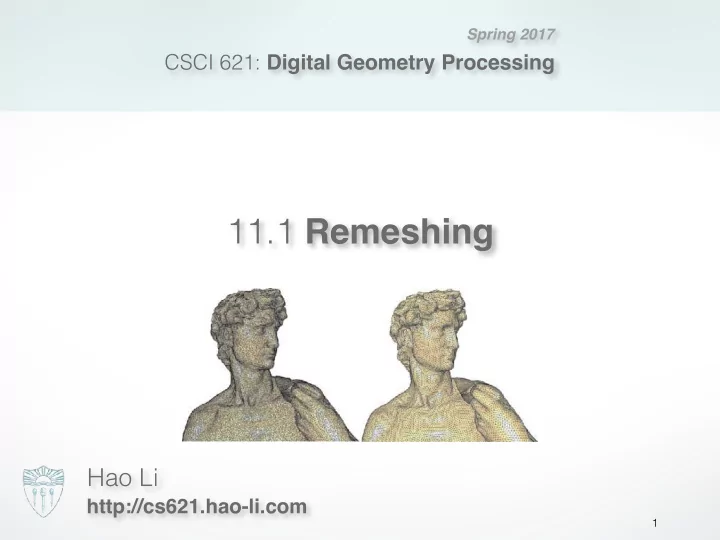
11.1 Remeshing

slide-2
SLIDE 2

Outline

2

  • What is remeshing?
  • Why remeshing?
  • How to do remeshing?
slide-3
SLIDE 3

Outline

3

  • What is remeshing?
  • Why remeshing?
  • How to do remeshing?
slide-4
SLIDE 4

Definition

4

Compute another mesh

  • Satisfy some quality requirements
  • Approximate well the input mesh

Given a 3D mesh

  • Already a manifold mesh
slide-5
SLIDE 5

Outline

5

  • What is remeshing?
  • Why remeshing?
  • How to do remeshing?
slide-6
SLIDE 6

Motivation

6

Unsatisfactory “raw” mesh

  • By scanning or implicit representations
slide-7
SLIDE 7

Motivation

7

Improve mesh quality for further use Unsatisfactory “raw” mesh

  • By scanning or implicit representations
slide-8
SLIDE 8

Motivation

8

Improve mesh quality for further use

  • Modeling: easy processing
  • Simulation: numerical robustness
  • ……

Unsatisfactory “raw” mesh

  • By scanning or implicit representations

Quality requirements

  • Local structure
  • Global structure
slide-9
SLIDE 9

Local structure

9

Element type

  • Triangles vs. quadrangles

all-triangle mesh all-quad mesh quad-dominant mesh

slide-10
SLIDE 10

Local structure

10

Element type

  • Triangles vs. quadrangles
slide-11
SLIDE 11

Local structure

11

Element shape

  • Isotropic vs. anisotropic

Element type

  • Triangles vs. quadrangles
slide-12
SLIDE 12

Local structure

12

Element shape

  • Isotropic vs. anisotropic

Element type

  • Triangles vs. quadrangles

Element distribution

  • Uniform vs. adaptive
slide-13
SLIDE 13

Local structure

13

Element shape

  • Isotropic vs. anisotropic

Element type

  • Triangles vs. quadrangles

Element alignment

  • Preserve sharp features and curvature lines

Element distribution

  • Uniform vs. adaptive
slide-14
SLIDE 14

Global structure

14

Valence of a regular vertex

Interior vertex Boundary vertex Triangle mesh 6 4 Quadrangle mesh 4 3

slide-15
SLIDE 15

Global structure

15

Valence of a regular vertex Different types of mesh structure

  • Irregular
  • Semi-regular: multi-resolution analysis / modeling
  • Highly regular: numerical simulation
  • Regular: only possible for special models

Interior vertex Boundary vertex Triangle mesh 6 4 Quadrangle mesh 4 3

slide-16
SLIDE 16

Outline

16

  • What is remeshing?
  • Why remeshing?
  • How to do remeshing?
slide-17
SLIDE 17

Outline

17

  • What is remeshing?
  • Why remeshing?
  • How to do remeshing?
  • Isotropic remeshing
  • Anisotropic remeshing
slide-18
SLIDE 18

Outline

18

  • What is remeshing?
  • Why remeshing?
  • How to do remeshing?
  • Isotropic remeshing
  • Anisotropic remeshing
slide-19
SLIDE 19

Isotropic remeshing

19

Variational remeshing

  • Energy minimization
  • Parameterization-based → expensive
  • Works for coarse input mesh

Greedy remeshing Incremental remeshing

  • Simple to implement and robust
  • Not need parameterization
  • Efficient for high-resolution input
slide-20
SLIDE 20

Isotropic remeshing

20

Variational remeshing

  • Energy minimization
  • Parameterization-based → expensive
  • Works for coarse input mesh

Greedy remeshing Incremental remeshing

  • Simple to implement and robust
  • Not need parameterization
  • Efficient for high-resolution input
slide-21
SLIDE 21

Local remeshing operators

21

Edge Split Vertex Shift Edge Collapse Edge Flip

slide-22
SLIDE 22

Incremental remeshing

22

Specify target edge length L Lmax = 4/3 * L; Lmin = 4/5 * L; Iterate:

  • 1. Split edges longer than Lmax
  • 2. Collapse edges shorter than Lmin
  • 3. Flip edges to get closer to optimal valence
  • 4. Vertex shift by tangential relaxation
  • 5. Project vertices onto reference mesh
slide-23
SLIDE 23

Edge split

23

|Lmax − L| =

  • 1

2Lmax − L

  • ⇒ Lmax

= 4 3L

Lmax

1 2Lmax 1 2Lmax

Edge Split

Split edges longer than Lmax

slide-24
SLIDE 24

Edge collapse

24

|Lmin − L| =

  • 3

2Lmin − L

  • ⇒ Lmin

= 4 5L

3 2Lmin 3 2Lmin

Lmin Lmin Lmin Edge Collapse

Collapse edges shorter than Lmin

slide-25
SLIDE 25

Edge flip

25

Optimal valence

  • 6 for interior vertices
  • 4 for boundary vertices
slide-26
SLIDE 26

Edge flip

26

Edge Flip

+1 +1

  • 1
  • 1

4

  • i=1

(valence(vi) − opt valence(vi))2

Optimal valence

  • 6 for interior vertices
  • 4 for boundary vertices

Improve valences

  • Minimize valence excess
slide-27
SLIDE 27

Vertex shift

27

Vertex Shift

Local “spring” relaxation

  • Uniform Laplacian smoothing
  • Barycenter of one-ring neighborhood

ci = 1 valence(vi)

  • j∈N(vi)

pj

slide-28
SLIDE 28

Vertex shift

28

pi ci

Local “spring” relaxation

  • Uniform Laplacian smoothing
  • Barycenter of one-ring neighborhood

ci = 1 valence(vi)

  • j∈N(vi)

pj

slide-29
SLIDE 29

Vertex shift

29

Local “spring” relaxation

  • Uniform Laplacian smoothing
  • Barycenter of one-ring neighborhood

Keep vertex (approx.) on surface

  • Restrict movement to tangent plane

pi ← pi + λ

  • I − ninT

i

⇥ (ci − pi) ci = 1 valence(vi)

  • j∈N(vi)

pj

project tangent

ni pi ci

slide-30
SLIDE 30

Vertex projection

30

Onto original reference mesh

  • Find closet triangle
  • Use BSP to accelerate → O(logn)
  • Barycentric interpolation to

compute position & normal

project

slide-31
SLIDE 31

Incremental remeshing

31

Specify target edge length L Iterate:

  • 1. Split edges longer than Lmax
  • 2. Collapse edges shorter than Lmin
  • 3. Flip edges to get closer to optimal valence
  • 4. Vertex shift by tangential relaxation
  • 5. Project vertices onto reference mesh
slide-32
SLIDE 32

Remeshing result

32

slide-33
SLIDE 33

Adaptive remeshing

33

slide-34
SLIDE 34

Adaptive remeshing

34

  • Compute maximum

principle curvature on reference mesh

  • Determine local target

edge length from max- curvature

  • Adjust edge split / collapse

criteria accordingly

slide-35
SLIDE 35

Feature preservation

35

slide-36
SLIDE 36

Feature preservation

36

Define feature edges / vertices

  • Large dihedral angles
  • Material boundaries

Adjust local operators

  • Do not touch corner vertices
  • Do not flip feature edges
  • Collapse along features
  • Univariate smoothing
  • Project to feature curves
slide-37
SLIDE 37

Isotropic remeshing

37

Variational remeshing

  • Energy minimization
  • Parameterization-based → expensive
  • Works for coarse input mesh

Greedy remeshing Incremental remeshing

  • Simple to implement and robust
  • Not need parameterization
  • Efficient for high-resolution input
slide-38
SLIDE 38

Voronoi Diagram

38

slide-39
SLIDE 39

Voronoi Diagram

39

Divide space into a number of cells

slide-40
SLIDE 40

Voronoi Diagram

40

Divide space into a number of cells Dual graph: Delaunay triangulation

slide-41
SLIDE 41

Centroidal Voronoi Diagram

41

For each cell

The generating point = mass of center

CVD non CVD

slide-42
SLIDE 42

Centroidal Voronoi Diagram

42

Compute CVD by Lloyd relaxation

  • 1. Compute Voronoi diagram of given points pi
  • 2. Move points pi to centroids ci of their Voronoi cells Vi
  • 3. Repeat steps 1 and 2 until satisfactory convergence

pi ← ci =

  • Vi x · ρ(x) dx
  • Vi ρ(x) dx
slide-43
SLIDE 43

Centroidal Voronoi Diagram

43

Compute CVD by Lloyd relaxation

  • 1. Compute Voronoi diagram of given points pi
  • 2. Move points pi to centroids ci of their Voronoi cells Vi
  • 3. Repeat steps 1 and 2 until satisfactory convergence

pi ← ci =

  • Vi x · ρ(x) dx
  • Vi ρ(x) dx

CVD maximizes compactness

  • Minimize the energy:
  • i

Vi

ρ(x) ⇤x pi⇤2 dx ⇥ min

slide-44
SLIDE 44

Variational remeshing

44

  • 1. Conformal parameterization of input mesh
  • 2. Compute local density
  • 3. Perform in 2D parameter space
  • A. Randomly sample according to local density
  • B. Compute CVD by Lloyd relaxation
  • 4. Lift 2D Delaunay triangulation to 3D
slide-45
SLIDE 45

Variational remeshing

45

slide-46
SLIDE 46

Adaptive remeshing

46

slide-47
SLIDE 47

Feature preservation

47

slide-48
SLIDE 48

Outline

48

  • What is remeshing?
  • Why remeshing?
  • How to do remeshing?
  • Isotropic remeshing
  • Anisotropic remeshing
slide-49
SLIDE 49

Anisotropic remeshing

49

Artist-designed models

  • Conform to the anisotropy of a surface
slide-50
SLIDE 50

Anisotropic remeshing

50

[Alliez et al. 2003] Anisotropic Polygonal Remeshing.

slide-51
SLIDE 51

Anisotropic remeshing

51

input mesh principal direction fields sampling meshing

  • utput

mesh

[Alliez et al. 2003] Anisotropic Polygonal Remeshing.

slide-52
SLIDE 52

Anisotropy

52

Differential geometry

  • A local orthogonal frame: min/max curvature directions

and normal

slide-53
SLIDE 53

3D curvature tensor

53

Isotropic spherical planar

k > 0 k = 0

Anisotropic

2 principal directions

elliptic parabolic hyperbolic

kmax > 0 kmin > 0 kmin = 0 kmax > 0 kmin < 0 kmax > 0

slide-54
SLIDE 54

Principal direction fields

54

min curvature max curvature

  • verlay
slide-55
SLIDE 55

Flattening to 2D

55

  • ne 3D tensor

per vertex discrete conformal parameterization 2D tensor field using barycentric coordinates piecewise linear interpolation of 2D tensors

slide-56
SLIDE 56

2D direction fields

56

major foliation principal foliations minor foliation

  • Regular case
slide-57
SLIDE 57

2D direction fields

57

  • Singularities

trisector wedge

umbilic (spherical point) 2D tensor proportional to identity

slide-58
SLIDE 58

Umbilics

58

slide-59
SLIDE 59

Umbilics

59

wedge trisector

slide-60
SLIDE 60

Lines of curvature

60

minor net major net

  • verlay
slide-61
SLIDE 61

Lines of curvature

61

major net minor net

slide-62
SLIDE 62

Overlay

62

  • Overlay curvature lines in

anisotropic regions

  • Add umbilical points in

isotropic regions

slide-63
SLIDE 63

Vertices

63

intersect lines of curvatures

slide-64
SLIDE 64

Edges

64

straighten lines of curvatures + Delaunay triangulation near umbilics

slide-65
SLIDE 65

Resolve T-junctions

65

T-junction

slide-66
SLIDE 66

Smoothing

66

quad-triangle subdivision

slide-67
SLIDE 67

Anisotropic remeshing

67

input mesh principal direction fields sampling meshing

  • utput

mesh

[Alliez et al. 2003] Anisotropic Polygonal Remeshing.

slide-68
SLIDE 68

Remeshing results

68

min curvature minor net max curvature major net

  • verlay

result

slide-69
SLIDE 69

Remeshing results

69

[Alliez et al. 2003] Anisotropic Polygonal Remeshing.

slide-70
SLIDE 70

Tools

70

MeshLab

  • meshlab.sourceforge.net
  • open source
  • available for Windows, MacOSX, and Linux

Graphite

  • http://alice.loria.fr/index.php/software/3-platform/22-

graphite.html

  • available for Windows
  • MacOSX or Linux?
slide-71
SLIDE 71

Remeshing via Graphite

71

“Mesh” → “remesh” → “pliant” →

  • [Optional] flag border as feature
  • [Optional] flag sharp edges as feature (dihedral angle)
  • [Optional] estimate edge size (bounding box divisions)
  • remesh (target edge length)
slide-72
SLIDE 72

Literature

72

  • Textbook: Chapter 6
  • Alliez et al, “Interactive geometry remeshing”, SIGGRAPH 2002
  • Alliez et al, “Isotropic surface remeshing”, SMI 2003
  • Alliez et al, “Anisotropic polygonal remeshing”, SIGGRAPH 2003
  • Vorsatz et al, “Dynamic remeshing and applications”, Solid Modeling 2003
  • Botsch & Kobbelt, “A remeshing approach to multiresolution modeling”,
  • Symp. on Geometry Processing 2004
  • Marinov et al, “Direct anisotropic quad-dominant remeshing”, Pacific

Graphics 2004

  • Alliez et al, “Recent advances in remeshing of surfaces”, AIM@Shape

state of the art report, 2006

slide-73
SLIDE 73

http://cs621.hao-li.com

Thanks!

73