SLIDE 1
308-435 Socket Programming
Juan de Lara, Hans Vangheluwe Edited for Fall 2001 by Clark Verbrugge McGill University Fall Term 2001
Background
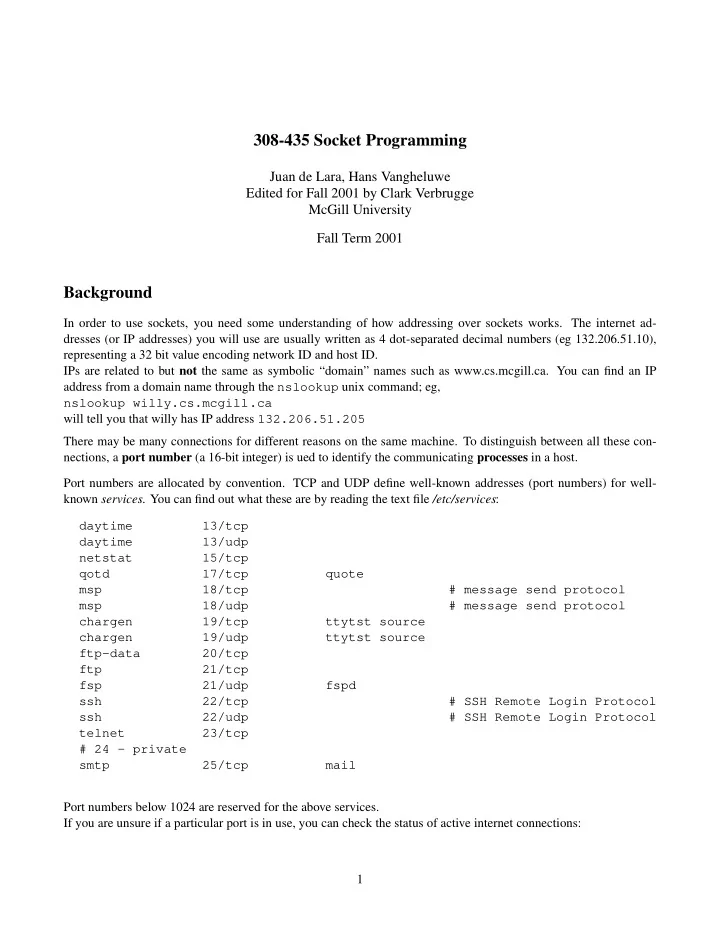
In order to use sockets, you need some understanding of how addressing over sockets works. The internet ad- dresses (or IP addresses) you will use are usually written as 4 dot-separated decimal numbers (eg 132.206.51.10), representing a 32 bit value encoding network ID and host ID. IPs are related to but not the same as symbolic “domain” names such as www.cs.mcgill.ca. You can find an IP address from a domain name through the nslookup unix command; eg, nslookup willy.cs.mcgill.ca will tell you that willy has IP address 132.206.51.205 There may be many connections for different reasons on the same machine. To distinguish between all these con- nections, a port number (a 16-bit integer) is ued to identify the communicating processes in a host. Port numbers are allocated by convention. TCP and UDP define well-known addresses (port numbers) for well- known services. You can find out what these are by reading the text file /etc/services: daytime 13/tcp daytime 13/udp netstat 15/tcp qotd 17/tcp quote msp 18/tcp # message send protocol msp 18/udp # message send protocol chargen 19/tcp ttytst source chargen 19/udp ttytst source ftp-data 20/tcp ftp 21/tcp fsp 21/udp fspd ssh 22/tcp # SSH Remote Login Protocol ssh 22/udp # SSH Remote Login Protocol telnet 23/tcp # 24 - private smtp 25/tcp mail Port numbers below 1024 are reserved for the above services. If you are unsure if a particular port is in use, you can check the status of active internet connections: 1
SLIDE 2 % netstat --inet -a Active Internet connections (servers and established) Proto Recv-Q Send-Q Local Address Foreign Address State tcp 0 HSE-Montreal-ppp34:1023 mimi.CS.McGill.CA:ssh ESTABLISHED tcp 0 *:X *:* LISTEN tcp 0 *:www *:* LISTEN tcp 0 *:https *:* LISTEN tcp 0 *:587 *:* LISTEN tcp 0 *:smtp *:* LISTEN tcp 0 *:printer *:* LISTEN tcp 0 *:ssh *:* LISTEN tcp 0 *:finger *:* LISTEN raw 0 *:icmp *:* 7 raw 0 *:tcp *:* 7
Socket Addresses
- socket are the API to network services
- UNIX: I/O by read/write from/to a file descriptor.
- file descriptor = integer associated with an open file
- pen file can be a network connection, a FIFO, a pipe, a terminal, etc
- invoke socket() to get a socket
- types of sockets: DARPA Internet addresses (Internet Sockets), path names on a local node (Unix Sockets),
CCITT X.25 addresses, etc The socket address structure can be seen in <sys/socket.h> struct sockaddr { u_short sa_family; /* address family: AF_XXX value */ char sa_data[14]; /* up to 14 bytes of protocol-specific address */ };
- sa_family: address family (AF_INET)
- sa_data: interpretation depends on the address family. In case of the Internet family: destination address
and socket port number. Easy to fill in using (in <netinet/in.h>): struct in_addr { u_long s_addr; /* 32-bit address, in network byte order */ 2
SLIDE 3 }; struct sockaddr_in { short sin_family; /* AF_INET */ u_short sin_port; /* 16-bit port number, in network byte order */ struct in_addr sin_addr; /* 32-bit address, in network byte order */ char sin_zero[8]; /* unused */ }; u_short and u_long are defined in <sys/types.h>. For some API calls, an explicit cast from struct sockaddr_in * to (struct sockaddr *) in needed. sin_zero (padding the structure to the length of struct sockaddr)must be set to all zeros (eg with memset()).
Network and Host byte orders
Difference in storage order of integers’ bytes on different machine architectures. For example a 16-bit integer, made up of 2 bytes can be stored in two different ways:
- Little (low) endian: stores the low-order byte at the starting address.
- Big (high) endian: the high-order byte is stored at the staring address.
Note: this does not apply to character strings. For networking: network byte order. Conversion routines: #include <sys/types.h> #include <netinet/in.h> u_long htonl (u_long hostlong); u_short htons (u_short hostshort); u_long ntohl (u_long netlong); u_short ntohs (u_short netshoert);
- h stands for host
- n stands for network
- l stands for long
- s stands for short
sin_addr and sin_port fields must be in Network Byte Order as they get encapsulated in the packet at the IP and UDP layers, respectively. sin_family is only used by the kernel to determine what type of address the structure contains, so it must be in Host Byte Order. It is not sent over the network. 3
SLIDE 4 Address convertion routines
An Internet address is usually written in the dotted-decimal format (eg, 10.12.110.57). Conversion between dotted-decimal format (a string) and a in_addr structure: #include <sys/socket.h> #include <netinet/in.h> #include <arpa/inet.h> unsigned long inet_addr(char * ptr); char * inet_ntoa(struct in_addr inaddr); inet_addr() converts a character string in dotted-decimal notation to a 32-bit Internet address (in Network Byte Order). It returns -1 on error. Beware ! -1 corresponds to the IP address 255.255.255.255, the broadcast address. Example: convert the IP address ”10.12.110.57” and store it ina.sin_addr.s_addr = inet_addr("10.12.110.57"); if ( ina.sin_addr.s_addr == -1 ) /* error */ { ... /* error handling */ } Remarks:
- inet_ntoa() takes a struct in_addr as argument, not a long.
- inet_ntoa() returns a char * pointing to a statically stored char array inside inet_ntoa(). The
string will be overwritten at each call: char *a1, *a2; . . a1 = inet_ntoa(ina1.sin_addr); // assume this holds 192.168.4.14 a2 = inet_ntoa(ina2.sin_addr); // assume this holds 10.12.110.57 printf("address 1: %s\n",a1); printf("address 2: %s\n",a2); will print address 1: 10.12.110.57 address 2: 10.12.110.57
Elementary Socket System Calls: socket()
Invoke socket() to specify the type of communication protocol desired (TCP, UDP, etc). 4
SLIDE 5 #include <sys/types.h> #include <sys/socket.h> int socket(int family, int type, int protocol);
- family is set to AF_INET
- type is SOCK_STREAM for TCP and SOCK_DGRAM for UDP.
socket() returns
- a socket descriptor that can be used in later system calls,
- r -1 on error. Global variable errno is set to the error’s value (use perror() to print msg).
TCP client/server architecture
Typical sequence of system calls to implement TCP clients and servers. Server Client socket() | V bind() | V listen() | V accept() socket() | | blocks until connection from client V | <-- connection establishment ------------> connect() | | V V read() <-------- data (request)--------------- write() | | process request | | | V V write() -------- data (reply) ----------------> read()
The bind() system call
bind() assigns a name to an unnamed socket. Associates the socket with a port in the local machine. The port number is used by the kernel to match an incoming packet to a certain process’s socket descriptor. Used by TCP and UDP servers and by UDP clients. 5
SLIDE 6 #include <sys/types.h> #include <sys/socket.h> int bind(int sockfd, struct sockaddr *my_addr, int addrlen); sockfd is the socket file descriptor returned by socket(). my_addr is a pointer to a struct sockaddr.
May need to cast pointer to struct sockaddr * addrlen can be set to sizeof(struct sockaddr). Returns -1 on error and sets errno to the error’s value. Here is a code fragment illustrating the necessary steps to setup a TCP server (will be completed later): #include <string.h> #include <sys/types.h> #include <sys/socket.h> #include <netinet/in.h> #define MYPORT 3490 int main() { int sockfd; struct sockaddr_in my_addr; if ( (sockfd = socket(AF_INET, SOCK_STREAM, 0)) < 0) { perror("socket"); exit(1); } my_addr.sin_family = AF_INET; /* host byte order */ my_addr.sin_port = htons(MYPORT); /* short, network byte order */ my_addr.sin_addr.s_addr = htonl(INADDR_ANY); /* my own IP address */ memset(&(my_addr.sin_zero), ’\0’, 8); /* zero the rest of the struct */ if ( bind(sockfd, (struct sockaddr *)&my_addr, sizeof(struct sockaddr)) < 0 ) { perror("bind"); exit(1); } . . . You can automatically get the local IP address and/or port: 6
SLIDE 7 my_addr.sin_port = 0; /* choose an unused port at random */ my_addr.sin_addr.s_addr = htonl(INADDR_ANY); /* use my IP address */ Ports below 1024 are reserved. Up to 65535 (sin_port is 16 bits long) can be used, provided it is not in use by another process. When trying to rerun a server, bind() often fails with the message: "Address already in use." Probably a socket that was connected has not been closed properly, and so is still “alive” in the kernel and is still
- ccupying the port. Two options are possible:
- wait for it to clear (a minute or so), or
- add code to the program allowing it to reuse the port, to avoid this problem in the future.
int yes=1; if (setsockopt(listener,SOL_SOCKET,SO_REUSEADDR,&yes,sizeof(int)) == -1) { perror("setsockopt"); exit(1); }
The connect() system call
- TCP client
- connect a socket descriptor (after socket())
- establishes connection with a server
#include <sys/types.h> #include <sys/socket.h> int connect(int sockfd, struct sockaddr *serv_addr, int addrlen);
- connect() returns -1 on error and sets errno
- sockfd is a socket file descriptor returned by socket()
- serv_addr points to a structure with destination port and IP address
- addrlen set to sizeof(struct sockaddr)
Initial code necessary for a TCP client: #include <string.h> #include <sys/types.h> #include <sys/socket.h> #include <netinet/in.h> 7
SLIDE 8 #define DEST_IP "150.244.56.39" #define DEST_PORT 13 main() { int sockfd; struct sockaddr_in dest_addr; /* will hold the destination addr */ if ((sockfd = socket(AF_INET, SOCK_STREAM, 0))<0) { perror("socket"); exit(1); } dest_addr.sin_family = AF_INET; /* inet address family */ dest_addr.sin_port = htons(DEST_PORT); /* destination port */ dest_addr.sin_addr.s_addr = inet_addr(DEST_IP); /* destination IP address */ memset(&(dest_addr.sin_zero), ’\0’, 8); /* zero the rest of the struct */ if (connect(sockfd, (struct sockaddr *)&dest_addr, sizeof(struct sockaddr))<0) { perror("connect"); exit(1); } . . . Note: The code does not call bind(). In the client, we don’t care about our local port number, only about the remote port. The kernel will choose a local port, and the site we connect to will automatically get this information from us. A connectionless client (UDP) can also use connect(). In this case, the system call just stores the serv_addr specified by the process, so that the system knows where to send any future data the process writes to the sockfd
- descriptor. Also, only datagrams from this address will be received by the socket.
The listen() system call
- used by a TCP server
- specify how many client connections can be waiting while the server is servicing other clients.
- incoming connections wait in this queue until accept() is invoked.
int listen(int sockfd, int backlog); Returns -1 and sets errno on error. Example: 8
SLIDE 9 #include <string.h> #include <sys/types.h> #include <sys/socket.h> #include <netinet/in.h> #define MYPORT 3490 int main() { int sockfd; struct sockaddr_in my_addr; if ( (sockfd = socket(AF_INET, SOCK_STREAM, 0)) < 0) { perror("socket"); exit(1); } my_addr.sin_family = AF_INET; my_addr.sin_port = htons(MYPORT); my_addr.sin_addr.s_addr = inet_addr(INADDR_ANY); memset(&(my_addr.sin_zero), ’\0’, 8); /* zero the rest of the struct */ if ( bind(sockfd, (struct sockaddr *)&my_addr, sizeof(struct sockaddr)) < 0 ) { perror("bind"); exit(1); } if ( listen(sockfd, 5) < 0 ) { perror("listen"); exit(1); } . . .
The accept() system call
- TCP servers
- after calling listen()
- gets queued connection
- returns a new socket file descriptor
- use for this connection (send/receive data)
9
SLIDE 10
- still listening on original socket
#include <sys/socket.h> int accept(int sockfd, void *addr, int *addrlen);
- sockfd is the socket descriptor
- addr points to a local struct sockaddr_in
- struct will be filled with the information about the incoming client
- *addrlen should be set to sizeof(struct sockaddr_in)
- accept will not put more than that many bytes into *addr
- may put less, will then modify addrlen
- returns -1 and sets errno if an error occurs.
Continuation of the example: #include <string.h> #include <sys/types.h> #include <sys/socket.h> #include <netinet/in.h> #define MYPORT 3490 int main() { int sockfd, csd, len; struct sockaddr_in my_addr, cliaddr; if ( (sockfd = socket(AF_INET, SOCK_STREAM, 0)) < 0) { perror("socket"); exit(1); } my_addr.sin_family = AF_INET; my_addr.sin_port = htons(MYPORT); my_addr.sin_addr.s_addr = inet_addr(INADDR_ANY); memset(&(my_addr.sin_zero), ’\0’, 8); /* zero the rest of the struct */ if ( bind(sockfd, (struct sockaddr *)&my_addr, sizeof(struct sockaddr)) < 0 ) { perror("bind"); exit(1); } 10
SLIDE 11 if ( listen(sockfd, 5) < 0 ) { perror("listen"); exit(1); } len = sizeof(cliaddr); while(1) { if ((csd = accept ( sockfd, (struct sockaddr *)&cliaddr, &len))<0) { perror("accept()"); exit(1); } printf("connection from %s, port %d\n", inet_ntoa(cliaddr.sin_addr), ntohs(cliaddr.sin_port)); . . .
send() and recv() system calls
Similar to write() and read() but give more control. Used for sending and receiving over TCP or connected datagram sockets. #include <sys/types.h> #include <sys/socket.h> int send(int sockfd, const void *msg, int len, int flags); int recv(int sockfd, const void *msg, int len, int flags);
- sockfd is the socket descriptor to send or receive data
- msg is a pointer to a buffer for the send/receive data
- len is the length of that data in bytes, or the maximim size of the receiving buffer
- flags usally set to zero
MSG_OOB /* send or receive out-of-band data */ MSG_PEEK /* peek at incoming message (recv or recvfrom) */ MSG_DONTROUTE /* bypass routing (send or sendto) */ Both system calls return the length of the data that was sent or received, or -1 on error. If recv() returns 0, that means that the server has closed the connection. 11
SLIDE 12 close() and shutdown system calls
The usual Unix close() is also used to close a socket. The prototype is the following: int close(int fd); This will prevent any more reads and writes to the socket. A process attempting to read or write the socket on the remote end will receive an error. shutdown() allows more control over how the socket closing. It permits to cut off communication in a certain direction, or both ways (like close()). The prototype is: int shutdown(int sockfd, int how); sockfd is the socket file descriptor to be closed. how is one of the following:
- 0 – Further receives are disallowed
- 1 – Further sends are disallowed
- 2 – Further sends and receives are disallowed (like close())
shutdown() returns 0 on success, and -1 on error (with errno set accordingly)
The complete example
The following is the code for the client application that connects to a time server: #include <stdio.h> /* for printf() */ #include <string.h> /* for memset() */ #include <stdlib.h> /* for exit() */ #include <unistd.h> /* for close() */ #include <sys/types.h> #include <sys/socket.h> #include <netinet/in.h> #include <arpa/inet.h> /* get the time in Spain */ /*#define DEST_IP "150.244.56.39"*/ /*#define DEST_PORT 13 */ /* get the time locally */ #define DEST_PORT 3490 #define MAXLINE 128 #define MAX_QUERY 15 int main(void) { int sockfd; /* socket file descriptor to comm through */ 12
SLIDE 13
struct sockaddr_in dest_addr; /* the server’s address */ char recvline[MAXLINE + 1]; /* to store received data in */ int num_recvd; /* number of bytes received */ int cnt; /* index variable for series of time queries */ for (cnt=0; cnt<MAX_QUERY; cnt++) { if ( (sockfd = socket(AF_INET, SOCK_STREAM, 0)) < 0) { perror("socket"); exit (1); } /* set up the destination address sockaddr_in structure */ /* Internet family */ dest_addr.sin_family = AF_INET; /* in HBO */ /* to communicate with the server in Spain, destination IP address */ /* dest_addr.sin_addr.s_addr = inet_addr(DEST_IP); long, in NBO */ /* to communicate with our own server */ /* server runs on the local host, IP address is filled automatically */ dest_addr.sin_addr.s_addr = htonl(INADDR_ANY); /* long, in NBO */ /* at the above IP address, port DEST_PORT */ dest_addr.sin_port = htons(DEST_PORT); /* short, in NBO */ /* zero the rest of the struct */ memset(&(dest_addr.sin_zero), ’\0’, 8); /* try to set up a connection */ if (connect(sockfd, (struct sockaddr *) &dest_addr, sizeof(struct sockaddr)) < 0) { perror("connect"); exit (1); } /* connection blocks until data is received */ if ( (num_recvd = recv(sockfd, recvline, MAXLINE, 0)) < 0) { perror("recv"); exit (1); } recvline[num_recvd] = ’\0’; /* turn it into a string */ if (fputs(recvline, stdout) == EOF) 13
SLIDE 14
{ perror("fputs error"); exit (1); } /* flush the output stream to print right away */ fflush(stdout); /* close the socket */ close(sockfd); } return (0); } The following is the code for the server application that provides the current time: #include <stdio.h> /* for printf() */ #include <string.h> /* for memset() */ #include <stdlib.h> /* for exit() */ #include <unistd.h> /* for close() */ #include <time.h> /* for time() */ #include <sys/types.h> #include <sys/socket.h> #include <netinet/in.h> #include <arpa/inet.h> #include "snprintf.h" #define MYPORT 3490 #define MAX_LINE 128 #define MAX_QUEUE 5 #define MAX_CONNECTS 20 int main(void) { int sockfd; /* socket (file) descriptor */ int acsd; /* accepted connection socket descriptor */ struct sockaddr_in my_addr; /* this server’s address */ struct sockaddr_in client_addr; /* a client’s address */ socklen_t len=sizeof(client_addr); /* length of the client_addr structure */ int yes=1; /* for socket options */ int in_conn; /* counter for incoming connections */ time_t ticks; /* to calculate current time and date */ char buff[MAX_LINE]; /* to store the server’s answer before sending */ /* try to create a socket */ if ( (sockfd = socket(AF_INET, SOCK_STREAM, 0)) < 0) 14
SLIDE 15
{ perror("socket"); return -1; } /* set up the my_addr sockaddr_in structure */ /* Internet family */ my_addr.sin_family = AF_INET; /* in HBO */ /* will listen on this host’s IP address */ my_addr.sin_addr.s_addr = htonl(INADDR_ANY); /* long, in NBO */ /* will listen on MYPORT port */ my_addr.sin_port = htons(MYPORT); /* short, in NBO */ /* zero the rest of the struct */ memset(&(my_addr.sin_zero), ’\0’, 8); /* make the socket (port MYPORT) re-usable for bind() */ /* otherwise, the kernel may still hang on to the port */ /* and bind() will fail. Without SO_REUSEADDR, just have to wait */ if (setsockopt(sockfd, SOL_SOCKET, SO_REUSEADDR, &yes, sizeof(int))==-1) { perror("setsockopt"); exit(1); } /* associate the socket with a port (MYPORT) on this machine */ if ( bind (sockfd, (struct sockaddr *) &my_addr, sizeof(struct sockaddr)) < 0) { perror("bind"); exit(1); } /* specify how many incoming connection client connections * will be queued */ if (listen(sockfd, MAX_QUEUE) < 0) { perror("listen"); exit(1); } /* accept MAX_CONNECTS incoming connections to this server */ for (in_conn=0; in_conn<MAX_CONNECTS; in_conn++) { 15
SLIDE 16
/* accept an incoming connection, * get a socket descriptor: acsd * get information about the client in client_addr */ if ( (acsd = accept(sockfd, (struct sockaddr *) &client_addr, &len)) < 0) { perror("accept()"); exit(1); } printf("connection from client %s, port %d\n", inet_ntoa(client_addr.sin_addr), ntohs(client_addr.sin_port)); /* sleep a while */ sleep(20); /* prepare the reply */ /* obtain current time * in seconds since the Epoch (00:00:00 UTC, January 1, 1970) */ ticks = time(NULL); /* convert the time to ASCII and put in a string buffer */ snprintf(buff, sizeof(buff), "%.24s\n", ctime(&ticks)); /* send the reply string to the client, null terminated, flags=0 */ send(acsd, (void *) buff, strlen(buff) + 1, 0); /* close the socket through which the client is accessed */ close(acsd); } /* close the server’s socket * attempts to read/write the socket on the client side will * receive an error. */ close(sockfd); return (0); } Note: Compiling the above code may require some editing. Some compilers/machines will require casts or different type choices; you should be able to work these out. Some compilers/machines will require you specify the system libraries your program will need. E.g., on willy.cs.mcgill.ca you may need to compile with: gcc example.c -lnsl -lsocket -lresolv For the server example, you might also need the prototype for snprintf: extern int snprintf(char *str, size_t size, const char *format, ...); 16
SLIDE 17 Programming in Java
Using sockets in Java is considerably easier; Java handles most of the dirty work for you. There are very good tutorials on the internet. See one or more of the following:
- 1. http://java.sun.com/docs/books/tutorial/networking/sockets/
- 2. http://pont.net/socket/java/
- 3. http://hplasim2.univ-lyon1.fr/c.ray/bks/java/htm/ch26.htm
Or use your favourite search engine (eg www.google.com) to find many more. Avoid the GUI and multithreaded examples (ie stick to simple, iterative-server examples) 17