
SLIDE 1
61A Lecture 35
Monday, November 26
Distributed Computing
A distributed computing application consists of multiple programs running on multiple computers that together coordinate to perform some task.
- Computation is performed in parallel by many computers.
- Information can be restricted to certain computers.
- Redundancy and geographic diversity improve reliability.
Characteristics of distributed computing:
- Computers are independent — they do not share memory.
- Coordination is enabled by messages passed across a network.
- Individual programs have differentiating roles.
Distributed computing for large-scale data processing:
- Databases respond to queries over a network.
- Data sets can be spread across multiple machines (Wednesday).
2
Network Messages
Computers communicate via messages: sequences of bytes transmitted over a network. Messages can serve many purposes:
- Send data to another computer
- Request data from another computer
- Instruct a program to call a function on some arguments.
- Transfer a program to be executed by another computer.
Messages conform to a message protocol adopted by both the sender to encode the message & the receiver to interpret it.
- For example, bits at fixed positions may have fixed meanings.
- Components of a message may be separated by delimiters.
- Protocols are designed to be implemented by many different
programming languages on a variety of platforms.
3 http://en.wikipedia.org/wiki/IPv4
The Internet Protocol
The Internet Protocol (IP) specifies how to transfer packets
- f data among different networks.
- Networks are inherently unreliable at any point.
- The structure of a network is dynamic.
- No system exists to monitor or track communications.
4
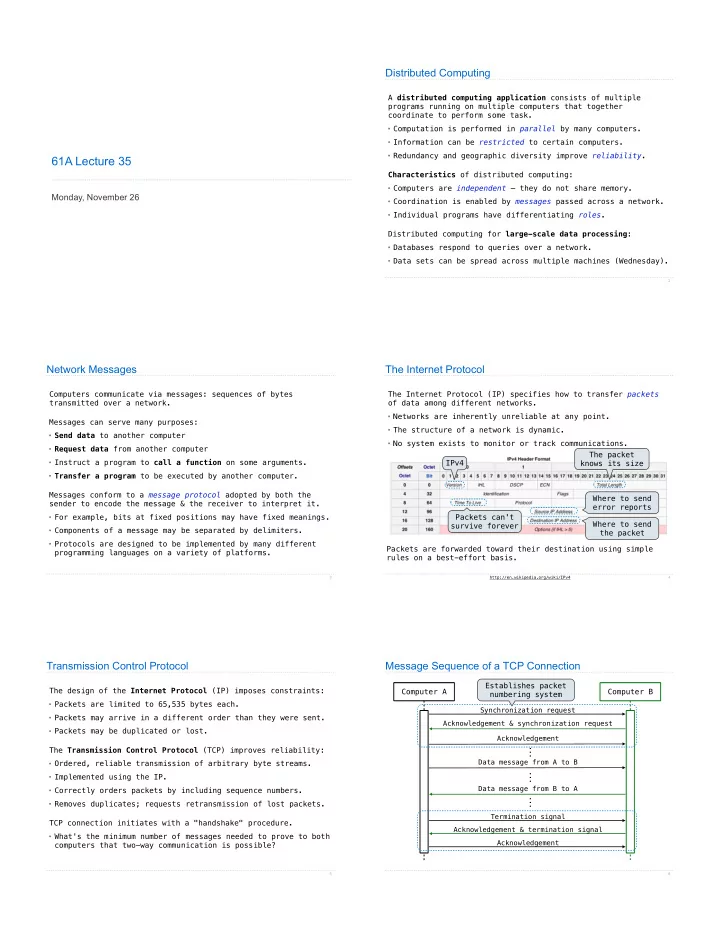
Packets are forwarded toward their destination using simple rules on a best-effort basis. Where to send the packet Where to send error reports Packets can't survive forever The packet knows its size IPv4
Transmission Control Protocol
The design of the Internet Protocol (IP) imposes constraints:
- Packets are limited to 65,535 bytes each.
- Packets may arrive in a different order than they were sent.
- Packets may be duplicated or lost.
The Transmission Control Protocol (TCP) improves reliability:
- Ordered, reliable transmission of arbitrary byte streams.
- Implemented using the IP.
- Correctly orders packets by including sequence numbers.
- Removes duplicates; requests retransmission of lost packets.
TCP connection initiates with a "handshake" procedure.
- What's the minimum number of messages needed to prove to both
computers that two-way communication is possible?
5
Message Sequence of a TCP Connection
6