Color Half Toning Half Toning Digital Half Toning Half toning and - - PDF document

color half toning half toning digital half toning half
SMART_READER_LITE
LIVE PREVIEW

Color Half Toning Half Toning Digital Half Toning Half toning and - - PDF document

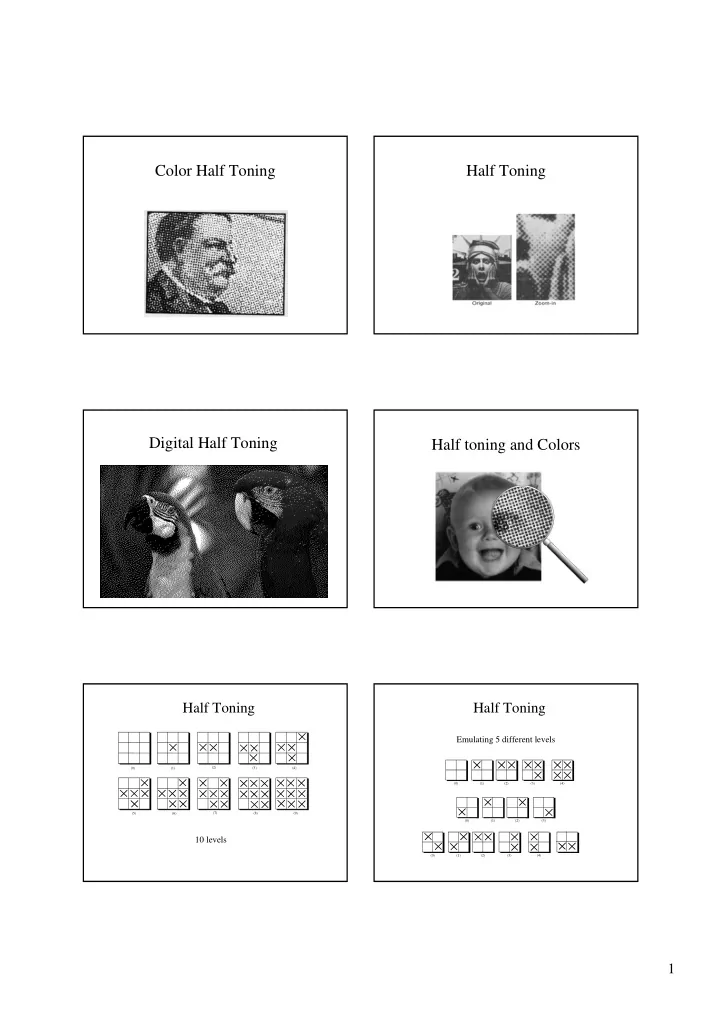
Color Half Toning Half Toning Digital Half Toning Half toning and Colors Half Toning Half Toning Emulating 5 different levels (0) (1) (2) (3) (4) (0) (1) (2) (3) (4) (7) (8) (9) (5) (6) (0) (1) (2) (3) 10 levels (0) (1)


slide-1
SLIDE 1

1

Half Toning Color Half Toning Half toning and Colors Digital Half Toning

(0) (1) (2) (3) (4) (0) (1) (2) (3) (0) (1) (2) (3) (4)

Emulating 5 different levels

Half Toning

(0) (1) (2) (3) (4) (5) (6) (7) (8) (9)
Half Toning

10 levels

slide-2
SLIDE 2

2

Original Dithering

Dithering and Halftoning

Trade spatial for intensity resolution (works well for printing where dot printing is very high)

  • Thresholding.
  • Random dither; Robert’s algorithm
  • Ordered dither
  • Error diffusion

Your eye will average over an area

  • Spatial Integration

Thresholding

Assume we want to quantize a gray-level image to a binary colormap. Map the upper half of the gray-level scale to white, and the lower half to black – a simple threshold operation, preformed independently at each pixel.

slide-3
SLIDE 3

3

Thresholding

Original image. Simple threshold.

n = 0.5 n= 0.7

) ) , ( ( ) , ( n y x v trunc y x v

  • Errors are low spatial frequencies.

Robert’s Algorithm

  • First add noise
  • Then quantize

x i

1

r r + 1

Quantized to 1 Quantized to 0

)) , ( ) , ( ( ) , ( y x noise y x v K trunc y x v

  • 1
  • noise

Moves errors to higher spatial frequencies.

  • > eye averages over an area.

Robert’s Algorithm

Pink Blue

The trouble with noise

  • Difficult to compute quickly.
  • Not reproducible.
  • Pre-compute pseudo-random function and

store in table.

  • Small tiled patterns sufficient

Each pixel produces a quatization error The quality of the result may be improved by adjusting the threshold locally, so that adjacent pixels in small areas are quantized with different thresholds. This reduces the average local quantization

  • error. Matrices of these threshold are called

dither matrices.

Dithering

slide-4
SLIDE 4

4

Comparison Ordered Dithering

  • Trade off spatial

resolution for intensity resolution.

  • Use dither patterns.
  • Can be represented as a

matrix.

Other possibilities

9 4 8 6 1 2 5 7 3

For all Xpixels For all Ypixels v = approximate(x,y) i = x mod 3 j = y mod 3 if v >= M[i,j] then Set_Pixel(x,y, BLACK) else Set_Pixel(x,y, WHITE) The dithering matrix (3x3)

Dithering

9 4 8 6 1 2 5 7 3 9 4 8 6 1 2 5 7 3 9 4 8 6 1 2 5 7 3 9 4 8 6 1 2 5 7 3 9 4 8 6 1 5 7 3 2 5 5 4 4 4 2 2 2 2 2 3 3 3 3 6 8 4 4 4 4 2 2 8 3 8 8 9 9 9 8 8 7 7 7 7 6 4 2 4 4 2 2 1 2 2 2 3 3 8 4 4 9 4 8 6 1 2 5 7 3 1 1 1

Dithering mask Image Binary image

Comparison.

slide-5
SLIDE 5

5

Floyd-Steinberg Error Diffusion

With this method, the average quatization error is reduced by propagating the error from each pixel to some of its neighbors in the scan order.

1D Error Diffusion

1 1

1D Error Diffusion

1

1D Error Diffusion

1

1D Error Diffusion

1

1D Error Diffusion

1 1

slide-6
SLIDE 6

6

1D Error Diffusion

1 1 1

1D Error Diffusion

1

1D Error Diffusion

1

1D Error Diffusion

1

Floyd-Steinberg Error Diffusion

With this method, the average quatization error is reduced by propagating the error from each pixel to some of its neighbors in the scan order. Note that the error propagation weights must sum to one e

  • 3e/8
  • 3e/8
  • e/4

e

  • 3e/8
  • 3e/8
  • e/4

Dither vs. Floyd-Steinberg

slide-7
SLIDE 7

7

Original Picture Dithering result Error diffusion result

Examples – Continue Dithering

Dithering: Note that each square ring is of different brightness

Error Diffusion

Error Diffusion: Note that the error is distributed across the layers

slide-8
SLIDE 8

8 Examples – Continue

Original:

Dithering Error Diffusion

Set AccErr[] to zero; For each pixel in the image scanning from left to right: value= Pixel_value(x,y) + AccErr[x,y]; if (value > WHITE/2) { Set_pixel(x,y, WHITE); Error = value - WHITE; } else { Set_pixel(x,y, BLACK); Error = value - BLACK; } if scanning from left to right { AccErr[x+1, y] += 3/8 * Error; AccErr[x, y+1] += 3/8 * Error; AccErr[x+1,y+1] += 2/8 * Error; }

Error Diffusion

slide-9
SLIDE 9

9

  • Original Image
slide-10
SLIDE 10

10 Threshholding Bayer’s Ordered Dithering Error Diffusion Median Cut (4 levels) Median Cut (8 levels)