Course Updates Website set-up at https://ae640a.github.io/ - - PowerPoint PPT Presentation

course updates
SMART_READER_LITE
LIVE PREVIEW

Course Updates Website set-up at https://ae640a.github.io/ - - PowerPoint PPT Presentation

Course Updates Website set-up at https://ae640a.github.io/ Lectures uploaded Canvas invite (for assignments & submissions) will be sent once course list (after add-drop) is available Attendance: 70% Minimum Last 2


slide-1
SLIDE 1

Introduction to ROS Mayank Mittal, Aalap Shah

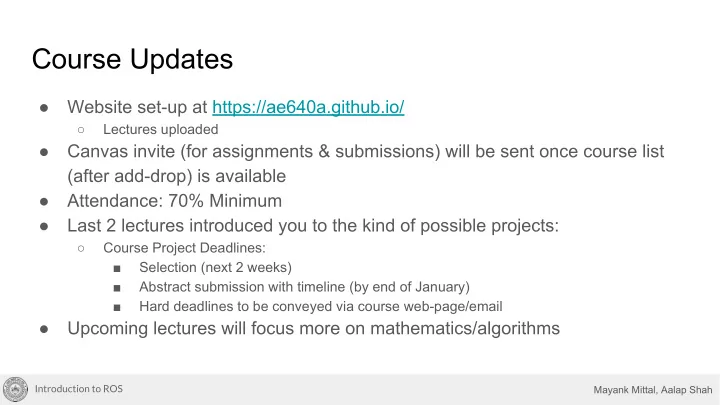
Course Updates

  • Website set-up at https://ae640a.github.io/

○ Lectures uploaded

  • Canvas invite (for assignments & submissions) will be sent once course list

(after add-drop) is available

  • Attendance: 70% Minimum
  • Last 2 lectures introduced you to the kind of possible projects:

○ Course Project Deadlines: ■ Selection (next 2 weeks) ■ Abstract submission with timeline (by end of January) ■ Hard deadlines to be conveyed via course web-page/email

  • Upcoming lectures will focus more on mathematics/algorithms
slide-2
SLIDE 2

Introduction to ROS Mayank Mittal, Aalap Shah

Introduction to Robot Operating System (ROS)

AE640A - Autonomous Navigation Presenter: Aalap Shah Slides: Mayank Mittal, Aalap Shah

12th January, 2019

Introduction to ROS Mayank Mittal, Aalap Shah

slide-3
SLIDE 3

Introduction to ROS Mayank Mittal, Aalap Shah

Lecture Outline

  • Motivation for using ROS
  • ROS features overview
  • ROS Communication Layer

○ Nodes, Messages, Topics, Parameters ○ Demo 1: Image Viewer

  • ROS Ecosystem

○ ROS Packages ○ Catkin build system

  • Tools in ROS

○ RViz, rqt (Demo 2: IMU) ○ ROS bags (Demo 3: Recording Image Data)

  • Content not covered: Services, Actions (not necessary for this course)
slide-4
SLIDE 4

Introduction to ROS Mayank Mittal, Aalap Shah

Motivation: Robotic Systems

  • Simple model of a robot:

○ Sensing → Computation → Actuation ○ Can be implemented sequentially for simple systems (eg: servo motor control using Arduino)

Illustration by: IGVC IITK

slide-5
SLIDE 5

Introduction to ROS Mayank Mittal, Aalap Shah

Motivation: Robotic Systems

  • Complex, parallel model of a robot:

○ Multiple actions based on multiple sensors

  • Requirements:

○ Multiple programs (with different inputs and

  • utputs) should run concurrently

○ Can still achieve this sequentially using an arduino with some effort

Illustration by: IGVC IITK

slide-6
SLIDE 6

Introduction to ROS Mayank Mittal, Aalap Shah

IMU Laser scanner Camera GPS Motor and Encoder Robot How to perform multiple inter-related sensing and actuation tasks?

Introduction to ROS

slide-7
SLIDE 7

Introduction to ROS Mayank Mittal, Aalap Shah

Motivation: Robotic Systems

  • More complex, parallel model of a robot:

○ Multiple inter-related actions based on multiple sensors

  • Requirements:

○ Multiple programs should run concurrently ○ Inter-process communication

Illustration by: IGVC IITK

slide-8
SLIDE 8

Introduction to ROS Mayank Mittal, Aalap Shah

Motivation: Robotic Systems

  • Yet more complexity: Swarm robotics

○ Sensors and actuators distributed over multiple computers

  • A software that satisfies these requirements?

○ Multiple inputs and outputs (preferable to have drivers for each type of hardware) ○ Multiple programs should run concurrently ○ Inter-process communication ○ Inter-machine communication

slide-9
SLIDE 9

Introduction to ROS Mayank Mittal, Aalap Shah

Motivation: Robotic Systems

  • Yet more complexity: Swarm robotics

○ Sensors and actuators distributed over multiple computers

  • A software that satisfies these requirements?

○ Multiple inputs and outputs (preferable to have drivers for each type of hardware) ○ Multiple programs should run concurrently ○ Inter-process communication ○ Inter-machine communication

An operating system!

slide-10
SLIDE 10

Introduction to ROS Mayank Mittal, Aalap Shah

Motivation: Robotic Systems

  • Yet more complexity: Swarm robotics

○ Sensors and actuators distributed over multiple computers

  • A software that satisfies these requirements?

○ Multiple inputs and outputs (preferable to have drivers for each type of hardware) ○ Multiple programs should run concurrently ○ Inter-process communication ○ Inter-machine communication

Illustration by: IGVC IITK

slide-11
SLIDE 11

Introduction to ROS Mayank Mittal, Aalap Shah

What is ROS?

  • A “meta” operating system for robots

○ Communication layer

  • A collection of tools for:

○ Software building - catkin build system ○ Debugging - Command-line tools ○ Data Visualization - RViz, rqt

  • A language-independent architecture

(there are libraries for C++, python, lisp, java, and more)

Slide Credit: Lorenz Mösenlechner, TU Munich Introduction to ROS

slide-12
SLIDE 12

Introduction to ROS Mayank Mittal, Aalap Shah

What is ROS not?

  • An actual operating system

○ Does not have disk management, user access control, security, etc.

  • A programming language

○ Rather it provides libraries for common programming languages like C++, Python, etc.

  • A programming environment/IDE
  • A hard real-time architecture (like an RTOS)

Slide Credit: Lorenz Mösenlechner, TU Munich Introduction to ROS

slide-13
SLIDE 13

Introduction to ROS Mayank Mittal, Aalap Shah

What does ROS get you?

All levels of development

Slide Credit: Lorenz Mösenlechner, TU Munich Introduction to ROS

slide-14
SLIDE 14

Introduction to ROS Mayank Mittal, Aalap Shah

ROS Communication Layer : Terminology

  • In ROS terminology, it is common to use sentences like:

○ A node N1 publishes a message M on a topic T. ○ Another node N2 subscribes to topic T, receiving the message M.

  • In layman terms:

○ Node = program ○ Message = data (in a specific format like image, point, etc) ○ Topic = a place where messages are sent to and received from ○ Publishing = sending data to a topic ○ Subscribing = trying to receive data from a topic

Introduction to ROS

slide-15
SLIDE 15

Introduction to ROS Mayank Mittal, Aalap Shah

ROS Communication Layer : ROS Core

  • ROS Master

○ Centralized Communication Server based on XML and RPC ○ Negotiates communications between nodes

  • Parameter Server

○ Stores persistent configuration parameters such as camera parameters, robot dimensions, etc.

  • Rosout

○ Network based `stdout` for human readable messages.

Slide Credit: Lorenz Mösenlechner, TU Munich Introduction to ROS

slide-16
SLIDE 16

Introduction to ROS Mayank Mittal, Aalap Shah

ROS Communication Layer : Graph Resources

  • Nodes

○ Processes distributed over the network. ○ Serves as source and sink for the data sent over the network

  • Parameters

○ Data stored on the parameter server.

  • Topics

○ Asynchronous many-to-many communication stream

Slide Credit: Lorenz Mösenlechner, TU Munich Introduction to ROS

slide-17
SLIDE 17

Introduction to ROS Mayank Mittal, Aalap Shah

Asynchronous Distributed Communication: Example

Image Courtesy: Lorenz Mösenlechner, TU Munich

Interfaces with the camera hardware and reads the data transmitted by the sensor Used to display images

Introduction to ROS

slide-18
SLIDE 18

Introduction to ROS Mayank Mittal, Aalap Shah

Asynchronous Distributed Communication: Example

advertise(“images”)

camera node is run. It starts advertising the data it has received

Image Courtesy: Lorenz Mösenlechner, TU Munich Introduction to ROS

slide-19
SLIDE 19

Introduction to ROS Mayank Mittal, Aalap Shah

Asynchronous Distributed Communication: Example

topic:images

master registers the topic with name images

Image Courtesy: Lorenz Mösenlechner, TU Munich Introduction to ROS

slide-20
SLIDE 20

Introduction to ROS Mayank Mittal, Aalap Shah

Asynchronous Distributed Communication: Example

topic:images

subscribe(“images”)

viewer node is run. It asks for data being published in topic with name images

Image Courtesy: Lorenz Mösenlechner, TU Munich Introduction to ROS

slide-21
SLIDE 21

Introduction to ROS Mayank Mittal, Aalap Shah

Asynchronous Distributed Communication: Example

topic:images

subscribe(“images”)

master ‘connects’ the viewer node to the camera node.

Image Courtesy: Lorenz Mösenlechner, TU Munich Introduction to ROS

slide-22
SLIDE 22

Introduction to ROS Mayank Mittal, Aalap Shah

Asynchronous Distributed Communication: Example

images(tcp)

topic:images

Image Courtesy: Lorenz Mösenlechner, TU Munich

master ‘connects’ the viewer node to the camera node.

Introduction to ROS

slide-23
SLIDE 23

Introduction to ROS Mayank Mittal, Aalap Shah

Asynchronous Distributed Communication: Example

images(tcp)

topic:images

publish(img)

Image Courtesy: Lorenz Mösenlechner, TU Munich

camera node sends the data to the viewer node using TCP/IP based protocol

Introduction to ROS

slide-24
SLIDE 24

Introduction to ROS Mayank Mittal, Aalap Shah

Asynchronous Distributed Communication: Example

images(tcp)

topic:images

publish(img)

Image Courtesy: Lorenz Mösenlechner, TU Munich

camera node sends the data to the viewer node using TCP/IP based protocol

Introduction to ROS

slide-25
SLIDE 25

Introduction to ROS Mayank Mittal, Aalap Shah

Asynchronous Distributed Communication: Example

images(tcp)

topic:images

publish(img)

Image Courtesy: Lorenz Mösenlechner, TU Munich

camera node sends the data to the viewer node using TCP/IP based protocol

Introduction to ROS

slide-26
SLIDE 26

Introduction to ROS Mayank Mittal, Aalap Shah

Live Demo 1: Image Viewer

Introduction to ROS

slide-27
SLIDE 27

Introduction to ROS Mayank Mittal, Aalap Shah

ROS Master

  • Manages the communication

between nodes

  • Every node registers at startup with

the master

Slide Credit: Marco Hutter, ETH Zurich

$ roscore Master

Start a master with

More info: http://wiki.ros.org/Master

Introduction to ROS

slide-28
SLIDE 28

Introduction to ROS Mayank Mittal, Aalap Shah

ROS Nodes

  • Single-purpose, executable program
  • Individually compiled, executed, and

managed

  • Organized in packages

Slide Credit: Marco Hutter, ETH Zurich

$ rosrun package_name node_name Master

Run a node with

$ rosnode list

See active nodes with

Node 1 Node 2

Registration Registration

More info: http://wiki.ros.org/rosnode

Introduction to ROS

slide-29
SLIDE 29

Introduction to ROS Mayank Mittal, Aalap Shah

ROS Topics

  • Nodes communicate over topics

○ Nodes can publish or subscribe to a topic ○ Typically, 1 publisher and n subscribers

  • Topic is name for stream of messages

Slide Credit: Marco Hutter, ETH Zurich

$ rostopic list Master

See active topics with

$ rostopic echo /topic

Subscribe and print the contents of a topic with

Node 1

Publisher

Node 2

Subscriber

Registration Registration

Topic

Publish Subscribe

More info: http://wiki.ros.org/rostopic

Introduction to ROS

slide-30
SLIDE 30

Introduction to ROS Mayank Mittal, Aalap Shah

ROS Messages

  • Data structure defining the type of a topic

○ Comprised of a nested structure of integers, floats, strings etc. and arrays of objects

  • Defined in *.msg files

Slide Credit: Marco Hutter, ETH Zurich

$ rostopic type /topic Master

See the type of a topic

$ rostopic pub /topic type args

Publish a message to a topic

Node 1

Publisher

Node 2

Subscriber

Registration Registration

Topic

Publish Subscribe

More info: http://wiki.ros.org/messages

int num double width string data etc. Message Definition Introduction to ROS

slide-31
SLIDE 31

Introduction to ROS Mayank Mittal, Aalap Shah

ROS Messages

Slide Credit: Marco Hutter, ETH Zurich

More info: http://wiki.ros.org/std_msgs

Introduction to ROS

slide-32
SLIDE 32

Introduction to ROS Mayank Mittal, Aalap Shah

End of Live Demo

  • What does ‘asynchronous’ communication mean?

○ In our demo if the images are published @30fps ○ What if the image_view node takes more than 1/30th of a second to render and display the image on a slow computer? ○ ROS needs a general mechanism to transfer data between nodes working at different rates

Introduction to ROS

slide-33
SLIDE 33

Introduction to ROS Mayank Mittal, Aalap Shah

Asynchronous Communication: Implementation

  • Solution 1 - Queueing

○ If the subscribing node is continuously slow, then the queue might grow very large over time ○ Image display will lag far behind real time

  • Solution 2 - Instantly dropping missed messages (processing only the latest)

○ If the subscribing node slows down only temporarily, then dropping messages can cause problems that could be avoided with queueing ○ For instance, in case of incremental/sequential data, missing one message in between can cause problems in processing further data

Introduction to ROS

slide-34
SLIDE 34

Introduction to ROS Mayank Mittal, Aalap Shah

Asynchronous Communication: Implementation

  • Better Solution - Middleground

○ ROS maintains a fixed length circular queue for messages ■ Messages stored until queue is full, then oldest one is dropped ○ Length of queue chosen by developer ■ Larger queue - less likely to drop messages ■ Shorter queue - less likely to show outdated/old messages ○ If dropping messages in between is not an issue, choosing a queue size

  • f 1/2/3 is perfectly fine

Introduction to ROS

More info: http://wiki.ros.org/rospy/Overview/Publishers%20and%20Subscribers#Choosing_a_good_queue_size

slide-35
SLIDE 35

Introduction to ROS Mayank Mittal, Aalap Shah

$ rosparam list

ROS Parameter Server

  • Nodes use the parameter server to

store and retrieve parameters at runtime

  • Best used for static data such as

configuration parameters

  • Parameters can be defined in launch

files or separate YAML files List all parameters with

More info: http://wiki.ros.org/rosparam

Introduction to ROS

slide-36
SLIDE 36

Introduction to ROS Mayank Mittal, Aalap Shah

ROS Launch

  • launch is a tool for launching multiple

nodes (as well as setting parameters)

  • Are written in XML as *.launch files
  • If not yet running, launch automatically

starts a roscore

Slide Credit: Marco Hutter, ETH Zurich

$ roslaunch package_name file_name.launch

Start a launch file from a package with

More info: http://wiki.ros.org/roslaunch

Introduction to ROS

slide-37
SLIDE 37

Introduction to ROS Mayank Mittal, Aalap Shah

$ catkin_create_pkg package_name {dependencies}

ROS Packages

  • ROS software is organized into

packages, which can contain source code, launch files,configuration files, message definitions, data, and documentation

  • A package that builds up on/requires
  • ther packages (e.g. message

definitions), declares these as dependencies To create a new package, use:

Slide Credit: Marco Hutter, ETH Zurich

More info: http://wiki.ros.org/Packages

Separate message definition packages from other packages! Introduction to ROS

slide-38
SLIDE 38

Introduction to ROS Mayank Mittal, Aalap Shah

catkin Build System

  • catkin is the ROS build system to generate executables, libraries, and

interfaces

  • The catkin command line tools are pre-installed in the provided installation.

Slide Credit: Lorenz Mösenlechner, TU Munich

$ cd ~/catkin_ws

Navigate to your catkin workspace with

$ catkin_make --package package_name

Build a package with

$ source devel/setup.bash

Whenever you build a new package, update your environment

Introduction to ROS

slide-39
SLIDE 39

Introduction to ROS Mayank Mittal, Aalap Shah

catkin Build System

The catkin workspace contains the following spaces

The source space contains the source code. This is where you can clone, create, and edit source code for the packages you want to build. The build space is where CMake is invoked to build the packages in the source

  • space. Cache information

and other intermediate files are kept here. The development (devel) space is where built targets are placed (prior to being installed).

Slide Credit: Marco Hutter, ETH Zurich Introduction to ROS

slide-40
SLIDE 40

Introduction to ROS Mayank Mittal, Aalap Shah

ROS GUI Tools

More info: http://wiki.ros.org/rqt

rqt : A QT based GUI developed for ROS rviz : Powerful tool for 3D Visualization

Introduction to ROS

slide-41
SLIDE 41

Introduction to ROS Mayank Mittal, Aalap Shah

Live Demo 2: IMU data on RViz

Introduction to ROS

slide-42
SLIDE 42

Introduction to ROS Mayank Mittal, Aalap Shah

Video: RViz Capabilities

Introduction to ROS

Video Link

slide-43
SLIDE 43

Introduction to ROS Mayank Mittal, Aalap Shah

ROS Bags

  • A bag is a format for storing

message data

  • Binary format with file extension *.bag
  • Suited for logging and recording

datasets for later visualization and analysis

Slide Credit: Marco Hutter, ETH Zurich

More info: http://wiki.ros.org/Clock $ rosbag record --all

Record all topics in a bag

$ rosbag record topic_1 topic_2 topic_3

Record given topics

$ rosbag info bag_name.bag

Show information about a bag

$ rosbag play [options] bag_name.bag

  • -rate=factor

Publish rate factor

  • -clock

Publish the clock time (set

param use_sim_time to true)

  • -loop

Loop playback

Record given topics

Introduction to ROS

slide-44
SLIDE 44

Introduction to ROS Mayank Mittal, Aalap Shah

Live Demo 3: Recording Image Data (and Playing it Back)

Introduction to ROS

slide-45
SLIDE 45

Introduction to ROS Mayank Mittal, Aalap Shah

Libraries/Tools available with ROS

Image Courtesy: Open Source Robotics Foundation Introduction to ROS

slide-46
SLIDE 46

Introduction to ROS Mayank Mittal, Aalap Shah

Homework

  • Install ROS Kinetic on your laptop (Ubuntu 16.04LTS)

○ Instructions: http://wiki.ros.org/kinetic/Installation/Ubuntu ○ Alternate Option: ■ Download Shell Script (available here) ■ Run on terminal: ./install_ROS kinetic

  • Complete all of the ROS beginner tutorials. (1-8, 11, 13, 17 are crucial)

Introduction to ROS

slide-47
SLIDE 47

Introduction to ROS Mayank Mittal, Aalap Shah

References

  • Slides from lectures on ‘Programming for Robotics’ by ETH Zurich
  • A Gentle Introduction to ROS, Jason M. O'Kane. Oct 2013 (available online)
  • Berger, E., Conley, K., Faust, J., Foote, T., Gerkey, B.P., Leibs, J., Ng, A.Y.,

Quigley, M., & Wheeler, R. (2009). “ROS: an open-source Robot Operating System”.

  • ROS Wiki

Introduction to ROS