CS101 Lecture 04: The World Wide Web and HTML "Anyone who has - - PDF document

cs101 lecture 04 the world wide web and html
SMART_READER_LITE
LIVE PREVIEW

CS101 Lecture 04: The World Wide Web and HTML "Anyone who has - - PDF document

9/13/12 CS101 Lecture 04: The World Wide Web and HTML "Anyone who has lost track of time when using a computer knows the propensity to dream, the urge to make dreams come true and the tendency to miss lunch." - Tim Berners-Lee Aaron


slide-1
SLIDE 1

9/13/12 1

Computer Science

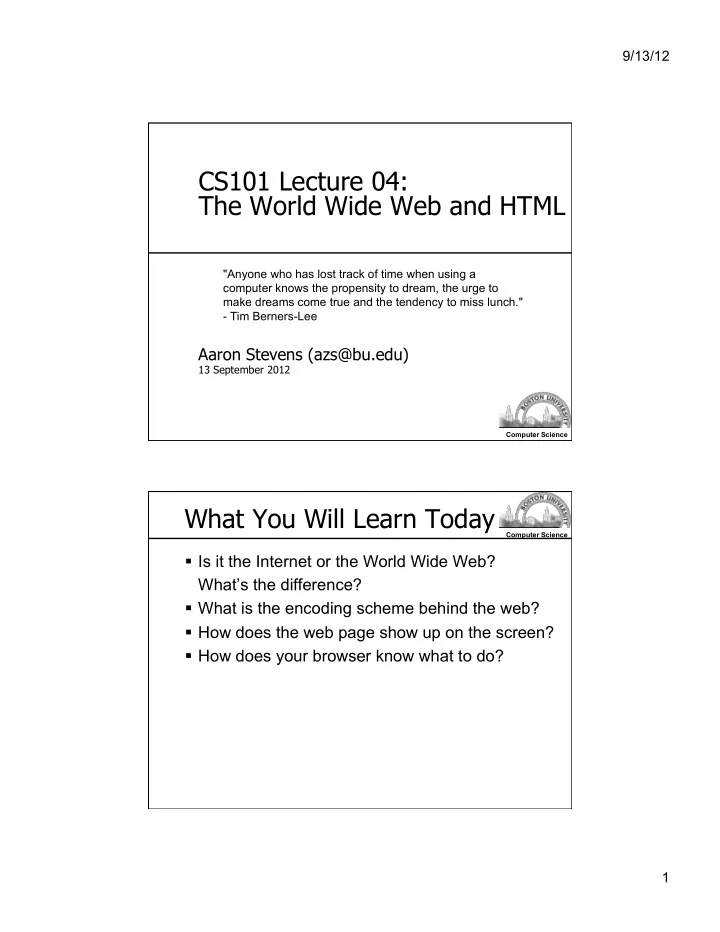
CS101 Lecture 04: The World Wide Web and HTML

Aaron Stevens (azs@bu.edu)

13 September 2012

"Anyone who has lost track of time when using a computer knows the propensity to dream, the urge to make dreams come true and the tendency to miss lunch."

  • Tim Berners-Lee

Computer Science

What You Will Learn Today

  • Is it the Internet or the World Wide Web?

What’s the difference?

  • What is the encoding scheme behind the web?
  • How does the web page show up on the screen?
  • How does your browser know what to do?
slide-2
SLIDE 2

9/13/12 2

Computer Science

Text Editor Tools

We’re going to use a text editor to write/edit web pages. I recommend:

  • TextWrangler (for Mac)
  • http://www.barebones.com/products/TextWrangler/
  • Notepad++ (for Windows)
  • http://notepad-plus.sourceforge.net/uk/site.htm

Computer Science

Internet or WWW?

The Internet is hardware and software… The World Wide Web is information…

The Internet is a prerequisite for the World Wide Web.

slide-3
SLIDE 3

9/13/12 3

Computer Science

Nerds 2.0.1, Part 3: Wiring the World

  • 00:00 – Intro
  • 04:30 – CERN & Tim Berners-Lee
  • 08:00 - Ted Nelson
  • 10:25 - World Wide Web Consortium
  • 11:55 - Commerce on the Net - legislation
  • 13:10 - Marc Andreesen , Mosaic

Computer Science

The World Wide Web

The World Wide Web A system of interlinked hypertext documents and other resources accessed via the Internet.

Tim Berners-Lee invented the WWW circa 1989-1991.

http://www.w3.org/People/Berners-Lee/

slide-4
SLIDE 4

9/13/12 4

Computer Science

Mark Ups

Computer Science

HyperText Markup Language

Markup language A language that uses tags to annotate the information in a document. Tags The syntactic elements in a markup language that indicate how information should be displayed. HyperText Markup Language (HTML) The language used to describe how to display the content of a Web page.

slide-5
SLIDE 5

9/13/12 5

Computer Science

HTML Source Code

Computer Science

Decoded and Rendered

slide-6
SLIDE 6

9/13/12 6

Computer Science

Rendering a Web page

After download, the browser renders the HTML into a graphical display.

  • Considers width and height of the browser

window

  • Incorporates formatting, fonts, images, etc.

Browsers are inconsistent!

Computer Science

HTML Basics

  • Standardized by w3c
  • Free-form language
  • Plain text source code

Text Editors are programs which allow you to edit plain text (without formatting):

  • Notepad, Notepad++ (Windows)
  • TextWrangler (Mac)
slide-7
SLIDE 7

9/13/12 7

Computer Science

Hypertext Markup Language

Tags/Elements:

<HTML></HTML> -- denotes start/stop of HTML document <TITLE><TITLE> -- denotes start/stop of document title <BODY></BODY> -- denotes start/stop of document body <!-- … --> -- denotes start/stop of comments Some tags allow additional properties to be specified, e.g. BGCOLOR, TEXT, etc.

Computer Science

Hypertext Markup Language

Tags/Elements:

<P> -- creates a paragraph space <BR> -- creates a line break <H1></H1> -- creates a heading font (also, try <H2>,…) <B></B> -- creates bold text <I></I> -- creates italicized text <CENTER></CENTER> -- centers the text between the tags

slide-8
SLIDE 8

9/13/12 8

Computer Science

Hyperlinks

Hyperlinks are created using the HTML <A> tag. The HREF property gives a URL for the link. Example:

This a link to <A HREF="http://www.bu.edu"> Boston University’s</A> web site.

Having interlinked pages is what makes it a web!

Computer Science

Images in HTML Documents

Images are stored in separate files. The <IMG> tag inserts an image into a web page. Example:

slide-9
SLIDE 9

9/13/12 9

Computer Science

Image Files

Images are stored in their own files:

  • Popular formats include: GIF, JPG, PNG, …
  • Example: logo_bu_seal.gif

The SRC attribute of the IMG tag gives the filename of the image file.

  • Relative path: filename is relative to the location of the HTML

document (e.g. in same directory/folder).

  • Absolute path: filename is an absolute location

(e.g. URL or file system location).

Computer Science

Images Tag Attributes

IMG tag can customize the appearance of the image using these attributes:

  • SRC: gives the source location of image file
  • ALT: text to display if image not available
  • BORDER: how many pixels of border
  • HEIGHT: how many pixels tall
  • WIDTH: how many pixels wide
slide-10
SLIDE 10

9/13/12 10

Computer Science

Organizing a Webpage

“Professional” websites organize data using tables and lists…

Computer Science

List Example

Suppose we want to create a list of our favorite sports teams. Two examples:

slide-11
SLIDE 11

9/13/12 11

Computer Science

Describing List Data

Describe list items with <LI> tag. Unordered (Bulleted) List

  • Wrap list items in <UL> and </UL> tags

Ordered List

  • Wrap list items in <OL> and </OL> tags

Computer Science

Describing Table Data

A table is a set of rows of data. Each row has a number of fields. Example: Let’s take a poll of people’s favorite drinks, and display rows with results.

slide-12
SLIDE 12

9/13/12 12

Computer Science

Describing Table Data

<TABLE></TABLE> describe the start/stop of the table data. <TR></TR> describe start/stop of a row of data witin the tale. <TD></TD> describe the start/stop of table data items within a row.

Computer Science

Table Example

slide-13
SLIDE 13

9/13/12 13

Computer Science

What You Learned Today

  • Internet, World Wide Web
  • HTTP
  • HTML
  • Tags/elements
  • Links
  • Images
  • Lists
  • Tables

Computer Science

Announcements & To Do List

  • Readings:
  • Reed ch 2, pp 19-35 (this week)
  • HTML Tutorial: http://www.w3schools.com/HTML/
  • HW 02: due Tue 9/18
  • No lecture meeting on TUE 9/18
  • There will be labs on WED 9/19
  • If you cannot attend due to religious observance, do the

lab on your own and submit by Thursday night.

  • Quiz 1 on Thu 9/20
  • Covers lectures 1-4