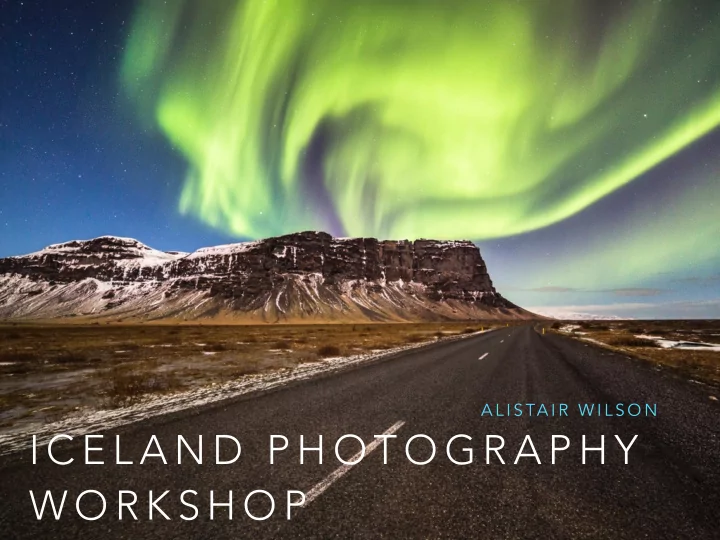
SLIDE 1 I C E L A N D P H O T O G R A P H Y W O R K S H O P
A L I S TA I R W I L S O N
SLIDE 2 C O N T E N T S
- My trip details
- When to visit?
- Aurora Borealis
- Recommended gear
- Why use filters?
- Composition examples
- When it’s ok to Photoshop
- Photo examples
- Post production example
SLIDE 3 M Y T R I P
- Workshop with professional photographer Tom
Mackie
- Group of 5
- Roughly 12 days in various parts of Iceland
- End of Feb / early March
- Roughly 40 hours door to door!
SLIDE 4
SLIDE 5
SLIDE 6 W H E N T O V I S I T - W I N T E R
landscapes
Aurora Borealis sightings
- In theory less people
- Sunset & sunrise at normal
hours
- Ice caves
- Extremely challenging!
SLIDE 7 W H E N T O V I S I T
- S U M M E R
- Lush green landscapes
- Better chance at seeing
wildlife
- Shoot all day & night? 3 hours
- f darkness
- Not (quite) as cold
- Less likely to experience road
closures
SLIDE 8 A U R O R A B O R E A L I S
- Most incredible thing you’ll
ever see
- Late Sep - March
- Clear skies are key so use
- nline tools to check cloud
cover
- Aurora forecasts available
- Can be tricky to expose
correctly
SLIDE 9
8 seconds, f2.8, ISO 1600, 14mm
SLIDE 10 R E C O M M E N D E D G E A R
- Pack everything you think you’ll need! 2 bodies if you can
- Spare memory cards, batteries are key
- Laptop for quick post-processing
- Dress in layers, can feel quite warm in the sun even at 0
degrees
- Ice grippers in winter an absolute must
- Winter boots preferable
- A 4WD or studded tyres.. better yet both!
SLIDE 11
SLIDE 12
SLIDE 13
SLIDE 14 W H Y U S E F I LT E R S ?
- We can use filters to:
- Balance the exposure between a bright sky and a dark
foreground (ND-grad)
- Add saturation and reduce glare (Polariser)
- Lengthen exposure times by reducing light (ND)
- Warm, exaggerate, enhance mood, add drama
- Reduce excessive amounts of time in post production
- Limitation? Our imagination!
SLIDE 15
0.6 ND Graduated Filter
SLIDE 16
Polarising Filter + 0.3 ND Grad
SLIDE 17
0.9 Pro Glass ND Filter, 2 seconds @ F9, ISO 50
SLIDE 18
Big stopper, 56 seconds @ F11
SLIDE 19
Sunset Filter
SLIDE 20
C O M P O S I T I O N
SLIDE 21
24mm
SLIDE 22
47mm
SLIDE 23
SLIDE 24
SLIDE 25
SLIDE 26
6x4
SLIDE 27
2x1
SLIDE 28
3x1
SLIDE 29
W H E N I T ’ S O K T O P H O T O S H O P
SLIDE 30
SLIDE 31
SLIDE 32
SLIDE 33
SLIDE 34
D O A S I S AY, N O T A S I D O
SLIDE 35
SLIDE 36
P H O T O E X A M P L E S
SLIDE 37
SLIDE 38
SLIDE 39
SLIDE 40
SLIDE 41
SLIDE 42
SLIDE 43
SLIDE 44
SLIDE 45
SLIDE 46
SLIDE 47
SLIDE 48
SLIDE 49
T H A N K Y O U