Image Segmentation Image Segmentation: Definitions How do we know - - PowerPoint PPT Presentation

image segmentation image segmentation definitions
SMART_READER_LITE
LIVE PREVIEW

Image Segmentation Image Segmentation: Definitions How do we know - - PowerPoint PPT Presentation

Image Segmentation Image Segmentation: Definitions How do we know which groups of pixels in a Segmentation is the process of partitioning an digital image correspond to the objects to be image into semantically interpretable


slide-1
SLIDE 1

1

1

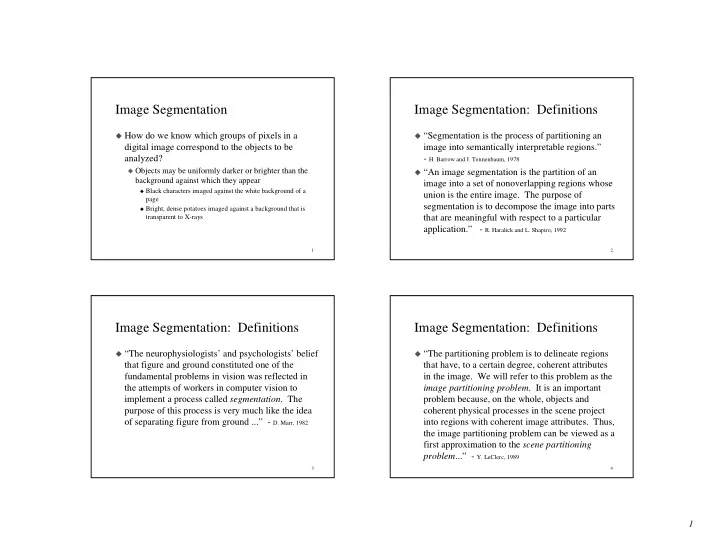
Image Segmentation

How do we know which groups of pixels in a

digital image correspond to the objects to be analyzed?

Objects may be uniformly darker or brighter than the

background against which they appear

Black characters imaged against the white background of a

page

Bright, dense potatoes imaged against a background that is

transparent to X-rays

2

Image Segmentation: Definitions

“Segmentation is the process of partitioning an

image into semantically interpretable regions.”

  • H. Barrow and J. Tennenbaum, 1978

“An image segmentation is the partition of an

image into a set of nonoverlapping regions whose union is the entire image. The purpose of segmentation is to decompose the image into parts that are meaningful with respect to a particular application.” - R. Haralick and L. Shapiro, 1992

3

Image Segmentation: Definitions

“The neurophysiologists’ and psychologists’ belief

that figure and ground constituted one of the fundamental problems in vision was reflected in the attempts of workers in computer vision to implement a process called segmentation. The purpose of this process is very much like the idea

  • f separating figure from ground ...” - D. Marr, 1982

4

Image Segmentation: Definitions

“The partitioning problem is to delineate regions

that have, to a certain degree, coherent attributes in the image. We will refer to this problem as the image partitioning problem. It is an important problem because, on the whole, objects and coherent physical processes in the scene project into regions with coherent image attributes. Thus, the image partitioning problem can be viewed as a first approximation to the scene partitioning problem...” - Y. LeClerc, 1989

slide-2
SLIDE 2

2

5

Formal Definition

Given region R and uniformity criterion U, define

predicate P(R) = True, if ∃ a ∋ |U(i,j) - a| < ε, ∀ (i,j) ∈ R

Partition image into subsets Ri , i = 1, ..., m, such that

Complete: Image = ∪ Ri , i = 1, ..., m Disjoint subsets: Ri ∩ Rj = ∅, ∀ i ≠ j Uniform regions: P(Ri) = True, ∀ i Maximal regions: P(Ri ∪ Rj) = False, ∀ i ≠ j

6 7 8

slide-3
SLIDE 3

3

9 10

Image Segmentation

Ideally, object pixels would be black (0 intensity)

and background pixels white (maximum intensity)

But this rarely happens because

Pixels overlap regions from both the object and the

background, yielding intensities between pure black and white - edge blur

Cameras introduce “noise” during imaging -

measurement “noise”

Potatoes have non-uniform “thickness”, giving

variations in brightness in X-ray - model “noise”

11

Image Segmentation by Thresholding

But if the objects and background occupy different

ranges of gray levels, we can “mark” the object pixels by a process called thresholding:

Let F(i,j) be the original, gray level image B(i,j) is a binary image (pixels are either 0 or 1)

created by thresholding F(i,j):

B(i,j) = 1 if F(i,j) <= t B(i,j) = 0 if F(i,j) > t We will assume that the 1’s are the object pixels and the 0’s

are the background pixels

12

Thresholding

How do we choose the threshold t? Histogram: Gray level frequency distribution of

the gray level image F

hF(k) = number of pixels in F whose gray level is k HF(k) = number of pixels in F whose gray level is <= k

intensity, g h(g) peak peak valley

slide-4
SLIDE 4

4

13

Thresholding

P-tile method

In some applications we know approximately what

percentage, p, of the pixels in the image come from

  • bjects

Might have one potato in the image, or one character.

HF can be used to find the gray level, g, such that ~p%

  • f the pixels have intensity <= g

Then, we can examine hF in the neighborhood of g to

find a good threshold (low valley point)

Could also examine the binary images corresponding to

alternative thresholds to choose a “best” one. E.g., one with straightest edges, most easily recognized objects, etc.

14

Thresholding

Mode (peak and valley) method

Find the two most prominent peaks of h

g is a peak if hF(g) > hF(g ± ∆g), ∆g = 1, ..., k

Let g1 and g2 be the two highest peaks, with g1 < g2 Find the deepest valley, g, between g1 and g2

g is the valley if hF(g) < hF(g’) , ∀g, g’ ∈ [g1, g2]

Use g as the threshold When image contains 2 normally-distributed classes,

can prove that the probability of misclassification is minimized when g is at the minimum point

15 16

slide-5
SLIDE 5

5

17 18 19 20

slide-6
SLIDE 6

6

21 22 23

Thresholding

Hand selection

Select a threshold by hand at the beginning of the day Use that threshold all day long!

Many threshold selection methods in the literature

Probabilistic methods

Make parametric assumptions about object and background

intensity distributions and then derive “optimal” thresholds

Structural methods

Evaluate a range of thresholds with respect to properties of

resulting binary images

Local thresholding

Apply thresholding methods to image windows 24

An Advanced Threshold Selection Method: Minimizing Kullback Information Distance

The observed histogram, f, is a mixture of the gray

levels of the pixels from the object(s) and the pixels from the background

In an ideal world the histogram would contain just two

spikes

But measurement noise, model noise and edge blur

spread these spikes out into hills

Make a parametric model of the shapes of the

component histograms of the objects(s) and background

slide-7
SLIDE 7

7

25

Kullback Information Distance

Parametric model - the

component histograms are assumed to be Gaussian

po and pb are the proportions

  • f the image that comprise

the objects and background

µo and µb are the mean gray

levels of the objects and background

σo and σb are their standard

deviations

fo(g) = po 2πσoe −1 / 2( g − µo σo )2

  • fb(g) =

pb 2πσb e −1 / 2( g − ub σb )2

26

Kullback Information Distance

Now, once we choose a threshold, t, then all of

these unknown parameters are determined.

Let f(g) be the observed and normalized histogram

f(g) = percentage of pixels from image having gray

level g

po(t) = f (g)

g= 0 t

µo(t) = f (g)g

g= 0 t

µb(t) = f (g)g

g= t +1 max

pb(t) = 1− p0(t)

27

Kullback Information Distance

So, once t is chosen we can “predict” what the

total normalized image histogram should be if our model (mixture of two Gaussians) is correct

Pt(g) = pofo(g) + pbfb(g)

The total normalized image histogram is really

f(g)

So, the question reduces to:

Determine a suitable way to measure the similarity of

Pt and f

Find the t that gives the highest similarity

28

Kullback Information Distance

A suitable similarity measure is the Kullback

directed divergence, defined as

If Pt matches f exactly, then each term of the sum

is 0 and K(t) takes on its minimal value of 0

Gray levels where Pt and f disagree are penalized

by the log term, weighted by the importance of that gray level (f(g))

K(t) =

g=0 max

∑ f(g)log[ f(g)

Pt(g)]

slide-8
SLIDE 8

8

29

Another Threshold Selection Method: Minimize Probability of Error

Using the same mixture model, we can find the t

that minimizes the predicted probability of error during thresholding

Two types of errors

Background points that are marked as object points.

These are points from the background that are darker than the threshold

Object points that are marked as background points.

These are points from the object that are brighter than the threshold

30

Minimize Probability of Error

For each threshold

Compute the

parameters of the two Gaussians and the proportions

Compute the two

probability of errors

Find the threshold

that gives

Minimal overall error Most equal errors

t

eo(t) = po fo(g)

g= t +1 max

fo

eb(t) = pb fb(g)

g =0 t

fb

31

Object Extraction from Binary Images: Connected Components

Definition: Given a pixel (i,j) its

4-neighbors are the points (i’,j’) such that |i-i’| + |j-j’| = 1

the 4-neighbors are (i±i, j) and

(i,j±1)

Definition: Given a pixel (i,j) its

8-neighbors are the points (i’,j’) such that max(|i-i’|,|j-j’|) = 1

the 8- neighbors are (i, j±1), (i±1, j)

and (i±1, j±1)

32

Adjacency

Definition: Given two disjoint sets of pixels, S

and T, S is 4-(8) adjacent to T is there is a pixel in S that is a 4-(8) neighbor of a pixel in T

slide-9
SLIDE 9

9

33

Connected Components

Definition: A 4-(8)path from pixel (i0,j0) to (in,jn)

is a sequence of pixels (i0,j0) (i1,j1) (i2,j2) , ... (in,jn) such that (ik, jk) is a 4-(8) neighbor of (ik+1, jk+1), for k = 0, ..., n-1

(i0,j0) (in, jn) (i0,j0) (in, jn) Every 4-path is an 8-path!

34

Connected Components

Definition: Given a binary image, B, the set of all

1’s is called the foreground and is denoted by S

Definition: Given a pixel p in S, p is 4-(8)

connected to q in S if there is a path from p to q consisting only of points from S

The relation “is-connected-to” is an equivalence

relation

Reflexive - p is connected to itself by a path of length 1 Symmetric - if p is connected to q, then q is connected to p by the

reverse path

Transitive - if p is connected to q and q is connected to r, then p is

connected to r by concatenation of the paths from p to q and q to r

35

Connected Components

Since the “is-connected-to” relation is an

equivalence relation, it partitions the set S into a set of equivalence classes or components

Called connected components

Definition: S is the complement of S - it is the set

  • f all pixels in B whose value is 0

S can also be partitioned into a set of connected

components

Regard the image as being surrounded by a frame of 0’s The component(s) of S

S that are adjacent to this frame is called the background of B

All other components of S

S are called holes

36

Examples: Blue = 1, Green = 0

How many 4- (8) components of S? What is the background? Which are the 4- (8) holes? Jordan Curve Theorem: Any closed curve defines two connected regions

slide-10
SLIDE 10

10

37

Background and Foreground Connectivity

Use opposite connectivity for the foreground and

the background

4-foreground, 8-background: 4 single pixel objects and

no holes

4-background, 8-foreground: one 4 pixel object

containing a 1 pixel hole

38

Boundaries

The boundary of S if the set of all pixels of S that

have 4-neighbors in S

  • S. The boundary set is

denoted as S’

The interior is the set of pixels of S that are not in

its boundary: S-S’

Definition: Region T surrounds region R (or R is

inside T) if any 4-path from any point of R to the background intersects T

Theorem: If R and T are two adjacent

components, then either R surrounds T or T surrounds R

39

Examples

A B A A A A A A A A A A B B A A A B B B Even levels are components of 0’s The background is at level 0 Odd levels are components of 1’s

40

Component Labeling

Given: Binary image B Produce: An image in which all of the pixels in

each connected component are given a unique label.

Solution 1: Recursive, depth-first labeling

Scan the binary image from top to bottom, left to right

until encountering a 1 (0).

Change that pixel to the next unused component label Recursively visit all (8-,4-) neighbors of this pixel that

are 1’s (0’s) and mark them with the new label

slide-11
SLIDE 11

11

41

Example

42

Disadvantages of Recursive Algorithm

Speed

Requires number of iterations proportional to the

largest diameter of any connected component in the image

Topology

Not clear how to determine which components of 0’s

are holes in which components of 1’s

43

Solution 2: Row Scanning Up and Down

Start at the top row of the image

Partition that row into runs of 0’s and 1’s Each run of 0’s is part of the background, and is given the special

background label

Each run of 1’s is given a unique component label

For all subsequent rows

Partition into runs If a run of 1’s (0’s) has no run of 1’s (0’s) directly above it, then it is

potentially a new component and is given a new label

If a run of 1’s (0’s) overlaps one or more runs on the previous row

give it the minimum label of those runs

Let a be that minimal label and let {ci} be the labels of all other

adjacent runs in previous row. Relabel all runs on previous row having labels in {ci} with a

44

Local Relabeling

What is the point of the last step?

We want the following invariant condition to hold after

each row of the image is processed on the downward scan: The label assigned to the runs in the last row processed in any connected component is the minimum label of any run belonging to that component in the previous rows.

Note that this only applies to the connectivity of pixels

in that part of B already processed. There may be subsequent merging of components in later rows

slide-12
SLIDE 12

12

45

Example

a a B b B B B B a a B b/a B B B B a a a a B c c c a a B a B B B B a a a a B c/ac/ac/a B a a a a a C a a a B a B B B B a a a a B a a a B a a a a a C a a a a a D a a a a a B a B B B B a a a a B a a a B a a a a a C a a a a a D/B a a a a a a a B B B B If we did not change the c’s to a’s, then the rightmost a will be labeled as a c and our invariant condition will fail

46

Upward Scan

A bottom-to-top scan will assign a unique label to

each component

We can also compute simple properties of the

components during this scan

Start at the bottom row

Create a table entry for each unique component label,

plus one entry for the background if there are no background runs on the last row

Mark each component of 1’s as being “inside” the

background

47

Upward Scan

For all subsequent rows

If a run of 1’s (0’s) is adjacent to no run of 1’s (0’s) on

the subsequent row, and its label is not in the table

Create a table entry for this label Mark it as inside the run of 0’s (1’s) that it is adjacent to on the

subsequent row

Property values such as area, perimeter, etc. can be updated as

each run is processed

If a run of 1’s (0’s) is adjacent to one or more run of 1’s

  • n the subsequent row, it is marked with the common

label of those runs, and the table properties are updated

48

Example

a a B b B B B B a a a a B c c c B a a a a a C a a a a a D a a a a a a a B B B B a a a a a a a a a a B B B B B d d d d d d d d d B a d a a B b B B B B a a a a B c c c B a a a a a C a a a a a B a a a a a a a B B B B a a a a a a a a a a B B B B B d d d d d d d d d a a B b B B B B a a a a B c c c B a a a a a C a a a a a B a a a a a a a B B B B a a a a a a a a a a B B B B B d d d d d d d d d process row 4 B a d C process row 3 a a B a B B B B a a a a B a a a B a a a a a C a a a a a B a a a a a a a B B B B a a a a a a a a a a B B B B B d d d d d d d d d process row 2, then 1

slide-13
SLIDE 13

13

49

Properties

Our goal is to recognize each connected

component as one of a set of known objects

Letters of the alphabet Good potatoes versus bad potatoes

We need to associate measurements, or properties,

with each connected component that we can compare against expected properties of different

  • bject types

50

Properties

Area Perimeter Compactness: P2/A

smallest for a circle: 4π2r2/πr2 = 4π higher for elongated objects

Properties of holes

number of holes their sizes, compactness, etc.

51 52

slide-14
SLIDE 14

14

53 54 55 56

slide-15
SLIDE 15

15

57 58 59 60

slide-16
SLIDE 16

16

61 62 63

Thinning

Consider a 3x3 neighborhood of a binary image in

which the center pixel is a “1”

The center point is a simple point if changing it from a

1 to a 0 does not change the number of connected components of the 3x3 neighborhood

1 1 1 0 0 0 0 1 1 1 1 1 0 1 0 0 0 0

The first is 8-simple but not 4-simple The second is neither 4 nor 8 simple

Removal of a simple point will not change the

number of connected components in a binary image

An end point is a “1” with exactly one 1-neighbor

slide-17
SLIDE 17

17

Thinning

A 1-pixel (i,j) in a binary image is a North

border point if pixel (i,j+1) is a 0

Similarly define East, West and South border points

Simple thinning algorithm

For D = N,E,W,S do

Eliminate all D border points that are simple points and not end points

Must do the directions in sequence and not

together or we could erase a component

Result depends on the order in which the

directions are considered

0 0 0 0 0 0 0 0 1 1 1 1 0 0 0 1 1 1 1 0 0 0 0 0 0 0 0 0

Example: 4-Simple Points

0 0 0 0 0 0 0 0 0 1 0 1 1 1 0 0 0 1 0 1 1 0 0 1 0 1 1 1 1 1 1 0 0 1 1 1 1 1 1 0 0 1 1 0 0 1 1 0 0 0 0 0 0 0 0 0 0 0 0 0 0 0 0 0 0 1 0 0 1 0 0 0 0 1 0 1 1 0 0 1 0 1 0 1 1 0 1 0 0 1 1 1 1 1 1 0 0 1 1 0 0 1 1 0 0 0 0 0 0 0 0 0 N 0 0 0 0 0 0 0 0 0 1 0 0 0 0 0 0 0 1 0 1 1 0 0 1 0 1 0 1 0 0 1 0 0 1 1 1 1 1 1 0 0 1 0 0 0 1 0 0 0 0 0 0 0 0 0 0 E 0 0 0 0 0 0 0 0 0 1 0 0 1 0 0 0 0 1 0 0 1 0 0 1 0 1 0 0 1 0 1 0 0 1 1 1 1 1 1 0 0 0 1 0 0 0 1 0 0 0 0 0 0 0 0 0 W

67 68

slide-18
SLIDE 18

18

69 70 71 72

slide-19
SLIDE 19

19

73 74 75 76

slide-20
SLIDE 20

20

77 78 79 80

slide-21
SLIDE 21

21

81 82 83 84

slide-22
SLIDE 22

22

85 86 87 88

slide-23
SLIDE 23

23

89 90 91 92

slide-24
SLIDE 24

24

93