
SLIDE 1
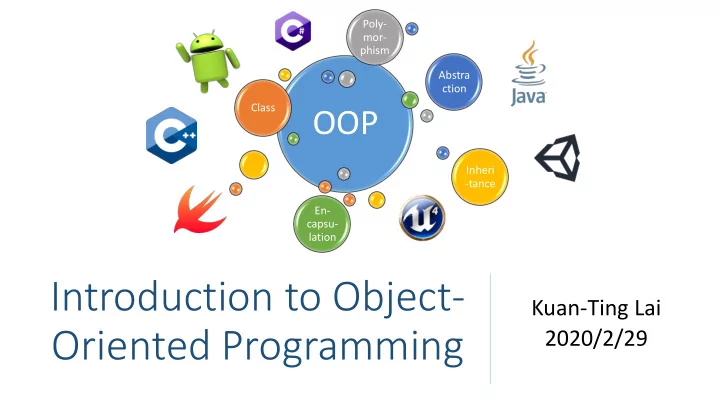
Introduction to Object- Oriented Programming
Kuan-Ting Lai 2020/2/29
OOP
Class Abstra ction Inheri
- tance
En- capsu- lation Poly- mor- phism
Introduction to Object- Kuan-Ting Lai Oriented Programming - - PowerPoint PPT Presentation
Poly- mor- phism Abstra ction Class OOP Inheri -tance En- capsu- lation Introduction to Object- Kuan-Ting Lai Oriented Programming 2020/2/29 What is Object-Oriented Programming (OOP)? A program paradigm based on the concept of
Class Abstra ction Inheri
En- capsu- lation Poly- mor- phism
data and functions (Wikipedia)
− Object -> Class − Data -> fields or attributes − Functions -> method or behavior
Object 1
Object 3
Object 2
Messages Global Variables Global Variables Function 1
Local variables
Function 4
Local variables
Function 5
Local variables
Function 2
Local variables
Function 3
Local variables
− Identifier for the class
− Or variables, attributes, fields. Save attributes of the class
− Or methods. Manipulate the data.
https://www3.ntu.edu.sg/home/ehchua/programming/cpp/cp3_OOP.html
− Wrap data & functions into a Class
− Define functions but hide the details of implementation
data and functions from parent class
https://en.wikipedia.org/wiki/Inheritance_(object-oriented_programming)
− Dynamic polymorphism: Overriding − Static polymorphism: Overloading
Pooja Chawla, OOP with C++
pointers
class Box { public: double length; // Length of a box double width; // Width of a box double height; // Height of a box };
Box Box1; // Declare Box1 of type Box Box Box2; // Declare Box2 of type Box
− Volume of Box1: 210 − Volume of Box2: 1560
#include <iostream> using namespace std; class Box { public: double length; // Length of a box double width; // Width of a box double height; // Height of a box }; int main() { Box Box1; // Declare Box1 of type Box Box Box2; // Declare Box2 of type Box double volume = 0.0; // Store the volume of a box // box 1 specification Box1.height = 5.0; Box1.length = 6.0; Box1.width = 7.0; // box 2 specification Box2.height = 10.0; Box2.length = 12.0; Box2.width = 13.0; // volume of box 1 volume = Box1.height * Box1.length * Box1.width; cout << "Volume of Box1 : " << volume << endl; // volume of box 2 volume = Box2.height * Box2.length * Box2.width; cout << "Volume of Box2 : " << volume << endl; return 0; }
− Data: width, height − Functions: setWidth, setHeight
“Rectangle”
− class derived_class : public base_class
#ifndef _SHAPES_H_ #define _SHAPES_H_ // Base class class Shape { public: void setWidth(int w) { width = w; } void setHeight(int h) { height = h; } protected: int width; int height; }; // Derived class class Rectangle : public Shape { public: int area() { return (width * height); } }; #endif
shapes.h
− Rectangle Rect;
set width & height
− Rect.setWidth(5); − Rect.setHeight(7);
− Rect.getArea()
#include <iostream> using namespace std; #include “shapes.h” int main() { Rectangle Rect; Rect.setWidth(5); Rect.setHeight(7); // Print the area of the object. cout << "Total area: " << Rect.area(); cout << endl; return 0; }
main.cpp
// Base class class Shape { public: void setWidth(int w) { width = w; } void setHeight(int h) { height = h; } virtual int area() = 0; protected: int width; int height; };
class Rectangle : public Shape { public: Rectangle(int a = 0, int b = 0) :Shape(a, b) { } int area() { cout << "Rectangle class area :" << endl; return (width * height); } }; class Triangle : public Shape { public: Triangle(int a = 0, int b = 0) :Shape(a, b) { } int area() { cout << "Triangle class area :" << endl; return (width * height / 2); } };
− Shape *shape;
classes
− Rectangle rec(10, 7); − Triangle tri(10, 5);
− shape = &rec;
− shape->area();
#include <iostream> using namespace std; #include “shapes.h” int main() { Shape *shape; Rectangle rec(10, 7); Triangle tri(10, 5); // store the address of Rectangle shape = &rec; // call rectangle area. shape->area(); // store the address of Triangle shape = &tri; // call triangle area. shape->area(); return 0; }
− Called when an object is created − Initialize data
− Called when an object is deleted − Can be used to clean data
// Base class class Shape { public: Shape(int a=0, int b=0) { width = a; height = b; } ~Shape(){} void setWidth(int w) { width = w; } void setHeight(int h) { height = h; } virtual int area() = 0; protected: int width; int height; };
− Define functions with the same name, but having different types and/or number of arguments
− Redefine or overload most of the built-in operators available in C++
different types of data
#include <iostream> using namespace std; class printData { public: void print(int i) { cout << "Printing int: " << i << endl; } void print(double f) { cout << "Printing float: " << f << endl; } void print(char* c) { cout << "Printing character: " << c << endl; } }; int main(void) { printData pd; pd.print(5);// Print integer pd.print(500.263);// Print float pd.print("Hello C++");// Print characters return 0; }
for class Box
class Box { public: // Overload + operator to add two Box objects. Box operator+(const Box& b) { Box box; box.length = this->length + b.length; box.width = this->width + b.width; box.height = this->height + b.height; return box; } double length; double width; double height; }; int main() { Box Box1; Box Box2; Box1.length = 6.0; Box1.width = 7.0; Box1.height = 5.0; Box2.length = 12.0; Box2.width = 13.0; Box2.height = 10.0; cout << "Volume of Box1 : " << Box1.getVolume() << endl; cout << "Volume of Box2 : " << Box2.getVolume() << endl; // Add two object as follows: Box3 = Box1 + Box2; cout << "Volume of Box3 : " << Box3.getVolume() << endl; return 0; }
− Creational Patterns − Structural Patterns − Behavioral Patterns
https://sourcemaking.com/design_patterns
− Initialize objects or create new classes
− Use inheritance to compose interfaces and compose objects to obtain new functionality
− Communication between objects
https://sourcemaking.com/design_patterns
class Singleton { public: static Singleton* getInstance(); private: static Singleton* instance; // Here will be the instance stored. Singleton(); // Private constructor to prevent instancing. }; /* Null, because instance will be initialized on demand. */ Singleton* Singleton::instance = 0; Singleton* Singleton::getInstance() { if (instance == 0) instance = new Singleton(); return instance; }
which class to instantiate
https://www.geeksforgeeks.org/design-patterns-set-2-factory-method/ enum VehicleType {VT_TwoWheeler, VT_ThreeWheeler}; // Library classes class Vehicle { public: virtual void printVehicle() = 0; static Vehicle* Create(VehicleType type); }; class TwoWheeler : public Vehicle { public: void printVehicle() {cout << "I am two wheeler" << endl;} }; class ThreeWheeler : public Vehicle { public: void printVehicle() { cout << "I am three wheeler" << endl;} }; // Factory method to create objects of different types. Vehicle* Vehicle::Create(VehicleType type) { if (type == VT_TwoWheeler) return new TwoWheeler(); else if (type == VT_ThreeWheeler) return new ThreeWheeler(); else return NULL; }