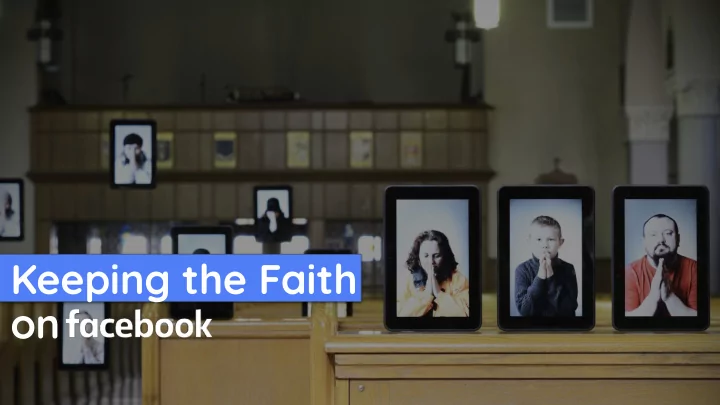
Keeping the Faith on Nona Jones , Head of Faith-Based Partnerships, - - PowerPoint PPT Presentation

keeping the faith on nona jones head of faith based
SMART_READER_LITE
LIVE PREVIEW

Keeping the Faith on Nona Jones , Head of Faith-Based Partnerships, - - PowerPoint PPT Presentation

Keeping the Faith on Nona Jones , Head of Faith-Based Partnerships, Facebook Co-Pastor, Open Door Church, Gainesville, Florida Faith extends beyond the weekend. People of faith gather around the world every day for prayer, study, and fellowship


slide-1
SLIDE 1

Keeping the Faith

  • n
slide-2
SLIDE 2

Nona Jones, Head of Faith-Based Partnerships, Facebook Co-Pastor, Open Door Church, Gainesville, Florida

slide-3
SLIDE 3

Faith extends beyond the weekend.

TEAM MEETING 1 2018

People of faith gather around the world every day for prayer, study, and fellowship outside the four walls of the building.

slide-4
SLIDE 4

Your Facebook presence is your

  • nline house of

worship.

slide-5
SLIDE 5

5

Facebook has the tools to build your house of worship online.

Page Live Groups Units

slide-6
SLIDE 6

6

Facebook Page

Your Online Front Porch

slide-7
SLIDE 7

Pages help you increase your reach.

TEAM MEETING 1 2018

Page posts let your followers know what your community is up to. Keep members interested and engaged with information, updates, event notifications, and more.

slide-8
SLIDE 8

Build Reach

Start by inviting current members to like your Facebook Page to establish credibility, build your reputation and spread the word about your institution right away.

slide-9
SLIDE 9

Page Tips + Tricks

TEAM MEETING 1 2018

  • 1. Think mobile first. Before using a photograph or video
  • n your Page, look at the image on your mobile device

and ensure the main subject is clear.

  • 2. Engage with your followers. Respond to their

comments, questions and messages timely.

  • 3. Build community. Link a Facebook group to the page

and invite followers to join and start discussions.

slide-10
SLIDE 10

Facebook Live

Your Open Door Invitation

slide-11
SLIDE 11

Live helps you engage your audience.

TEAM MEETING 1 2018

Streaming events and gatherings from your Page allows viewers to watch from their phone, computer, or connected TV. Interactive features enable you to engage with your audience on your Page or in a Group.

slide-12
SLIDE 12

12

Start by promoting the live event ahead of time on your Page and in your

  • Group. While live, make

sure to welcome people joining by livestream and have comment moderators

  • n hand to respond to

comments and welcome people.

Open the Door

slide-13
SLIDE 13

Live Tips + Tricks

TEAM MEETING 1 2018

  • 1. Engage your audience. Share the stream on Pages,

Groups and profiles you manage and encourage viewers to share the live video with their friends too.

  • 2. Build your reach. Crosspost the same live stream to

multiple Pages simultaneously.

  • 3. Build community. Schedule a Watch Party to enable

people to watch your video together.

slide-14
SLIDE 14

Facebook Group

Your Online Living Room

slide-15
SLIDE 15

Groups help you deepen your engagement.

TEAM MEETING 1 2018

Groups allow you to gather your community in a space where you can get to know them, they can get to know you, and they can get to know each other through conversation.

slide-16
SLIDE 16

16

Relationships through Conversation

Use your Group to foster meaningful conversations about what matters to you and your members so that people can discover common interests and support each other.

slide-17
SLIDE 17

Groups Tips + Tricks

TEAM MEETING 1 2018

  • 1. Make people feel welcome. When you have new

members in your Group, generate a “welcome post” to auto-tag them in a welcome message.

  • 2. Connect members to each other. Invite members to

share where they live, hobbies and other information that will let them get to know each other.

  • 3. Facilitate conversation. You are the “host” of the

Group, so regularly post conversation prompts as questions for people to answer and discuss.

slide-18
SLIDE 18

Learning Units

Your Online Classroom

slide-19
SLIDE 19

Units help you keep your community learning.

TEAM MEETING 1 2018

Units are like education modules and are a great tool to help organize and share content and resources. Group members can mark their completion of each unit and this completion rate is tracked within your Group Insights.

slide-20
SLIDE 20

20

Relationships through Learning

Use Units to help onboard new members, train your community leadership team, hold group studies and keep content

  • rganized.
slide-21
SLIDE 21

Units Tips + Tricks

TEAM MEETING 1 2018

  • 1. Segment teachings into parts. Use units to help

people review messages sequentially and have conversations around themes.

  • 2. Encourage people to complete them. Reach out to

people who did not complete the entire unit to let them know you are proud of their progress so far.

  • 3. Arrange content around themes. Created units for

“local recommendations," "resources,” “recipes,” “member spotlights” and more.

slide-22
SLIDE 22
slide-23
SLIDE 23
slide-24
SLIDE 24
slide-25
SLIDE 25
slide-26
SLIDE 26
slide-27
SLIDE 27
slide-28
SLIDE 28
slide-29
SLIDE 29

29

Nona Jones, Head of Faith-Based Partnerships, Facebook Co-Pastor, Open Door Church, Gainesville, Florida www.facebook.com/community/faith