M. Beaudouin-Lafon - Groupware 1 Master Recherche - Universit - - PowerPoint PPT Presentation

m beaudouin lafon groupware 1 master recherche universit
SMART_READER_LITE
LIVE PREVIEW

M. Beaudouin-Lafon - Groupware 1 Master Recherche - Universit - - PowerPoint PPT Presentation

Master Recherche - Universit Paris-Sud Concept Collaborative creation and editing of shared computer artifacts - Typically a shared document - All users have the illusion that they edit the same document Shared Editing Notion of group awareness


slide-1
SLIDE 1

Master Recherche - Université Paris-Sud

  • M. Beaudouin-Lafon - Groupware

1

Shared Editing

Michel Beaudouin-Lafon

Université Paris-Sud

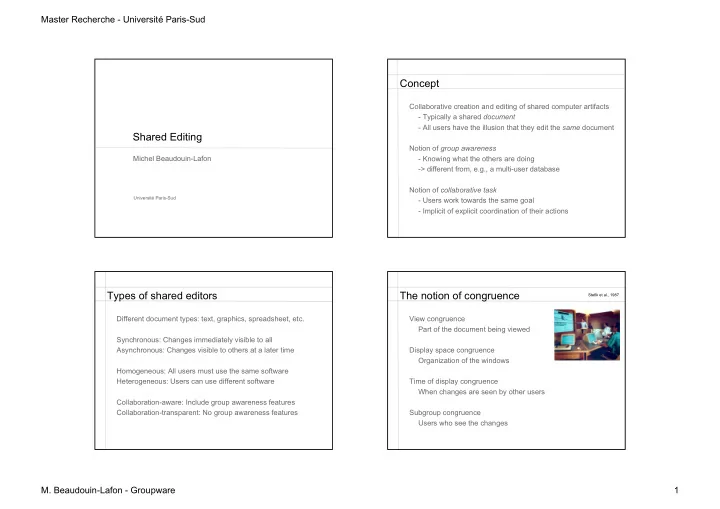
Concept

Collaborative creation and editing of shared computer artifacts

  • Typically a shared document
  • All users have the illusion that they edit the same document

Notion of group awareness

  • Knowing what the others are doing
  • > different from, e.g., a multi-user database

Notion of collaborative task

  • Users work towards the same goal
  • Implicit of explicit coordination of their actions

Types of shared editors

Different document types: text, graphics, spreadsheet, etc. Synchronous: Changes immediately visible to all Asynchronous: Changes visible to others at a later time Homogeneous: All users must use the same software Heterogeneous: Users can use different software Collaboration-aware: Include group awareness features Collaboration-transparent: No group awareness features

The notion of congruence

View congruence Part of the document being viewed Display space congruence Organization of the windows Time of display congruence When changes are seen by other users Subgroup congruence Users who see the changes

Stefik et al., 1987

slide-2
SLIDE 2

Master Recherche - Université Paris-Sud

  • M. Beaudouin-Lafon - Groupware

2

WYSIWIS / WYSIAWIS

WYSIWIS Strict view congruence WYSIAWIS Relaxed view congruence Text, asynchronous (different time)

– Quilt (Leland, Fish & Kraut, 1988) – Prep (Neuwirth et al., 1989)

Text, synchronous (real-time)

– Grove (Ellis, Gibbs & Rein, 1989) – ShrEdit (McGuffin & Olson, 1992) – SASSE (Baecker et al., 1993)

Graphics, synchronous (real-time)

– GroupDesign (Karsenty & Beaudouin-Lafon, 1992)

Sample shared editors (historical) Real-time text editor: GROVE

Group Outline Viewing Editor

– Concurrent editing at the character level – Private, Shared and Public views – Clouds to show the activity of other users – Aging text: blue at first, then progressively black

Ellis et al., 1989

Asynchronous text editor: Prep

Neuwirth et al., 1992

slide-3
SLIDE 3

Master Recherche - Université Paris-Sud

  • M. Beaudouin-Lafon - Groupware

3

Real-time text editor: Sasse

Group-awareness widgets

  • Scrollbars
  • Radar view

Baecker et al., 1993

Real-time graphics: GroupDesign

Karsenty, 1992

GroupDesign

Group-awareness features:

– Show participants as colors – Immediate feedback of commands for the local user – Echo of the command for the other users, until completed Local site Remote sites During resize interaction At the end

  • f resize

interaction

Karsenty, 1992

(icon) (animation)

Modern systems

SubethaEdit Microsoft Office Google docs

slide-4
SLIDE 4

Master Recherche - Université Paris-Sud

  • M. Beaudouin-Lafon - Groupware

4

Problems of modern systems

Homogeneous All users must use the same application Mostly cloud-based Who owns your documents and where are they? What if you do not have network access? Do not support different levels of coupling Strong coupling: pure WYSIWIS Loose coupling: WYSIAWIS Very loose coupling: asynchronous

Implementation of real-time groupware Approaches

Collaboration-transparent system

– Wrapping a single-user application – Screen and window sharing – Turn taking – Example: VNC

Collaboration-aware system

– Designed from the start for collaborative work – Consistency of distributed copies – Robustness: a failure of a distant network or computer should not affect the local user – Example: Google Docs

Some vocabulary

Participant: a user in a session Session: one or more documents, edited by one or more users Invitation: giving a user access to a session Floor control: policy for managing input from multiple users Turn-taking: Floor control where one user can edit at a time Telepointer: visualization of one’s cursor on other users’ screens Coupling: how local actions are tied to remote actions Response time: time for an action to be executed locally Notification time: time for an action to be executed remotely Replication: transparently managing multiple copies of a document Robustness: sensitivity to remote faults

slide-5
SLIDE 5

Master Recherche - Université Paris-Sud

  • M. Beaudouin-Lafon - Groupware

5

Implementation

Some similarities with operating systems and databases:

– Several users, geographical distribution, concurrent access, replication, faults... – BUT groupware does not try to be transparent, i.e. hide users

Specific issues:

– Group awareness

  • View congruence (WYSIWIS, WYSIAWIS)
  • Feedthrough (telling other users what I am doing)

– Latecomers

  • Getting users that arrive during the session up to speed

Implementation

Three main types of software architecture:

– Centralised: simple, but low response time, brittle – Replicated: good response/notification time, but complex – Hybrid: mostly replicated with some centralized functions

responses feedback commands

  • perations
  • bjects

user

Development tools: screen sharing, shared window systems, groupware toolkits

Managing conflicts

Problem: consistency of distributed data Each site generates events and sends them to other sites Each site must execute the events so that the result is consistent across sites Two classes of algorithms

– pessimistic (locks) – optimistic (events + undo)

Optimistic algorithms:

– operational transformation, e.g. dOpt (GROVE) – optimized undo/redo, e.g. ORESTE (GroupDesign)

Causality and logical clocks

Strong notion of causality If A happened before B, then A must be executed before B (because A may have influenced B) Total ordering of events: Lamport’s logical clocks One logical clock per site (counter) Incremented for each local event, Sent with each event When an event arrives with a timestamp t if t > localclock then localclock <- t +1 Timestamp defines a partial order of events Turned into a global order with an ordering of sites (t1, s1) < (t2, s2) iff t1 < t2 or (t1 = t2 & s1 < s2)

slide-6
SLIDE 6

Master Recherche - Université Paris-Sud

  • M. Beaudouin-Lafon - Groupware

6

Undo-redo algorithm

Principles Every operation op must have an inverse op-1 Each site maintains a history of events (op1, t1, s1) … (opn, tn, sn) When an event arrives out of sync (opi, ti, si) with (ti, si) < (tn, sn) Undo the operations between i and n Execute opi Redo operations between i and n

ORESTE

Principle

– Consistent state when the system is quiescent (all sent messages have been received and processed) – Uses Lamport timestamps for total ordering – Undo/redo when a message arrives out of order

Optimizing undo/redo

– Concept of compatible order – Take advantage of commutativity and masking between operations – Use total order in case of a conflict

Karesenty & Beaudouin-Lafon, 1993

ORESTE : commutativity

A changes the shape to an ellipse B changes the color to orange Total order is A then B

B A A B A and B commute

ORESTE : masking

A changes color to blue B changes color to orange Total order is A then B

A B B A A can be ignored because it is masked by B

slide-7
SLIDE 7

Master Recherche - Université Paris-Sud

  • M. Beaudouin-Lafon - Groupware

7

Operational transform: problem

Concurrent editing of text Each user represented by the offset of his/her cursor Basic operations: Move cursor forward, backward Insert character Delete character Problem: Site A Site B Hello |w|orld Hello |w|orld Hello m||world (A inserts m) Hello ||orld (B deletes character) Hello |w|orld (A receives delete) Hello |m|orld (B receives insert m)

Operational transform: problem

When A inserts m, B’s cursor should move to the right When B deletes w, A’s cursor should move to the left Site A Site B Hello |w|orld Hello |w|orld Hello m|w|orld (A inserts m) Hello ||orld (B deletes character) Hello m||orld (A receives delete) Hello m||orld (B receives insert m) Is this sufficient? Not quite If cursors at same position, it may not work If operations are delayed longer, it may not work

Operational transform: solution

Total ordering of operations (Lamport timestamps) When an operation arrives out of order, it is transformed: It is modified to take into account the effects of the

  • perations that have occurred since it was issued

For each pair of operations op1, op2, where op2 arrived after op1 but occurred before it, we need a transformation T(op1, op2) = op’2 so that

  • p’2(op1(text)) = op1(op2(text))

When an operation arrives, it is transformed by those that have occurred since then Note: this requires a potentially unbounded history buffer

Operational transform: example

Forward transformation: include impact of op2 into op1 T(insert(p1, c1, s1), insert(p2, c2, s2)) if (p1 < p2) or (p1 = p2 and s1 < s2) then return ins (p1, c1, s1) else return ins (p1+1, c1, s1) Backward transformation: exclude impact of op2 from op1 T-1(insert(p1, c1, s1), insert(p2, c2, s2)) if (p1 < p2) or (p1 = p2 and s1 < s2) then return ins (p1, c1, s1) else return ins (p1-1, c1, s1)

slide-8
SLIDE 8

Master Recherche - Université Paris-Sud

  • M. Beaudouin-Lafon - Groupware

8

Operational transform

Writing the transformations is hard Proving that they work is even harder (in fact, most don’t!) Properties: Causality preservation: operations that depend on each

  • ther are executed in the same order at each site

Convergence: same state at each site when all messages have been processed Intention preservation: matching what the user meant A free Javascript library: www.sharejs.org Other libraries exist for other languages

Groupware toolkits Groupware toolkits

Embed concurrency algorithms into a library Provide groupware widgets to support group awareness Examples: DistEdit (Prakash, 1990) Suite (Dewan, 1990) Rendez Vous (Patterson et al., 1990) GroupKit (Roseman & Greenberg, 1992) MEAD (Bentley et al., 1994) Prospero (Dourish, 1996) DAC (Tronche, 1998)

GroupKit

Developed at the University of Calgary GroupLab Toolkit developed in Tcl/Tk

– Prototyping and development of shared real-time applications – Research and teaching about CSCW

Features

– Session management (participants joining and leaving) – Supports data distribution (1:1, 1:n) – Specific widgets for collaborative interaction

Available: www.groupkit.org

slide-9
SLIDE 9

Master Recherche - Université Paris-Sud

  • M. Beaudouin-Lafon - Groupware

9

GroupKit : architecture

Registrar : centralized process accessible by all computers Session manager : processus managing conferences and access control for one participant Conference : replicated process managing a single conference

GroupKit : awareness widgets

Who is participating? Where are they? What can they see? What is their activity level? What do they do? What do they need? What are they going to do? What can they do?

Telepointers Multi-scrollbars Radar views Fish-eye views

Telepointers Multi-scrollbars

slide-10
SLIDE 10

Master Recherche - Université Paris-Sud

  • M. Beaudouin-Lafon - Groupware

10

Radar view Fish-eye view GroupKit : applications

Brainstorming Text chat Drawing (bitmaps or vectors) Graph editing File browsers Text editors Games (tic-tac-toe, cards, tetrominos) Shouldn’t shared editing be part of every software application? Is the move towards cloud-based applications a good thing?

Conclusion