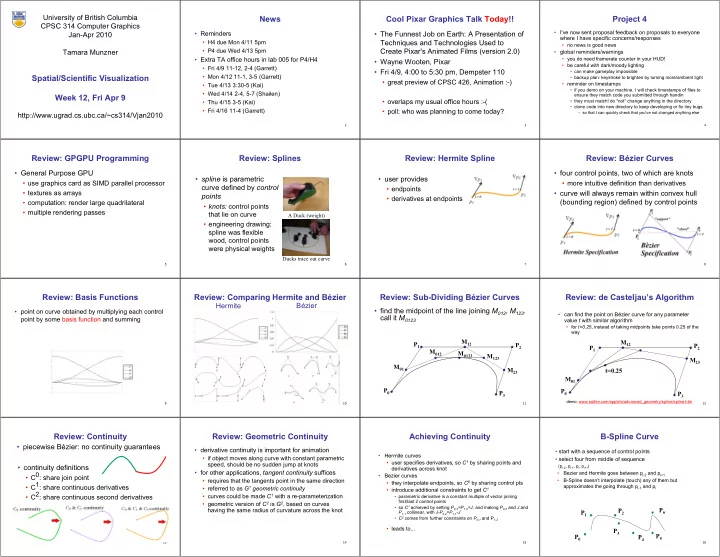
News Cool Pixar Graphics Talk Today!! Project 4 CPSC 314 Computer - - PowerPoint PPT Presentation

news cool pixar graphics talk today project 4
SMART_READER_LITE
LIVE PREVIEW

News Cool Pixar Graphics Talk Today!! Project 4 CPSC 314 Computer - - PowerPoint PPT Presentation

University of British Columbia News Cool Pixar Graphics Talk Today!! Project 4 CPSC 314 Computer Graphics Reminders The Funnest Job on Earth: A Presentation of I've now sent proposal feedback on proposals to everyone Jan-Apr 2010


slide-1
SLIDE 1

University of British Columbia CPSC 314 Computer Graphics Jan-Apr 2010 Tamara Munzner http://www.ugrad.cs.ubc.ca/~cs314/Vjan2010

Spatial/Scientific Visualization Week 12, Fri Apr 9

2

News

  • Reminders
  • H4 due Mon 4/11 5pm
  • P4 due Wed 4/13 5pm
  • Extra TA office hours in lab 005 for P4/H4
  • Fri 4/9 11-12, 2-4 (Garrett)
  • Mon 4/12 11-1, 3-5 (Garrett)
  • Tue 4/13 3:30-5 (Kai)
  • Wed 4/14 2-4, 5-7 (Shailen)
  • Thu 4/15 3-5 (Kai)
  • Fri 4/16 11-4 (Garrett)

3

Cool Pixar Graphics Talk Today!!

  • The Funnest Job on Earth: A Presentation of

Techniques and Technologies Used to Create Pixar's Animated Films (version 2.0)

  • Wayne Wooten, Pixar
  • Fri 4/9, 4:00 to 5:30 pm, Dempster 110
  • great preview of CPSC 426, Animation :-)
  • overlaps my usual office hours :-(
  • poll: who was planning to come today?

4

Project 4

  • I've now sent proposal feedback on proposals to everyone

where I have specific concerns/responses

  • no news is good news
  • global reminders/warnings
  • you do need framerate counter in your HUD!
  • be careful with dark/moody lighting
  • can make gameplay impossible
  • backup plan: keystroke to brighten by turning more/ambient light
  • reminder on timestamps
  • if you demo on your machine, I will check timestamps of files to

ensure they match code you submitted through handin

  • they must match! do *not* change anything in the directory
  • clone code into new directory to keep developing or fix tiny bugs
  • so that I can quickly check that you've not changed anything else

5

Review: GPGPU Programming

  • General Purpose GPU
  • use graphics card as SIMD parallel processor
  • textures as arrays
  • computation: render large quadrilateral
  • multiple rendering passes

6

Review: Splines

  • spline is parametric

curve defined by control points

  • knots: control points

that lie on curve

  • engineering drawing:

spline was flexible wood, control points were physical weights

A Duck (weight) Ducks trace out curve

7

Review: Hermite Spline

  • user provides
  • endpoints
  • derivatives at endpoints

8

Review: Bézier Curves

  • four control points, two of which are knots
  • more intuitive definition than derivatives
  • curve will always remain within convex hull

(bounding region) defined by control points

9

Review: Basis Functions

  • point on curve obtained by multiplying each control

point by some basis function and summing

10

Review: Comparing Hermite and Bézier

Bézier Hermite

11

Review: Sub-Dividing Bézier Curves

  • find the midpoint of the line joining M012, M123.

call it M0123

P0 P1 P2 P3 M01 M12 M23 M012 M123 M0123

12

Review: de Casteljau’s Algorithm

  • can find the point on Bézier curve for any parameter

value t with similar algorithm

  • for t=0.25, instead of taking midpoints take points 0.25 of the

way

P0 P1 P2 P3 M01 M12 M23 t=0.25

demo: www.saltire.com/applets/advanced_geometry/spline/spline.htm

13

Review: Continuity

  • continuity definitions
  • C0: share join point
  • C1: share continuous derivatives
  • C2: share continuous second derivatives
  • piecewise Bézier: no continuity guarantees

14

Review: Geometric Continuity

  • derivative continuity is important for animation
  • if object moves along curve with constant parametric

speed, should be no sudden jump at knots

  • for other applications, tangent continuity suffices
  • requires that the tangents point in the same direction
  • referred to as G1 geometric continuity
  • curves could be made C1 with a re-parameterization
  • geometric version of C2 is G2, based on curves

having the same radius of curvature across the knot

15

Achieving Continuity

  • Hermite curves
  • user specifies derivatives, so C1 by sharing points and

derivatives across knot

  • Bezier curves
  • they interpolate endpoints, so C0 by sharing control pts
  • introduce additional constraints to get C1
  • parametric derivative is a constant multiple of vector joining

first/last 2 control points

  • so C1 achieved by setting P0,3=P1,0=J, and making P0,2 and J and

P1,1 collinear, with J-P0,2=P1,1-J

  • C2 comes from further constraints on P0,1 and P1,2
  • leads to...

16

B-Spline Curve

  • start with a sequence of control points
  • select four from middle of sequence

(pi-2, pi-1, pi, pi+1)

  • Bezier and Hermite goes between pi-2 and pi+1
  • B-Spline doesn’t interpolate (touch) any of them but

approximates the going through pi-1 and pi

P0 P1 P3 P2 P4 P5 P6

slide-2
SLIDE 2

17

B-Spline

  • by far the most popular spline used
  • C0, C1, and C2 continuous

demo: www.siggraph.org/education/materials/HyperGraph/modeling/splines/demoprog/curve.html

18

B-Spline

  • locality of points

19

Geometric Modelling

  • much, much more in CPSC 424!
  • offered next year

20

Spatial/Scientific Visualization

21

Reading

  • FCG Chapter 28 Spatial Field Visualization
  • Chap 23 (2nd ed)

22

Surface Graphics

  • objects explicitly defined by surface or

boundary representation

  • mesh of polygons

200 polys 1000 polys 15000 polys

23

Surface Graphics

  • pros
  • fast rendering algorithms available
  • hardware acceleration cheap
  • OpenGL API for programming
  • use texture mapping for added realism
  • cons
  • discards interior of object, maintaining only the shell
  • operations such cutting, slicing & dissection not

possible

  • no artificial viewing modes such as semi-

transparencies, X-ray

  • surface-less phenomena such as clouds, fog & gas

are hard to model and represent

24

Volume Graphics

  • for some data, difficult to create polygonal mesh
  • voxels: discrete representation of 3D object
  • volume rendering: create 2D image from 3D object
  • translate raw densities into colors and

transparencies

  • different aspects of the dataset can be emphasized

via changes in transfer functions

25

Volume Graphics

  • pros
  • formidable technique for data exploration
  • cons
  • rendering algorithm has high complexity!
  • special purpose hardware costly (~$3K-$10K)

volumetric human head (CT scan)

26

Isosurfaces

  • 2D scalar fields: isolines
  • contour plots, level sets
  • topographic maps
  • 3D scalar fields: isosurfaces

27

Volume Graphics: Examples

anatomical atlas from visible human (CT & MRI) datasets industrial CT - structural failure, security applications flow around airplane wing shockwave visualization: simulation with Navier-Stokes PDEs

28

Isosurface Extraction

  • array of discrete point

samples at grid points

  • 3D array: voxels
  • find contours
  • closed, continuous
  • determined by iso-value
  • several methods
  • marching cubes is most

common

1 2 3 4 3 2 7 8 6 2 3 7 9 7 3 1 3 6 6 3 1 1 3 2 Iso-value = 5

29

MC 1: Create a Cube

  • consider a cube defined by eight data values

(i,j,k) (i+1,j,k) (i,j+1,k) (i,j,k+1) (i,j+1,k+1) (i+1,j+1,k+1) (i+1,j+1,k) (i+1,j,k+1)

30

MC 2: Classify Each Voxel

  • classify each voxel according to whether lies
  • outside the surface (value > iso-surface

value)

  • inside the surface (value <= iso-surface value)

8

Iso=7

8 8 5 5 10 10 10

Iso=9 =inside =outside

31

MC 3: Build An Index

  • binary labeling of each voxel to create index

v1 v2 v6 v3 v4 v7 v8 v5

inside =1

  • utside=0

11110100 00110000 Index:

v1 v2 v3 v4 v5 v6 v7 v8

32

MC 4: Lookup Edge List

  • use index to access array storing list of edges
  • all 256 cases can be derived from 15 base

cases

slide-3
SLIDE 3

33

MC 4: Example

  • index = 00000001
  • triangle 1 = a, b, c

a b c

34

MC 5: Interpolate Triangle Vertex

  • for each triangle edge
  • find vertex location along edge using linear

interpolation of voxel values

=10 =0 T=8 T=5 i i+1 x

[] [ ] []

  • +
  • +

= i v i v i v T i x 1

35

MC 6: Compute Normals

  • calculate the normal at each cube vertex
  • use linear interpolation to compute the

polygon vertex normal

1 , , 1 , , , 1 , , 1 , , , 1 , , 1

  • +
  • +
  • +
  • =
  • =
  • =

k j i k j i z k j i k j i y k j i k j i x

v v G v v G v v G

36

MC 7: Render!

37

Direct Volume Rendering

  • do not compute surface

38

Rendering Pipeline

Classify

39

Classification

  • data set has application-specific values
  • temperature, velocity, proton density, etc.
  • assign these to color/opacity values to make

sense of data

  • achieved through transfer functions

40

Transfer Functions

  • map data value to color and opacity

41

Transfer Functions

Human Tooth CT

α(f)

RGB(f)

f

RGB

shading, compositing…

α

Gordon Kindlmann

42

Setting Transfer Functions

  • can be difficult, unintuitive, and slow

f α f α f α f α

Gordon Kindlmann

43

Rendering Pipeline

Classify Shade

44

Light Effects

  • usually only consider reflected part

Light

absorbed transmitted reflected Light=refl.+absorbed+trans.

Light

ambient specular diffuse s s d d a a

I k I k I k I + + =

Light=ambient+diffuse+specular

45

Rendering Pipeline

Classify Shade Interpolate

46

Interpolation

  • given:
  • needed:

2D 1D

  • given:
  • needed:

nearest neighbor linear

47

Rendering Pipeline

Classify Shade Interpolate Composite

48

Volume Rendering Algorithms

  • ray casting
  • image order, forward viewing
  • splatting
  • object order, backward viewing
  • texture mapping
  • object order
  • back-to-front compositing
slide-4
SLIDE 4

49

Ray Traversal Schemes

Depth Intensity Max Average Accumulate First

50

Ray Traversal - First

  • first: extracts iso-surfaces (again!)

Depth Intensity First

51

Ray Traversal - Average

  • average: looks like X-ray

Depth Intensity Average

52

Ray Traversal - MIP

  • max: Maximum Intensity Projection
  • used for Magnetic Resonance Angiogram

Depth Intensity Max

53

Ray Traversal - Accumulate

  • accumulate: make transparent layers visible

Depth Intensity Accumulate

54

Splatting

  • each voxel represented as fuzzy ball
  • 3D gaussian function
  • RGBa value depends on transfer function
  • fuzzy balls projected on screen, leaving

footprint called splat

  • composite front to back, in object order

55

Texture Mapping

  • 2D: axis aligned 2D textures
  • back to front compositing
  • commodity hardware support
  • must calculate texture

coordinates, warp to image plane

  • 3D: image aligned 3D texture
  • simple to generate texture

coordinates