Pixels Measure Brightness over an Area Digital Images Sample the 2D - - PowerPoint PPT Presentation

pixels measure brightness over an area
SMART_READER_LITE
LIVE PREVIEW

Pixels Measure Brightness over an Area Digital Images Sample the 2D - - PowerPoint PPT Presentation

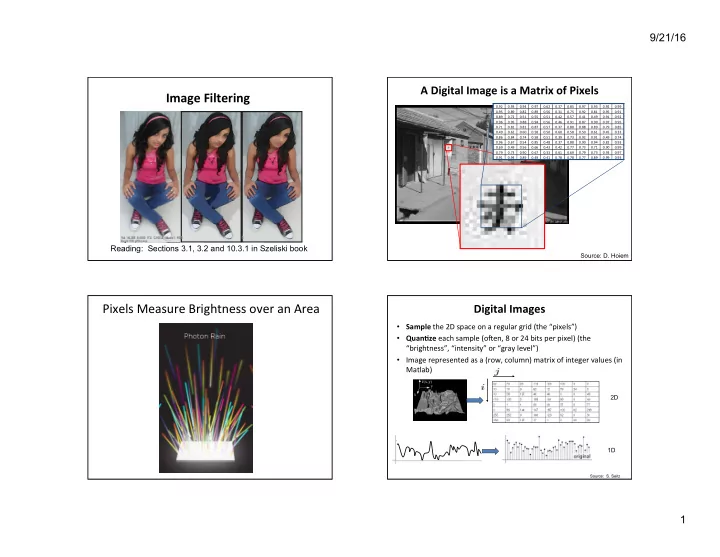
9/21/16 A Digital Image is a Matrix of Pixels Image Filtering 0.92 0.93 0.94 0.97 0.62 0.37 0.85 0.97 0.93 0.92 0.99 0.95 0.89 0.82 0.89 0.56 0.31 0.75 0.92 0.81 0.95 0.91 0.89 0.72 0.51 0.55 0.51 0.42 0.57 0.41 0.49


slide-1
SLIDE 1

9/21/16 1

Image Filtering

Reading: Sections 3.1, 3.2 and 10.3.1 in Szeliski book

A Digital Image is a Matrix of Pixels

0.92 0.93 0.94 0.97 0.62 0.37 0.85 0.97 0.93 0.92 0.99 0.95 0.89 0.82 0.89 0.56 0.31 0.75 0.92 0.81 0.95 0.91 0.89 0.72 0.51 0.55 0.51 0.42 0.57 0.41 0.49 0.91 0.92 0.96 0.95 0.88 0.94 0.56 0.46 0.91 0.87 0.90 0.97 0.95 0.71 0.81 0.81 0.87 0.57 0.37 0.80 0.88 0.89 0.79 0.85 0.49 0.62 0.60 0.58 0.50 0.60 0.58 0.50 0.61 0.45 0.33 0.86 0.84 0.74 0.58 0.51 0.39 0.73 0.92 0.91 0.49 0.74 0.96 0.67 0.54 0.85 0.48 0.37 0.88 0.90 0.94 0.82 0.93 0.69 0.49 0.56 0.66 0.43 0.42 0.77 0.73 0.71 0.90 0.99 0.79 0.73 0.90 0.67 0.33 0.61 0.69 0.79 0.73 0.93 0.97 0.91 0.94 0.89 0.49 0.41 0.78 0.78 0.77 0.89 0.99 0.93

Source: D. Hoiem

Pixels Measure Brightness over an Area

Digital Images

  • Sample the 2D space on a regular grid (the “pixels”)
  • Quan9ze each sample (oHen, 8 or 24 bits per pixel) (the

“brightness”, “intensity” or “gray level”)

  • Image represented as a (row, column) matrix of integer values (in

Matlab)

Source: S. Seitz

2D 1D

slide-2
SLIDE 2

9/21/16 2

Percep9on of Intensity Percep9on of Intensity Simultaneous Contrast Effect

Source: E. Adelson

Color Image

R G B Source: D. Hoiem

slide-3
SLIDE 3

9/21/16 3

Digital Color Images

Source: D. Hoiem

Interpolate Values to Create the 3 RGB Channels

Except returns type logical if 1 bpp

  • Image represented as a matrix
  • Suppose we have an n x m RGB image called “im”

– im(1,1,1) = top-leH pixel value in R-channel – im(y, x, b) = y pixels down, x pixels to right in the bth channel – im(n, m, 3) = boWom-right pixel in B-channel

  • imread(filename) returns a uint8 image (values 0 to 255 for each color)

– Convert to double format (values 0 … 1) with im2double

Images in Matlab

0.92 0.93 0.94 0.97 0.62 0.37 0.85 0.97 0.93 0.92 0.99 0.95 0.89 0.82 0.89 0.56 0.31 0.75 0.92 0.81 0.95 0.91 0.89 0.72 0.51 0.55 0.51 0.42 0.57 0.41 0.49 0.91 0.92 0.96 0.95 0.88 0.94 0.56 0.46 0.91 0.87 0.90 0.97 0.95 0.71 0.81 0.81 0.87 0.57 0.37 0.80 0.88 0.89 0.79 0.85 0.49 0.62 0.60 0.58 0.50 0.60 0.58 0.50 0.61 0.45 0.33 0.86 0.84 0.74 0.58 0.51 0.39 0.73 0.92 0.91 0.49 0.74 0.96 0.67 0.54 0.85 0.48 0.37 0.88 0.90 0.94 0.82 0.93 0.69 0.49 0.56 0.66 0.43 0.42 0.77 0.73 0.71 0.90 0.99 0.79 0.73 0.90 0.67 0.33 0.61 0.69 0.79 0.73 0.93 0.97 0.91 0.94 0.89 0.49 0.41 0.78 0.78 0.77 0.89 0.99 0.93 0.92 0.93 0.94 0.97 0.62 0.37 0.85 0.97 0.93 0.92 0.99 0.95 0.89 0.82 0.89 0.56 0.31 0.75 0.92 0.81 0.95 0.91 0.89 0.72 0.51 0.55 0.51 0.42 0.57 0.41 0.49 0.91 0.92 0.96 0.95 0.88 0.94 0.56 0.46 0.91 0.87 0.90 0.97 0.95 0.71 0.81 0.81 0.87 0.57 0.37 0.80 0.88 0.89 0.79 0.85 0.49 0.62 0.60 0.58 0.50 0.60 0.58 0.50 0.61 0.45 0.33 0.86 0.84 0.74 0.58 0.51 0.39 0.73 0.92 0.91 0.49 0.74 0.96 0.67 0.54 0.85 0.48 0.37 0.88 0.90 0.94 0.82 0.93 0.69 0.49 0.56 0.66 0.43 0.42 0.77 0.73 0.71 0.90 0.99 0.79 0.73 0.90 0.67 0.33 0.61 0.69 0.79 0.73 0.93 0.97 0.91 0.94 0.89 0.49 0.41 0.78 0.78 0.77 0.89 0.99 0.93 0.92 0.93 0.94 0.97 0.62 0.37 0.85 0.97 0.93 0.92 0.99 0.95 0.89 0.82 0.89 0.56 0.31 0.75 0.92 0.81 0.95 0.91 0.89 0.72 0.51 0.55 0.51 0.42 0.57 0.41 0.49 0.91 0.92 0.96 0.95 0.88 0.94 0.56 0.46 0.91 0.87 0.90 0.97 0.95 0.71 0.81 0.81 0.87 0.57 0.37 0.80 0.88 0.89 0.79 0.85 0.49 0.62 0.60 0.58 0.50 0.60 0.58 0.50 0.61 0.45 0.33 0.86 0.84 0.74 0.58 0.51 0.39 0.73 0.92 0.91 0.49 0.74 0.96 0.67 0.54 0.85 0.48 0.37 0.88 0.90 0.94 0.82 0.93 0.69 0.49 0.56 0.66 0.43 0.42 0.77 0.73 0.71 0.90 0.99 0.79 0.73 0.90 0.67 0.33 0.61 0.69 0.79 0.73 0.93 0.97 0.91 0.94 0.89 0.49 0.41 0.78 0.78 0.77 0.89 0.99 0.93

R G B row column

Image Filtering

  • Image filtering: computes a funcZon of a local neighborhood

at each pixel posiZon

  • Called “Local operator,” “Neighborhood operator,” or

“Window operator”

  • h: image è image
  • Uses:

– Enhance images

  • Noise reducZon, smooth, resize, increase contrast,

recolor, arZsZc effects, etc. – Extract features from images

  • Texture, edges, disZncZve points, etc.

– Detect paHerns

  • Template matching, e.g., eye template

Source: D. Hoiem

slide-4
SLIDE 4

9/21/16 4

Point Opera9ons

  • Map each pixel’s value to a new value
  • Neighborhood is 1 x 1
  • g(i,j) = h(f(i,j)) where f is the input image, g is the
  • utput (i.e., transformed) image, and h is the

point operator / transformaZon

  • Examples

– g(i,j) = af(i,j) + b where a > 0 is a gain parameter and b controls the brightness – Mapping one color space to another, e.g., RGB ⇒ HSV – Image rotaZon, translaZon, scale change, …

Instagram Filters

  • How do they make those Instagram filters?

“It's really a combination of a bunch of different methods. In some cases we draw on top of images, in others we do pixel math. It really depends on the effect we're going for.” --- Kevin Systrom, co-founder of Instagram

Example Instagram Steps

  • 1. Perform an independent RGB color point

transformaZon on the original image to increase contrast or make a color cast

Example Instagram Steps

  • 2. Overlay a circle background image to create a

vigneWe effect

slide-5
SLIDE 5

9/21/16 5

Example Instagram Steps

  • 3. Overlay a background image as decoraZve

grain

Example Instagram Steps

  • 4. Add a border or frame

Result

Javascript library for creating Instagram-like effects, see: http://alexmic.net/filtrr/

Histogram Equaliza9on / FlaHening

  • Transform image by modifying its histogram

– create a lookup table defining h

  • Why?

– Image normalizaZon – Comparing images – Contrast enhancement

  • When an image’s histogram is transformed so

that all gray levels occur about equally oHen, the result tends to produce an image with higher contrast. Why?

slide-6
SLIDE 6

9/21/16 6

Histogram EqualizaZon

Source: Wikipedia

Histogram Equaliza9on Algorithm

Goal: Given an m x n image, f, with 8 bpp (gray levels 0 .. 255), create a new image, g, that has about mn/256 pixels with each gray level value

  • 1. Compute f’s histogram: h(i) = number of pixels

with gray level i for i = 0..255

  • 2. Compute f’s cumulaZve histogram: c(i) = ∑j=0..i h(j)

Ideally, image g has c(k) = (mn/256)*k

  • 3. Compute transformaZon k = t(i) = (256/mn)*c(i)

for i = 0..255

  • 4. Create output image: g(i, j) = t(f(i, j))

Note: Max value in Step 3 above is 256, but legal values are 0..255, so subtract 1

Color Transfer

  • Goal: Change the colors of a given “source”

image to match the color “paleWe” of another image in order to transfer the “mood” or “style” of one image to another

  • One simple method: ShiH and scale the pixel

values of the target image to match the mean and standard deviaZon of the source image

  • Color space representaZon of images affects

quality of results. One good one: “Lab” color space.

L a b A transformation

  • f the colors into a

color space that is more perceptually meaningful: L: luminance, a: red − green, b: blue − yellow

“Lab” Color Representa9on

slide-7
SLIDE 7

9/21/16 7

Color Transfer

Let I = Source image, i.e., one being recolored Let J = PaleWe image, i.e., one colors taken from

  • 1. Convert I and J to Lab color space; call result

images S and P, respecZvely

  • 2. Compute L channel output image matrix:
  • 3. Similarly, compute a and b channels
  • 4. Combine L, a and b, and convert back to RGB

P S S S P

  • ut

L L µ µ σ σ + − = ) (

Color Transfer

Palette

Local / Neighborhood Opera9ons

  • Value of pixel in output image is a funcZon of

the corresponding pixel in the input image plus other nearby pixels (usually defined by a square or rectangular “window” centered on the given pixel)

Linear Filtering

slide-8
SLIDE 8

9/21/16 8

Linear Filtering Linear Filtering Linear Filtering Linear Filtering

slide-9
SLIDE 9

9/21/16 9

Linear Filtering

Original image

Linear Filtering Image Filtering

  • Modify the pixels in an image based on some

funcZon of a local neighborhood of the pixels

5 1 4 1 7 1 5 3 10 Original, local image data 7 Output image data Some function

  • Simplest: linear filtering

– Replace each pixel by a linear combination of its neighbors

Linear Func9ons

  • Simplest: linear filtering

– Replace each pixel by a linear combinaEon

  • f its neighbors

5 1 4 1 7 1 5 3 10

0.5 0.5 0

1 0 0 Local image data kernel 7 Output image data

slide-10
SLIDE 10

9/21/16 10

1 1 1 1 1 1 1 1 1

Credit: David Lowe

] , [ g ⋅ ⋅

2D Example: Box Filter

90 90 90 90 90 90 90 90 90 90 90 90 90 90 90 90 90 90 90 90 90 90 90 90 90 90 90 90 90 90 90 90 90 90 90 90 90 90 90 90 90 90 90 90 90 90 90 90 90 90

Credit: S. Seitz

] , [ ] , [ ] , [

,

l n k m f l k g n m h

l k

+ + =∑

[.,.] h [.,.] f

Image Filtering

1 1 1 1 1 1 1 1 1

] , [ g ⋅ ⋅

Output Image Input Image Filter

Image Correla9on Filtering

  • Center filter g at each pixel in image f
  • MulZply weights by corresponding pixels
  • Set resulZng value in output image h
  • g is called a filter, mask, kernel, or template
  • Linear filtering is sum of dot product at each

pixel posiZon

  • Filtering operaZon called cross-correla4on,

and denoted h = f ⊗ g

Image Filtering

1/9(10x1 + 11x1 + 10x1 + 9x1 + 10x1 + 11x1 + 10x1 + 9x1 + 10x1) = 1/9(90) = 10

10 11 10 9 10 11 10 9 10 1 10 10 2 9 9 9 9 9 9 1 99 10 10 11 1 1 11 11 11 11 10 10

f

1 1 1 1 1 1 1 1 1

g

X X X X 10 X X X X X X X X X X X X X X X X 1/9

h

Credit: C. Rasmussen

slide-11
SLIDE 11

9/21/16 11

90 90 90 90 90 90 90 90 90 90 90 90 90 90 90 90 90 90 90 90 90 90 90 90 90 10 90 90 90 90 90 90 90 90 90 90 90 90 90 90 90 90 90 90 90 90 90 90 90 90 90

[.,.] h [.,.] f

Image Filtering

1 1 1 1 1 1 1 1 1

] , [ g ⋅ ⋅

Credit: S. Seitz

] , [ ] , [ ] , [

,

l n k m f l k g n m h

l k

+ + =∑

90 90 90 90 90 90 90 90 90 90 90 90 90 90 90 90 90 90 90 90 90 90 90 90 90 10 20 90 90 90 90 90 90 90 90 90 90 90 90 90 90 90 90 90 90 90 90 90 90 90 90 90

[.,.] h [.,.] f

Image Filtering

1 1 1 1 1 1 1 1 1

] , [ g ⋅ ⋅

Credit: S. Seitz

] , [ ] , [ ] , [

,

l n k m f l k g n m h

l k

+ + =∑

90 90 90 90 90 90 90 90 90 90 90 90 90 90 90 90 90 90 90 90 90 90 90 90 90 10 20 30 90 90 90 90 90 90 90 90 90 90 90 90 90 90 90 90 90 90 90 90 90 90 90 90 90

[.,.] h [.,.] f

Image Filtering

1 1 1 1 1 1 1 1 1

] , [ g ⋅ ⋅

Credit: S. Seitz

] , [ ] , [ ] , [

,

l n k m f l k g n m h

l k

+ + =∑

10 20 30 30 90 90 90 90 90 90 90 90 90 90 90 90 90 90 90 90 90 90 90 90 90 90 90 90 90

[.,.] h [.,.] f

Image Filtering

1 1 1 1 1 1 1 1 1

] , [ g ⋅ ⋅

Credit: S. Seitz

] , [ ] , [ ] , [

,

l n k m f l k g n m h

l k

+ + =∑

slide-12
SLIDE 12

9/21/16 12

10 20 30 30 90 90 90 90 90 90 90 90 90 90 90 90 90 90 90 90 90 90 90 90 90 90 90 90 90

[.,.] h [.,.] f

Image Filtering

1 1 1 1 1 1 1 1 1

] , [ g ⋅ ⋅

Credit: S. Seitz

?

] , [ ] , [ ] , [

,

l n k m f l k g n m h

l k

+ + =∑

90 90 90 90 90 90 90 90 90 90 90 90 90 90 90 90 90 90 90 90 90 90 90 90 90

[.,.] f

Image Filtering

1,1 1,0 1,-1 0,1 0,0 0,-1

  • 1,1
  • 1,0
  • 1,-1

] , [ g ⋅ ⋅

Credit: S. Seitz

+ − =

+ + =

1 1 ,

] , [ ] , [ ] , [

l k

l n k m f l k g n m h

m n k l ... ] 5 , 7 [ ] , [ ] 4 , 7 [ ] 1 , [ ] 6 , 6 [ ] 1 , 1 [ ] 5 , 6 [ ] , 1 [ ] 4 , 6 [ ] 1 , 1 [ ] 5 , 7 [ + + − + − + − + − − = f g f g f g f g f g h

10 20 30 30 50 90 90 90 90 90 90 90 90 90 90 90 90 90 90 90 90 90 90 90 90 90 90 90 90 90

[.,.] h [.,.] f

Image Filtering

1 1 1 1 1 1 1 1 1

] , [ g ⋅ ⋅

Credit: S. Seitz

?

] , [ ] , [ ] , [

,

l n k m f l k g n m h

l k

+ + =∑

90 90 90 90 90 90 90 90 90 90 90 90 90 90 90 90 90 90 90 90 90 90 90 90 90 10 20 30 30 30 20 10 20 40 60 60 60 40 20 30 60 90 90 90 60 30 30 50 80 80 90 60 30 30 50 80 80 90 60 30 20 30 50 50 60 40 20 10 20 30 30 30 30 20 10 10 10 10

[.,.] h [.,.] f

Image Filtering

1 1 1 1 1 1 1 1 1

] , [ g ⋅ ⋅

Credit: S. Seitz

] , [ ] , [ ] , [

,

l n k m f l k g n m h

l k

+ + =∑

slide-13
SLIDE 13

9/21/16 13

What does it do?

  • Replaces each pixel with an

average (arithmetic mean) of its neighborhood

  • Achieves smoothing effect

(i.e., removes sharp features)

  • Weaknesses:
  • Blocky results
  • Axis-aligned streaks

1 1 1 1 1 1 1 1 1

Credit: D. Lowe

] , [ g ⋅ ⋅

Box Filter Smoothing with Box Filter Proper9es of Smoothing Filters

  • Values all posiZve
  • Sum to 1 ⇒ constant regions same as input
  • Amount of smoothing proporZonal to mask

size

  • Removes “high-frequency” components
  • “low-pass” filter

Prac9ce with Linear Filters

1 Original

?

Credit: D. Lowe

slide-14
SLIDE 14

9/21/16 14

Prac9ce with Linear Filters

1 Original

Filtered (no change)

Credit: D. Lowe

Prac9ce with Linear Filters

1 Original

?

Credit: D. Lowe

Prac9ce with Linear Filters

1 Original

Shifted left by 1 pixel

Credit: D. Lowe

Prac9ce with Linear Filters

Original 1 1 1 1 1 1 1 1 1 2

  • ?

(Note that filter sums to 1)

Credit: D. Lowe

slide-15
SLIDE 15

9/21/16 15

Prac9ce with Linear Filters

Original 1 1 1 1 1 1 1 1 1 2

  • Image Sharpening filter
  • Sharpen an out of focus image by

subtracting a blurred version

Credit: D. Lowe Credit: D. Lowe

Image Sharpening Image Sharpening by Unsharp Masking

  • h = f – k(f * g) where k is a small posiZve constant

and g =

  • Why does it work?
  • Say f is a blurred image produced from an ideal

image p by convolving it with a box filter s=

  • p * g ∝ p – (p * s) = p - f
  • h = f – k(f * g) ≈ f – k(-1/5(p – f)) ≈ p
  • Simulates Mach Band effect in human vision
  • Called unsharp masking in photography

1 1

  • 4

1 1

called a Laplacian mask

1/5 1/5 1/5 1/5 1/5

Sharpening using Unsharp Mask Filter

Original Filtered result

slide-16
SLIDE 16

9/21/16 16

Unsharp Masking Mach Bands

Actual brightness Perceived by you

Mach Bands and the Cornsweet Illusion

Credit: E. Adelson

Center/Surround Cells in Re9na

OrganizaZon of ganglion cells in reZna respond to disconEnuiEes of light (S. Kuffler, 1953)

slide-17
SLIDE 17

9/21/16 17

  • E. Lingelbach’s version of “Hermann Grid”

Lateral Inhibi9on Explana9on

Inhibited less by white stripes Inhibited more by white stripes

Lateral Inhibi9on in HVS

Cone photoreceptors

Simultaneous Contrast

In Van Gogh’s cafes, the contrast between yellow & blue, and red & green, cause both colors to seem more

  • vivid. Color percepZon

always depends on the

  • ther colors nearby
slide-18
SLIDE 18

9/21/16 18

Other Filters: Edge Detec9on

  • 1

1

  • 2

2

  • 1

1 Vertical edges (absolute value)

Sobel filter

Other Filters: Edge Detec9on

  • 1
  • 2
  • 1

1 2 1 Horizontal edges (absolute value)

Sobel filter

Cross-Correla9on vs. Convolu9on

  • 2D filtering / cross-correlaZon

– h=filter2(g,f); or h=imfilter(f,g);

  • 2D convoluZon

– h=conv2(g,f);

] , [ ] , [ ] , [

,

l n k m f l k g n m h

l k

− − =∑

g = filter

] , [ ] , [ ] , [

,

l n k m f l k g n m h

l k

+ + =∑

f = image

Example of 1D Convolu9on

8 7 8 22 23 12 10 11 9 5 6 4 1 3 5 3 1 12 1 3 5 3 1 17 1 3 5 3 1 18

f g h

222 ) 7 )( 1 ( ) 8 )( 3 ( ) 22 )( 5 ( ) 23 )( 3 ( ) 12 )( 1 ( ) 2 ( ) 2 ( ) 3 ( ) 1 ( ) 4 ( ) ( ) 5 ( ) 1 ( ) 6 ( ) 2 ( ) 4 ( ) ( ) 4 (

2 2

= + + + + = + + + − + − = − = ∑

− =

f g f g f g f g f g i f i g h

i

1 2 3 4 5 6

Note: Values in h have been divided by ∑g = 13

g(0)

slide-19
SLIDE 19

9/21/16 19

Convolu9on

ConvoluZon is equivalent to: Flipping the image, f, in both dimensions (boWom to top, right to leH), and then performing cross-correlaZon with g; (or, flipping filter, g, and then applying cross-correlaZon with f)

Notation for convolution

  • perator

f

] , [ ] , [ ] , [

,

l n k m f l k g n m h

l k

− − =∑

h = g ∗ f

Credit: K. Grauman

Key Proper9es of Linear Filters

Linearity:

filter(f1 + f2) = filter(f1) + filter(f2)

Shi^ invariance: same behavior regardless of pixel locaZon

filter(shift(f)) = shift(filter(f))

Any linear, shiH-invariant (LSI) operator can be represented as a convolu4on operaZon

Credit: S. Lazebnik

More Proper9es

  • CommutaZve: a ∗ b = b ∗ a

– Conceptually no difference between filter and image

  • AssociaZve: a ∗ (b ∗ c) = (a ∗ b) ∗ c

– OHen apply several filters one aHer another: (((a * b1) * b2) * b3) – This is equivalent to applying one filter: a * (b1 * b2 * b3)

  • Distributes over addiZon: a ∗ (b + c) = (a ∗ b) + (a ∗ c)
  • Scalars factor out: ka ∗ b = a ∗ kb = k (a ∗ b)
  • IdenZty: unit impulse e = [0, 0, 1, 0, 0] ⇒ a ∗ e = a

Credit: S. Lazebnik

  • Weight contribuZons of neighboring pixels by distance from center pixel

Constant factor in front makes it sum to 1

0.003 0.013 0.022 0.013 0.003 0.013 0.059 0.097 0.059 0.013 0.022 0.097 0.159 0.097 0.022 0.013 0.059 0.097 0.059 0.013 0.003 0.013 0.022 0.013 0.003

5 x 5, σ = 1

Credit: C. Rasmussen

Gaussian Filtering

(x, y) are coordinates of pixel, where center pixel is at (0, 0)

slide-20
SLIDE 20

9/21/16 20

Smoothing with a Gaussian

  • Smoothing with a box filter

doesn’t model well a defocused lens

  • Most obvious difference is

that a single point of light viewed in a defocused lens looks like a fuzzy blob; but the averaging process would give a liWle square

  • Gaussian is isotropic (i.e.,

rotaZonally symmetric)

  • A Gaussian gives a good model of

a fuzzy blob

  • It closely models many physical

processes (the sum of many small effects)

Credit: D. Forsyth

What does Blurring take away?

  • riginal

What does Blurring take away?

smoothed (5 x 5 Gaussian)

Smoothing with Gaussian Filter

slide-21
SLIDE 21

9/21/16 21

Smoothing with Box Filter

input

Credit: S. Paris

box average

Credit: S. Paris

Gaussian blurred

Credit: S. Paris

slide-22
SLIDE 22

9/21/16 22

Gaussian Filters

  • What parameters maWer here?
  • Standard devia9on, σ, of Gaussian: determines

amount of smoothing σ = 2 with 30 x 30 kernel σ = 5 with 30 x 30 kernel

Credit: D. Hoiem

Smoothing with a Gaussian

for sigma=1:3:10 h = fspecial('gaussian‘, hsize, sigma);

  • ut = imfilter(im, h);

imshow(out); pause; end

Parameter σ is the “scale” / “width” / “spread” of the Gaussian kernel, and controls the amount of smoothing

Credit: D. Forsyth

Small σ

slide-23
SLIDE 23

9/21/16 23

Credit: D. Forsyth

Medium σ

Credit: D. Forsyth

Large σ Gaussian Filters

= 30 pixels = 1 pixel = 5 pixels = 10 pixels

Spa9al Resolu9on and Color

R G B

  • riginal
slide-24
SLIDE 24

9/21/16 24

Blurring the G Component

R G B

  • riginal

processed

Blurring the R Component

  • riginal

processed R G B

Blurring the B Component

  • riginal

R G B processed

Cascading Gaussian Filters

  • Removes “high-frequency” informaZon from

the image (“low-pass” filter)

  • ConvoluZon of two Gaussians is another

Gaussian

– Convolving two Emes with Gaussian of size σ is same as convolving once with Gaussian of size

Credit: K. Grauman

*

=

slide-25
SLIDE 25

9/21/16 25

Separability

  • A funcZon g(x, y) is separable if g(x, y) = g1(x) g2(y)
  • The Gaussian funcZon is separable:

e -[(x2 + y2)/2σ2] = e -[x2/2σ2] * e -[y2/2σ2]

  • First convolve the image with a 1D horizontal filter
  • Then convolve the result of the first convoluZon with a

1D verEcal filter

  • For a k x k Gaussian filter, 2D convoluZon requires k2

mulZplicaZons and k2-1 addiZons per pixel

  • But using the separable filters, we reduce this to 2k

mulZplicaZons and 2k-1 addiZons per pixel

  • Matlab: h = conv2(g1,g2,f);
slide-26
SLIDE 26

9/21/16 26

Which is faster?

( ) ( ) ( )

( )

2

1

  • r

1 2 + + n O n O

Gaussian Filters

  • What other parameter(s) must be set?
  • Size of kernel or mask

σ = 5 with 10 x 10 kernel σ = 5 with 30 x 30 kernel

  • Gaussian funcZon has infinite “support” but need a finite-size

kernel

  • Values at edges should be near 0
  • ∼98.8% of area under Gaussian in mask of size 5σ x 5σ
  • In pracZce, use mask of size about 2k+1 x 2k+1 where k ≈ 3σ
  • MulZply real values of Gaussian by a scale factor (= min real

value) to obtain integer weights

  • Normalize output by dividing by sum of all weights

How Big should the Filter be?

slide-27
SLIDE 27

9/21/16 27

Gaussian Filter

1 2 1 2 4 2 1 2 1

1/16

3 x 3 approximation of a Gaussian: 1D separable kernel for σ = 1: 1/38 [1, 9, 18, 9, 1]

Matlab Implementa9on

>> hsize = 10; >> sigma = 5; >> h = fspecial(‘gaussian’ hsize, sigma); >> mesh(h); >> imagesc(h); >> outim = imfilter(im, h); % correlation >> imshow(outim);

  • utim
  • riginal

hsize = width of mask

What is the Size of the Output Image?

  • MATLAB: filter2(g, f, shape)

– shape = ‘full’: output size is sum of sizes of f and g – shape = ‘same’: output size is same as f – shape = ‘valid’: output size is difference of sizes of f and g

f g g g g f g g g g f g g g g full same valid

Credit: S. Lazebnik

What about Near the Image Border?

  • the filter window falls off the border of the

image

  • need to extrapolate
  • methods:

– clip filter (black) – wrap around – copy border – reflect across border

Credit: S. Marschner

slide-28
SLIDE 28

9/21/16 28

What about Near the Image Border?

  • methods (MATLAB):

– clip filter (black): imfilter(f, g, 0) – wrap around: imfilter(f, g, ‘circular’) – copy border: imfilter(f, g, ‘replicate’) – reflect across border: imfilter(f, g, ‘symmetric’)

Credit: S. Marschner

Applica9on: Filter Banks for Feature Detec9on

Filter Bank (48 filters)

Code for filter banks: www.robots.ox.ac.uk/~vgg/research/texclass/filters.html

Filter Banks

Process image with each filter and keep responses (or squared or abs value of responses)

ApplicaZon: RepresenZng Texture

Source: Forsyth

slide-29
SLIDE 29

9/21/16 29

How can we Represent Texture?

  • Textures are characterized by the material,
  • rientaZon, scale and other regular or staZsZcal

properZes

  • Describe a region’s texture as a feature vector

defined by measuring the responses of blobs and edges at various orientaZons and scales

  • Record simple staZsZcs (e.g., mean, std) of

absolute filter responses

Can you Match the Texture to the Responses?

Mean absolute responses

Filters A B C 1 2 3

Applica9on: Hybrid Images

http://www.cs.illinois.edu/class/fa10/cs498dwh/projects/hybrid/ComputationalPhotography_ProjectHybrid.html

Gaussian Filter Laplacian Filter

Project Instructions:

  • A. Oliva, A. Torralba, P.G. Schyns,

“Hybrid Images,” SIGGRAPH 2006

Gaussian unit impulse Laplacian of Gaussian I1 I2 G1 (1-G2) I1 ∗ G1

slide-30
SLIDE 30

9/21/16 30

What Makes the Mona Lisa Smile?

"The elusive quality of the Mona Lisa's smile can be explained by the fact that her smile is almost entirely in low spatial frequencies, and so is seen best by your peripheral vision“

  • - Margaret Livingstone

The smile only becomes apparent if a viewer looks at her eyes or elsewhere on her face; the smile disappears when looking directly at her mouth Peripheral vision is low resolution and blurs, picking up shadows from the Mona Lisa's cheekbones, which suggests the curvature of a smile coarse medium fine

What Makes the Mona Lisa Smile?

slide-31
SLIDE 31

9/21/16 31

Non-Linear Filtering Median Filter

  • Replace pixel by the

median value of its neighbors

  • No new pixel values

introduced

  • Removes spikes: good

for impulse, salt & pepper noise

  • Nonlinear operation

Median Filter

Salt and pepper noise Median filtered

Credit: M. Hebert

Plots of 1 row in the images

Matlab: output im = medfilt2(im, [h w]);

Median Filter

  • Median filter is edge preserving
slide-32
SLIDE 32

9/21/16 32

Median Filter (19 x 19 window)

input

  • utput

Credit: J. Plush

Bilateral Filter for Image Smoothing and “Tooning”

Basis for many apps such as ToonPaint

Bilateral Filter

  • Idea: Edge-preserving smoothing filter,

i.e., smooth image but preserve edges, using a weighted average of pixels

  • Weight pixels by spatial distance and

intensity difference

slide-33
SLIDE 33

9/21/16 33

Bilateral Filter on 1D Image

BF

1D Example

Center pixel p In weighting the neighbors of p, we would like to preserve the “step” in brightness Neighborhood

I(q) q

q ∈neighbor(p)

Credit: J. Chai

Smoothing using Gaussian Weights

Wσ s (q) = exp(− p − q 2σ s

2 )

q I(q) Credit: J. Chai

Gaussian Filtered Result

q I(q) Filtered value

Wσ s (q) = exp(− p − q 2σ s

2 )

Credit: J. Chai

slide-34
SLIDE 34

9/21/16 34

Edges Are Smoothed

q I(q) Filtered value

Wσ s (q) = exp(− p − q 2σ s

2 )

Credit: J. Chai

What Causes the Problem?

q I(q) Filtered value

Wσ s (q) = exp(− p − q 2σ s

2 )

Credit: J. Chai

What Causes the Problem?

q I(q) Filtered value

Same weights for these two pixels

Wσ s (q) = exp(− p − q 2σ s

2 )

Credit: J. Chai

The Kernel Weights

Wσ t (q) = exp(− (I(p)− I(q))2 2σ t

2

)

q I(q)

Green weights:

Wσ s (q) = exp(− p − q 2σ s

2 )

Credit: J. Chai

slide-35
SLIDE 35

9/21/16 35

Influence of Pixels

p

Only pixels close in space and in brightness are used

space range

space weight brightness weight

I

normalization factor

Bilateral Filter

h(p) = 1 Wp Gσ s || p − q ||

( ) Gσ r | I(p)− I(q)| ( ) I(q)

q∈N (p)

weight nearest neighbors more weight neighbors with similar brightness more p = (x1, y1) q = (x2, y2)

Bilateral Filter

input Credit: J. Chai

Bilateral Filter

input Credit: J. Chai

slide-36
SLIDE 36

9/21/16 36

Bilateral Filter

input Ws Credit: J. Chai

Bilateral Filter

input Ws Wt Credit: J. Chai

Bilateral Filter

input Ws Wt Wt*Ws Credit: J. Chai

Bilateral Filter

input Ws Wt Wt*Ws Output Credit: J. Chai

slide-37
SLIDE 37

9/21/16 37

Bilateral Filter for Image Smoothing

Original Bilateral filtered Bilateral filter applied to log- intensity image

Bilateral Filter for Image Smoothing

Bilateral filter implemented in Photoshop as “Surface Blur” tool

Top row: original; sharpened with Gaussian; sharpened with median (note fewer halo artifacts.) Middle row: Filtered at 20th; 50th [median]; and 80th percentiles. Bottom row: “High Pass” using median; bilateral smoothing filter; logarithmic bilateral filter.

Image Abstrac9on and “Tooning”

[Winnemöller, Olsen, Gooch, 2006]

slide-38
SLIDE 38

9/21/16 38

input

Cartoon Rendition

[Winnemöller 06]

Cartoon Rendition

[Winnemöller 06]

  • utput

Holger Winnemöller: Real- Time Video Abstraction

More Samples Examples Real-Time Video Abstrac9on