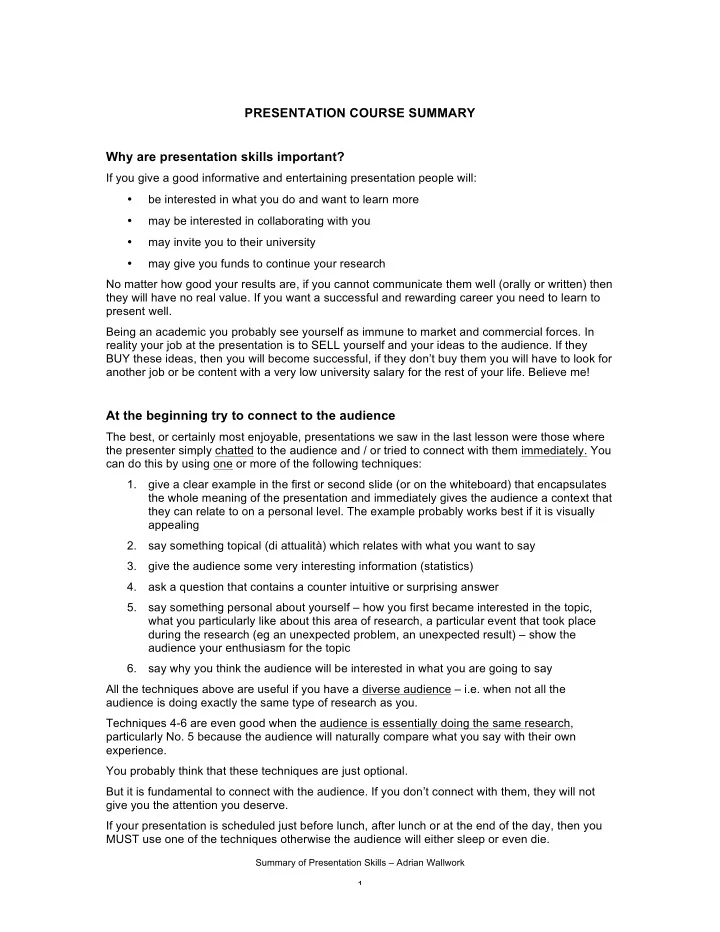
PRESENTATION COURSE SUMMARY Why are presentation skills important? - - PDF document

presentation course summary why are presentation skills
SMART_READER_LITE
LIVE PREVIEW

PRESENTATION COURSE SUMMARY Why are presentation skills important? - - PDF document

PRESENTATION COURSE SUMMARY Why are presentation skills important? If you give a good informative and entertaining presentation people will: be interested in what you do and want to learn more may be interested in collaborating with you


slide-1
SLIDE 1

Summary of Presentation Skills – Adrian Wallwork 1

PRESENTATION COURSE SUMMARY Why are presentation skills important?

If you give a good informative and entertaining presentation people will:

  • be interested in what you do and want to learn more
  • may be interested in collaborating with you
  • may invite you to their university
  • may give you funds to continue your research

No matter how good your results are, if you cannot communicate them well (orally or written) then they will have no real value. If you want a successful and rewarding career you need to learn to present well. Being an academic you probably see yourself as immune to market and commercial forces. In reality your job at the presentation is to SELL yourself and your ideas to the audience. If they BUY these ideas, then you will become successful, if they don’t buy them you will have to look for another job or be content with a very low university salary for the rest of your life. Believe me!

At the beginning try to connect to the audience

The best, or certainly most enjoyable, presentations we saw in the last lesson were those where the presenter simply chatted to the audience and / or tried to connect with them immediately. You can do this by using one or more of the following techniques:

  • 1. give a clear example in the first or second slide (or on the whiteboard) that encapsulates

the whole meaning of the presentation and immediately gives the audience a context that they can relate to on a personal level. The example probably works best if it is visually appealing

  • 2. say something topical (di attualità) which relates with what you want to say
  • 3. give the audience some very interesting information (statistics)
  • 4. ask a question that contains a counter intuitive or surprising answer
  • 5. say something personal about yourself – how you first became interested in the topic,

what you particularly like about this area of research, a particular event that took place during the research (eg an unexpected problem, an unexpected result) – show the audience your enthusiasm for the topic

  • 6. say why you think the audience will be interested in what you are going to say

All the techniques above are useful if you have a diverse audience – i.e. when not all the audience is doing exactly the same type of research as you. Techniques 4-6 are even good when the audience is essentially doing the same research, particularly No. 5 because the audience will naturally compare what you say with their own experience. You probably think that these techniques are just optional. But it is fundamental to connect with the audience. If you don’t connect with them, they will not give you the attention you deserve. If your presentation is scheduled just before lunch, after lunch or at the end of the day, then you MUST use one of the techniques otherwise the audience will either sleep or even die.

slide-2
SLIDE 2

Summary of Presentation Skills – Adrian Wallwork 2

Things to avoid

PROBLEM EXPLANATION

having no introduction you need time to relax, and the audience needs time to adjust to you voice. An introduction simply means anything (qualsiasi cosa) that is not the main technical part of the

  • presentation. It should last 30 seconds -3 minutes.

rigid body language relax and smile (if you can) panic and nerves practise in non-critical situations forgetting what to say prepare well, and if necessary use the 'bottle technique' going into ‘presentation mode’ just speak and behave like you normally do speaking too fast when you are nervous or have too much to say, you tend to speak too fast. The problem is that the audience may not understand you. too long sentences ensure that each sentence can come easily out of your

  • mouth. I recommend sentences of no more than 15-20
  • words. Use the slash (7), underline and bold techniques to

mark up your script a long boring presentation title you don’t have to have the same title as your paper tedious and abstract slide titles try and give your slides a concrete title, use verbs not just nouns a slide with the outline just talk instead (you can have your outline on a piece of paper, for your eyes only, to remind you of what you want to say), or at least have an interesting but relevant picture. If you think you really need an outline, have it as the third slide or write it on the whiteboard unnecessary bullets Powerpoint encourages excessive use of bullets - only use them when you really need to too much text reduce to the absolute minimum (then you will have something to say rather than just reading the slide), in any case give the audience time to digest the slide before talking. too many slides you probably only need 3-5 slides: you only need slides to show sets of statistics, and technical details improvising and saying ‘er’ practice saying aloud the first three minutes at least 10 times annoying colors and animations keep it simple, unless you want to create a special effect to get audience’s attention spelling mistakes spelling mistakes attract audience attention and distract them from what you are saying

slide-3
SLIDE 3

Summary of Presentation Skills – Adrian Wallwork 3

mispronouncing key words make a list of your key and make 100% sure you can pronounce them don’t use the passive don’t say: “the method was developed” say: “we developed the method” the user if possible find a way to present your research by relating it to the audience and their experience, and so use “you” not “the user”

Things to remember

  • 1. *** If you do a bad presentation, the problem is not with your English but with your slides and

with what you say ***

  • 2. you will be nervous at the beginning of the presentation. Nerves make you speak too fast. So

practise speaking the first three minutes slowly.

  • 3. exploit your uniqueness, i.e. think what makes you different from the other and thus

intrinsically interesting

  • 4. know where your hands are put them in front of you at the beginning (not behind, or in

pockets)

  • 5. smile or at least try to appear that you are enjoying yourself rather than being tortured
  • 6. give examples
  • 7. always talk in the concrete not the abstract
  • 8. present comparative information in columns not in rows
  • 9. create variety: turn the screen off (use B on your keyboard), use the whiteboard (this also

takes the focus off you, and you can relax a bit)

  • 10. create variety: move around, produce objects from your pocket
  • 11. maintain eye contact
  • 12. don’t correct mistakes that you make in English, otherwise you will draw attention to the

mistake rather than the important data you are giving your audience

  • 13. the audience will remember YOU and not your presentation
  • 14. if you enjoy preparing your slides you will enjoy showing them and your audience will enjoy

watching you

  • 15. if you are passionate about your topic your audience will watch you with more enthusiasm
  • 16. don’t ignore everything I have told you and deliver your normal standard boring

presentation (don't just try to keep your senile prof happy). If you experiment with being different then strangely this will give you extra confidence as you will see the positive reaction from the audience

slide-4
SLIDE 4

Summary of Presentation Skills – Adrian Wallwork 4

WHAT TO SAY IN YOUR SLIDES In the left column (Original) is what researchers typically say when presenting their work - NB it also contains mistakes in the English. The middle column (Comments) suggests other ways to say the same thing more effectively. And the last column gives an alternative speech. Enjoy!

ORIGINAL COMMENTS ON THE ORIGINAL POSSIBLE IMPROVEMENTS SLIDE 1

Hello everyone and thank you for coming. First of all I’d like to thank the organizers of this event. Next I would like to introduce

  • myself. My name is

Pinco Pallino, and me and my colleagues - John Smith, Heinz Ratmuller, and Tao Pei Lin – work at the CNR in Pisa in Italy. Please excuse me for my English which is really rather bad. (67 WORDS, 30

SECONDS)

Sixty seven words (= 30 seconds) which say nothing that the audience cannot deduce for themselves from the first slide. Remember, the more words you use

  • the more mistakes in English you will make!
  • the less time you have to give the audience

important technical info Unless you are an important researcher giving a keynote speech, there is really no need to thank the organizers. It is best to thank them personally after you have finished your presentation and without the audience present. Avoid completely redundant sentences: I would like to introduce myself. Your colleagues’ names are probably written on your first slide, or in the conference notes, so there is no need to mention them by name. Your institute should also be mentioned on your first slide – so you can just point to it on the slide. Never apologize for your English. Your audience will soon understand your level of English. The only time to mention your English is before a Q&A session (see notes page 00) If possible begin immediately by telling them the main topic of your presentation. If you use a bit of humor it will help you feel relaxed and the audience will, hopefully, warm to you. Hi, I’m Pinco Pallino. I am here today to tell you about ELTA, which my colleagues and I (pointing to the slide) have been

  • developing. In fact, we’ve

been stuck in the lab all summer instead of enjoying the Italian sun and the beach. (40 WORDS - INCLUDING

HUMOUR - 10 SECONDS)

slide-5
SLIDE 5

Summary of Presentation Skills – Adrian Wallwork 5 SLIDE 2

I’ll tell you about the ELTA Project (English language templates for academics) which represents one of the application areas relying on the XYZ technology supported by the ABC Project. (ONE SENTENCE) This is basically an agenda slide – you are telling your audience what you are going to do in the presentation. You should not need to explain the acronym as this info should be on the slide. This sentence is too long (31 words) and contains four separate concepts. You will be quite nervous at this early stage, so you need short sentences that will come out of your mouth easily. We don’t usually begin a sentence with I will. I will is usually preceded with first / firstly. But you are not going to give a list here. Prefer: I am going to .. The presenter seems to be presuming that the audience are familiar with the ABC Project. So I am here today to tell you about ELTA. (only say this if you haven’t already mentioned it) ELTA is one of the application areas that relies on the XYZ

  • technology. As you

probably know, the XYZ technology is supported by the ABC Project. (THREE SENTENCES) Due to the limited time, I’ll focus only on a few qualifying aspects of

  • ur project, avoiding to

go inside the technical aspects and details and, if we save some time, I’d like to give a glance to the methodological aspects of our work. What I’ll basically try to give you is a flavour of how a community can benefit from using such a technology. All the presenters have a limited time available and all good presenters will avoid going into technical details – so there is no need to mention this. There are 65 words in these two sentences, but they say very little. This is typical of introductions – the presenter tends to waffle (ie to be verbose), particularly due to nerves. Given that you have very little time, it is important to be as succinct as possible at this stage. The term qualifying aspects is so vague that it doesn’t really mean anything. Try to be more specific. We are still in the agenda and it is crucial at this point not to make many mistakes in English Use the agenda to tell the audience why they should listen to you, the innovative contribution you are making, and what impact this may have on them

VERSION A

I think that ELTA could really benefit [you and] our scientific community for two main reasons: First, because .. Second, …

VERSION B

What is so special about ELTA? Well, first it … and second it …

VERSION C

So why are we so excited about this project?

VERSION D

Why do I think you might be interested in ELTA?

slide-6
SLIDE 6

Summary of Presentation Skills – Adrian Wallwork 6 SLIDE 3

OK, let’s start the main part of the presentation. We shall go through

  • ur project focusing on

some key concepts representing the core

  • f ELTA from a high-

level perspective. Don’t begin a new slide with a redundant phrase. And don’t continue by then talking in a vague abstract way. You are simply wasting your time and the audience’s. When you are talking about what you are going to do during your presentation, do not use we – unless

  • it is a joint presentation with colleagues
  • you are including the audience itself

In this case it is the presenter who is ‘focusing’ not the audience. On the other hand, let’s is generally OK.

ALL REDUNDANT

XXs are communities gathering scientists of homogeneous thematic areas. They produce and/or consume documents

  • f different types,

using different applications and hardware resources. How do we put all this concepts together in an effective way? Which is the overall rationale of the ELTA Infrastructure? Try to use simple English. Do not use quasi- technical terms eg homogeneous thematic areas when you can use something more direct (who study the same thing). Remember the more syllables a word has the more likely you are to mispronounce it. homogeneous has five syllables, same has only one. show slide and pause a couple of seconds OK, as you know, XXs are communities that bring together scientists who study the same thing. What happens is that these scientists need to write documents and correspond in English – such as papers, presentations, emails, referees’ reports. And to do this they use different applications and hardware resources. The problem is: how do we integrate all these factors into just one access point? Well, that’s when the ELTA infrastructure comes into the picture.

TRANSITION SLIDE

OK, that’s all I wanted to say at this particular point about the ELTA

  • infrastructure. What I

would like to do next in this presentation is to take a brief look at Y. This picture in this slide shows a Y. As you can see a Y is a … Instead of attracting the audience’s attention, these phrases add no information and are likely to send the audience back to sleep. Try to make your transitions memorable. OK, here’s something that you may not know about Y: blah blah blah In fact you can see here (pointing to figure) that Y is …

slide-7
SLIDE 7

Summary of Presentation Skills – Adrian Wallwork 7 DESCRIBING A FIGURE

This picture is quite evocative of the ELTA

  • framework. It

illustrates that:

  • the storage of the

information can be arbitrarily distributed

  • the registration of the

resources is guaranteed by a library

  • the discovery of the

information is simplified by another library Constantly think to yourself 'Why should the audience be interested in what I am saying?' If you show a figure, bring it alive to the audience. Try and transmit some of that energy you had when you were doing your tests and you got your great / unexpected results. Make sure you choose words that you can pronounce (I myself am not sure of the correct pronunciation of arbitrarily, so I've used randomly which I do know how to pronounce!) Try to avoid

  • excessive use of nouns (storage, registration,

discovery)

  • the passive (where possible)

Both of these make what you say sound pompous, alienating and somniferous. Verbs (rather than nouns) and the active voice are much more dynamic. If possible, make personal references - the audience love a human-interest story, So here's the framework. ELTA has loads of features but what I personally like about it is that

  • you can get anyone to

store the info, completely randomly

  • this library here, which I

have to say took us weeks and months to write and which for some reason that we only discovered last week makes the system crash .. but what this library does is to guarantee that resources are registered

  • and this other library

helps you to find the info you want If you combine these three factors together you have what we think is ...

slide-8
SLIDE 8

Summary of Presentation Skills – Adrian Wallwork 8 CONCLUSIONS

Well, as you can see from this slide, I think that there are several conclusions that can be drawn from this research. This sentence says nothing that the audience cannot infer for themselves from a slide entitled ‘Conclusions’

ALL REDUNDANT

Firstly, ELTA enables the scientific research community to do X. Secondly, ELTA permits researchers to do Y. Thirdly, ELTA allows scientists to do Z. There is no difference in meaning between enable, permit and allow; and no real difference in this context between scientific research community, researchers and scientists. The problem is that your audience may think there is a difference and wonder what it is. Alternatively, they will get annoyed by your constant repetition. Why do you go to conferences? Presumably not just to visit the tourist sites and fall asleep in other people's presentations. You go because you want feedback (and hopefully some recognition) on the research you are doing. Do your peers think it is useful? Are you going in the right direction? Is there anything that they know that you should know? What future work should you be doing?

VERSION A

So, how can ELTA help us scientists? It can do X, Y and Z

VERSION B

What would be great for us is to have your feedback

  • n these three points

(pointing to the slide) First, it seems to us that ELTA can do X - what do you think? Second, our results seem to show both P and Q - what is the reason for this apparent contradiction? Third, we are pretty sure that ELTA could really help with Z - but maybe you know of another alternative.

FUTURE WORK / THANKING

Future work will regard investigating the possibility of having customized versions of ELTA not just for university and research institutes but also for other places such as schools Think whether you really need a separate slide for future work - it could simply be included in the Conclusions. In any case, try to talk about your future work in a more enthusiastic way. Remember this is a presentation not a paper. You want people to be interested in your work not bored by it. Finally, we think that ELTA would be amazingly useful in schools too - so that's what we are going to be investigating next. Thank you for your attention. Thank you for your attention is the standard phrase but is not exactly memorable. You want to get people to act on what you have said. So there we are. As I said, it would be great if you could give us your input - I'll be in the bar till 6, then at the restaurant tonight. So hope to see you there.