Protein NMR What do you need for the assignment? To prepare - - PowerPoint PPT Presentation

protein nmr what do you need for the assignment
SMART_READER_LITE
LIVE PREVIEW

Protein NMR What do you need for the assignment? To prepare - - PowerPoint PPT Presentation

Protein NMR What do you need for the assignment? To prepare isotopically labelled protein ( 13 C, 15 N labelled media) To know the amino acid sequence To record several multiple-dimensional experiments To install appropriate


slide-1
SLIDE 1

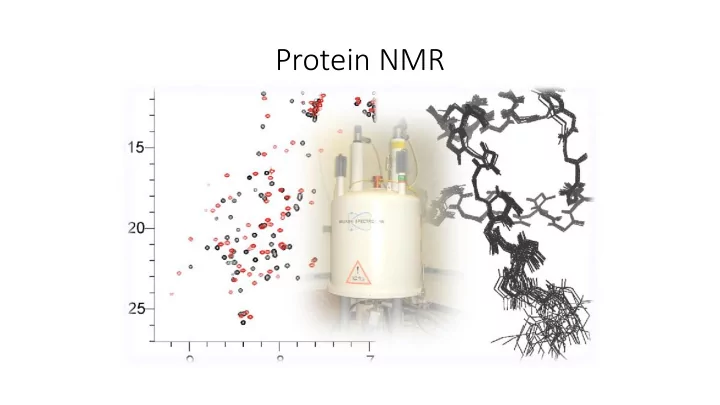
Protein NMR

slide-2
SLIDE 2

What do you need for the assignment?

  • To prepare isotopically labelled protein (13C, 15N labelled media)
  • To know the amino acid sequence
  • To record several multiple-dimensional experiments
  • To install appropriate software (Sparky)
slide-3
SLIDE 3

Standard NMR experiments for the backbone assignment

  • HSQC
  • HNCACB (or equivalent CBCANH)
  • HN(CO)CACB (or equivalent CBCA(CO)NH)
  • HNCA
  • HN(CO)CA
  • HNCO

….not necessary, but can be helpful

slide-4
SLIDE 4

The backbone of protein, the nomenclature (CA,CB, CA-1,CB-1)

slide-5
SLIDE 5

1H – 15N HSQC

  • most standard 2D experiment
  • shows all H-N correlations with exception of proline (the backbone

amide groups, but also Trp side-chain Nε-Hε groups and Asn/Gln side- chain Nδ-Hδ2/Nε-Hε2 groups and Arg Nε-Hε)

  • like a fingerprint of amino acids
slide-6
SLIDE 6

1H – 15N HSQC

slide-7
SLIDE 7
slide-8
SLIDE 8

Sparky

  • Project UCSF (University of California, San Francisco)
  • Free to download (http://www.cgl.ucsf.edu/home/sparky)
  • For all systems (Windows, Unix, Mac)
  • Software only for multi-dimensional spectra
  • Can directly read Bruker processed data and UCSF format (other have

to be converse)

  • No information about acquisition parameters, temperature…
slide-9
SLIDE 9

Sparky

  • Open terminal (Applications→Accessories→Terminal)
  • Copy data from my folder and open software Sparky

scp –r wolf.ncbr.muni.cz:/scratch/popelka/c6775/spectra.N ./ („N“ is number of your project) module add sparky sparky (open all three spectra)

slide-10
SLIDE 10

Basic Manual

  • Many tools with their own dialog for setting parameters on the screen
  • Each command has double letters shortcut (case-sensitive!)
  • E.g. To adjust contour levels type ct
  • Window for switching „operating“ mode (or F1 – F12)
  • Impossible to go more than one step back

command eu = one step back

slide-11
SLIDE 11

The most used commands

  • ct = adjust contour levels to eliminate most of the noise
  • yt = synchronize spectra
  • at = add label to selected peak (the group name and atom name for

each axis)

  • lt = for quickly locating a picked peak in a spectrum. Double clicking
  • n a line in the peak list will recenter a spectrum view to show the

selected peak

  • zi, zo, for zooming
  • xx, xr for switching and rotating axes
slide-12
SLIDE 12

Peak picking (in HSQC)

  • Choose the find/add peak pointer mode (F8) to pick peaks or click (left

button) on a point in a spectrum view will place a peak marker there

  • Move the marker to the local maxima with the peak center command (pc).
  • Add label = assing peak (at)
  • In real spectrum you can check the number of peaks, it has to corespond

with amino acid sequence (Number of AA – 1 +R + W + 2N +2Q - P)

slide-13
SLIDE 13

Assigning peaks

  • Select a single peak and bring up the assignment dialog (type at).

Type in a group name and atom name for each axis and press Apply.

  • First column, The group, is meant to indicate the amino acid

residue and the sequence number

  • Second column specifies the atom.
  • Guessing …
slide-14
SLIDE 14

Next strategy

  • Now we have some information about nitrogen, but it is not enough

to solve the assignment, we also need information about carbons, so we record other spectra which they provide both 13C α and 13C β chemical shifts.

  • The 3D HNCACB and HNCA(CO)CB spectra show the same 15N-1H

correlation pattern as the 15N-1H HSQC spectrum. The third dimension provides 13C α and 13C β resonance frequencies.

  • The standard strategy of the assignment is based on a comparison of

HNCACB and NHCA(CO)CB spectra, where signals of neighbouring amino acids are identified at the same 13C frequency.

slide-15
SLIDE 15

Triple resonance experiments (3D NMR)

  • HNCACB (or equivalent CBCANH) - information for each amide (HN and NH)

peak in the HSQC spectrum of the residue (residue i) and 13C α and 13C β the chemical shift information of the carbons of the residue (residue i) and

  • f the previous residue (residue i-1) in our case, we do not see previous

residue, it is easier for you.

  • HN(CO)CACB (or equivalent CBCA(CO)NH) - information for each amide

(HN and NH) peak in the HSQC spectrum of the residue (residue i) but

  • nly the chemical shift information of 13C α and 13C β carbons of the

previous residue (residue i-1).

  • Combination of those - to assign which 13C α and 13C β are of the given

residue and of the previous residue in the HNCACB.

slide-16
SLIDE 16
  • the chemical shift of 13C α and 13C β are specific for each amino acid

→ we can identify each amino acid and use it for the sequential backbone assignment.

  • BUT in practise it is impossible to identify amino acids according to

their chemical shifts, because values are very similar, but we can divide them into several groups, which makes the situation easier

slide-17
SLIDE 17
slide-18
SLIDE 18

Peak picking in CBCA(CO)NH and CBCANH

  • CBCA(CO)NH spectrum, where we expect normally to find 2 carbon

peaks per NH of previous AA, or 1 in case of the presence of a glycine.

  • CBCANH spectrum, where we expect normally to find 2 carbon peaks

per NH of current AA, or 1 in case of the presence of a glycine.

slide-19
SLIDE 19