Software testing In requirements gathering we focus on validation, - - PowerPoint PPT Presentation

software testing
SMART_READER_LITE
LIVE PREVIEW

Software testing In requirements gathering we focus on validation, - - PowerPoint PPT Presentation

Software testing In requirements gathering we focus on validation, are we building the right product? (will it be what the user needs) In development we focus on verification: are we building the product right? (does it conform to


slide-1
SLIDE 1

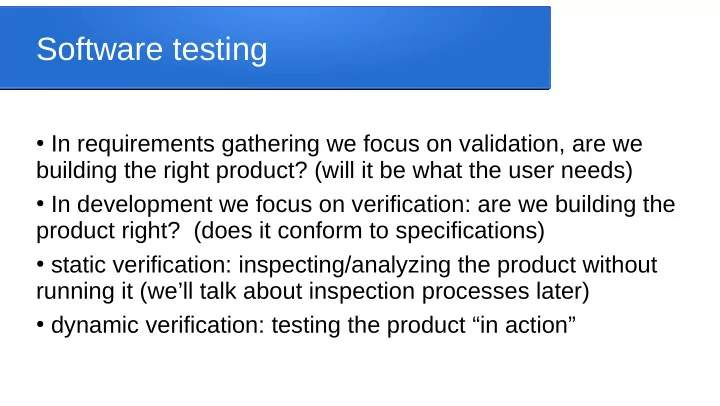
Software testing

  • In requirements gathering we focus on validation, are we

building the right product? (will it be what the user needs)

  • In development we focus on verification: are we building the

product right? (does it conform to specifications)

  • static verification: inspecting/analyzing the product without

running it (we’ll talk about inspection processes later)

  • dynamic verification: testing the product “in action”
slide-2
SLIDE 2

Testing philosophy

  • Testing can find flaws, but can’t guarantee something is

error-free

  • Good tests are ones that have high chance of revealing
  • therwise undetected errors
  • Successful tests discover one or more errors
  • Finding bugs during testing is better than finding them

when the product is in the field (thank the tester!)

  • Every test should have a specific reason for existence

(some part of reqs/specs it is explicitly there to check)

slide-3
SLIDE 3

Design software to be testable

  • Tightly cohesive, loosely coupled, good use of abstraction

and intuitive modular design, well documented

  • Changes should be well controlled, documented, tested
  • Highly controllable: relatively easy for us to generate

specific outputs/force program into desired states

  • Highly observable: early to distinguish between program

states and between correct/incorrect states/behaviour

  • Might need to use/develop tools to support control and
  • bservation for deeply nested portions of the system
slide-4
SLIDE 4

Testing timelines

  • Test planning, development, and application should be

integral part of entire project lifetime (not an afterthought

  • nce coding is “complete”)
  • Big-V model of software development: plan top-down

“layers” of test during requirements, specs, design, code (e.g. from requirements we write user-acceptance tests, from system specs we write system tests, from implementation we write unit tests, etc)

  • en.wikipedia.org/wiki/V-Model
slide-5
SLIDE 5

Common test layers

  • Interface testing: before components are finished, simply testing

call/return frameworks

  • Unit testing: does each individual component meet its own

specs (e.g. testing individual functions, methods, classes)

  • Module testing: does each indiv module meet its own specs
  • Sub-system testing: does each sub-system meet its specs
  • System testing: does entire system meet specifications
  • Acceptance testing: client-side tests, does it meet requirements
  • Beta testing: let customers access trial version
slide-6
SLIDE 6

Open-box, closed-box testing

  • Open box vs closed box: when testing a component, do

you know what’s inside it (full implementation details), or just its specifications

  • Closed-box tests are based only on the specifications for

the component

  • Open-box tests assume some knowledge of how things

work inside (e.g. if I know a SORT function is using bubblesort then I can think of specific best/worst test cases specifically for that)

slide-7
SLIDE 7

Static test tools

  • Many compilers and IDEs can apply different levels of

code-checking (at compile time) and give suitable warnings if something looks “off” (e.g. unreachable code, variables used before set, etc)

  • Many tools also support things like path testing: auto-

generating test cases that ensure every line of code gets run at least once

  • Some tools give data flow analysis: for each output or

variable, gives a list of which other variables it depends on

slide-8
SLIDE 8

Functional, non-functional tests

  • Functional tests: does the program give the correct
  • utput/results
  • Non-functional tests: does the program meet performance

requirement (memory use, response time, throughput, etc)

  • Nearly every sentence in requirements and specifications

documents should provide ideas for addition test cases, either functional or non-functional

  • Can be more challenging to set up/measure non-functional

tests

slide-9
SLIDE 9

(Simple) example

  • Suppose the specs for our program are as follows:

The timecalc program should read a user time (from standard input) using a 24-hour clock in the format hh:mm (00:00-23:59) and output (to standard output) the time in seconds since 00:00 as an integer value. E.g. for input 01:59 the output should be 119. If the input is in any way invalid then the output should simply be “Error”

slide-10
SLIDE 10

Test cases for valid input

  • consider all the edge cases, e.g. the combinations of hours 00

and 23 with minutes 00 and 59: 00:00, 00:59, 23:00, 23:59

  • should have at least a few test cases “in between” (maybe the

dev code works for special cases but not the general ones?)

  • If we’re worried the dev might have done something really odd

then we may even consider having at least one test case for each of the hours (00, 01, ..., 23) and at least one test case for each of the minutes (00, ..., 59)

slide-11
SLIDE 11

Test cases for erroneous input

  • Need to decide what kind of invalid input we should test for
  • Certainly want to check for hours/minutes “just” out of

range (e.g. 24 for hours, 60 for minutes), and probably also a few cases significantly out of range

  • Test for input with other characters instead of digits, e.g.

0x:34, or with extra characters (e.g. 001:23, 02:10pm)

  • Test for input that is complete garbage (“blahblahblah”)
  • What about spacing ... if user enters spaces then valid

time is that ok? (not clear from specs)

slide-12
SLIDE 12

Test case information

  • Somewhere we want documentation on each test case
  • A unique name/identifier for the test (so we can clearly refer to

specific tests when talking to testers/devs)

  • Why it is there (what do we expect this case to catch that other

test cases wouldn’t?)

  • How is that test case set up/run (might be basically the same

for lots of tests, so might be noted elsewhere)

  • What is the actual test data for the case/where is it stored
  • What is the expected output/results of the test case/where is it

stored

slide-13
SLIDE 13

Test automation

  • We should retest all the impacted parts of a system

whenever code changes are made

  • We could run all the test cases manually, and visually check

that they do the right thing, but this is slow and error prone

  • Ideally, we want an automated process to do this – we

somehow tell it which test cases to run, it runs them all, checks results, and logs/reports on the results

  • We’ll come back and address this in detail in coming lectures
slide-14
SLIDE 14

Stress testing

  • Going beyond the required non-functional test limits, to see

how far we can push the system before it starts malfunctioning (e.g. giving it higher loads or larger test cases than it is required to handle)

  • Gives us an idea of what the system limits actually are

(useful information if client needs higher-than-planned performance sometime in the future)

  • Gives us an idea of what the system behaviour looks like

when it does get overloaded in different ways (might be helpful for support staff somewhere in the future)

slide-15
SLIDE 15

Back-to-back testing

  • Sometimes we are developing a new system to replace an
  • ld one
  • We can do some comparitive testing to convince clients

and ourselves that new system works correctly

  • Run both systems on the same data, see if they both get

correct results

  • To do this, we do need both systems operational

simultaneously

slide-16
SLIDE 16

Test planning

  • We’ve seen a lot of information about types of tests and

information required, for all the different components and layers of testing

  • For a big project, this requires careful planning and

documentation, and careful monitoring/management

  • Test plans provide details on who will develop, run, and

monitor all the different tests and supporting technology at each state of the project, what the processes will be, where test data/scripts are found, etc